Table of Contents
- What Is Dedicated WordPress Hosting?
- The 8 Best Dedicated WordPress Hosting 2026
- 1. YouStable – Overall Best Dedicated WordPress Hosting
- 2. Cloudways – Best Dedicated WordPress Hosting
- 3. Atlantic.Net - Affordable Dedicated WordPress Hosting
- 4. Kinsta – Powerful Managed Hosting for WordPress
- 5. Hosting.com – Secure and Fast Dedicated WordPress Hosting
- 6. WPXHosting – World’s Fastest Dedicated WordPress Hosting
- 7. WPEngine – Fully Managed Dedicated WordPress Hosting
- 8. BlueHost – High-Performance Dedicated WordPress Hosting
- How The Dedicated WordPress Hosting Were Tested
- Why Should You Choose Dedicated WordPress Hosting?
- What’s the Difference Between Managed & Unmanaged Dedicated Hosting?
- FAQ's
- Conclusion - Best Dedicated WordPress Hosting 2026



8 Best Dedicated WordPress Hosting In April 2026– Reviewed
If you run a WordPress website for your enterprise-level business or online store, you’ve probably faced issues like slow loading pages, sudden downtime, security warnings or your site crashing during high traffic. These problems usually happen because your website is sharing server resources with many other users (in shared hosting), which limits your speed.
This is where we’re gonna talk about a dedicated WordPress hosting service. Instead of sharing resources, you get an entire server fully dedicated to your website. This means faster speed and complete control over how your server works. It helps your site load instantly, stay secure, handle large visitor spikes and deliver a smooth user experience without any interruptions.
In this blog, we’re going to explore the top best dedicated WordPress hosting providers, their key features, and detailed pricing. This will help you understand what each provider offers and make it easier for you to compare them based on your specific hosting needs.
So let’s dive in and explore the best options available!
What Is Dedicated WordPress Hosting?
Dedicated wordpress hosting is a high-performance hosting setup (gives power and 100% server control) where an entire physical server is given exclusively to one user for one website (or a group of websites owned by the same user).
Here, in dedicated hosting, no resources are shared with strangers, which means your WordPress site gets maximum CPU power and storage, leading to better speed and security. This type of hosting is mostly preferred by large businesses and agencies managing multiple client sites and also enterprises that cannot afford downtime or performance issues.

The 8 Best Dedicated WordPress Hosting 2026
There are many companies which provide WordPress hosting, but when you filter them to choose the best one, you may get confused. That is why we have researched and figured out the 8 best dedicated wordpress hosting only for you.
So without any further delay let’s get started.
⏰ TL;DR:
1. YouStable – Overall Best Dedicated WordPress Hosting
2. Cloudways – Best Dedicated WordPress Hosting
3. Atlantic.Net – Affordable Dedicated WordPress Hosting
4. Kinsta – Powerful Managed Hosting for WordPress
5. Hosting.com – Secure and Fast Dedicated WordPress Hosting
6. WPXHosting – World’s Fastest Dedicated WordPress Hosting
7. WPEngine – Fully Managed Dedicated WordPress Hosting
8. BlueHost – High-Performance Dedicated WordPress Hosting
1. YouStable – Overall Best Dedicated WordPress Hosting
YouStable

Pros
- Affordable pricing suitable for beginners and small businesses
- Reliable uptime and stable performance for WordPress sites
- Easy-to-use control panel (beginner-friendly)
- Fast support response with helpful assistance
Cons
- Documentation and tutorials could be improved
Summary
Youstable is an India-based startup established in 2015. Youstable provides the most affordable services on the list. Youstable aims to provide affordable hosting to content beginners to advance users.
YouStable uses world-class technology to provide you with the best services. For example, they use triple-layered firewall protection powered by BitNinja.
Youstable has worked with more than 75,000 customers and provided the best-in-class services. It has 4.6-star reviews from its customers. Youstable is the best example of companies that balances great quality and affordability.
Price: USD 1.79 /month
Visit YouStableBest Features of YouStable
They provide various services with different features but some are listed down below.
- FTP access: FTP stands for File Transfer Protocol which you use to download or upload the file from the website files to your hosting account.
- Free SSL certificate: Youstable provides you free SSL certificate, which increases the security of your website.
- Litespeed servers: Litespeed is basically an optimized server for better speed, and it helps fast load your website over the internet. And Youstable has the LiteSpeed server
- Free domain: Youstable provides free domain in almost every plan, which is the best part about the youstable.
- Priority support: Customer support is one of the USPs of Youstable. They provide excellent customer service to every customer, from individual to business.
Pricing and Plans
YouStable provides the most affordable plans in the market. In their DAStart, they provide 50GB NVMe SSD, 1GB RAM and 500 GB bandwidth for just $1.79/month.
| Plan | Storage | WebSite | Data Transfer | Price |
| DAStart | 5 GB NVMe SSD | Website | 50 GB Bandwidth | $1.79/mo |
| DAProfessional | 50 GB NVMe SSD | 10 Websites | 250 GB Bandwidth | $2.29/mo |
| DAElite | 100 GB NVMe SSD | Unlimited Websites | 500 GB Bandwidth | $3.09/mo |
Web Hosting prices are updated frequently. So, I request you to verify the pricing by visiting the respective websites.
2. Cloudways – Best Dedicated WordPress Hosting
Cloudways

Pros
- Choice of top cloud providers (AWS, Google Cloud, DigitalOcean)
- High scalability with pay-as-you-go pricing
- Built-in caching, CDN, and staging tools
- Excellent performance even during traffic spikes
Cons
- Slight learning curve for beginners
- No traditional cPanel (custom dashboard)
Summary
Cloudways was established in 2012. Cloudways provides you a platform from where you can choose to host your website on a cloud server fromDigital Ocean, Linode, Vultr etc.
They provide Cloud-based managed WordPress hosting.
The Cloud-based hosting service is a little different from traditional hosting services. Cloud hosting means your site will be hosting multiple websites so that if anything goes wrong with one server, then your website can be accessed from the other servers.
Price: USD 12 /month
Visit CloudwaysBest Features Of CloudWays
They offer totally different features from all the other companies on the list. And they are as follows:
- Cloudways Thunderstruck: Cloud ways provide the latest server resources which can work better with CMS.
- Ironclad security: Cloudways has partnered with Let’s Encrypt, which helps to integrate any CMS with SSL security.
- Server monitoring: Cloudways offers you a dashboard to manage applications and server monitoring.
- Suitable for many use-cases: websites, email servers, hosting multiple sites, even gaming servers or reselling hosting — Because of the flexibility, resource strength, and full control, you can host multiple websites, run email servers, or even offer hosting services to others.
Pricing and Plans
Cloudwys may sound a little expensive, but they provide very impressive features. They provide 1TB Bandwidth, 25 GB storage and 1 core processor.
| Plan | Storage | RAM | Data Transfer | Price |
| Basic | 25 GB SSD Storage | 1 GB | 1 TB | $12/mo |
| Plus | 50 GB SSD Storage | 2 GB | 2 TB | $26/mo |
| Choice Plus | 80 GB SSD Storage | 4 GB | 4 TB | $50/mo |
| Pro | 160 GB SSD Storage | 8 GB | 5 TB | $96/mo |
Web Hosting prices are updated frequently. So, I request you to verify the pricing by visiting the respective websites.
3. Atlantic.Net – Affordable Dedicated WordPress Hosting
Atlantic.Net

Pros
- Very affordable cloud/dedicated infrastructure
- 100% uptime SLA guarantee
- Flexible hourly and monthly billing
- Scalable resources for growing sites
Cons
- Not beginner-friendly (technical knowledge required)
- Managed services cost extra
Summary
The next alternative that we’ve is Atlantic.Net! It offers premium Dedicated WordPress Hosting that’s built only for high-performance and reliable website deployments with lightning-fast setup.
Backed by 10+ years of experience, their dedicated hosting solutions are optimized for WordPress, with ultra-fast SSD storage, guaranteed resources and full root access for advanced control. With global data center availability, Atlantic.Net ensures your WordPress site is not just hosted, it’s empowered to thrive anywhere in the world.
Their dedicated WordPress hosting is totally exclusive due to its 100% Uptime SLA, huge security protocols, flexible resource scaling, and easy one-click WordPress deployment. Pro features such as RAID-10 storage, daily cloud backups and snapshot recovery make it an enterprise-grade solution. It’s good for big businessmen, pro developers seeking complete control over their server, while enjoying the power and flexibility needed to scale easily, all without affecting speed and performance.
Price: USD 247 /month
Visit Atlantic.NetFeatures
- One-Click WordPress Deployment in just 30 Seconds: Your site is up and running in less than half a minute. The pre-configured environment includes a Linux OS, MySQL, Apache, and PHP, all optimized for WordPress. This makes setup nearly instant and hassle-free.
- 100% Uptime SLA with Money-Back Guarantee: Atlantic.Net guarantees 100% uptime across network, infrastructure, and hardware, backed by a money-back SLA. This ensures your site remains accessible around the clock without interruptions.
- High-Performance SSD & RAID-10 Storage: Delivers blazing-fast SSD storage combined with RAID-10 architecture! This feature ensures easy optimized read and write speeds, redundancy, and fault tolerance. Users can also expand with Secure Block Storage, scaling up to 16TB.
- Daily Cloud Backups & Snapshots for Data Safety: Offers optional automated daily backups and point-in-time snapshots, letting you restore your WordPress environment in a matter of seconds. Backups are kept securely and snapshot data can be replicated across global data centers.
- Root Access, RESTful API & Full Flexibility: It also gives you a complete root access along with a powerful RESTful API for full control. You can even scale CPU, RAM, and storage on-demand and deploy custom configurations as needed.
Pricing
| Plan | CPU | Storage | Price per month |
| Dedicated Server- Standard | 12 vCPU 6-core + 32GB RAM | 2x 480GB SATA SSD | $247 per month |
| Dedicated Server – Essential | 12vCPU 6-Core + 64GB RAM | 2x 960GB SATA SSD | $265 per month |
| Dedicated Server- Enhanced | 12 vCPU 6-core + 128GB RAM | 2x 1.92TB NVMe SSD | $317 per month |
4. Kinsta – Powerful Managed Hosting for WordPress
Kinsta

Pros
- Powered by Google Cloud (high-speed infrastructure)
- Premium performance with advanced caching & CDN
- Fully managed hosting (automatic updates, backups)
- Excellent support and developer tools
Cons
- Expensive compared to other providers
- Limited flexibility (no full server control)
Summary
Kinsta was established in 2013 in the USA, It provides premium wordpress hosting plans powered by the Google cloud platform. From the day of its establishment, Kinsta is providing its services to small startups and big companies.
They serve all across the globe with their clients from around 128 countries. The best part about kinsta is its user-friendly interface. Kinsta’s dashboard is very easy to use.
Kinsta focuses on providing reliability, speed and excellent customer service. Kinsta provides 30-day money-back guarantee.
Price: USD 35.00 /month
Visit KinstaBest Features Of Kinsta Dedicated WordPress Hosting
Kinsta provides many features backed by the premium infrastructure and they are as follows.
- Free CDN: As I have explained about the CDN and how it works. They have partnered with KeyCDN and IPv6-enabled content delivery network. With CDN website can load faster than the origin server from anywhere.
- Free SSL certificate: Kinsta provides a free SSL certificate. Kinsta has integrated with Let’s Encrypt, which provides free encrypt SSL with the certificate to all your websites.
- 24*7 expert customer support: kinsta has the best customer support. They provide services 24*7.
- Daily backup: Kinsta stores its customer’s site data daily so that it can be recovered in any bad situation. They provide you with three options to create a backup of your data. (1) Daily: Basically, they create automatic backups every day. And store it for around 14 days. (2) Manual: Kinsta also provides options to create a manual backup which will also be stored for 14 days. (3) System generated: Kinsta has a system that generates the backup at specific events and stores it for 14 days.
Pricing and Plans
Kinsta offers you two plans in which SSL, CDN, and Free Migration are included. The basic difference in both plans is just storage, visitors and WordPress installation.
| Plan | Storage | WebSite | Monthly Visits | Price |
| Build | 10 GB SSD Storage | 1 Websites | 25,000 | $35.00/mo |
| Grow | 20 GB SSD Storage | 2 Websites | 50,000 | $70.00/mo |
| Scale | 30 GB SSD Storage | 5 Websites | 100,000 | $115.00/mo |
Web Hosting prices are updated frequently. So, I request you to verify the pricing by visiting the respective websites.
5. Hosting.com – Secure and Fast Dedicated WordPress Hosting
Hosting.com

Pros
- Strong focus on security and uptime stability
- Managed hosting with SLA-backed services
- Includes backups, staging, and monitoring tools
- Suitable for business and enterprise environments
Cons
- Higher pricing than budget hosts
- Not optimized for beginners
Summary
Hosting.com (Formerly A2Hosting) was started in 2001 in Michigan, United States. Hosting.com claims to be the fastest hosting service provider in the market.
It aims to help people to succeed in their online business. It wants to make hosting more easy and fast for its customers. It provides 24*7 customer support, and they offer support to every customer whether they have never hosted any website before or they are running their business.
It claims to be the fastest web hosting company. Hosting.com Turbo plans are 20 times faster than their non-turbo plans.
Price: USD 11.99 /month
Visit Hosting.comBest Features Of Hosting.com
Hosting.com provides excellent features, which makes it different from its competitor. Their feature are as follows.
- Automatic hardening Hosting.com offers automatic hardening, which helps you to keep your website safe from vulnerabilities. With just 1-Click hardening, you can scan potentially vulnerable settings, and by just using the setting option, you can harden the security of your website.
- SSH security so for those who are not aware of SSH security, SSH stands for secure shell or secure socket shell is a security protocol that gives system administration a secure way to access the computer over an unsecured network.
- Hotline protection: This feature allows you to prevent your website images from being stolen by someone else.
- Patchman : This feature helps you to scan your outdated WordPress applications, malware, and vulnerabilities for better security.
Pricing and Plans
They offer wide range of solutions to meet requirements from Shared VPS, WordPress or Dedicated servers.
| Plan | Storage | WebSite | E-mail account | Price |
| Starter | 15 GB Disk Space | 1 WordPress Website | 5 E-mail accounts | $11.99/mo |
| Plus | 30 GB Disk Space | 1 WordPress Website | 10 E-mail accounts | $11.99/mo |
| Pro | 50 GB Disk Space | 1 WordPress Website | 20 E-mail accounts | $24.99/mo |
| Max | 100 GB Disk Space | 1 WordPress Website | 40 E-mail accounts | $29.99/mo |
Web Hosting prices are updated frequently. So, I request you to verify the pricing by visiting the respective websites.
6. WPXHosting – World’s Fastest Dedicated WordPress Hosting
WPXHosting

Pros
- Extremely fast loading speeds with custom CDN
- Free malware removal and daily backups
- Free website migration service
- Excellent customer support quality
Cons
- Higher starting price than entry-level hosts
- Limited data center locations
Summary
WPXHosting was established in December 2013 to provide fast website load time and the best customer support. WPXHosting has expertise in providing dedicated WordPress Hosting.
WPX Hosting is especially known for its customer service. They provide excellent customer service 24*7.
WPXHosting provides many features like 99.99% uptime, Free CDN and many more, and we will briefly discuss it in the features section.
WPXHosting provides a very fast page load speed because they use the LiteSpeed servers, which are located in the United States, UK and Australia.
Price: USD 20.83 /month
Visit WPXHostingBest Features of WPX Hosting
They offer totally different features from all the other companies on the list. And they are as follows:
- Free CDN : For those who are not aware of CDN (content delivery network), CDN and It is basically a group of servers that helps in the fast loading of a website. CDN is like a mini server near you, so when you open a website it does not load from the origin server instead it can be loaded from your nearby server. WPXHosting has its custom-built CDN for performance.
- Free Migration: WPX Hosting provides a free website migration service. For example, if you have taken services from a hosting service and do not like it, then you can migrate your website to WPX hosting for free.
- Free Daily Backups: WPX Hosting provides daily backups so that in any case, if the server crashes or any misfortune happens, WPX Hosting stores your daily data backup.
- Free Malware Scanning Feature: Some Hosting services provide this feature in their paid plans, but WPX Hosting provides malware protection for free.
- Free SSL Certificate: SSL stands for Secure socket layer; it is a security protocol that provides an encrypted link between the web server and web browser. WPX provide a free SSL certificate.
- DDoS Protection: This feature protects your website from hacking or any malicious attack.
Pricing and Plans
It has three plans, in which you can host up to 35 websites with infinite GB of bandwidth. And in its cheapest hosting plan, it offers to host up to 5 websites with 100GB of bandwidth.
WPX Hosting also provides Domain which is listed down. It provides various domain which including .com .net etc.
| Plan | Storage | WebSite | Data Transfer | Price |
| Business | 10 GB | Up to 5 Website | 100 GB Bandwidth | $20.83/mo |
| Professional | 20 GB | Up to 15 Website | 200 GB Bandwidth | $41.58/mo |
| Elite | 40 GB | Up to 35 Website | ∞GB Bandwidth | $83.25/mo |
Web Hosting prices are updated frequently. So, I request you to verify the pricing by visiting the respective websites.
7. WPEngine – Fully Managed Dedicated WordPress Hosting
WPEngine

Pros
- Fully managed WordPress environment (no maintenance needed)
- Strong security, backups, and automatic updates
- Developer-friendly tools (Git, staging, etc.)
- Reliable performance with global data centers
Cons
- Expensive compared to alternatives
- Plugin restrictions for performance/security
Summary
WPEngine was established in 2010, and since then, they have been providing best-in-class services to its customers. WP Engine claims they provide the best wordpress hosting in the market.
WP Engine offers high-quality managed hosting with excellent uptime and daily backups.
WP Engine has expanded its services. Now they also provide custom plans to accommodate any high-traffic website. For example, the scale plan provides 30 wordpress sites to host, 50GB storage and 500GB of monthly data transfer with 400,000 visits per month.
Price: USD 35.00 /month
Visit WPEngineBest Features Of WPEngine
WP Engine features have a deep focus on improving its customers’ web strategies. They offer some tracking options to check the analytics of your visitor.
Apart from tracking, they offer many unique features, which are mentioned below.
- Free website migration: WP engine provides a free website migration feature from your old hosting.
- Free SSL certificate: WP Engine also provides a free SSL certificate which is very important for security.
- Initial support for setting up your website: WP Engine provides initial customer support for easily and successfully hosting your website.
- Tracking option: WP Engine offers you a tracking option to check your conversion rate and all the analytics. The goal behind providing the tracking option is- (1) You can develop successful web strategies. (2) You can adequately track the success rate of your website.
Pricing and Plans
The best part of their plans is they offer the facility to customize your tools. They suggest you the necessary tool.
| Plan | Storage | WebSite | Monthly Visits | Price |
| Build | 10 GB SSD Storage | 1 Websites | 25,000 | $35.00/mo |
| Grow | 20 GB SSD Storage | 2 Websites | 50,000 | $70.00/mo |
| Scale | 30 GB SSD Storage | 5 Websites | 100,000 | $115.00/mo |
Web Hosting prices are updated frequently. So, I request you to verify the pricing by visiting the respective websites.
8. BlueHost – High-Performance Dedicated WordPress Hosting
BlueHost

Pros
- Officially recommended by WordPress.org
- Beginner-friendly dashboard and setup
- Free domain, SSL, and CDN included
- Reliable uptime and decent performance
Cons
- High renewal pricing
- Limited advanced developer features
Summary
Bluehost was started in 1996 and is owned by Endurance International Group. Bluehost sells many services, from shared hosting to VPS hosting.
In 2019 Bluehost introduced a new feature of CPU throttling, which reduces user’s CPU usage, this feature was very new to the market, and customers loved it.
Bluehost always has been such a successful company that in 2010 Endurance international Grouped acquired it. And since then, Bluehost has been one of the largest sources of revenue for EIG.
Price: USD 2.95 /month
Visit BlueHostBest Features Of Bluehost
Bluehost offers you many features that other companies on the list don’t, and those features are as follows:
- Free domain and specific email address: With the integration of Microsoft 365, Bluehost offers you a specific email address that can strengthen your business growth.
- Guaranteed 99.99% uptime: Bluehost guarantees 99.99% uptime through which you can serve at least 99.99% of traffic at the time, which is above the industry standards.
- Free Cloudflare integration: With this feature, your website will be automatically configured to the Cloudflare system. This feature helps in the fast loading of your website. For example, when any visitor opens your website, the large files of your website will be accessed from the nearest server so that it can load much faster.
- Advanced security options: Bluehost provides standard hosting security features for better security. For Example- 1. It provides an IP address blocking feature. 2. Password-protected directories. 3. Manage private key and digital certificates.
Pricing and Plans
It has three plans for individual, business and elite. All are mentioned in detail down below.
| Plan | Storage | WebSite | Data Transfer | Price |
| Basic | 1 Website | 1 Websites | Unmetered | $2.95/mo |
| Plus | 20 GB SSD Storage | Unlimited Websites | Unmetered | $5.45/mo |
| Choice Plus | 40 GB SSD Storage | Unlimited Websites | Unmetered | $5.45/mo |
| Pro | 100 GB SSD Storage | Unlimited Websites | Unmetered | $13.95/mo |
Web Hosting prices are updated frequently. So, I request you to verify the pricing by visiting the respective websites.
WP Pro
| Plan | Storage | WebSite | Data Transfer | Price |
| Build | Unlimited Web Storage | Unlimited Websites | Unmetered | $19.95/mo |
| Grow | Unlimited Web Storage | Unlimited Websites | Unmetered | $29.95/mo |
| Scale | Unlimited Web Storage | Unlimited Websites | Unmetered | $49.95/mo |
Web Hosting prices are updated frequently. So, I request you to verify the pricing by visiting the respective websites.
How The Dedicated WordPress Hosting Were Tested
When you are running an online business, you create strategies to achieve more growth and success. But creating strategies is not possible without knowing the performance of your website.
Fast hosting really matters a lot. If your website is loading slowly, it will get a lower search engine ranking, high bounce rates, lower conversion rates, and lower profits.
If you know these data, you can change your hosting service provider or strategies for better performance.
But how to test the website hosting? There are many tools through which hosting can be tested.
They are mentioned briefly down below.
GT Metrix
GT Matrix is developed by a company, GT.net, And it is a very powerful tool to test the performance of a website. GT Matrix provides detailed information on the speed of your website and what is causing issues in the loading speed of your website.
GT Matrix is a completely free tool to use.

It gives detailed information about your website speed in this format,

Pingdom
Pingdom is also used to measure to performance of your website, but unlike GT Matrix, Pingdom is not free.
Pingdom was established in 2005 in Sweden. It provides many features to measure performance.
Pingdom offers you to measure uptime, Page Speed, and transactional monitoring. They offer two plan to use.
Synthetic Monitoring
In this, they offer you to test whether you are slow or broken. They help you to check the following detail:
- Availability of your website from all over the world
- Examine and optimize the load performance.
- Provide alerts if anything goes wrong.

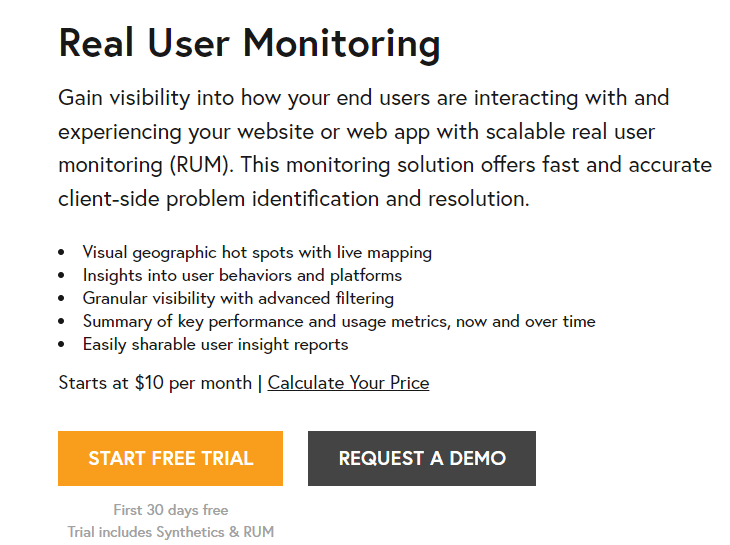
Real User Monitoring:
In this plan, they offer you to check how your customers experience your site, they include the following features
- They provide visual graphics related to your users.
- Summary of Key Performance.
- Insights into the behavior of your users.
K6 Loading
Load testing is an effective way to check how your application behaves on the internet. And K6 is generally used for load testing. It was established in 2000 to aid the organisation in load testing.
K6 provides a simple test builder to check the load speed of your website. It is an open-source load testing tool.
K6 provides features like–
- Load testing: they provide very high-speed load testing.
- Performance and synthetic monitoring: K6 runs small and continuous testing to check the performance and availability of your website.
- Chaos and reliability testing: K6 offers you to simulate the traffic to experiment with the chaos testing
Why Should You Choose Dedicated WordPress Hosting?
See! Getting a dedicated hosting provider isn’t something you can do randomly. The provider you select must offer all the essential features, performance capabilities and security standards required to run your WordPress website smoothly.
This is why it’s important to keep the points below in mind before you decide on the best dedicated WordPress hosting for your long-term business growth.
Guaranteed High Performance
A dedicated server provides exclusive resources that ensure your WordPress site can handle heavy traffic without slowing down. You get consistent performance because no other website competes for CPU or storage. This results in faster loading times and higher SEO rankings.
Maximum Security
Dedicated hosting isolates your website, eliminating the risks associated with shared environments. You get full control over firewalls, malware scanning, DDoS protection and security configurations. This level of protection is essential for businesses handling sensitive data or private customer information.
Full Customization & Control
With dedicated hosting, you can configure the server exactly the way your WordPress site needs. You get root access, the freedom to install custom software and the ability to optimize server settings for peak performance. This is especially useful for developers who require custom workloads or special plugins.
Better Scalability
Dedicated servers allow you to scale resources on demand whether you need more CPU or storage. As your WordPress site grows, you can easily expand server power without shifting to a completely new environment. This flexibility is perfect for growing eCommerce stores.
Superior Reliability & Uptime
Because all resources belong only to you, uptime rates are higher compared to other hosting types. Dedicated hosting ensures stability even during traffic surges or resource-intensive operations. This reliability plays an important role in ensuring your visitors always reach your site.
What’s the Difference Between Managed & Unmanaged Dedicated Hosting?
There’s a huge difference between managed and unmanaged dedicated hosting. Here, we draw a clear line between the two so that you understand exactly what each option offers. This will help you decide which one suits your technical skill level, your business needs, and your long-term WordPress goals.
| On What Basis? | Managed Dedicated Hosting | UnManaged Dedicated Hosting |
| Who is it for? | Non Techie, Beginner, newbie user | Developer, system admins, techie guy |
| What about Server Management? | Hosting provider manages the server | You have to manage the server |
| Software Installation | Installed and Updated Automatically | You manually install all the software |
| What about security? | Firewalls, backups and server monitoring is handled for you | You have to manage and maintain your own security |
Get Dedicated WordPress Hosting
Power your WordPress site with dedicated resources, managed updates, and expert support. Fast, secure, and built for high-traffic sites.
FAQ’s
Who needs dedicated WordPress hosting?
Dedicated WordPress hosting is needed by businesses, high-traffic blogs, eCommerce stores, agencies, and anyone who wants maximum power and website speed at times of high traffic and heavy load.
Is dedicated hosting good for SEO?
Yes! It is. Dedicated hosting directly boosts site’s SEO by delivering faster page speeds, higher uptime, and better Core Web Vitals. Search engines favor websites that load faster and stay consistently available and dedicated hosting gives you exclusive resources to ensure this.
Do I need technical experience to manage a dedicated server?
It’s not like that! Many dedicated WordPress hosting providers offer fully managed servers where all technical tasks like security, updates, performance tuning, backups, are handled by experts. If you’re not tech-savvy, managed dedicated hosting lets you enjoy high power.
How much does dedicated WordPress hosting cost?
Dedicated WordPress hosting costs around $100 to $250 or more on a monthly basis. The cost of the dedicated hosting also depends upon what hardware specifications you choose, or if it is a managed or unmanaged server.
Is dedicated hosting more secure?
Yes! Dedicated hosting is more secure as your server isn’t shared with anyone else. This server isolation removes security risks and gives you better control over firewalls and server configurations.
Can I install custom plugins & scripts?
Absolutely, you can! Dedicated hosting gives you complete freedom to install any custom plugins, scripts, or server-level applications you need. Since you’re not limited by shared-environment restrictions, developers and advanced users can customize everything like PHP versions, caching systems, databases, and more.
Can dedicated hosting handle millions of visitors?
Yes. Dedicated WordPress servers are built for extreme performance and can handle massive traffic spikes, including millions of monthly visitors, with proper optimization. With dedicated CPU and RAM, your site remains stable even during high-demand events or viral traffic.
Is it worth upgrading from VPS to dedicated hosting?
Yes! If your site is growing, slowing down or consuming high server resources, upgrading from VPS to dedicated hosting is absolutely worth it. Dedicated hosting gives you back-to-back performance, something that VPS cannot guarantee.
Which is the best dedicated hosting provider for WordPress?
YouStable is one of the best dedicated WordPress hosting providers that offer optimized hardware, managed support and WordPress-specific performance tuning. YouStable has LiteSpeed web servers that ensure lightning-fast website speed. It also offers semi-managed servers and LiveChat Expert Support that makes sure all your doubts are resolved right away.
Conclusion – Best Dedicated WordPress Hosting 2026
If you are creating a wordpress website, then you should definitely consider wordpress hosting. To list all the wordpress hosting, we did through research and analysis and then suggested the 7 best Dedicated WordPress hosting service providers.
Every service provider has almost the same feature, that is why you should look for the most affordable one.
If you are considering buying a hosting plan, then we will recommend you buy one of the above-listed companies because, according to our research, these are the best hosting service providers in the market.
| Rank | Provider | Award | Money-Back Guarantee | Starting Price | Visit |
| 1 | YouStable | Superfast Cheap WordPress Hosting | 30 Days | $1.20/mo | Find More |
| 2 | Cloudways | Cloud Based Managed WordPress Hosting | Try For Free | $12/mo | Find More |
| 3 | Atlantic.Net | High-Performance Dedicated Hosts | 30 Days | $247/mo | Fine More |
| 4 | Kinsta | Blazing Fast, Secure WordPress Hosting | 30 Days | $35/mo | Find More |
| 5 | Hosting.com | Ultra-Reliable Wordpress Hosting | 30 Days | $11.99/mo | Find More |
| 6 | WPXHosting | World’s Fastest Managed WordPress Hosting | 30 Days | $6.00/mo | Find More |
| 7 | WP Engine | Fastest and Most Reliable WordPress Hosting | 60 Days | $20/mo | Find More |
| 8 | BlueHost | Fully Managed WordPress Hosting | 30 Days | $2.75/mo | Find More |
Looking for Something Other than Best Dedicated WordPress Hosting…..


// Related Articles