




Expert Review
FastComet is one of those hosts that rarely makes headlines but quietly does a lot right. It has been around since 2013, runs every shared plan on LiteSpeed Enterprise with NVMe storage, and lets you pick from 12 data centers, including Mumbai, Singapore, Tokyo and Sydney.
So is it worth your money? For most small business sites and WordPress blogs, yes, as long as you know what happens at renewal. The first-term price starts at just $1.99/month, but it renews at the regular rate, which is up to five times higher. That one detail is what most FastComet reviews gloss over, and it is the main reason we rate it 4.4 out of 5 rather than higher.
In this FastComet review, we break down the real pricing and renewals, performance, data centers, security, backups, support and refund policy, then tell you exactly who should buy it and who should look elsewhere.
FastComet at a Glance
| Feature | FastComet |
|---|---|
| Founded | 2013, privately owned and independent |
| Starting price | $1.99/mo (Starter), renews at $9.95/mo |
| Hosting types | Shared, WordPress, WooCommerce, managed Cloud VPS, dedicated CPU servers |
| Web server & storage | LiteSpeed Enterprise, NVMe SSD, AMD EPYC CPUs |
| Control panel | cPanel (free on every plan) |
| Data centers | 12 locations in North America, Europe, Asia-Pacific and South America |
| Backups | Up to 30 daily offsite backups on shared hosting |
| Uptime commitment | 99.9% on shared hosting, 99.99% on dedicated servers |
| Support | 24/7 live chat and tickets (no phone support) |
| Money-back guarantee | 30 days on shared hosting plans |
FastComet Pricing and Renewal Rates
FastComet sells four shared hosting plans, and the same four plans power its WordPress hosting. Here is the part that matters: the low price is for the first term only, and the plan then renews at the regular rate.
| Plan | Websites | NVMe Storage | First-Term Price | Renews At | Renewal Jump |
|---|---|---|---|---|---|
| Starter | 1 | 10GB | $1.99/mo | $9.95/mo | 5x |
| Essential | 1 | 20GB | $2.99/mo | $12.95/mo | 4.3x |
| Plus | Unlimited | 30GB | $3.99/mo | $17.95/mo | 4.5x |
| Extra | Unlimited | 40GB | $5.49/mo | $24.95/mo | 4.5x |
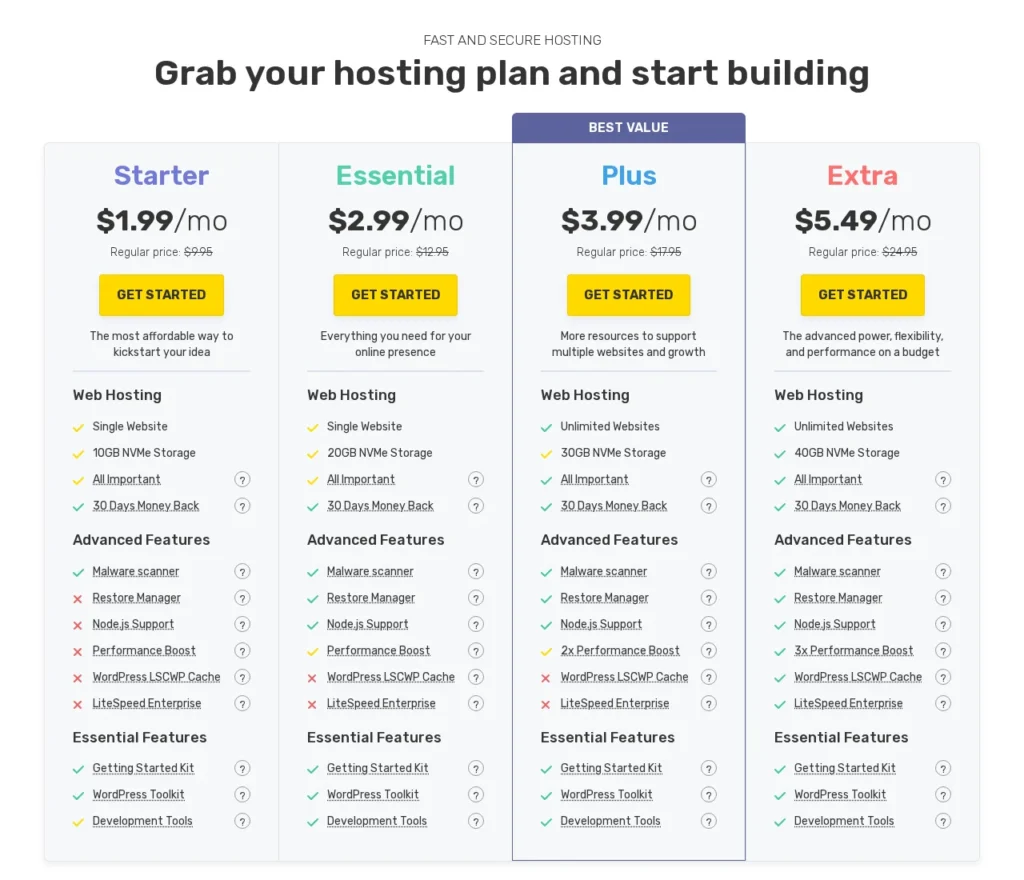
All four plans include LiteSpeed Enterprise with the LiteSpeed Cache plugin for WordPress, the WordPress Toolkit, a malware scanner, the Restore Manager, Node.js support and a 30-day money-back guarantee. Plus and Extra add a “2x” and “3x” performance boost, which simply means more server resources for busier sites.
Which plan should you pick? Starter is fine for a single blog or portfolio. If you run more than one site, skip Essential (it is still limited to 1 website) and go straight to Plus, which unlocks unlimited websites. Extra makes sense for a small online store or a site with steady traffic.
Cloud VPS and Dedicated Server Pricing
When you outgrow shared hosting, FastComet’s next step is fully managed. Both its Cloud VPS and dedicated CPU servers come with cPanel/WHM, NVMe storage and management included, so you never have to run the server yourself.
| Plan | Resources | Price |
|---|---|---|
| Cloud 2 (VPS) | 2 vCPU, 4GB ECC RAM, 80GB SSD, 4TB bandwidth | $53.87/mo (regular $76.95) |
| Cloud 3 (VPS) | 8GB RAM, 160GB SSD | $69.27/mo (regular $98.95) |
| Managed cPanel 4GB (dedicated CPU) | 2 AMD EPYC cores, 4GB RAM, 100GB, 1TB | $57.50/mo |
| Managed cPanel 16GB (dedicated CPU) | 8 AMD EPYC cores, 16GB RAM, 300GB, 3TB | $140.83/mo |
FastComet Performance Overview
Speed is where FastComet earns its name, so we looked at it from every angle: server response time (TTFB), response times to every data center, uptime, how it copes with traffic and the hardware underneath. Here is the summary before we dig in:
| Metric | Result |
|---|---|
| TTFB to nearest data center | 70 ms (Toronto, from our New York test server) |
| Page load time | 0.8 to 1.8 seconds (India location, our earlier tests) |
| Uptime | 99.99% in our 12-month monitoring; 99.9% commitment with downtime credits |
| Web server | LiteSpeed Enterprise with LiteSpeed Cache |
| Hardware | AMD EPYC CPUs, NVMe SSD storage, CloudLinux isolation |
| CDN | Free, powered by Cloudflare, 200 access points |
TTFB Response Time
Time to first byte (TTFB) is how long your browser waits before the server starts sending your page. It is the first thing visitors feel, because everything else on the page, from images to scripts, waits on it. The lower it is, the faster your site feels.
FastComet keeps TTFB low with LiteSpeed Enterprise and server-level caching. In our test from a server in New York, FastComet’s Toronto data center answered in a median of 70 ms, which is excellent. On a real WordPress site, our earlier tests loaded pages in 0.8 to 1.8 seconds from the India location. For a wider comparison, see our tests of the fastest WordPress hosting.
Global TTFB: Response Times to Every Data Center
To show how much your data center choice matters, we measured TTFB from our New York test server to FastComet’s own speed-test file in each location (5 requests each, median shown, October 12, 2026):
| Data Center | Network Latency | TTFB (median) |
|---|---|---|
| Toronto (CA) | 25 ms | 70 ms |
| Frankfurt (DE) | 97 ms | 183 ms |
| London (UK) | 83 ms | 251 ms |
| Milan (IT) | 109 ms | 326 ms |
| São Paulo (BR) | 135 ms | 402 ms |
| Mumbai (IN) | 218 ms | 428 ms |
| Sydney (AU) | 235 ms | 457 ms |
| Tokyo (JP) | 188 ms | 572 ms |
| Dallas, Newark, Singapore, Fremont | Test endpoint unavailable during our test | Not measured |
What this tells you: response times grow with distance, so a visitor in New York gets your page about 8x faster from Toronto than from Tokyo. Always host your site in the FastComet data center closest to most of your visitors, and let the free Cloudflare CDN cover the rest of the world.
Uptime
Uptime is the other half of performance, because a fast site is useless if it is offline. Our monitor recorded 99.99% uptime for a FastComet-hosted site over a full year, which works out to less than an hour of downtime.
FastComet backs shared hosting with a 99.9% uptime commitment and credits you 10% of your monthly fee for every hour below it, up to 100%. Dedicated servers carry a 99.99% commitment. FastComet also checks every site every 60 seconds from 7 locations on 4 continents.
Load Handling
How does FastComet cope when traffic spikes? Three things work in your favour. LiteSpeed Enterprise with LiteSpeed Cache serves cached pages without hitting PHP, so a busy blog post costs very little server work. CloudLinux gives every account its own guaranteed slice of CPU and memory, so another site on the server cannot drag yours down. And the Plus and Extra plans add a 2x and 3x performance boost for sites that need more headroom.
Shared hosting still has limits, though. If you regularly expect thousands of visitors at the same time or run a busy WooCommerce store, plan to move to FastComet’s managed Cloud VPS, which starts with 2 vCPU and 4GB of ECC RAM and keeps cPanel, so the upgrade is painless.
Server Hardware
Under the hood, FastComet uses modern, business-grade hardware rather than the older SATA SSD servers many budget hosts still run:
- AMD EPYC Processors: Data center CPUs built for many parallel requests.
- NVMe SSD Storage: Much faster reads and writes than SATA SSDs, which helps database-heavy WordPress sites.
- LiteSpeed Enterprise: A faster, drop-in replacement for Apache, with built-in caching.
- CloudLinux: Isolates every account with its own CPU and memory limits.
- ECC RAM on Cloud VPS: Error-correcting memory for better stability on VPS plans.
FastComet Data Centers
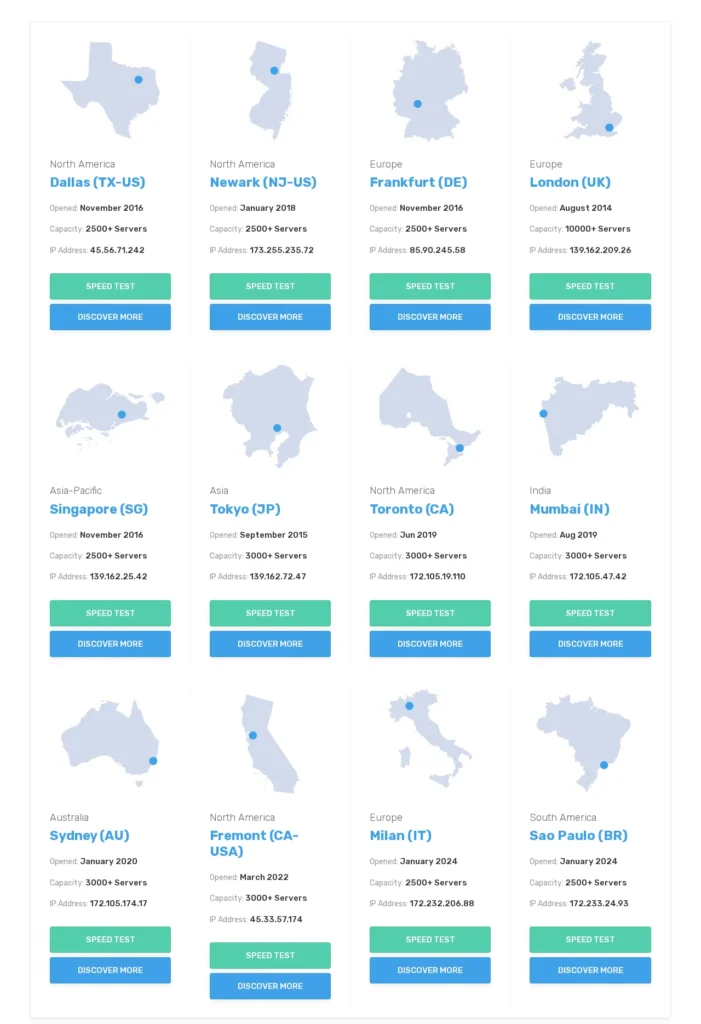
FastComet gives you 12 data centers to choose from, which is more than most budget hosts. Picking the location closest to your visitors is one of the easiest ways to cut load times, and the Asia-Pacific coverage is a real plus if your audience is in India or Southeast Asia. Targeting Indian visitors specifically? Compare more options in our guide to the best WordPress hosting in India.
| Region | Data Center Locations |
|---|---|
| North America | Dallas, Newark, Toronto, Fremont (California) |
| Europe | London, Frankfurt, Milan |
| Asia-Pacific | Mumbai, Singapore, Tokyo, Sydney |
| South America | São Paulo |
Ease of Use: cPanel and WordPress Toolkit
FastComet keeps things familiar. Every plan comes with cPanel at no extra cost, so if you have used almost any other host, you will feel at home. Your client area shows all your active services in one place, and from there you can jump into cPanel, manage domains or open a support ticket.
For WordPress, the WordPress Toolkit handles one-click installs, updates, cloning and staging, so you can test changes on a copy of your site before they go live. Developers also get Git, SSH, Node.js, Python, Ruby and Perl support.
Security and Backups
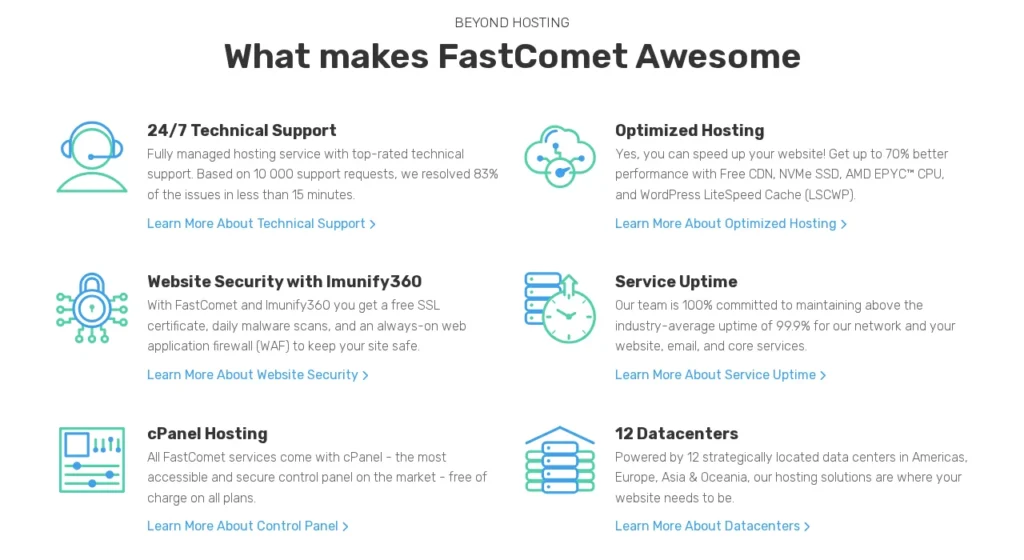
Security is better than you would expect at this price. FastComet uses Imunify360 with a web application firewall, IP reputation checks and daily and on-demand malware scans, plus DDoS protection and CloudLinux account isolation. Free Let’s Encrypt SSL certificates, including wildcard certificates, install in one click.
Backups are a real highlight. Every shared hosting plan keeps up to 30 daily offsite backups, and you can restore a full account or individual files and databases yourself with the Restore Manager. Many budget hosts only offer weekly backups or charge extra for them.
FastComet Customer Support
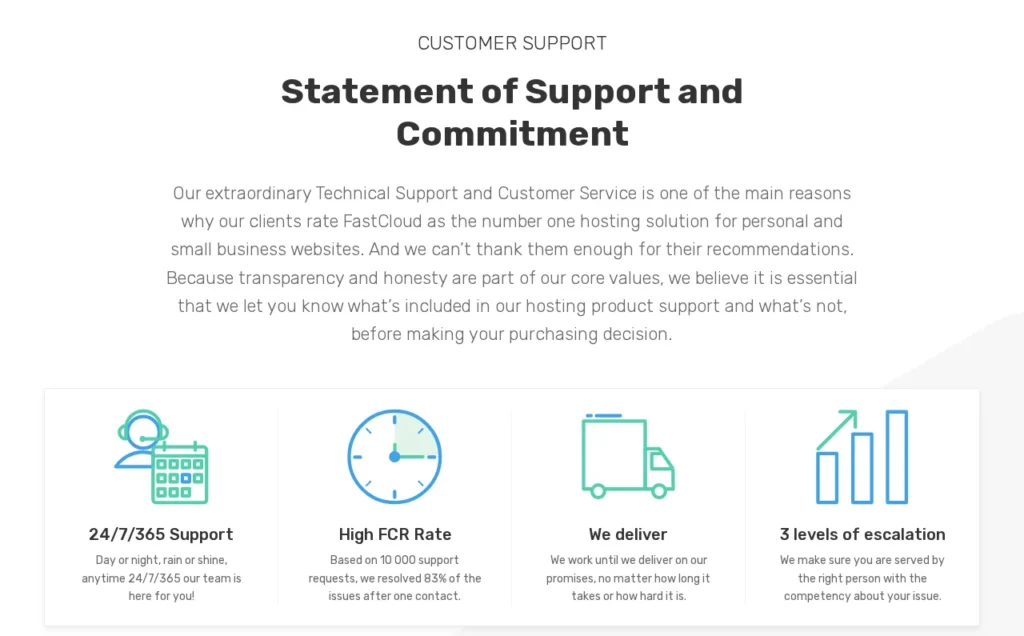
FastComet offers free 24/7 support through live chat and tickets. There is no phone support, which some business owners will miss, but the team is focused on solving problems on the first try: FastComet says 83% of its last 10,000 requests were resolved after a single contact.
In our experience, live chat is the fastest way to get help, while tickets are better for anything that needs a technician to look at your account.
Free Migration and Domain Transfer
Switching to FastComet is easy. It offers free website and server migrations from any host, and its Express Transfer service gets your site moved quickly. If you still have time left on your old hosting contract, FastComet compensates you for up to six months of that unused time.
Domains work a little differently from many hosts. FastComet does not include a free domain with new hosting plans, but it transfers your existing domain for free and adds a free one-year renewal when you do.
FastComet Refund Policy
Every shared hosting plan comes with a 30-day money-back guarantee, so you can test FastComet with your own site before you commit. If you are buying a Cloud VPS or dedicated server, read FastComet’s terms of service first, because the guarantee on its plan cards is shown for shared hosting.
Why Should You Use FastComet?
- Fast hosting on a small budget: LiteSpeed Enterprise, NVMe storage and AMD EPYC CPUs from $1.99/month for the first term.
- Visitors in Asia or around the world: 12 data centers, including Mumbai, Singapore, Tokyo and Sydney, plus a free Cloudflare CDN.
- Peace of mind with backups: Up to 30 daily offsite backups you can restore yourself.
- Easy WordPress management: cPanel, the WordPress Toolkit and staging on every plan.
- A painless upgrade path: Fully managed Cloud VPS and dedicated servers that keep cPanel.
Why Should You Not Use FastComet?
- You want the low price to last: Plans renew at the regular rate, up to 5x the first-term price.
- You need phone support: Support is 24/7 by live chat and tickets only.
- You want a free domain: New plans do not include a free domain, only a free domain transfer.
- You run several sites on the cheapest plan: Starter and Essential allow just 1 website; you need Plus for unlimited sites.
If any of these are deal-breakers, one of the alternatives below may suit you better.
FastComet Alternatives
FastComet is a strong pick, but it is not the only good option. Here is how it compares with three hosts we have reviewed in depth:
| Host | Pick It If | Our Review |
|---|---|---|
| SiteGround | You want premium managed WordPress tools and in-house speed features | SiteGround review |
| GreenGeeks | You want eco-friendly hosting for a small business site | GreenGeeks review |
| TMDHosting | You want another budget-friendly host with managed WordPress options | TMDHosting review |
Still comparing? Our guide to the best managed WordPress hosting covers more options side by side.
FastComet Pros and Cons
Pros
- LiteSpeed Enterprise and NVMe storage on every plan
- 12 data centers, including Mumbai, Singapore, Tokyo and Sydney
- Up to 30 daily offsite backups with a self-service Restore Manager
- Free cPanel, SSL, CDN and website migrations
- Imunify360 security and CloudLinux account isolation
- 30-day money-back guarantee on shared hosting
Cons
- Renews at up to 5x the first-term price
- No free domain with new hosting plans
- No phone support
- Starter and Essential allow only 1 website
FAQs: FastComet Review
Is FastComet a good web host?
Yes. FastComet is a good choice for small business sites and WordPress blogs, with LiteSpeed Enterprise, NVMe storage, up to 30 daily offsite backups and 12 data centers. We rate it 4.4/5, held back mainly by renewal prices that are up to 5x the first-term rate.
How much does FastComet cost after the first term?
FastComet’s promo prices apply to the first term only. Starter renews at $9.95/mo, Essential at $12.95/mo, Plus at $17.95/mo and Extra at $24.95/mo.
Does FastComet offer a money-back guarantee?
Yes. FastComet shared hosting plans come with a 30-day money-back guarantee. For Cloud VPS and dedicated servers, check FastComet’s terms of service before you buy.
Does FastComet include a free domain?
No, new FastComet hosting plans do not include a free domain. However, FastComet transfers your existing domain for free and adds a free one-year renewal.
Is FastComet good for WordPress?
Yes. Every plan includes LiteSpeed Enterprise with the LiteSpeed Cache plugin, the WordPress Toolkit with staging and cloning, daily backups and free migrations, which makes it a solid WordPress host.
Where are FastComet’s data centers?
FastComet has 12 data centers: Dallas, Newark, Toronto and Fremont in North America; London, Frankfurt and Milan in Europe; Mumbai, Singapore, Tokyo and Sydney in Asia-Pacific; and São Paulo in South America.
Is FastComet owned by another company?
FastComet describes itself as a privately owned, independent company. It was established in 2013.
Does FastComet have phone support?
No. FastComet offers free 24/7 support through live chat and tickets, but it does not list phone support.
Conclusion: FastComet Review
FastComet gets the important things right. You get LiteSpeed Enterprise, NVMe storage, strong security, 30 daily offsite backups and a choice of 12 data centers on even the cheapest plan, all managed from a familiar cPanel dashboard.
The one thing to plan for is renewal. The first term is a bargain, but expect to pay the regular rate afterwards. If that fits your budget, FastComet is an easy host to recommend for small business sites, WordPress blogs and anyone targeting visitors in Asia. With the 30-day money-back guarantee, you can try it with little risk.
Our verdict: 4.4/5. FastComet is a fast, feature-rich host with LiteSpeed Enterprise, NVMe storage, 30 daily offsite backups and 12 data centers on every plan. It is a great fit for small business sites and WordPress blogs, especially if your visitors are in Asia. Just budget for the renewal price, which is up to 5x the first-term rate. Facts checked on fastcomet.com in October 2026.
Rating Based on Expert Review




They are brilliant
Almost ten years in the business of web development and I would prefer them to anyone. They are brilliant. After FastComet, DedicatedCore only has an easy UI. They are willing to do everything for you while also tutoring you on how to do it on your own.
worst customer service
Had Fastcomet transfer a domain which they lost and now we have no business website or email. Worst customer experience ever .
They have been completely unhelpful during this issue and only highlighted a problem weeks later