Unlimited Hosting, Unmatched Performance
Start at $0.01 Now

RoseHosting Login

4 min read
RoseHosting Login

Executing any process like ordering hosting for Rosehosting or setting Rosehosting nameservers to point it to your existing domain, you’ll first be required to have a Rosehosting login account.

If you are a new user, then we must imply that login is the initial step that you need to take before you make any configuration related to the Rosehosting services.

In this article we will be discussing the sign up & the login process in great detail and will also help the amateur users to login to cPanel account and at times when you forget your password, then what steps you need to take to reset a new password.

Since the topics make you curious, let’s not delay more and start off with the Sign up Process.

How to Sign up for a Rosehosting account?

To sign up for rosehosting account, adopt the following processes mentioned as under:
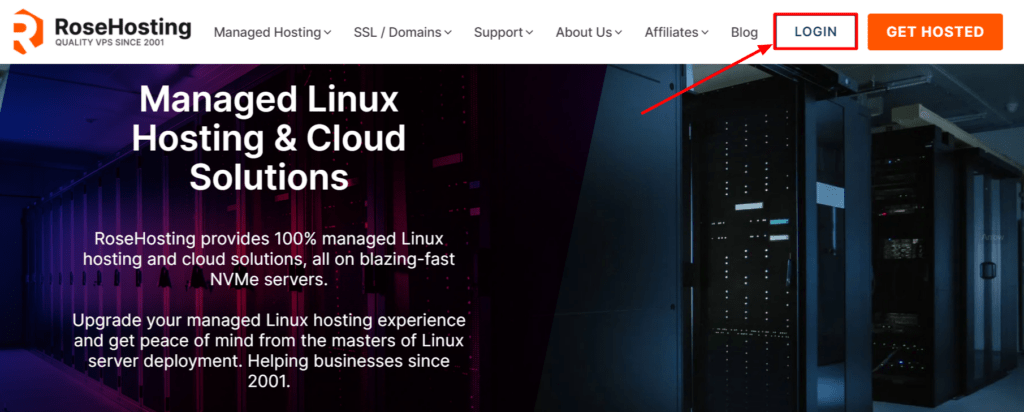
  • Visit the Rosehosting website > click on the Login option provided at the top corner of the menu bar.
RoseHosting login details
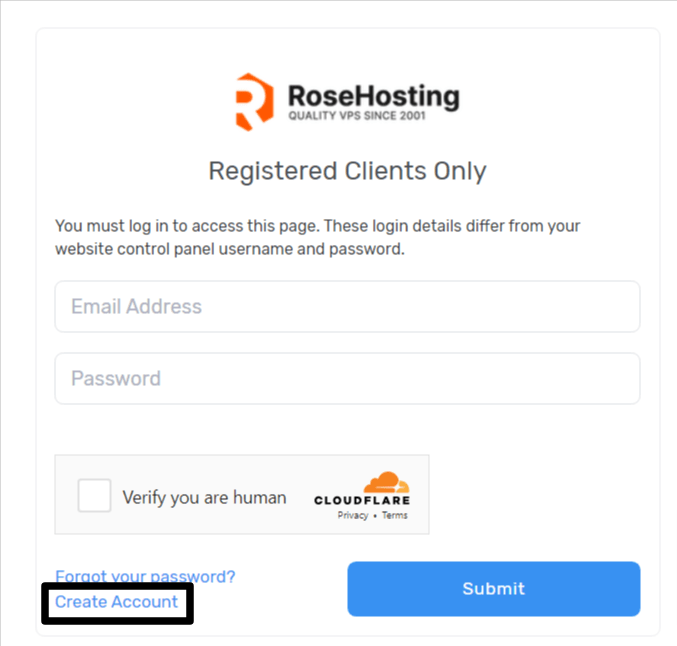
  • After pressing the login option, the client area will be displayed on your screen > click the Create an account option provided at the bottom of the login area.
RoseHosting login
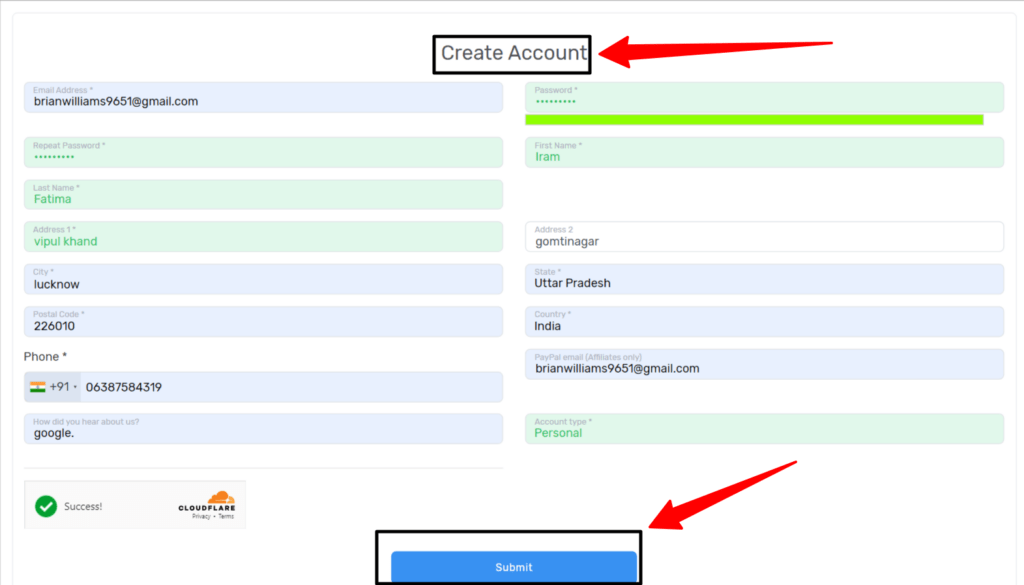
  • On clicking it, you will be redirected to the registration page where you will be needed to provide some relevant information pertaining to you.
RoseHosting login
  • Fill in the required details such as your name, email address, and generate your password.
  • Choose a secure password for your account.
  • Click the Submit option finally to initiate the process of registration of account.
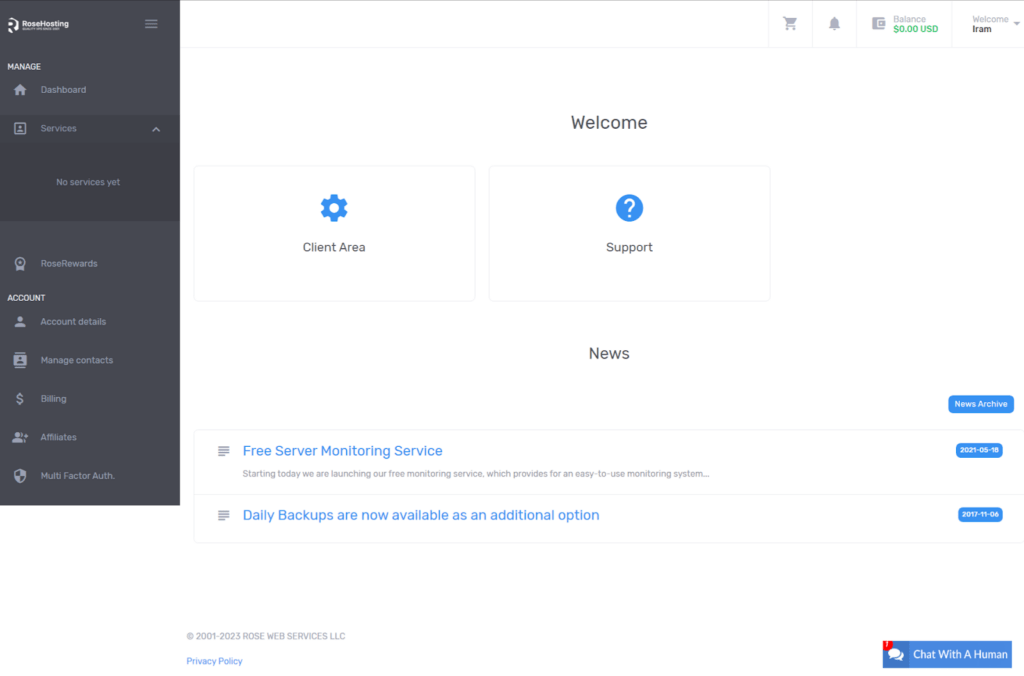
  • As soon as you click the submit option > you are redirected straight away to your dashboard, where you can approach to place order for the web hosting services.
RoseHosting login 2

Now since you know and are well informed about the Signing up process with Rosehosting, you can easily login to your Rosehosting account, whenever the need be. Make sure to note down your registered email address and the password of your Rosehosting account before reading what’s under:

How to Login RoseHosting?

To initiate the login process in your Rosehosting account, get hold of the following steps mentioned as under:

  • Go to the official website of Rosehosting > you’ll reach Rosehosting homepage.
  • On the top right corner of the Homepage > click the Login option.
RoseHosting Login
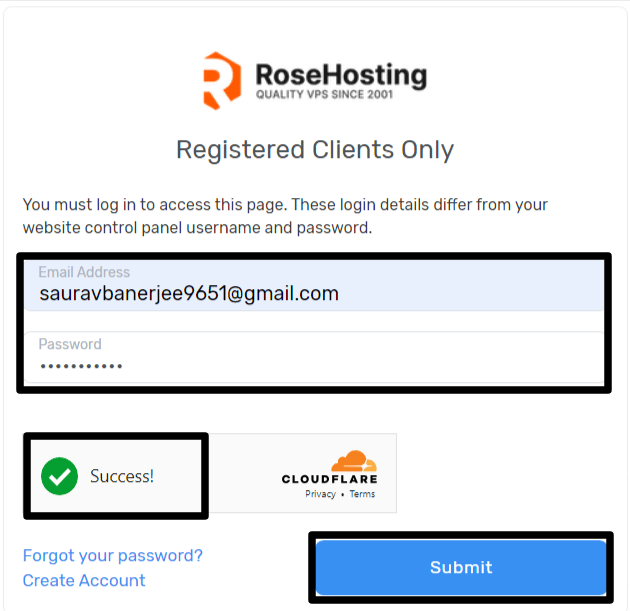
  • You’ll be redirected to the login page > Enter your Registered Email address and Password in the given boxes.
RoseHosting login 3
  • After entering your login credentials  > click the checkbox underneath the password > click on the submit button to initiate the login process.
  • On clicking the option above > you’ll successfully be able to login to your Rosehosting account.

How to login to the Control Panel of RoseHosting? 

To login to your Cpanel of rosehosting, you need to adopt the following steps:

  • Login to your Rosehosting account > you’ll reach your Dashboard.
  • On reaching your Dashboard > Go to the services tab provided at the left hand corner of your menu bar.
  • Click your hosting service of your domain that you’ve purchased from Rosehosting and whose cPanel you want to approach.
  • As you click on your domain name you are redirected to a page >  click the Login to cPanel account option right away to initiate the login process.
  • Enter the Username and Password pertaining to your cPanel account.

The steps mentioned above are user friendly and comprehensive. Make sure you follow the images provided alongside the steps to make the navigation easy for new users. 

How to Reset the Password of RoseHosting Accounts?

Due to security issues or in case you happen to forget your password, Resetting Password is the major step to be undertaken. So let’s dive deep to know the process to reset the password of Rosehosting:
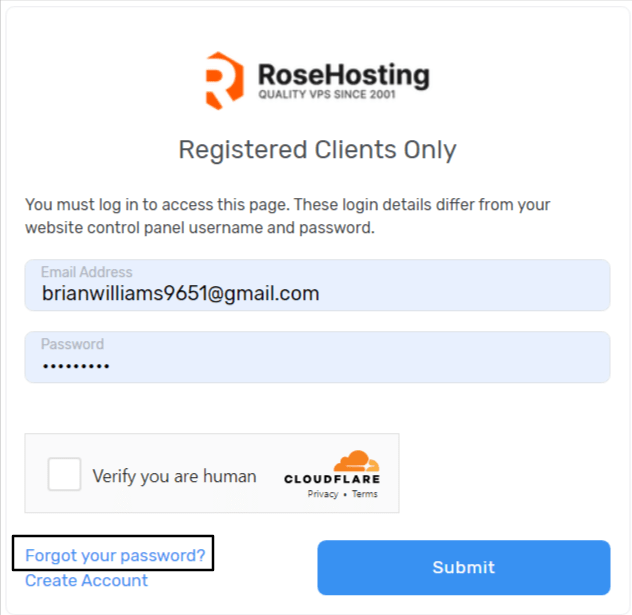
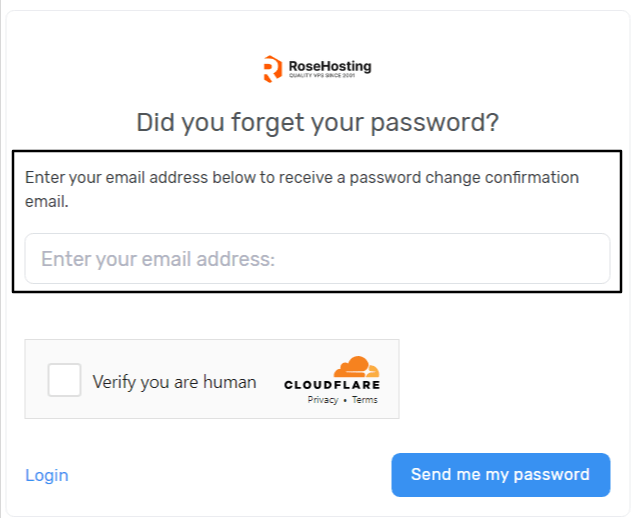
  • Go to Rosehosting login page > click Forgot your password? Button.
Reset the Password of RoseHosting Accounts
  • On clicking the option, you’ll be required to enter your registered email address with Rosehosting > click the checkbox > Press the send me my password option.
registered email address with Rosehosting
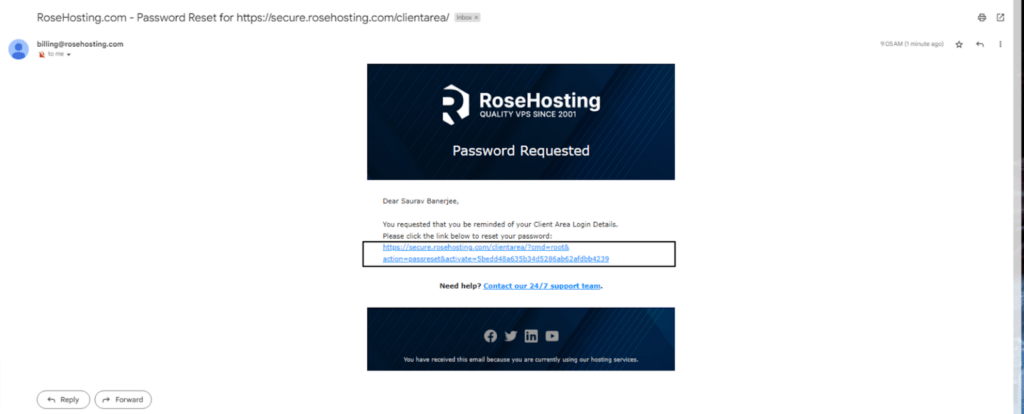
  • As you do so, a link to reset password will be sent to your email address to initiate the resetting process.
link to reset password
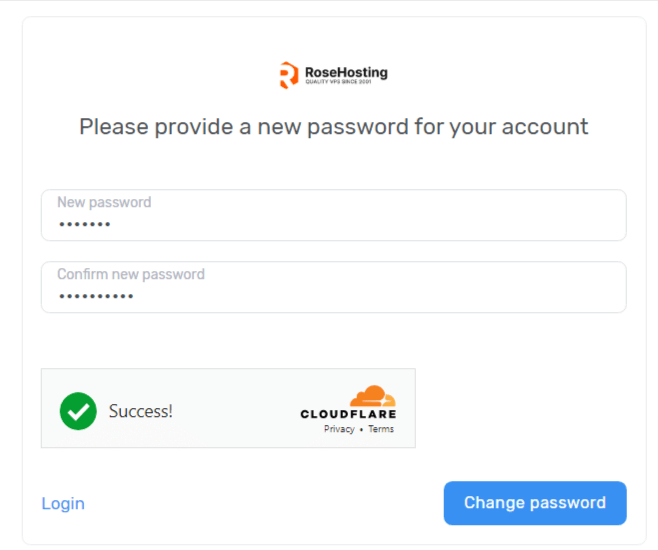
  • On clicking the link, you’ll be redirected to the page, where you’ll have to enter a new password and confirm the same to successfully resetting the password > click the change password option.
Change password

Hence we see how effortlessly, you can reset your account password that is significantly required to maintain the level of security of your account.

How to open a RoseHosting Support ticket for Login issues?

In case you are consistently facing the login issues in your rosehosting account, you can file a complaint to the support team of Rosehosting to get your login issues addressed.

Moving on, Rosehosting provide several form of assistance like:

  • Live chat
  • Support ticket
  • email id 

Conclusion

Through this article you can comprehensively learn about how to login to your Rosehosting account and if you are a new user, how you can easily create a new account. Moreover, we also discussed the procedure involved in resetting the password

In case you have any issues to discuss with us, we will be happy to hear from you at support@googiehost.com

It is your warmth and compassion that get reflected in your comments which keeps us motivated to make more tech related articles like these. 

Leave a Reply

Your email address will not be published. Required fields are marked *

Scroll to Top