Order Hosting From InterServer

Has order hosting from InterServer become a problematic task for you? Do you experience technical issues while ordering hosting packages from InterServer? If you are seeking solutions to these concerns, then you are on the right page.
In this article, we have discussed the technique of ordering various hosting plans, the payment method available, and various other things in detail.
After browsing, you’ll successfully be able to order hosting services from InterServer without facing any trouble.
So let’s begin with a brief start about InterServer.
About Interserver
Interserver, a web hosting company founded in 1999, provides a variety of hosting services to individuals and businesses like Standard Web hosting, Boost Web hosting, Reseller Web hosting, and ASP.NET.
It also offers various additional features and benefits which include unlimited storage and bandwidth, Free website migration, Free SSL certificates, and 24/7 customer care services as well.
With that being said, let’s move forward to discuss how much a new user needs to spend in registering a domain.
What is the Interserver Domain price?
As far as Interserver is concerned, they offer competitive pricing for domain registration. The price may vary depending upon the specific domain extension you choose and discount coupons they may give at the time as well.
A few of the domain extensions that interserver provides are as follows:
Generally, Interserver’s domain registration for a year costing starts from $7.99 onwards as provided in the image above.
However, if you need to acquire the latest information about domain registration prices, we urge you to follow the updates on the official website of Interserver
Did you know that you can get the standard web hosting services that you are looking for, for just a dollar that too for 3 months? Taken aback right? Let’s scroll forward to know more about it.
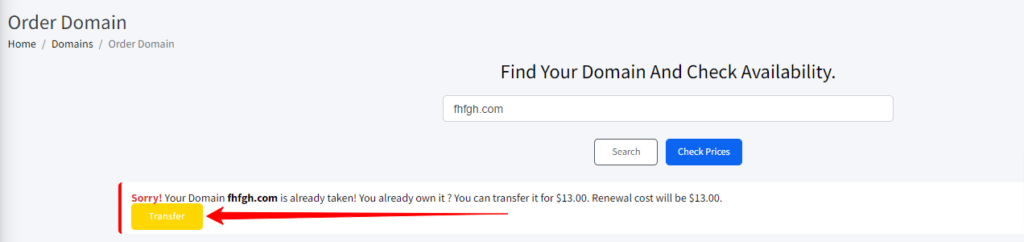
How do I Order/Transfer a Domain Name?
To register a domain name in Interserver, you can follow these steps.
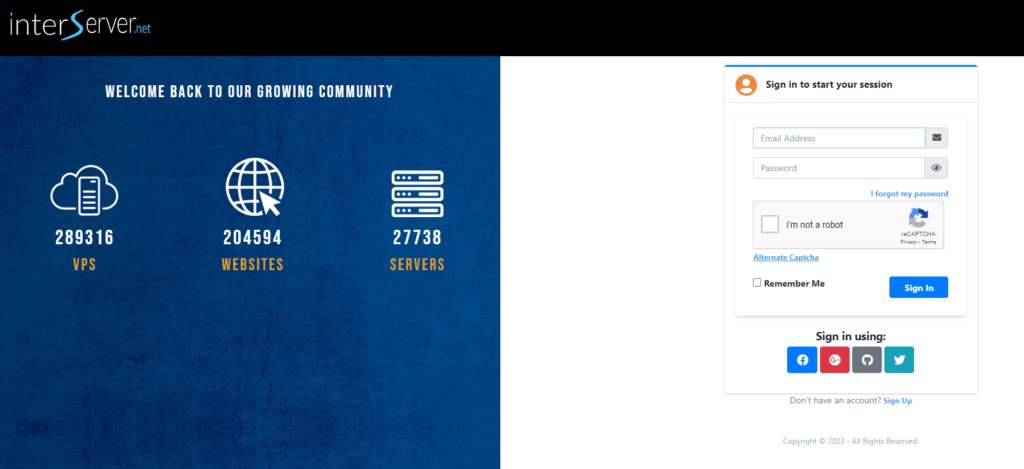
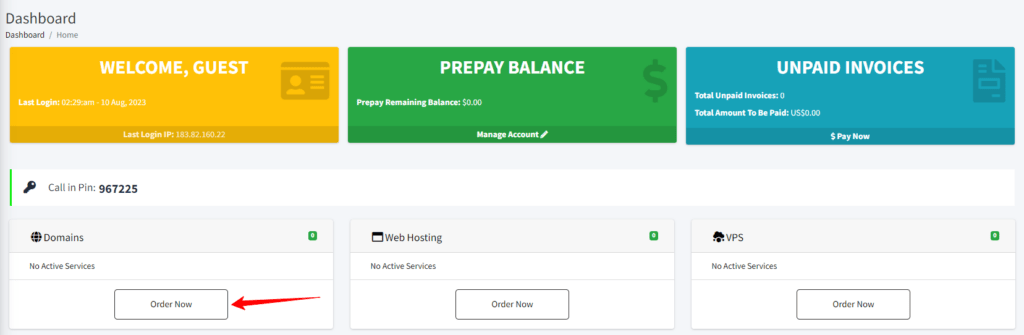
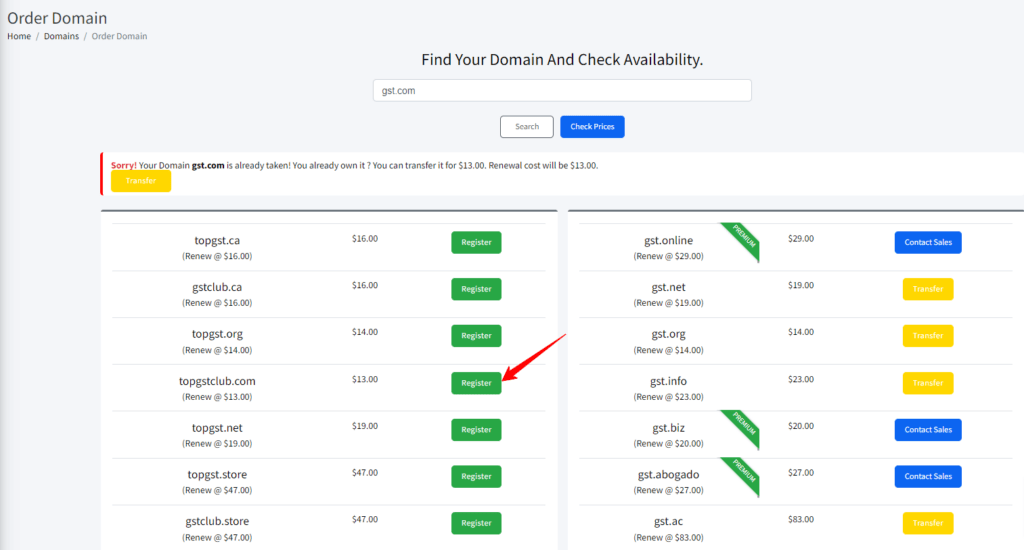
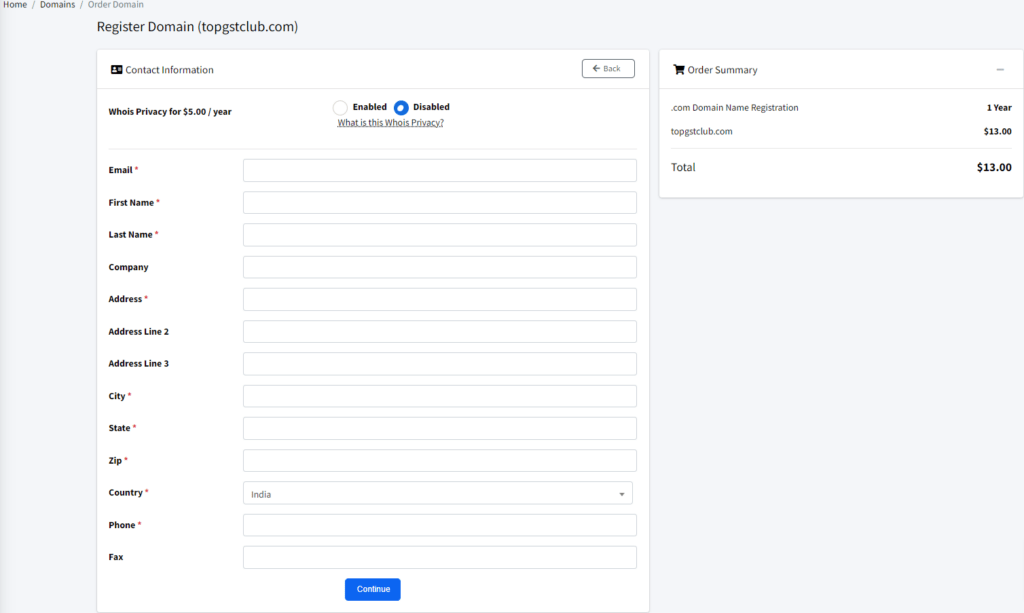
👉 To transfer a domain, use the following steps:-
What are the InterServer Standard Web Hosting Package Details?
The standard web hosting package of Interserver has Unlimited Storage Space, unlimited data transfer, weekly backups, and unlimited FTP accounts. Moreover, it also has cloud apps, SSD caching servers, raid-10 storage, speed optimization, and a 10GB Cisco network.

Interserver standard web hosting package also includes free Cloudflare CDN, free migration, 30 days guarantee, a price lock guarantee, and a 99.9% uptime guarantee.
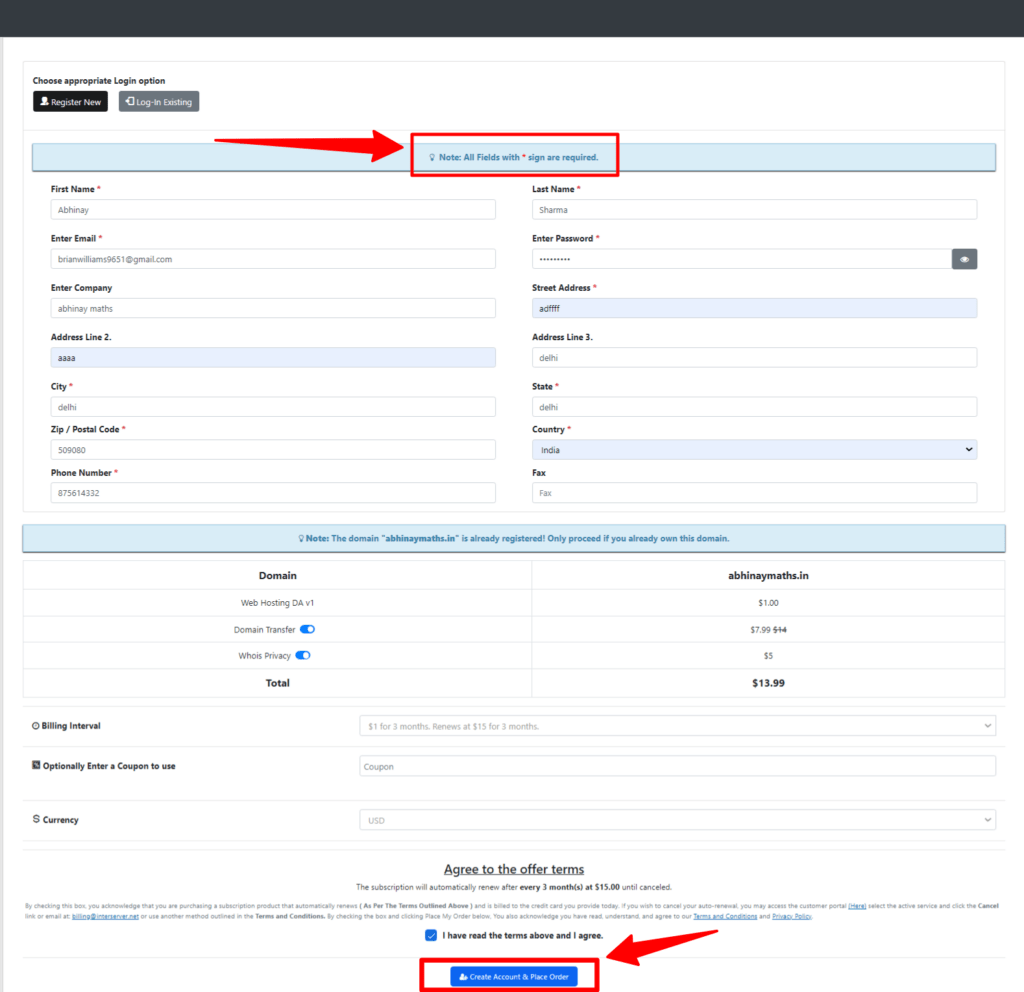
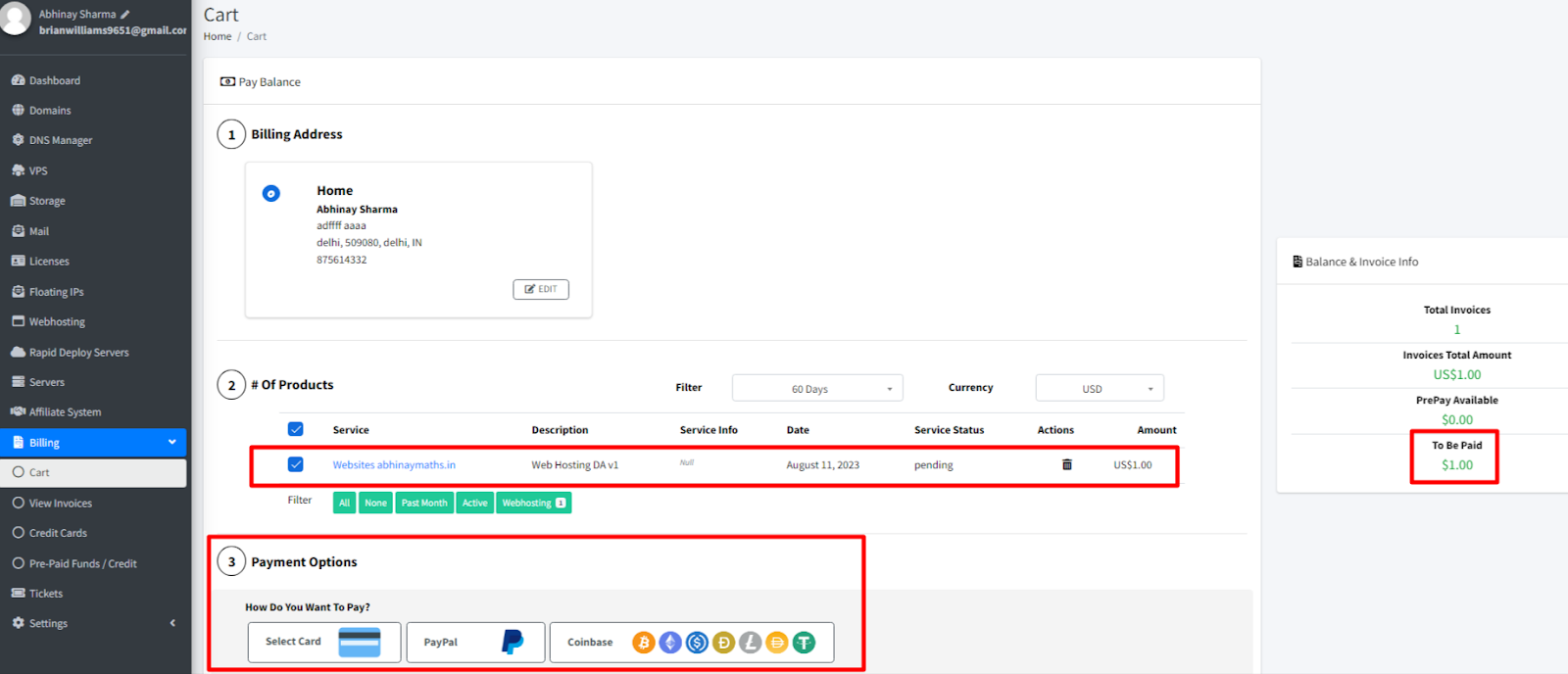
Interserver $1 for 3 months
Pay $1 for 3 Months on buying standard Web hosting services from Interserver. To avail of this fantastic deal, you need to follow the given instruction to place the order for the standard Web Hosting services from InterServer.


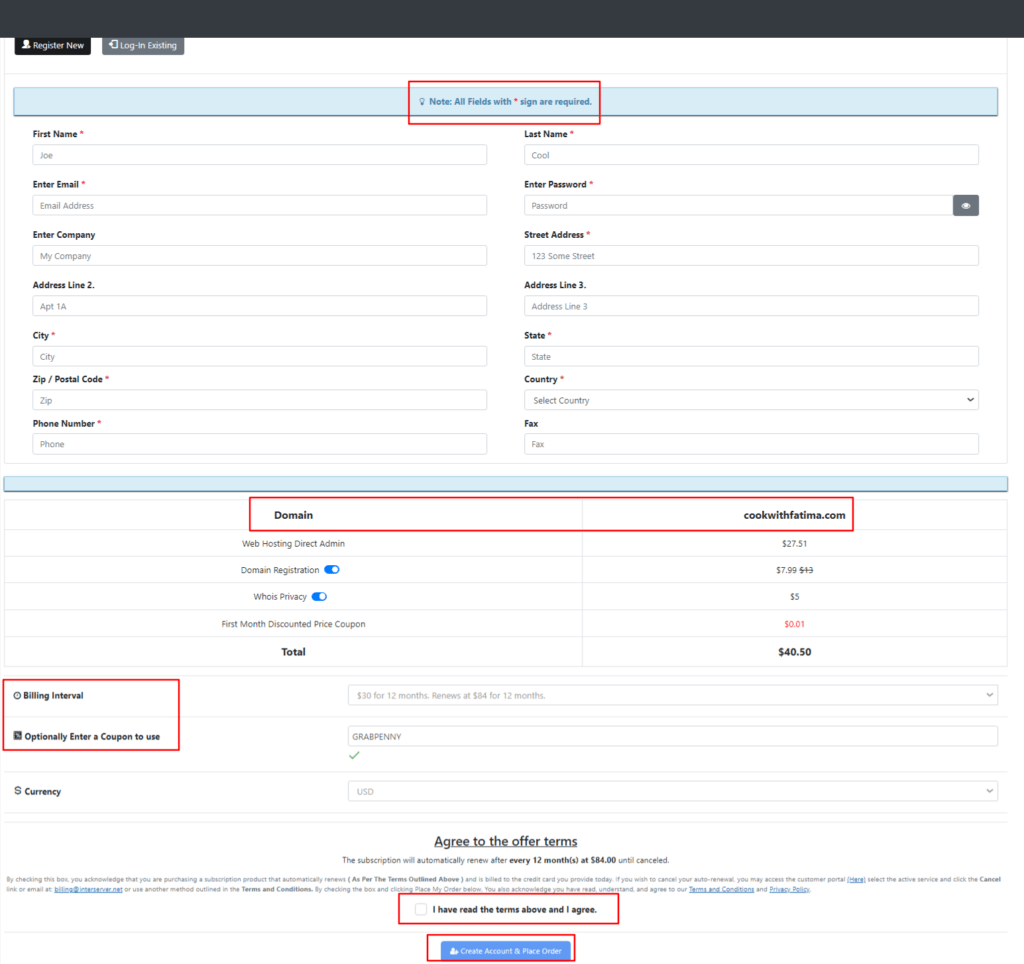
How to Order WordPress Hosting from Interserver?
To order WordPress hosting from Interserver, we urge you to follow the stated instruction provided as under:

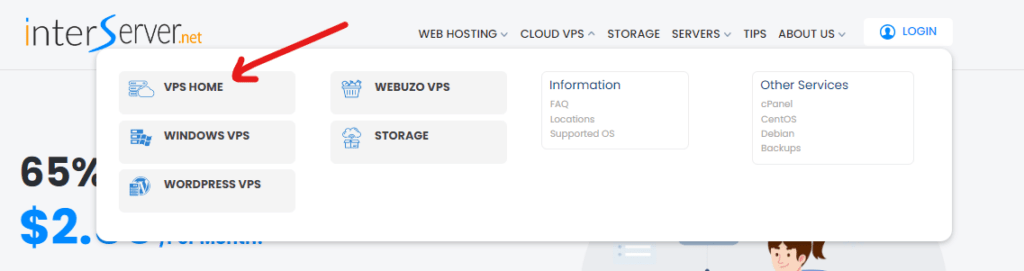
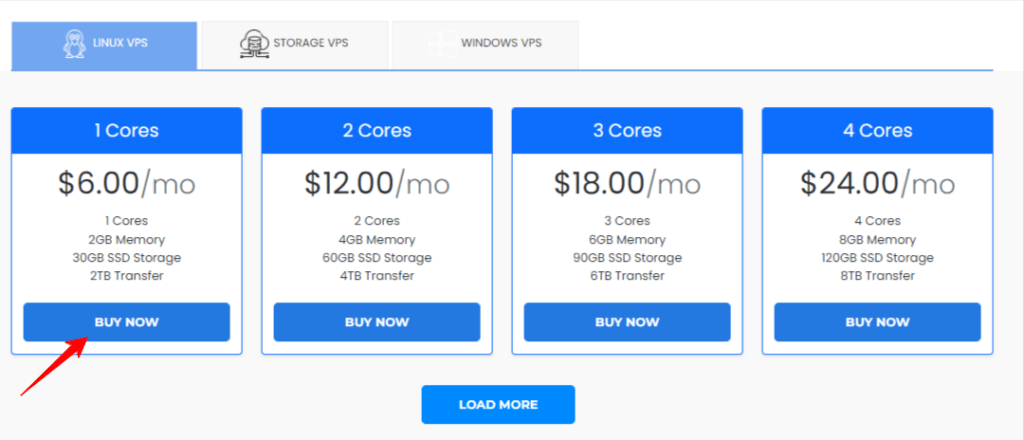
How to Order VPS Hosting from InterServer?
To order VPS hosting from Interserver, use the following guidelines.
How to Order Fully Managed VPS in Interserver?
The VPS offered by Interserver is fully managed, but they will only manage what they install. If the client orders a VPS with no control panel, they will only manage the operating system.

However, if the client purchases a VPS with a control panel like cPanel, then they will support any software that is installed.
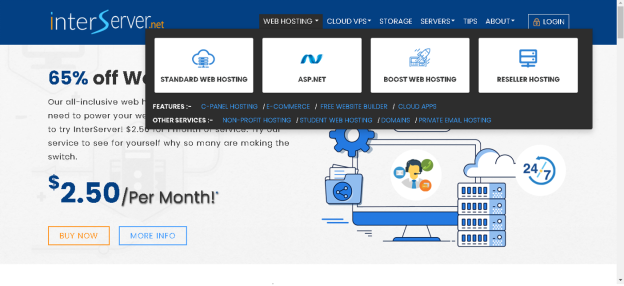
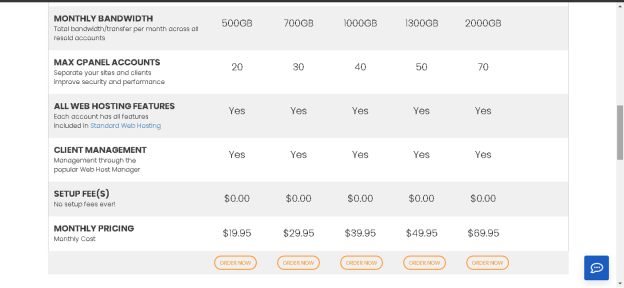
How to Order Interserver Reseller Hosting?
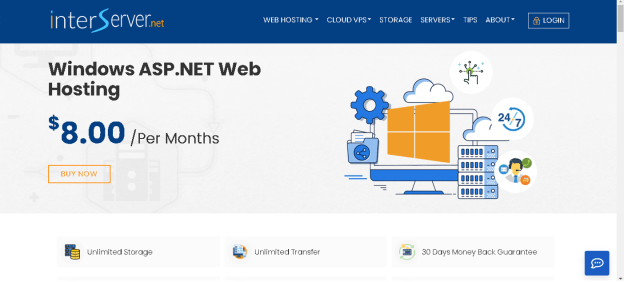
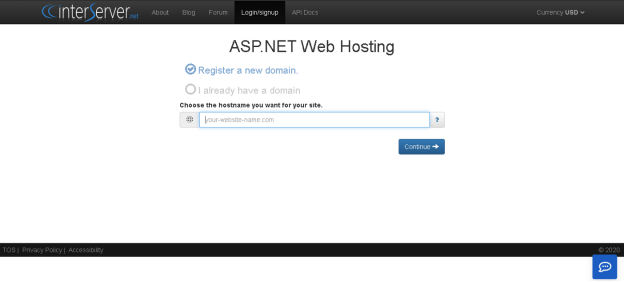
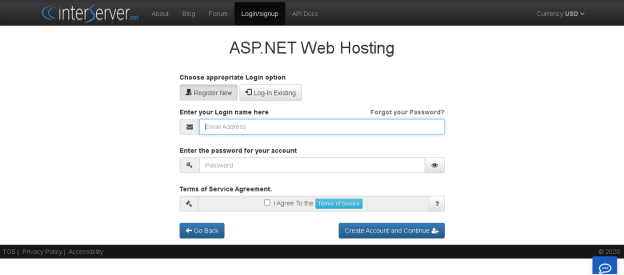
How to Order Windows ASP.Net Hosting Package?
To order Windows asp.net you must follow these steps.
If Also you want to know about the Order Hosting From A2 Hosting.
Before we end, we believe that the queries that you have been looking for regarding placing an order from InterServer and other relevant doubts have been sufficiently covered.
We highly recommend your valuable comments and we will make sure to implement the same.
Related Articles
| InterServer Login | https://googiehost.com/blog/hostingloginguide/interserver-login-guide/ |
| InterServer Nameserver | https://googiehost.com/blog/hostingloginguide/interserver-nameservers/ |
| InterServer Support | https://googiehost.com/blog/hostingloginguide/interserver-support/ |
| Interserver Review | https://googiehost.com/blog/interserver-review |