HostMonster Login
Having trouble logging in to your HostMonster account and confused from whom to ask ? Look no further as we are here with a tutorial guide on how HostMonster Login works. Follow us along with every step on login process and allow us to remove any issues along the way 👍
So walk along with us to know about login guide to Hostmonster and its Cpanel and how to reset password too; let’s get going 😀
How to Login HostMonster?
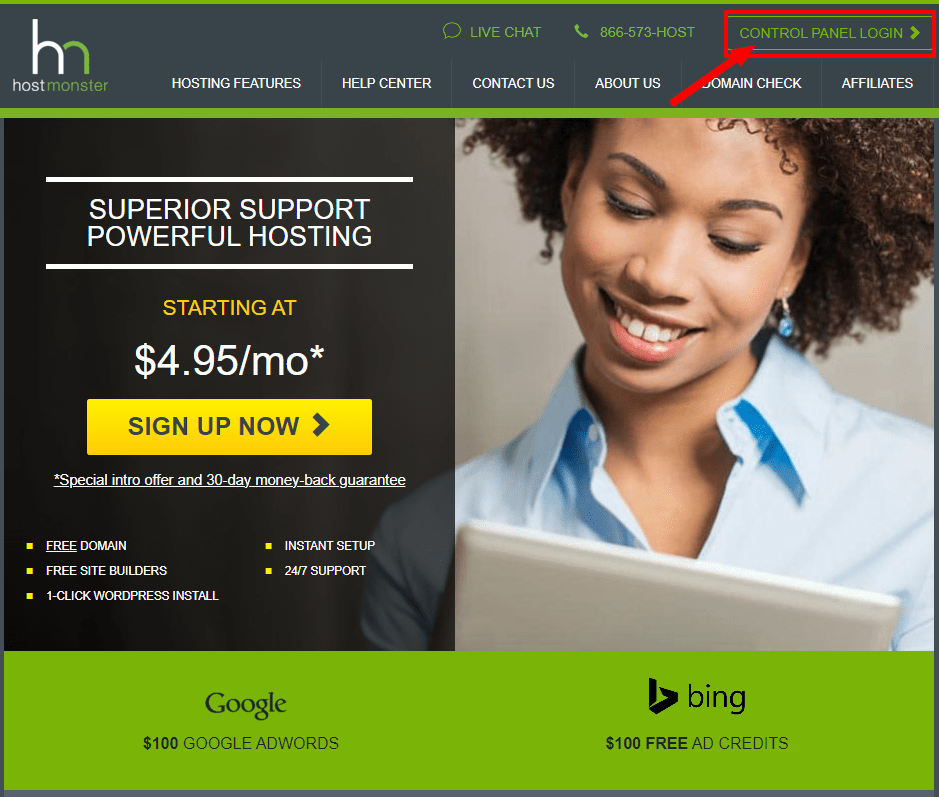
Considering that you already have a working account with HostMonster, these steps will help you get your account back if by any chance your domain name or password is out of your mind.
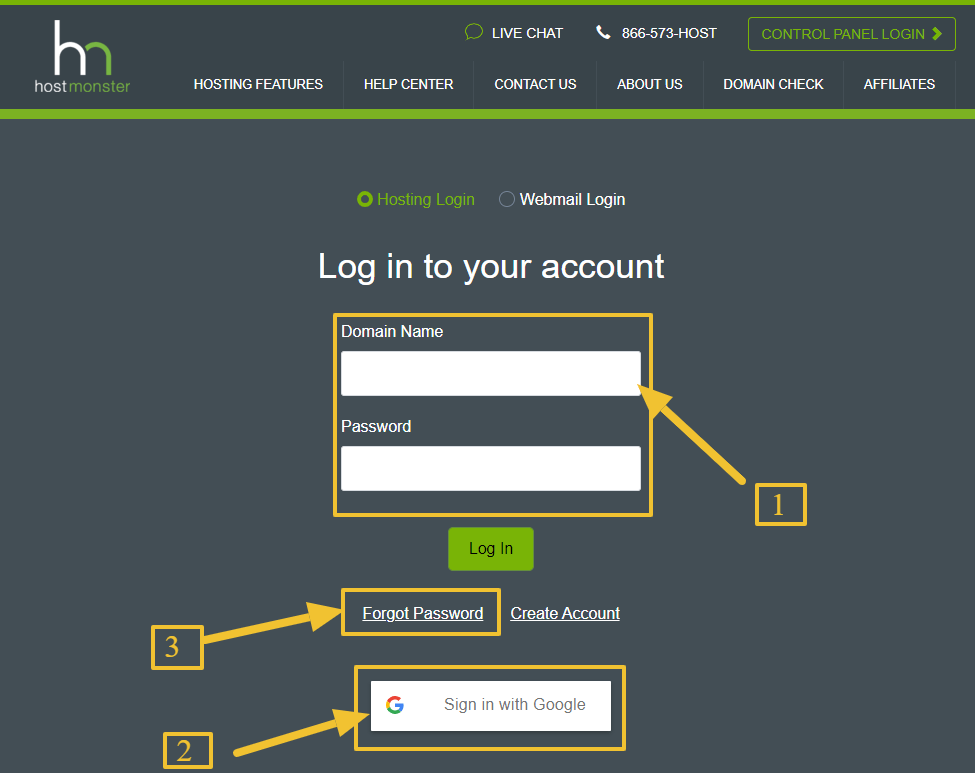
If you do not remember your domain name, refer to welcome email in your inbox or contact support on 866-573-4678 for any further assistance.
If you do have not an account with HostMonster, Then you can check my article about how to order hosting from HostMonster which explains how to sign up for a new account and order hosting from HostMonster.
We have covered this, let’s play along with the login guide of Cpanel too.
How to login to the Control Panel of HostMonster?
Let me help you with the required steps jog your memory along on a guide to login to the control panel of Hostmonster.
Things to consider
There are various ways to do so :
Logging in through the HostMonster website
Logging in from your website
Logging in Securely
Find out more about HostMonster in our expert review.
Do you even want to change your password? Let us help you with that too.
How to Reset the Password of HostMonster Login Accounts?
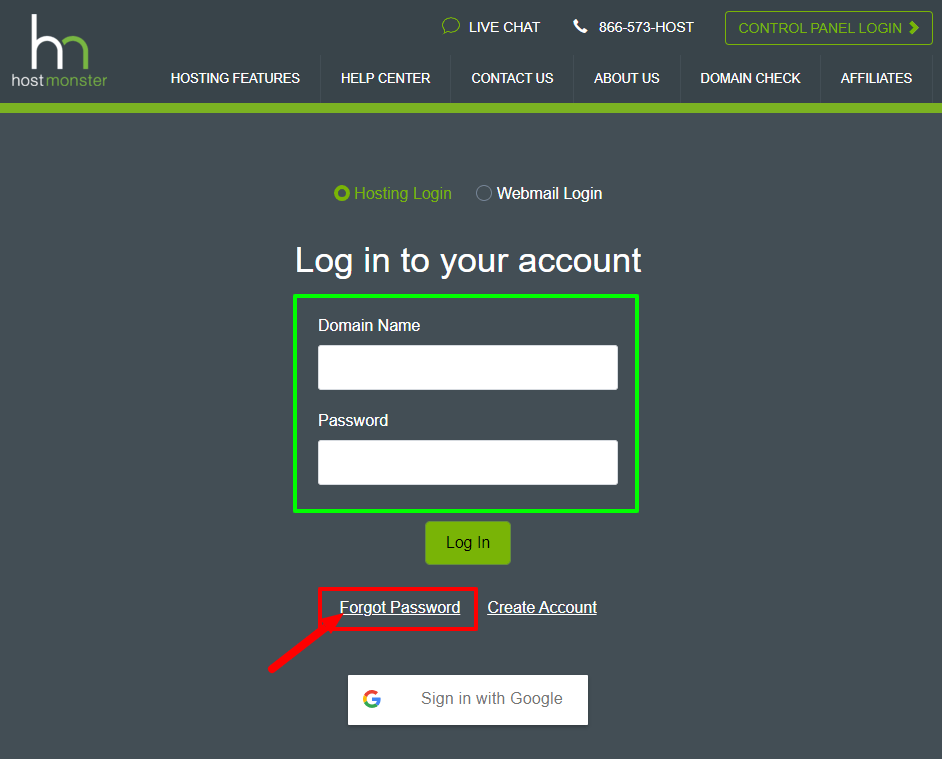
We tend to change our password due to various reasons, maybe you’ve misplaced it or are you a security adept that changes its password timely. Any reason you might have let’s change your password and these steps would help you with such :
Also Read: How to Login Alibaba Cloud.
Conclusion
Hope this article is helpful and informative and we are able to solve your every query related to HostMonster Login. Have we solved your every query on the login process? Want a login guild on other companies too?
Comment down below your suggestion on the topic and what you would like us to cover next suggest that too. 👍