HostArmada Login

Sign in issues and password failures can prove worse and also interfere with the website performance due to prolonged configuration. Are you suffering from the issue mentioned above? Are you new to HostArmada Hosting and do not know how to register a new account on HostArmada?
Reading the article further will cohesively help you remove all the issues related to HostArmada login. Firstly lets move with our first quest about the way in which a user can Register an account and login to his account successfully.
So keep scrolling to get the creamy details as under 👍
How to Sign up for a HostArmdada account?
The very first step that the user is required to perform once he decides to order hosting services from HostArmada is the Sign Up function. In order to Sign up for a HostArmada account, one needs to become a member by ordering hosting services from HostArmada.
Here, are the listed ways that users need to follow to Sign up for a HostArmada account successfully:

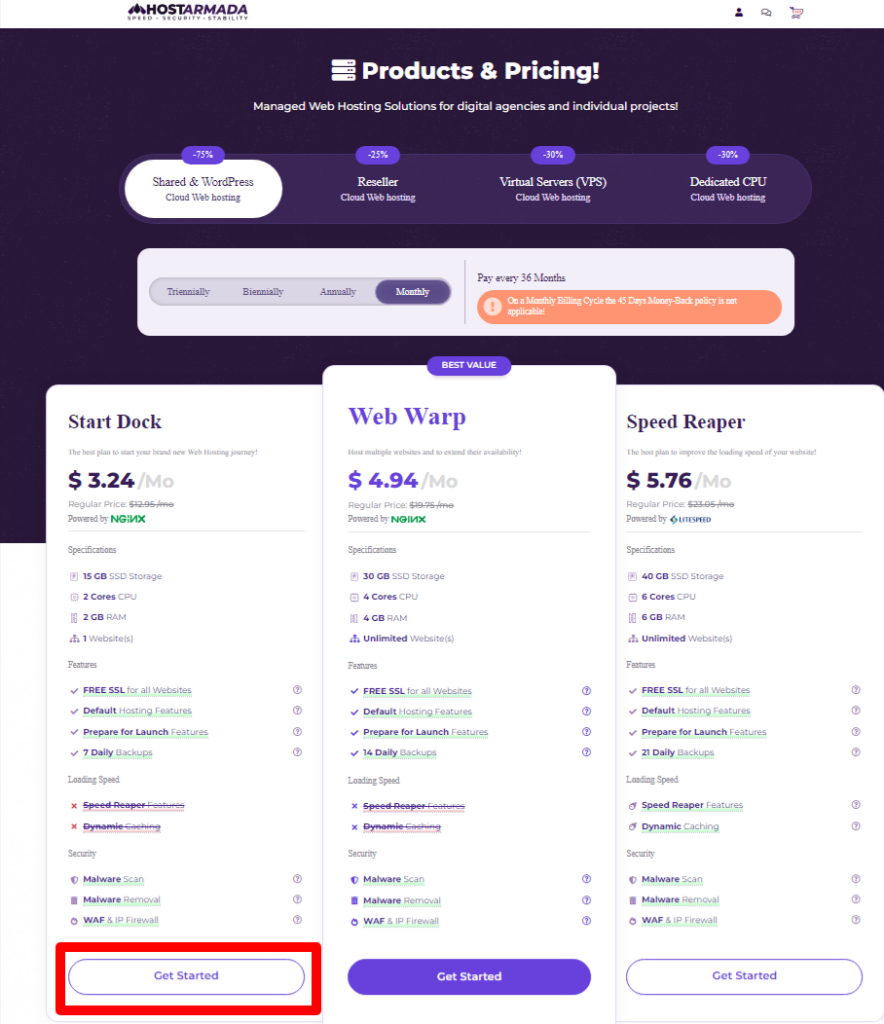
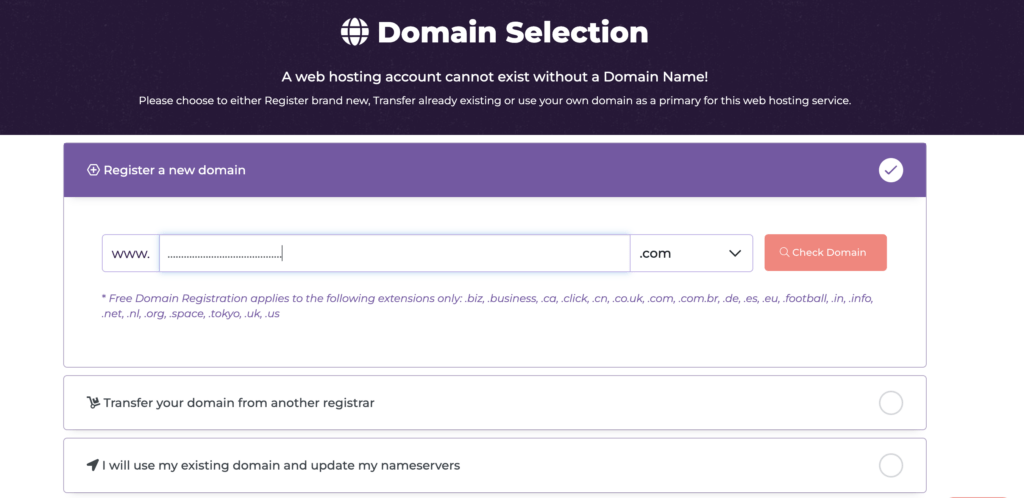
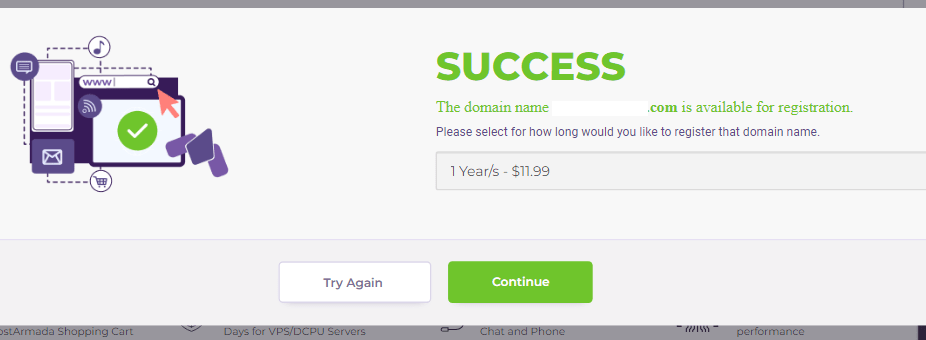
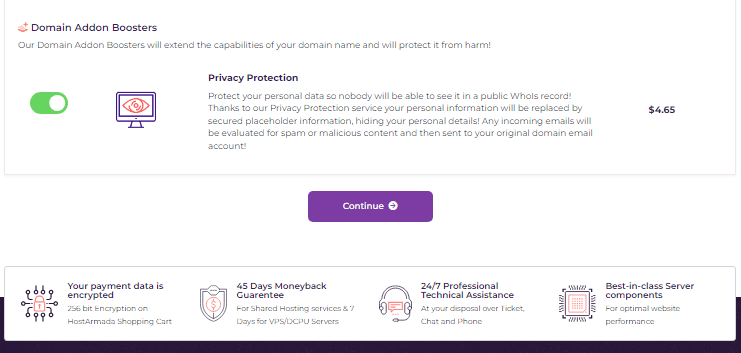
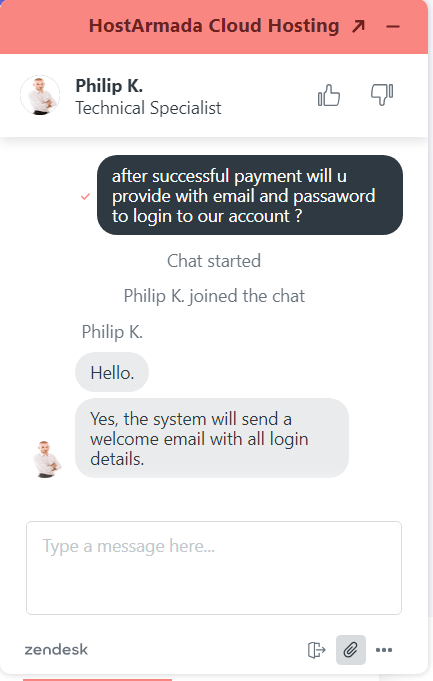
Now, since you’ve properly learnt how to sign up for your HostArmada account, logging procedure becomes easier. You only need to record the Login ID and Password that is provided by HostArmada to your registered email address.
How to login to HostArmada?
Configuring HostArmada nameservers and many more can be initiated once you login to your HostArmada account. Therefore, to login to your account, you need to follow some steps stated as under:
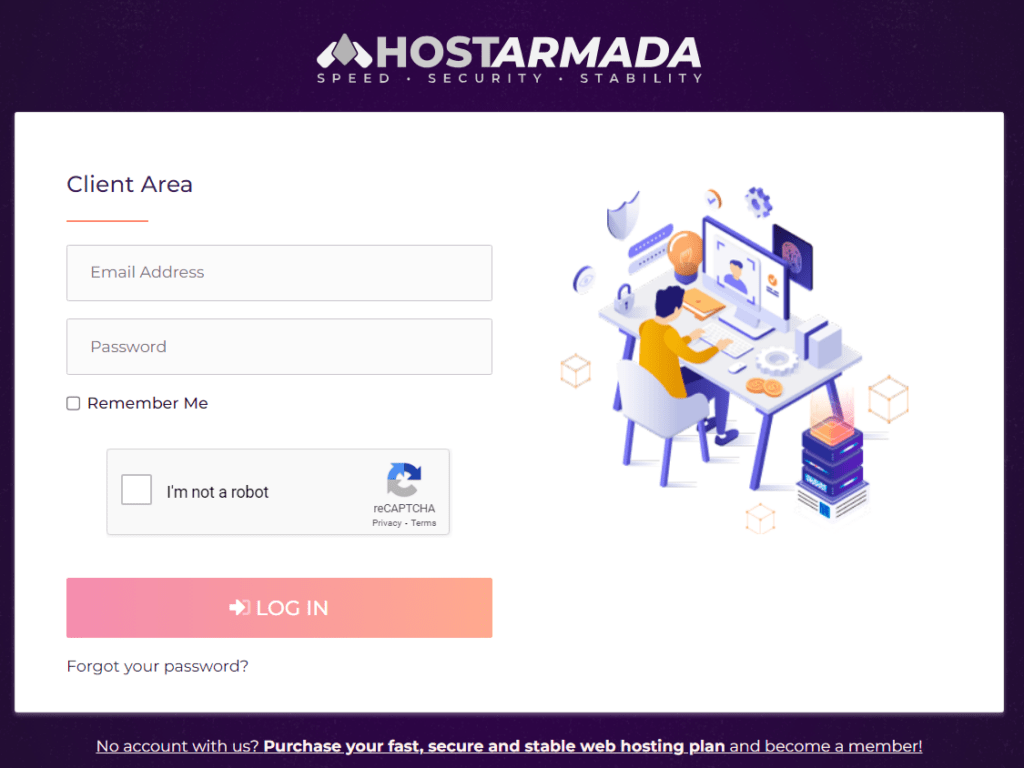
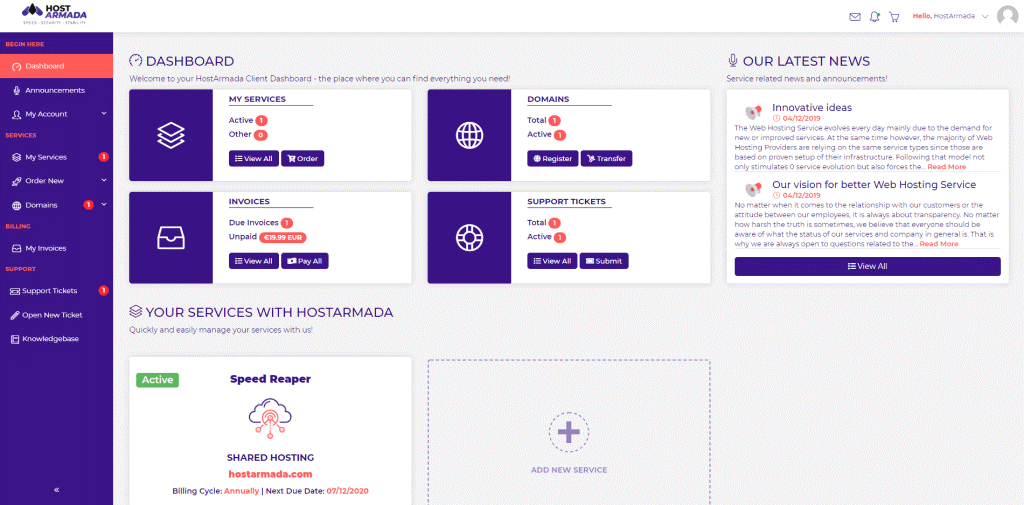
On logging in to your account, your dashboard is displayed where you can make necessary configuration related to your hosting plans bought by HostArmada.
How to login to the Control Panel of HostArmada?
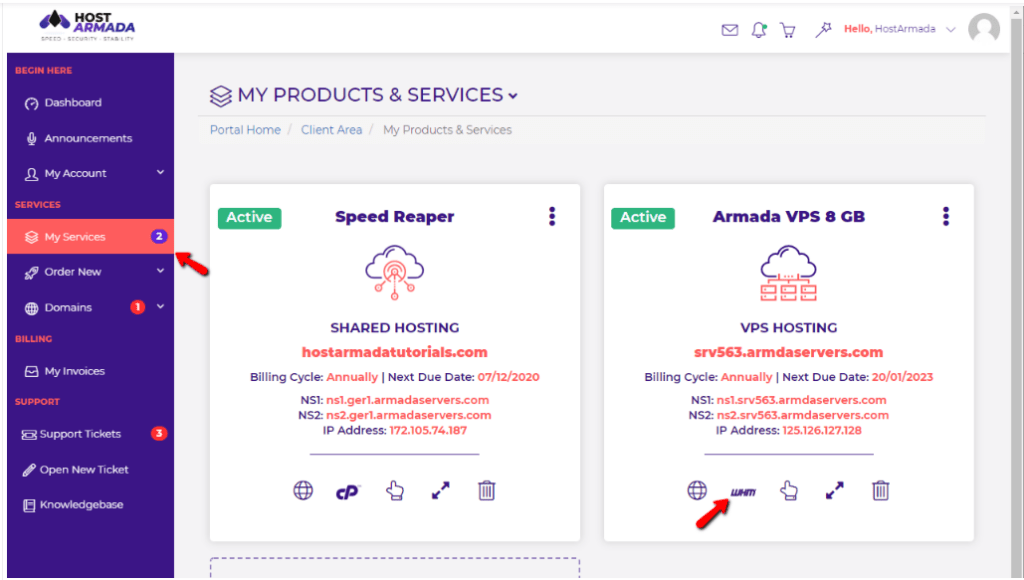
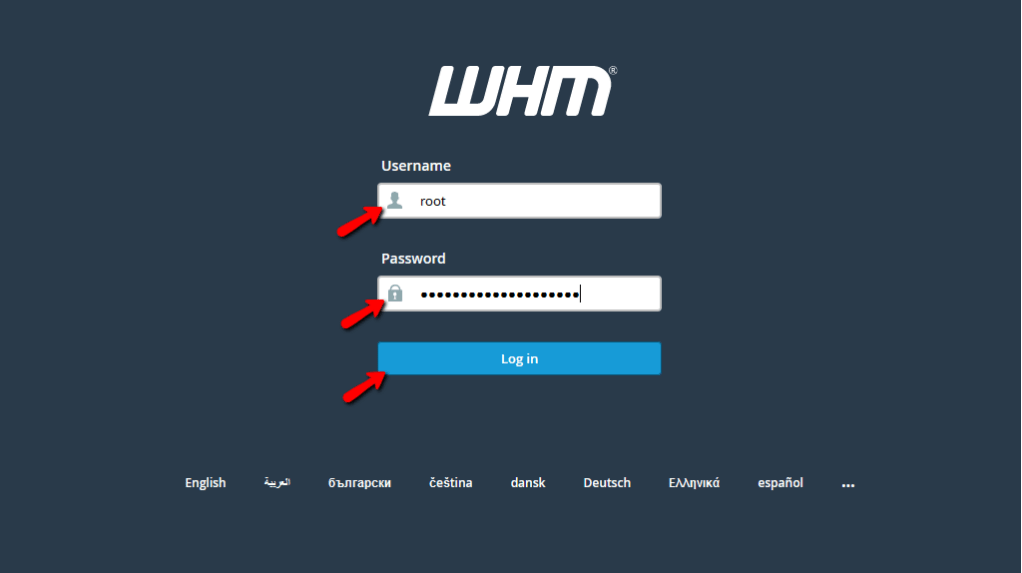
To access the cPanel of hostArmada account, users need to follow the instructions stated as under:
How to Reset the Password of HostArmada Accounts?
Due to security issues or in case you happen to misplace your password, changing or resetting the Password is the major step to be undertaken.
So let’s dive deep to know the process to reset the HostArmada login password.
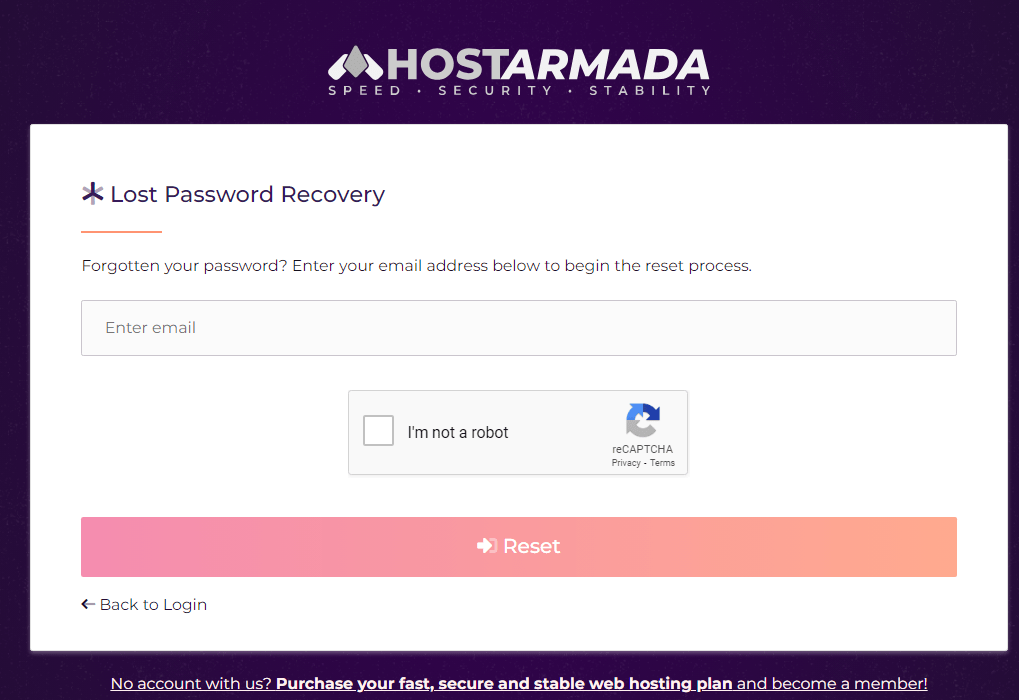
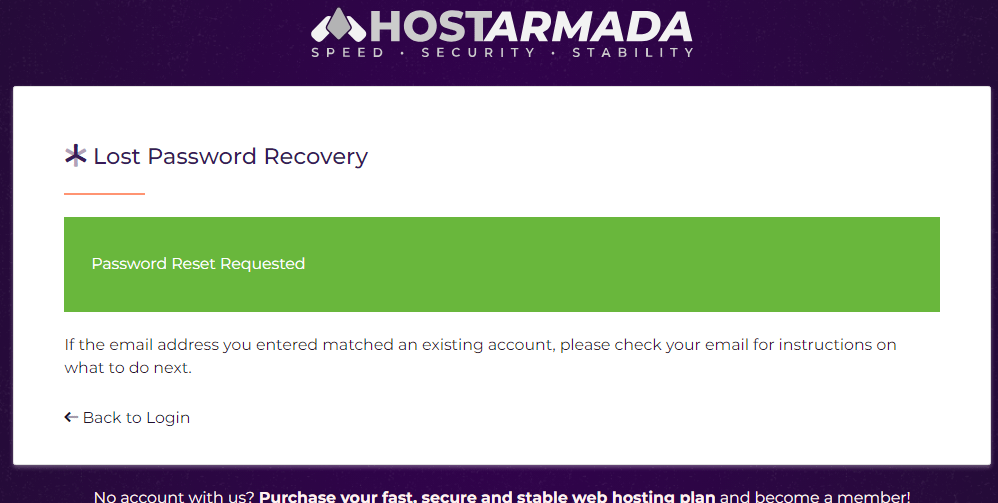
You can also recover your customer id and password in your registered email id. As during the HostArmada account registration process, the customer id and password is sent to your email address.
What if the login into an HostArmada account becomes completely difficult? What shall you do then? Well, in that case talking to the tech support team is the best way out. Keep swiping your screen forward to see the details.
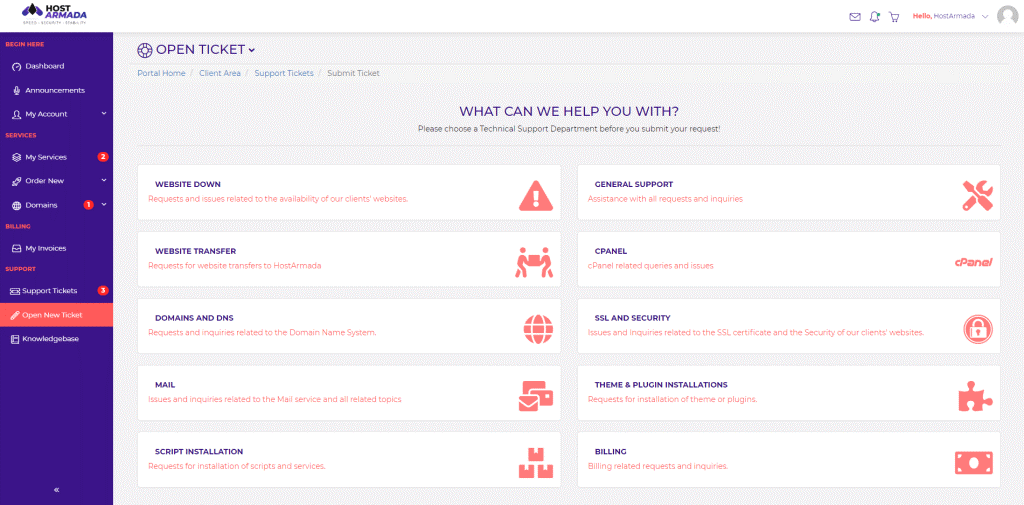
How to open a HostArmada Support ticket for Login issues?
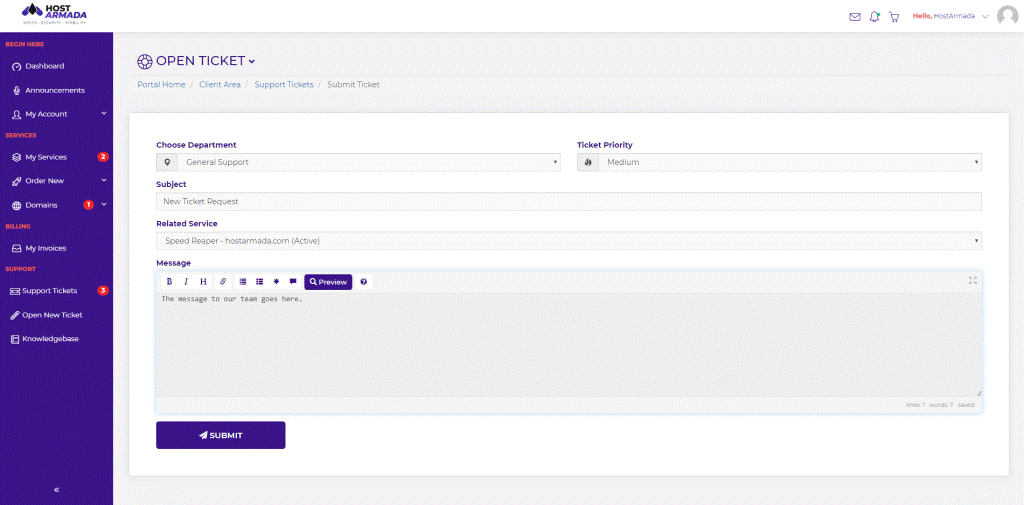
If you have any technical problems while checking in or creating an account with HostArmada,, you can get in touch with the incredible support team of HostArmada, as per the HostArmada Reviews, to report the problem. To open a support ticket, you need to go through the following steps:
User can even contact the HostArmada support team via the following channels to report the login troubles successfully:
How to Submit and Manage Support Tickets Through the HostArmada Client Area?
Conclusion – HostArmada Login
Lastly, through this article you didn’t only learn how to create and login to your account but also understood the logging process into your cPanel in a very simple manner. Following the above mentioned steps, might save you from wasting time and therefore help you in handling your website smoothly.
We do hope that you found the login related information provided in this article sufficient. Please do like and comment to help us rise, and in case of any advice you would like to give us, we are all ears and will be extremely grateful to implement your suggestion.