Table of Contents
- What Are Infrastructure Monitoring Tools ?
- Top 9 Best Infrastructure Monitoring Tools in 2026
- 1. Datadog - Overall Best Infrastructure Monitoring Tools
- 2. Zabbix - Best Infrastructure Monitoring Tools
- 3. Prometheus - Open-Source Infrastructure Monitoring Tools
- 4. SolarWinds Server - Powerful Open-Source Monitoring Tools
- 5. Nagios XI - Enterprise-Grade Infrastructure Monitoring Tools
- 6. Dynatrace - AI-Powered Infrastructure Monitoring Tools
- 7. ManageEngine Site24x7 - End-to-end Cloud Infrastructure Monitoring Tools
- 8. ManageEngine - All-in-one Infrastructure Monitoring Tools
- 9. New Relic - Faster Infrastructure Monitoring Tools
- Key Features to Look For in an Infrastructure Monitoring Tool
- How to Choose the Right Infrastructure Monitoring Tool?
- What is the difference between an Infrastructure monitoring tool and a Server Monitoring tool?
- FAQs
- Conclusion
- Comparison Table



9 Best Infrastructure Monitoring Tools March 2026 (Top Picked)
Every business, be it a big company or a small one, depends heavily on its online presence and IT systems to run smoothly.
But what happens when a server crashes or an application stops responding? It’s really BAD!
That’s where infrastructure monitoring tools come in. It helps you keep an eye on all your systems like servers, networks, databases and applications, to make sure everything is running smoothly or not. It is like having a 24/7 security guard for your IT setup.
With the best infrastructure monitoring tool, you can locate issues before they affect your viewers, save valuable time and even automatically complete many repetitive tasks. This reduces downtime and boosts performance across your business.
In this blog, we’ve put together a list of the 9 best infrastructure monitoring tools that can make your life easier. These tools offer features like real-time performance tracking, instant alerts, advanced data analytics of all your resources and easy integrations with other 3rd party tools as well.
These tools can help you maintain a stable and well-monitored infrastructure, all while saving you time and effort. 👍
What Are Infrastructure Monitoring Tools ?
So, what are Infrastructure monitoring tools?
Infrastructure monitoring tools are software solutions that help companies keep an eye on all the important parts of their IT systems like servers, databases, applications, networks and cloud services.
You can think of them as digital security guards that constantly watch over your online operations to ensure everything is running smoothly. Let’s say if your website slows down or a server fails, these tools quickly detect the issue and alert you before your viewers even notice, preventing disruptions and ensuring unstoppable performance.
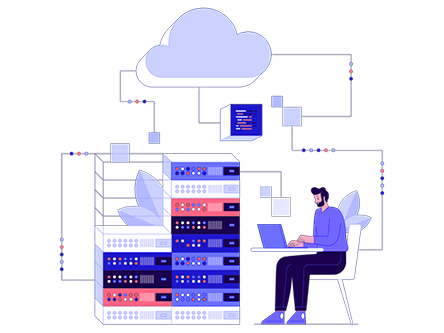
These tools are good for IT teams & DevOps engineers who track CPU, memory disk and uptime. By automating the task of monitoring system health, infrastructure monitoring tools save time and reduce manual effort.
They also offer integration support with tools like Slack or AWS, scalability to grow with your business and security monitoring to detect potential threats.
Top 9 Best Infrastructure Monitoring Tools in 2026
There are countless infrastructure monitoring tools available in 2026, each claiming to be the best. But, the right tool depends on your specific business needs and budget. To make things easier, we’ve put together a list of the top 9 best infrastructure monitoring tools along with their unique features. This list will help you quickly compare your options and find the one that fits perfectly.
⏰ TL;DR:
1. Datadog – Overall Best Infrastructure Monitoring Tools
2. Zabbix – Best Infrastructure Monitoring Tools
3. Prometheus – Open-Source Infrastructure Monitoring Tools
4. SolarWinds Server – Powerful Open-Source Monitoring Tools
5. Nagios XI – Enterprise-Grade Infrastructure Monitoring Tools
6. Dynatrace – AI-Powered Infrastructure Monitoring Tools
7. ManageEngine Site24x7 – End-to-end Cloud Infrastructure Monitoring Tools
8. ManageEngine – All-in-one Infrastructure Monitoring Tools
9. New Relic – Faster Infrastructure Monitoring Tools
1. Datadog – Overall Best Infrastructure Monitoring Tools
Datadog infrastructure monitoring tool is a powerful SaaS-based observability platform that provides a complete view into your entire IT environment, be it on-premise, hybrid, or multi-cloud. It also offers easy deployment and a user-friendly interface that requires no complex setup or query language.
With real-time metrics, deep performance insights, advanced troubleshooting and built-in cloud security monitoring, your office team can easily track system health and detect issues before they affect your operations.
It also provides a 14-day free trial of its full product suite, giving newbies access to all monitoring and alerting features to experience how effortlessly it simplifies infrastructure performance tracking.
Key Features
- Complete Coverage: It supports over 900 integrations, including Kubernetes, serverless platforms, IoT devices, and multi-cloud environments. This ensures complete visibility across your entire infrastructure stack.
- Deep Visibility: This tool delivers in-depth infrastructure insights by tracking thousands of metrics in real-time and maintaining continuous historical data, even for resources that no longer exist.
- Simple Troubleshooting: With AI-powered event correlation, Datadog reduces alert noise and helps engineers quickly focus on real issues. It offers effortless deployment with zero professional service requirements.
- Built-In Cloud Security and Compliance: Datadog continuously monitors cloud configurations to detect vulnerabilities and maintain compliance with standards like PCI DSS, SOC 2, HIPAA, and GDPR.
Pros and Cons
Pros
- Easy deployment with minimal setup required
- Unified visibility across multi-cloud and hybrid environments
- Strong AI-based alert correlation and noise reduction
- Powerful compliance and security monitoring features
Cons
- Advanced analytics and security features can be costly for smaller business teams
Best For
Datadog Infrastructure Monitoring is best for DevOps teams, cloud-native organizations, backup administrators (ensures database snapshots and replication are regular) and enterprises looking for a comprehensive, all-in-one monitoring platform that offers deep visibility.
2. Zabbix – Best Infrastructure Monitoring Tools
Zabbix, another powerful open-source infrastructure monitoring tool, offers a quick and easy deployment process, allowing users to get started in minutes.
It gives you a unified dashboard where you can visualize metrics, performance trends and real-time alerts from servers, networks, databases, applications and cloud environments. With its flexible graphing tools and discovery features, Zabbix automatically detects and monitors your entire infrastructure including AWS, Azure, and hybrid setups, without requiring additional agents.

The platform offers deep insights and smart alerts to help IT teams stay proactive and maintain system health effortlessly.
Key Features
- Auto-Discovery & Template Driven Monitoring: It can scan your infrastructure (networks, cloud, devices) automatically and detect new hosts or services, then apply monitoring templates so you don’t have to do anything manually.
- Flexible & Powerful Alerting (Triggers & Actions): You can define complex threshold rules (triggers) using metrics, functions and logic to detect problems. When a trigger fires, Zabbix sends notifications (email, SMS, scripts).
- Rich Visualization & Dashboards: It offers customizable dashboards, graphs, network maps, slideshows and combined charts to give you clear views of health and trends. You can build dashboards for your teams.
- Scalability: This tool supports proxies and distributed components so you can scale across multiple locations without overloading a central server.
Pros and Cons
Pros
- Open source and no licensing cost
- Highly customizable and template-based
- Strong community, extensibility, and scalability
Cons
- Steep learning curve for beginners
- Initial setup and configuration can be complex
Best
Zabbix is best for IT teams, system administrators, Cloud Engineers and DevOps that want a robust and flexible monitoring solution. It’s perfect when you need to monitor a broad, heterogeneous infrastructure (servers, network devices, cloud, containers) in a unified way.
3. Prometheus – Open-Source Infrastructure Monitoring Tools
What’s special about Prometheus? It is a leading open-source infrastructure monitoring and alerting tool designed for modern and cloud-native environments.
It collects and stores metrics as time series data, allowing teams to monitor the performance of their systems, applications and services with high precision. Using a pull-based data collection model, Prometheus provides real-time insights and visualization capabilities.
Its simple setup, standalone architecture and seamless integrations with Kubernetes, making it a nice choice for dynamic systems. Prometheus also offers back-to-back performance and strong reliability even during infrastructure outages.
Key Features
- Dimensional Data Model: It uses a flexible, multi-dimensional data model that identifies time series data by metric names and key-value pairs (labels). This approach allows for deep insights and granular analysis of complex systems.
- PromQL (Prometheus Query Language): PromQL allows users to query and transform time series data with precision. It enables advanced data exploration for dashboards and automated alerting, making complex metric analysis easier.
- Independent and Reliable Operation: This tool ensures high reliability even when parts of your infrastructure fail. This design eliminates external dependencies and makes deployment and maintenance straightforward.
- Alerting and Integration Ecosystem: It includes a robust AlertManager feature that manages alerts and notifications. It also integrates seamlessly with Grafana and hundreds of libraries for an extensive ecosystem.
Pros and Cons
Pros
- 100% open-source and community-driven
- Powerful querying and alerting capabilities
- Easy deployment with minimal dependencies
- Excellent integration with cloud-native tools like Kubernetes
Cons
- No long-term distributed storage support
Best For
It is best for Database Administrators, network admin teams, SREs and organizations running containerized applications. Its scalability, flexibility and deep integration with Kubernetes make it perfect for monitoring microservices-based architectures.
4. SolarWinds Server – Powerful Open-Source Monitoring Tools
This tool provides a unified observability platform that helps IT teams easily monitor and optimize the health and performance of hybrid infrastructures, including on-premises and virtual machines.
SolarWinds Server makes troubleshooting easy through a single dashboard, enabling faster solving of the issues and detailed insights across servers, networks and applications. With AI-backed automation, it ensures reliability and performance at scale.
You can choose between self-hosted or SaaS options for flexible deployment plus SolarWinds also offers a fully functional 30-day free trial to help you explore its capabilities risk-free.
Key Features
- Unified Infrastructure Observability: You get a complete, single-pane view of your hybrid IT, including on-prem, cloud, containers, and VMs. This helps IT teams identify and fix issues faster without switching between multiple tools.
- AI-Enhanced Insights: This tool uses a built-in machine learning to detect issues, predict potential failures and automate responses. This approach reduces downtime and boosts performance reliability.
- Seamless Scalability: You can easily manage large and complex environments with simple onboarding and unified agent management, all designed to scale with growing IT infrastructures.
- Flexible Deployment Options (Self-Hosted or SaaS): You can choose between self-hosted or SaaS deployment to fit your business needs. Both options deliver regular performance, customizable dashboards, and easy setup for all user types.
Pros and Cons
Pros
- Unified monitoring for hybrid and multi-cloud environments
- AI-powered analytics for proactive issue detection
- Intuitive dashboards for faster troubleshooting
- Offers a 30-day free trial with full functionality
Cons
- Advanced features may require technical expertise
- Pricing can increase with large-scale deployments
Best For
SolarWinds Infrastructure Monitoring is good for IT operations teams, Capacity planner (Tracks utilization trends for future scaling) and enterprises managing cloud-based environments. It’s perfect for organizations looking for a single, easy-to-use tool that provides deep visibility to keep systems healthy.
5. Nagios XI – Enterprise-Grade Infrastructure Monitoring Tools
Next, now we’ve Nagios, a powerful open-source (free) infrastructure monitoring tool that helps your IT team keep an eye on servers, networks, applications and services in real time.
It provides complete visibility into your IT environment, helping detect issues before they impact performance or users. With easy-to-use dashboards, automated alerts and flexible plugins, Nagios makes it simple to monitor everything from Windows and Linux systems to routers and cloud applications.
Its community-driven ecosystem offers thousands of free add-ons, and users can even upgrade to the Nagios Core Services Platform for enterprise-grade tools, pre-installed plugins and ready-to-use virtual machines.
Key Features
- Nice Infrastructure Monitoring: It monitors your entire IT environment (that includes your servers, network devices, applications and cloud services) from a single platform. It ensures uptime and performance by identifying issues early and providing detailed insights.
- Custom Dashboards & Reports: The tool offers user-friendly dashboards where you can view system health, alerts and trends in real time. Its reporting tools help visualize performance data and generate custom reports.
- Advanced Alerting and Notifications: Nagios XI includes intelligent alerting that notifies the right people through email, SMS or other integrations when a problem comes.
- Plugin-Based Extensibility: With over 5,000+ community-built plugins and support for custom scripts, Nagios can monitor anything. This flexibility allows organizations to set the platform to their unique monitoring needs.
Pros and Cons
Pros
- Highly customizable with thousands of plugins
- Real-time monitoring and intelligent alerts
- User-friendly dashboards and detailed reports
- Strong community support with continuous improvements
Cons
- Initial setup and configuration can be complex for beginners
Best For
Nagios is best for IT administrators, DevOps teams and security engineers who need to detect unauthorized access and need deep visibility into complex infrastructure. Its customizable plugin system and automated alerting make it perfect for organizations managing diverse systems.
6. Dynatrace – AI-Powered Infrastructure Monitoring Tools
Dynatrace Infrastructure Monitoring is an AI-powered platform designed to give you complete, automatic visibility into your hybrid and cloud environments. It unifies end-to-end observability across servers, networks, containers and cloud platforms through an easy-to-use dashboard.
It continuously discovers and visualizes your dynamic IT ecosystem, helping teams detect issues and automate remediation in real time. With its AI engine Davis, the tool minimizes downtime and ensures faster recovery.
You can explore its features through a free trial demo, which lets you experience its full monitoring and automation capabilities before subscribing.
Key Features
- AI-Powered Problem Detection (Davis AI): The Davis AI model automatically identifies the issues and finds the exact root cause of issues. It reduces false alerts and helps teams focus on real problems.
- Full-Stack Observability Dashboard: The platform provides a single, simple dashboard that unifies metrics, logs and traces from across your infrastructure. It is user-friendly, giving clear visualizations for servers, containers, VMs and networks.
- Automated Context and Causation (Grail Technology): The Grail engine feature links logs, traces, and metrics automatically, so you don’t need manual tagging or correlation. It delivers understandable insights for faster decision-making.
- Smart Alerting and Auto-Remediation: With integrated AutomationEngine, Dynatrace automatically triggers alerts, creates tickets, and even fixes issues in real time.
Pros and Cons
Pros
- AI-driven insights minimize false alerts.
- Easy-to-use, all-in-one dashboard.
- Excellent automation for faster issue resolution.
- Scalable for both hybrid and multi-cloud setups.
Cons
- Advanced features may feel complex for small teams initially.
Best For
Dynatrace is good for IT infrastructure managers (to monitor health of the hardware and cloud resources), DevOps engineers, and Data center technicians who monitor physical equipment status and environmental factors like temperature / power. It’s also perfect for organizations seeking smart and automated monitoring that reduces downtime and improves collaboration.
7. ManageEngine Site24x7 – End-to-end Cloud Infrastructure Monitoring Tools
ManageEngine Site24x7, one of the best Infrastructure cloud Monitoring tools, is an all-in-one cloud-based observability platform designed to monitor servers, networks and cloud infrastructure from a single, easy-to-use dashboard.
It offers real-time insights, automated anomaly detection, and AI-powered alerting to help IT teams detect and fix issues before they affect users. The easy interface provides end-to-end visibility across hybrid and multi-cloud environments, making performance optimization simple.
Site24x7 also offers a 30-day free trial that allows users to explore its full suite of monitoring tools, perfect for organizations wanting to ensure reliability, uptime and great digital experiences.
Key Features
- Unified Dashboard for Complete Visibility: It brings all performance metrics, servers, networks, applications and websites into a single and unified dashboard. This eliminates tool switching and provides a complete picture of IT health in just one glance.
- AI-Powered Anomaly Detection & Alerting: This tool uses AI and machine learning to automatically detect unusual behavior, performance drops or potential issues before they escalate.
- End-to-End Distributed Tracing: It traces transactions across microservices and cloud environments, helping identify code-level bottlenecks and pinpoint exactly where delays or failures occur. This enables faster troubleshooting of complex applications.
- Simple Setup & Cloud Scalability: With agent-based deployment and OpenTelemetry support, Site24x7 can be set up in minutes. It scales effortlessly with growing cloud or hybrid environments.
Pros and Cons
Pros
- Easy-to-use dashboard and clean interface
- AI-powered alerts reduce manual monitoring effort
- Supports multi-cloud and hybrid infrastructure
- Provides deep code-level and performance insights
Cons
- Advanced analytics can feel overwhelming for beginners
Best For
Site24x7 is best for IT operations teams, DevOps engineers, and enterprises managing complex or hybrid infrastructures. It’s ideal for organizations that need unified visibility into applications, servers, and networks with minimal setup.
8. ManageEngine – All-in-one Infrastructure Monitoring Tools
Next, we’ve ManageEngine OPManager is a unified infrastructure monitoring tool that gives you a real-time view into your servers, network devices, virtual machines, storage and links, all from one simple dashboard.
Good for the newbies! It also offers a free 30-day trial to test full features, letting them explore monitoring, alerts, mapping and reporting. Its interface is easy to use, showing system health, uptime and performance in simple charts and maps so you don’t need to dig through logs.

The alerting system warns you by email, SMS, or integrated tools (like Slack) when things go wrong, helping you fix issues before users notice.
Key Features
- Automatic Network Discovery & Topology Mapping: OPManager auto-discovers devices in your network, builds Layer 2 / 3 maps and keeps the visual maps updated as your network evolves, so you always see how everything connects.
- Multi-Vendor & Multi-Platform Monitoring Support: It supports over 450 vendors and monitors devices, servers, virtual environments, storage, firewalls, all in one tool, so even heterogeneous networks are covered seamlessly.
- Intelligent Alerts & Automation Workflows: You can set dynamic thresholds, anomaly-based alerts, and automated actions (run scripts, restart service) to reduce manual intervention and alert fatigue.
- Configuration & Change Management Integration: It tracks and audits changes (router configs, firewall rules), maintains backups and lets you enforce compliance to prevent unplanned disruptions.
Pros and Cons
Pros
- Comprehensive monitoring across devices, servers, virtualization, and storage.
- Easy to set up and navigate, even for less-experienced admins.
- Strong integration and API support for ITSM and automation.
- Scalable architecture supports distributed monitoring across sites.
Cons
- Some vendor-specific MIBs may require manual configuration or custom templates.
Best For
OPManager is ideal for IT teams in mid-sized to large enterprises, managed service providers (MSPs), or organizations running hybrid or multi-vendor networks. It’s especially good when you need to monitor servers, network gear, virtual infrastructures and storage from one console.
9. New Relic – Faster Infrastructure Monitoring Tools
New Relic’s Infrastructure Monitoring tool offers an all-in-one solution to monitor cloud and on-prem environments in one unified view.
It integrates infrastructure and application performance monitoring to quickly detect, diagnose, and resolve issues. The platform provides real-time visibility into system health, resource usage, and performance metrics through intuitive dashboards and automated insights.
With its easy setup, early-warning alerts and affordable model, New Relic helps teams ensure high uptime, reduce costs and optimize performance across every part of their stack.
Key Features
- Unified Dashboard & Visualization: You get a single, easy-to-use dashboard to view CPU, memory, and network usage across hosts, containers and VMs. Quickly check performance dips and correlate them with application data for faster troubleshooting.
- Automap for Root Cause Analysis: It automatically checks relationships between applications and infrastructure components. This helps teams pinpoint root causes of issues faster, reducing downtime and improving system reliability.
- Real-Time Alerts & Health Tracking: The alerting system notifies you instantly about anomalies, degraded performance, or unusual activity. You can view host health, events and alerts in one place.
- Cost-Efficient, Scalable Pricing: Enjoy predictable pricing with no peak billing or hidden charges. Users only pay for what they use and can monitor their full tech stack for one-third the cost of competitors.
Pros and Cons
Pros
- Unified monitoring for infrastructure and applications
- Intuitive dashboards with quick visualization
- Fast root cause detection through Automap
- Affordable, usage-based pricing
Cons
- Initial setup may require basic configuration knowledge
Best For
New Relic Infrastructure Monitoring is best for IT teams and DevOps engineers, running cloud, hybrid, or on-prem environments. It’s perfect for organizations seeking end-to-end visibility without the complexity or high costs of multiple tools.
Key Features to Look For in an Infrastructure Monitoring Tool
Every monitoring tool says it’s “the best,” but not all of them will fit your exact requirements.
The perfect option depends on what kind of infrastructure you manage if it’s cloud-based, hybrid or on-premises. Getting the right one ensures you get accurate alerts and smooth automation.
To help you make a right decision, we’ve listed the top 7 key features you should always look for when selecting an infrastructure monitoring tool:
Comprehensive Visibility
Your tool should monitor every part of your infrastructure, from servers to apps and cloud systems, all in one place. This ensures you never miss a single issue.
Real-Time Alerts
Instant alerts help you respond to issues before they affect users. Look for tools that offer customizable and multi-channel notifications.
Automation Capabilities
A good tool can automatically fix common issues or perform actions when certain conditions are met, saving you valuable time.
User-Friendly Dashboard
Clear and easy-to-read dashboards make it simple to understand complex data, even for non-technical users.
Scalability
As your business grows, your monitoring tool should easily scale to handle more servers, apps, and devices without performance issues.
Integration with Other Tools
The best solutions integrate with your existing tech stack like Slack, Jira or AWS, to simplify collaboration and workflows.
Detailed Analytics & Reporting
Powerful reporting tools help you analyze performance trends, track KPIs and make better business decisions based on data.
How to Choose the Right Infrastructure Monitoring Tool?
To choose the right infrastructure monitoring tool you need to consider your goals, system complexity and office server admin team size. Before you decide, think about your infrastructure’s specific needs and the level of automation you want.
- Understand Your Requirements: Make a list of what you want to monitor like servers, networks, or cloud systems, to find the tool that covers them all.
- Check Ease of Use: Choose a tool with a simple interface and dashboard that your team can use without needing advanced technical skills.
- Compare Features and Pricing: Please make sure to choose a tool that maintains a balance between cost and functionality! The most expensive tool isn’t always the best, look for value and scalability.
- Look for Support and Community: Reliable customer support and an active community can help you fix issues faster and get the most out of the tool.
What is the difference between an Infrastructure monitoring tool and a Server Monitoring tool?
People are often confused between infrastructure monitoring tools and server monitoring tools because both seem to track system performance. But they serve different purposes! Many assume monitoring servers is the same as monitoring the entire infrastructure, but that’s not true.
We’re going to break down the exact difference so you can clearly understand how each one fits into the bigger picture of IT operations.
| Infrastructure Monitoring Tool | Server Monitoring Tool |
| Monitors the entire IT ecosystem (servers, networks, databases, applications, and cloud services) | Focuses only on the performance and health of individual servers. |
| Ensures overall system connectivity, uptime and performance across all components. | Ensures that server resources like CPU, memory and disk usage are functioning properly. |
| Provides a holistic view of how all systems interact and impact each other. | Provides a detailed view of server-level metrics and processes. |
| Perfect for businesses managing complex, multi-layered IT environments. | Perfect for system admins who need to maintain and optimize specific servers. |
FAQs
Which is the best open-source infrastructure monitoring tool?
Zabbix is the best open-source infrastructure monitoring tool. It offers high-grade features like real-time metrics collection, alerting and visualization, all for free. It is scalable and is also able to monitor networks, servers and cloud environments from one dashboard.
How does infrastructure monitoring differ from application monitoring?
Infrastructure monitoring focuses on the systems like servers, networks, and storage that keep applications running, while application monitoring looks at software performance and user experience.
Is Datadog better than Zabbix?
Yes, Datadog is better than Zabbix for businesses that want a cloud-based and AI-driven platform with zero maintenance cost. Datadog excels in real-time dashboards, anomaly detection and seamless integrations with hundreds of cloud services.
Can I monitor hybrid and cloud environments?
Absolutely! Tools like Datadog, Dynatrace and New Relic make it easy to monitor hybrid and multi-cloud environments in one place. They provide unified visibility across on-premises servers, virtual machines, and cloud infrastructure such as AWS, Azure, and Google Cloud.
How does AI help in infrastructure monitoring?
AI transforms infrastructure monitoring by enabling predictive analysis and intelligent automation. Instead of just reacting to failures, AI algorithms detect performance anomalies, forecast potential outages and even recommend optimizations before problems occur.
Are there any free infrastructure monitoring tools?
Yes! Several free tools like Zabbix, Prometheus and Nagios Core are top choices for organizations that want robust monitoring for free. Zabbix is best for complete infrastructure visibility, Prometheus excels at time-series data monitoring and Nagios Core is great for network and server checks.
What’s the best tool for small businesses?
For small businesses, ManageEngine OpManager is one of the best choices. It combines simplicity, affordability, and powerful monitoring features in a user-friendly dashboard. OpManager helps small teams track server health, network performance and uptime.
How to get started with infrastructure monitoring?
Getting started with infrastructure monitoring is simple. Begin by identifying critical systems and metrics, such as server uptime, CPU usage, and network latency. Next, choose a monitoring tool like Zabbix and deploy agents on your servers or integrate cloud APIs. Set up dashboards and alerts to receive real-time updates. Within hours, you’ll gain full visibility into your IT infrastructure.
Conclusion
Infrastructure monitoring tools give you clear visibility into your infrastructure, helping you detect and resolve issues faster, improve uptime and ultimately deliver a better experience to your users. They also make managing complex systems much easier by automating repetitive checks and providing detailed insights that help in smart decision-making.
In this blog, we’ve shared some of the top infrastructure monitoring tools, along with their key features and pricing models, to give you a clear idea of what each one offers.
With the right tool in place, you can ensure your business runs efficiently, your team stays stress-free, and your customers enjoy a seamless online experience.
Comparison Table
Here, we’ve mentioned the top 9 infrastructure monitoring tool options in one place. You can easily compare their features, compatibility, and pricing models at a glance. This table will help you quickly identify which tool best fits your business needs, saving you time and helping you make a smart, confident choice.
| Tool Name | Deployment Type (Cloud / On-Premise) | Key Strength | Best For | Pricing Model (per host per month) |
| DataDog | Cloud-based | Unified monitoring for servers, APIs and APM with excellent visualization and AI alerts | Cloud-native infrastructure & DevOps teams | $15 |
| Zabbix | On-Premises | Highly customizable & agent-based monitoring | Enterprises preferring on-prem solutions with full control | Free (OpenSource) |
| Prometheus | On-Premise / Cloud-compatible | Time-series metrics collection & strong integration with Grafana and Kubernetes | Cloud-native and containerized environments | Free (OpenSource) |
| SolarWinds Server | On-Premise / Hybrid | Deep visibility into applications and network infrastructure | IT departments of medium to large enterprises | $7 |
| Nagios XI | On-Premise | Strong alerting and broad infrastructure coverage | SMBs and enterprises wanting flexible plugin-based monitoring | Free (OpenSource) |
| Dynatrace | Cloud-based (SaaS) | AI-powered full-stack monitoring and automation | Large enterprises with complex multi-cloud and hybrid systems | $7 |
| ManageEngine (Site24x7) | Cloud-based | All-in-one monitoring for servers, websites and user experience | SMEs and businesses seeking affordable unified monitoring | $9 |
| ManageEngine (OpManager) | On-Premise | Network and server monitoring with customizable dashboards and automation | Mid-to-large organizations managing hybrid networks | Contact the Team |
| New Relic | Cloud-based | Full-stack observability platform with APM and telemetry analytics | Developers and enterprises focusing on performance | Contact the Team |