OVHCloud Login
Having trouble signing in to your OVHCloud account? The first step for a user, who decides to purchase OVHcloud after learning about its favorable reviews is to login. However, it’s totally usual to run into a number of problems, the OVHCloud login procedure being one of them.
This post will teach you how to properly enter into your OVHCloud account and even how to contact customer care if you run into login-related issues.
In order for you to clear up your confusion, the topic of changing your account password has also been covered with appropriate navigation. Without further ado, let’s start.
We strongly advise you to read this article to the end, where we’ll cover not only the process of logging in but also the entire registration process for an OVHCloud account as well as some other related issues, in order to receive satisfactory answers to the questions raised above. Let’s investigate 👍
How to Login OVHCloud?
It would be beneficial to first go over the steps involved in signing up for a new account in OVHCloud as a new user.
As soon as you create an account, getting hosting from OVHCloud becomes convenient since all information is made available in the Dashboard itself, from which it is simple to configure OVHCloud nameservers, contact customer support, and order hosting services.
The stepwise instruction to login to your OVH cloud Dashboard are as follows:
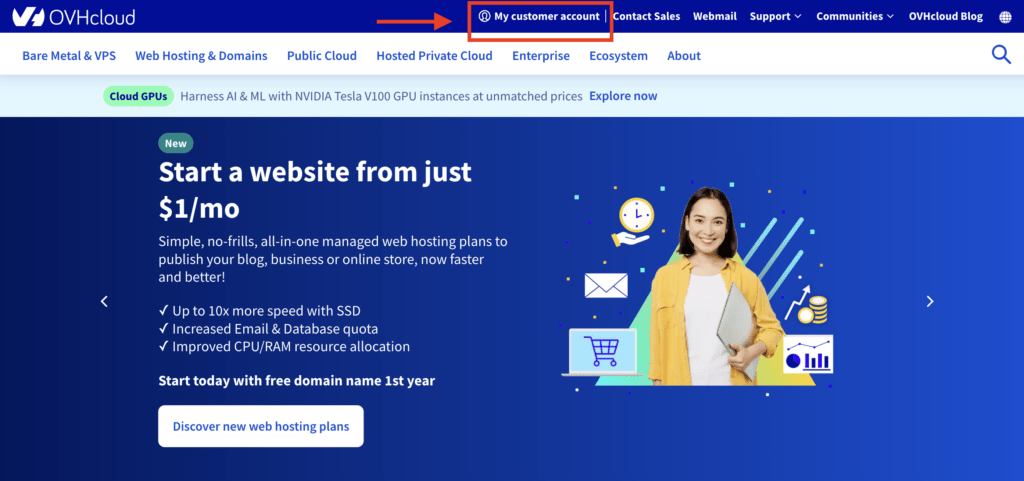
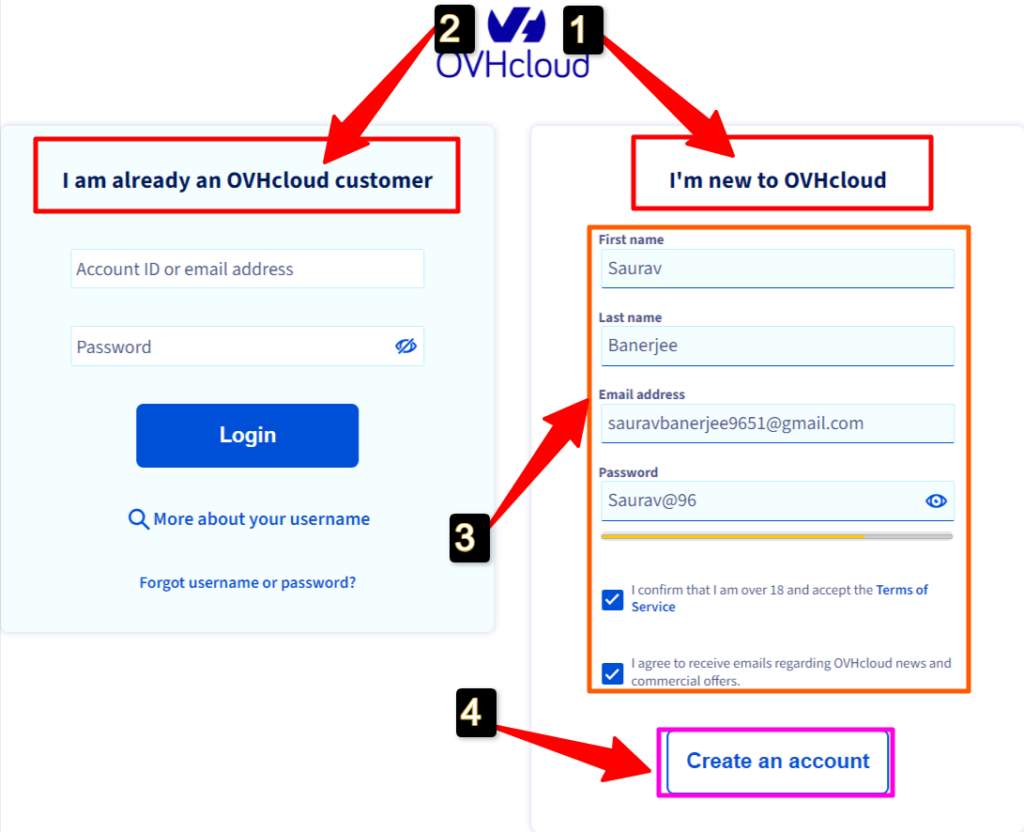
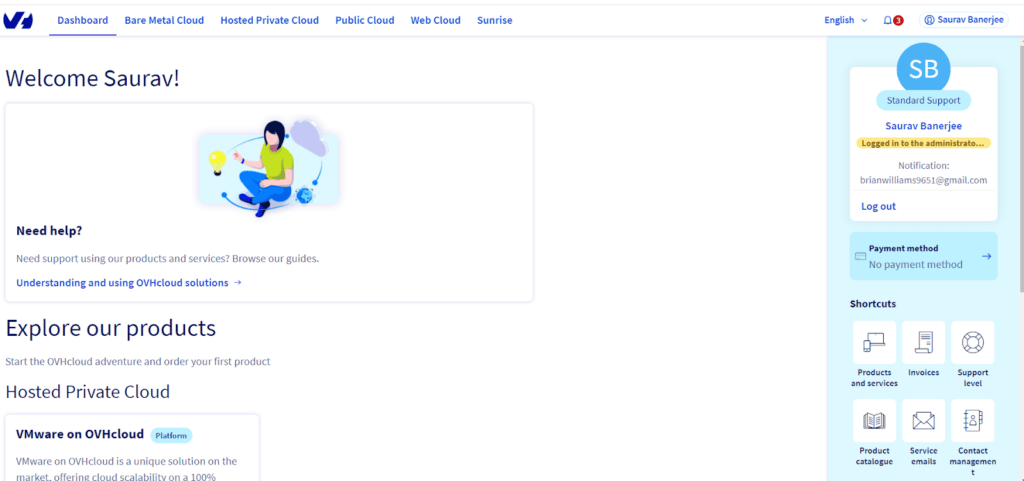
Let’s suppose you wish to manage your site files and make minor adjustments to your hosting account after entering into your account. You would need to sign into your cPanel in order to do it. Let’s examine how to enter cPanel on OVHCloud.
How to login to the Control Panel of OVHCloud?
The user has two options for logging into cPanel. The initial and easiest method is to visit http://(your website)/cPanel. This link will provide you immediate access to your website’s cPanel.
Additionally, cPanel is accessible through OVHcloud’s customer area. The method used is as follows:
Let’s just say you have your cPanel account, in such a case you can effortlessly Login to your cPanel account by easily entering your cPanel user ID and password.
By now, we have successfully been able to acknowledge the process to login your dashboard and cPanel. What if you happen to misplace your password or want to change the password for security purposes, what are you supposed to do then?
Keep on reading to find the information further.
How to Reset the Password of OVHCloud Accounts?
Users should sometimes change their passwords for security reasons. Users even occasionally have a tendency to forget their passwords, thus changing them is essential. Let’s talk about how to quickly change the password for OVHcloud accounts.
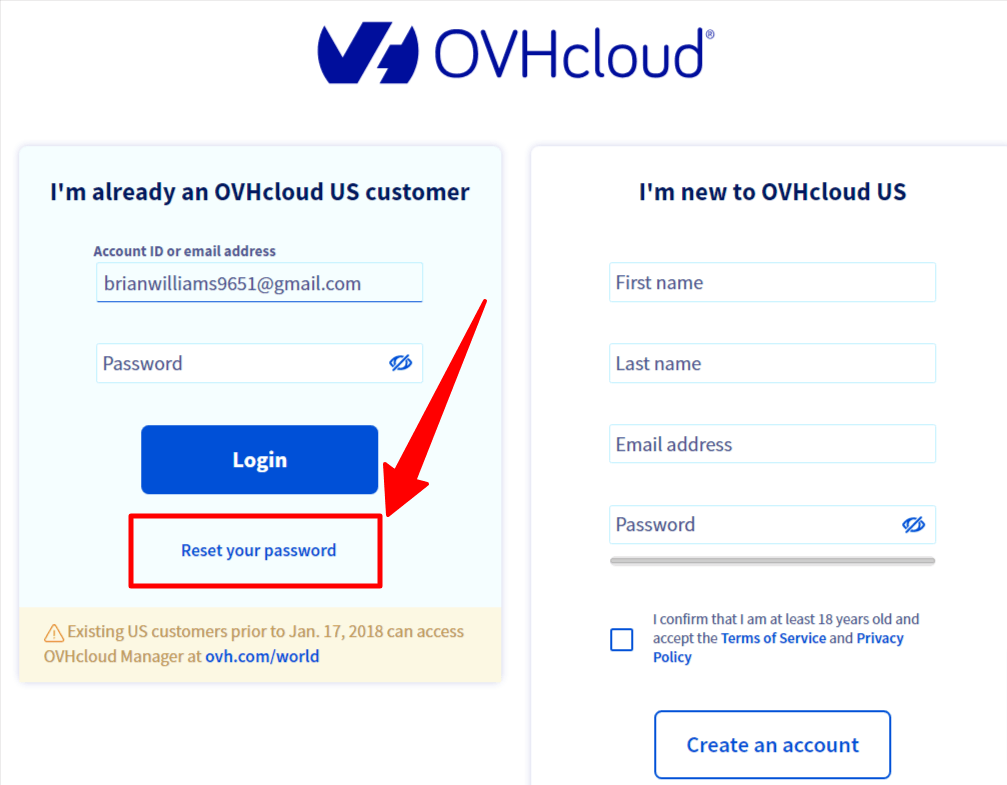
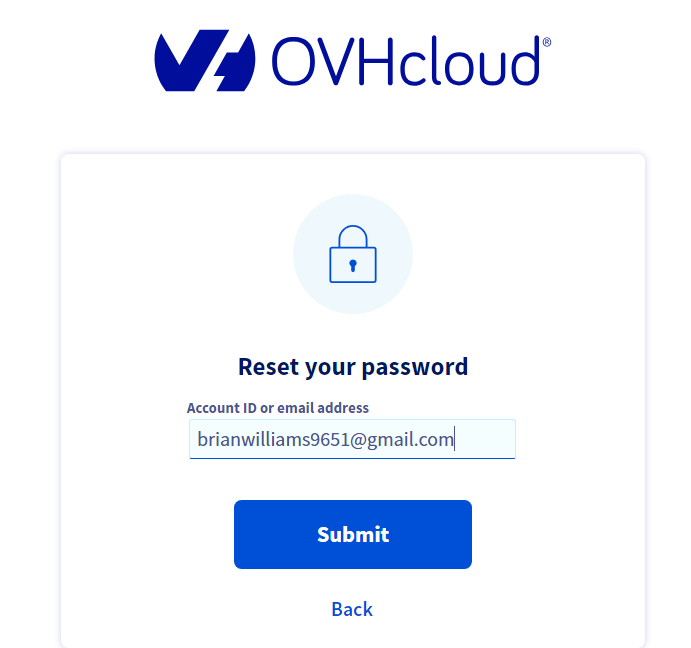
It happens at times that login issues get too entangled. What are you supposed to do then? In such a case, contacting the OVHcloud support team is the best way to get your login issues redeemed.
How to open a OVHCloud Support ticket for Login issues?
When logging in is too difficult, sometimes the only option left is to contact the support staff to resolve the OVH Cloud login problem. Accordingly, in such situation, the instructions provided Below may help you successfully get in touch with the OVH cloud support staff for assistance with the login issues:
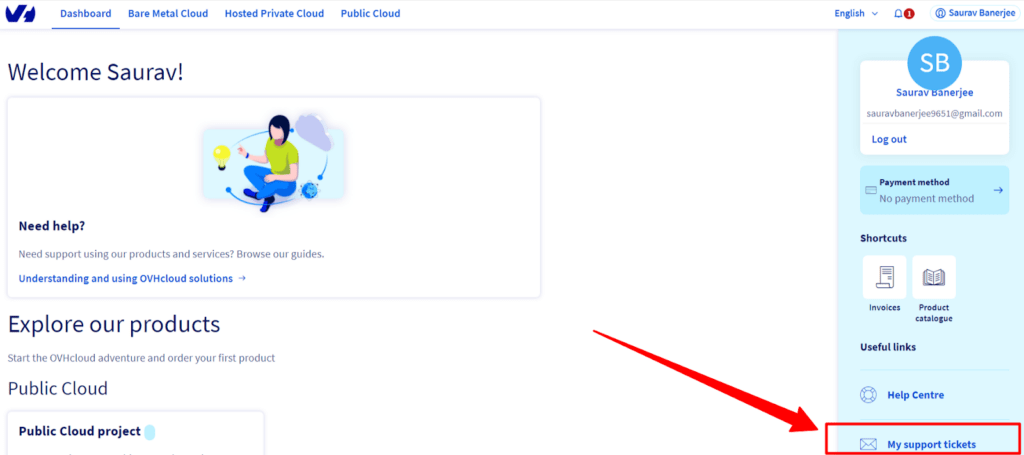
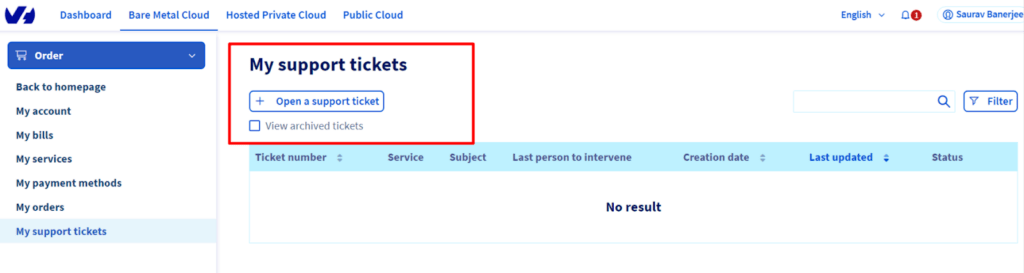
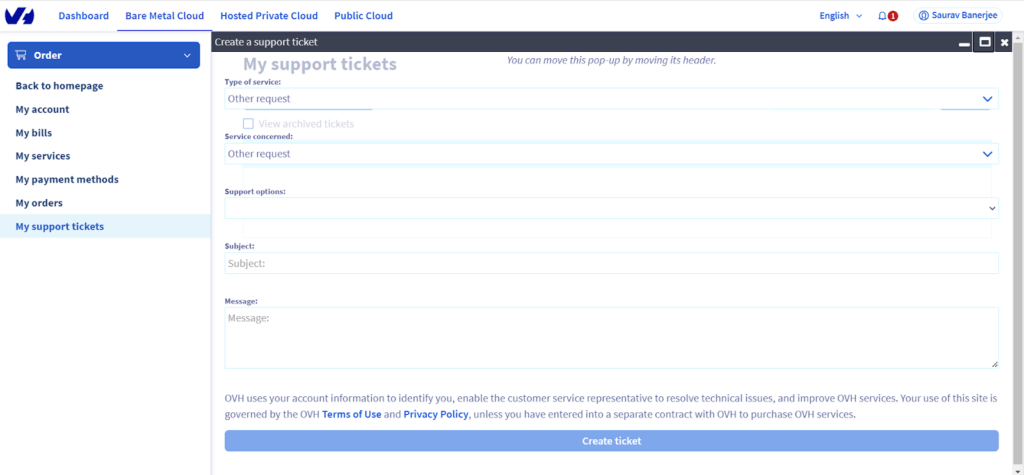
You may address the login issue much more quickly and with the help of knowledgeable advice, thanks to the customer care support staff. You can use the articles offered in your dashboard to resolve the login issue if the support staff is running behind schedule or not responding to your ticket.
Conclusion – OVHCloud Login
Potentially, you have a good understanding of how to log in to either the OVHCloud Dashboard or cPanel. Furthermore, you now know what to do if you need to reset the password for your OVHCloud account and how to get in touch with customer service to handle login-related problems.
We think the knowledge we’ve given you here might be beneficial. Your insightful comments and the act of forwarding this post to your friends and family would not only mean a great deal to us, but would also inspire us to produce more tech related articles.