AbeloHost Login

Are you having troubles while signing in to your AbeloHost account? If yes is your reply, then you are at the right page.The initial step for a user, who decides to purchase AbeloHost after learning about its favorable reviews is to login. However, it’s totally usual to run into a series of issues, the AbeloHost login process being one of them.
This page will let you know how to properly register an account with AbeloHost and even how to establish contact with the customer support team if you run into login-related issues. We will also be discussing the manner in which existing users can reset their account login password due to security issues.
We recommend you to read this article till the end, where we’ll cover not only the process of logging in but also the entire registration procedure for an account with AbeloHost as well as some other related issues, in order to receive satisfactory answers to the questions raised above. Let’s Keep reading👍
How to Sign Up for AbeloHost?
We all know that the very first step to avail hosting utilities from any service provider is to create an account. So, to create an account with AbeloHost, one needs to follow the stepwise instructions given below:

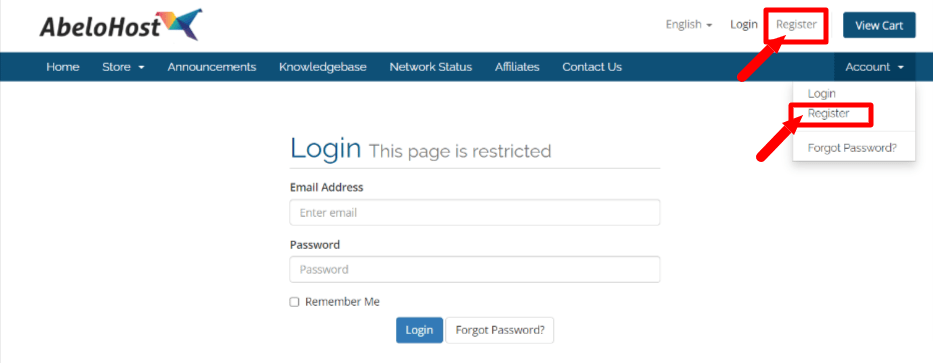
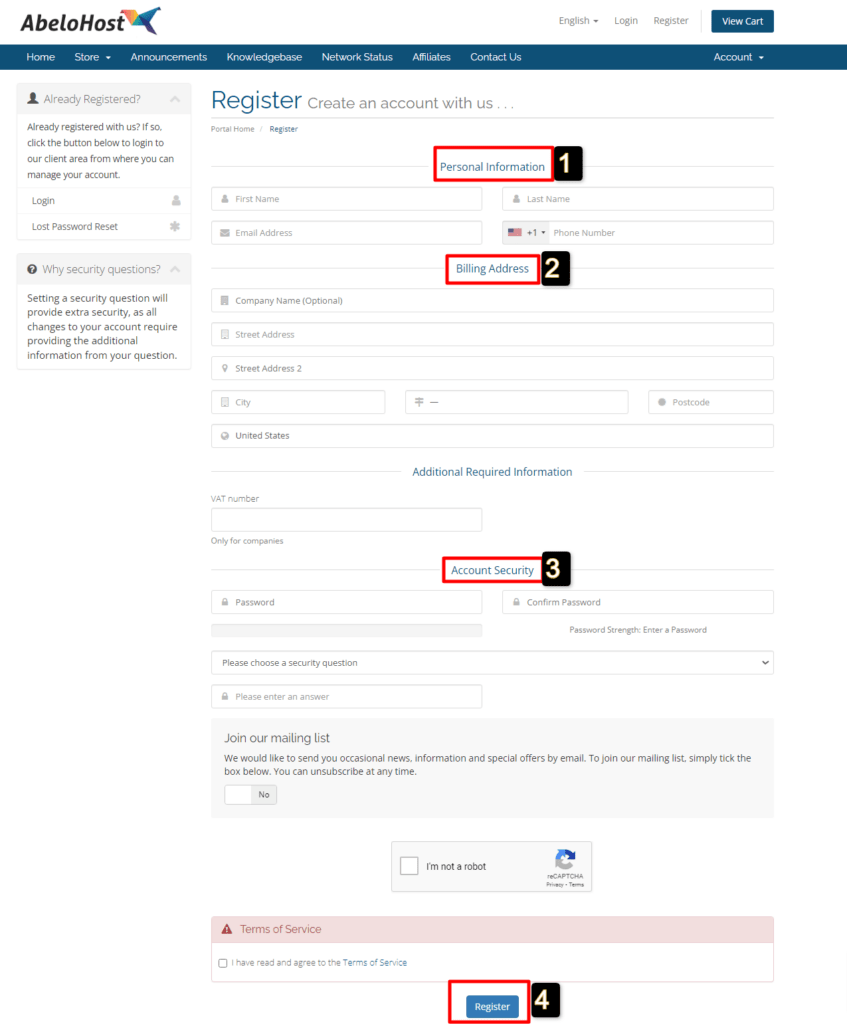
After a successful sign-up with AbeloHost, you can now note down your login credentials and refer them while logging into your dashboard.
AbeloHost login: Step-by-Step Guide
Here, we have discussed the Stepwise instructions to login to the account of AbeloHost after you sign up for it. The steps are as follows:
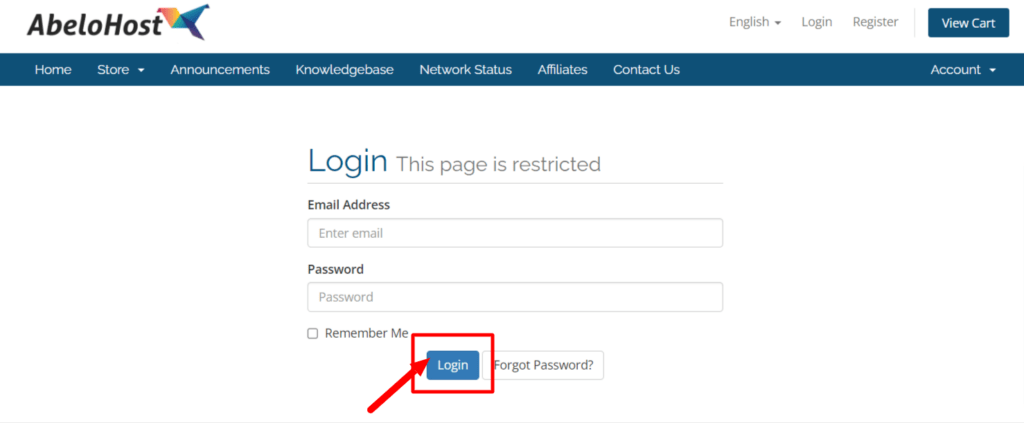
As most of the hard work is already done while creating an account, the logging process is way too easy.
Now with the users having all knowledge about the logging process to access the customer’s dashboard, Let us now discuss an effortless way in which you can resolve the cPanel login issue if you need to do some configuration related to WebFiles, installations of WP and a lot more.
How to Login to the Control Panel of the AbeloHost?
Once you login to your account successfully, signing in to cPanel is very easy. To login to cPanel of AbeloHost, one needs to follow the given steps in an orderly fashion:
There are two ways by which one can login to cPanel:
Via Customer Dashboard
Via URL
At times we tend to misplace the login details thereby making it difficult to log in to the dashboard. To tackle such an issue, AbeloHost provides a password resetting option that enables the customer to effortlessly change the account login details instantly.
How to Reset AbeloHost Login Password?
To reset the password in case you want to change the old one for security purpose, you need to adopt the stepwise instructions given as under:
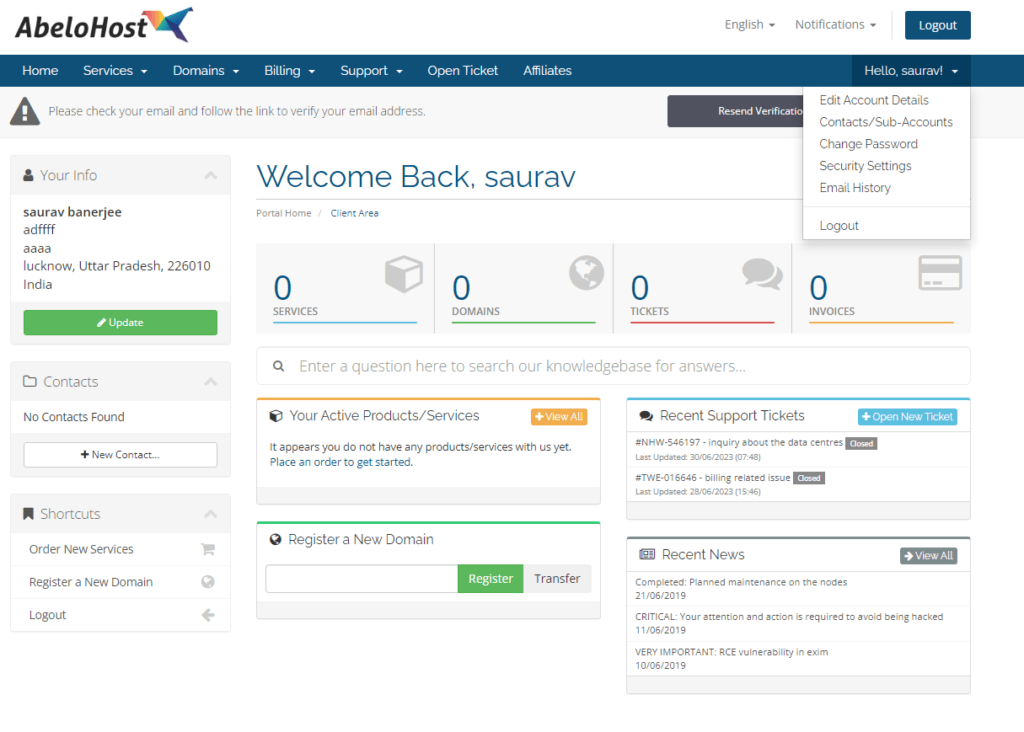
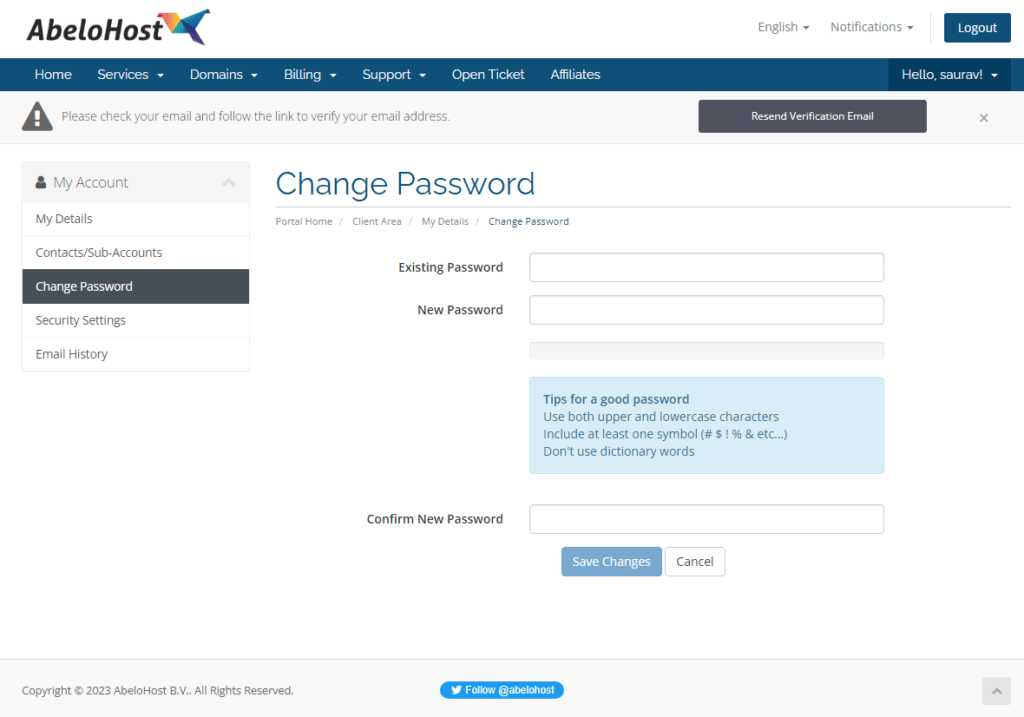
Let’s just say you forgot your account password, then what to do next? In that case the following methods need to be adopted:
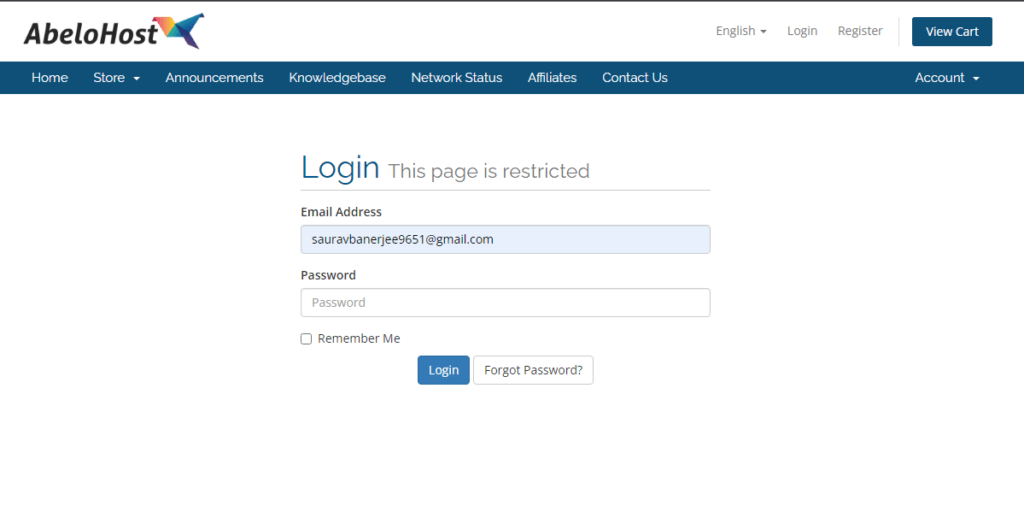
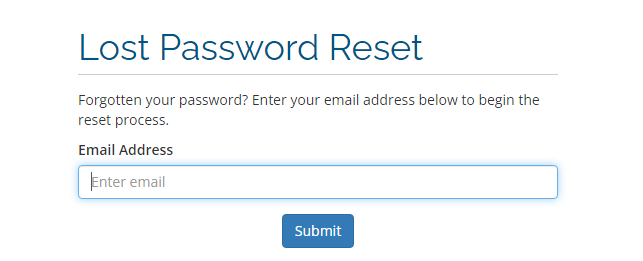
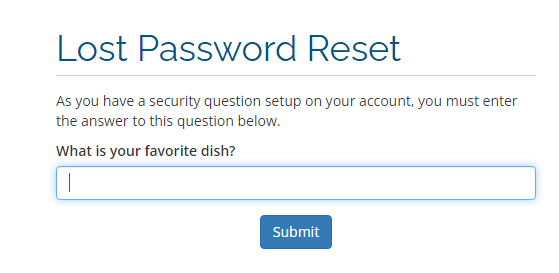
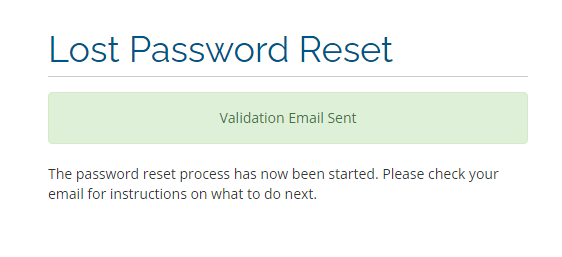
The steps are so easy to follow right? But sometimes the Login procedure becomes too complex or few configurations are hard to resolve. In such a situation, the user can contact the support team of AbeloHost.
How to open a support ticket for Login issues?
Along with the ticket support option, the users have Live chat feature and email support at stake when they face login issues. To open the support ticket for login issues, one needs to follow the given procedures:
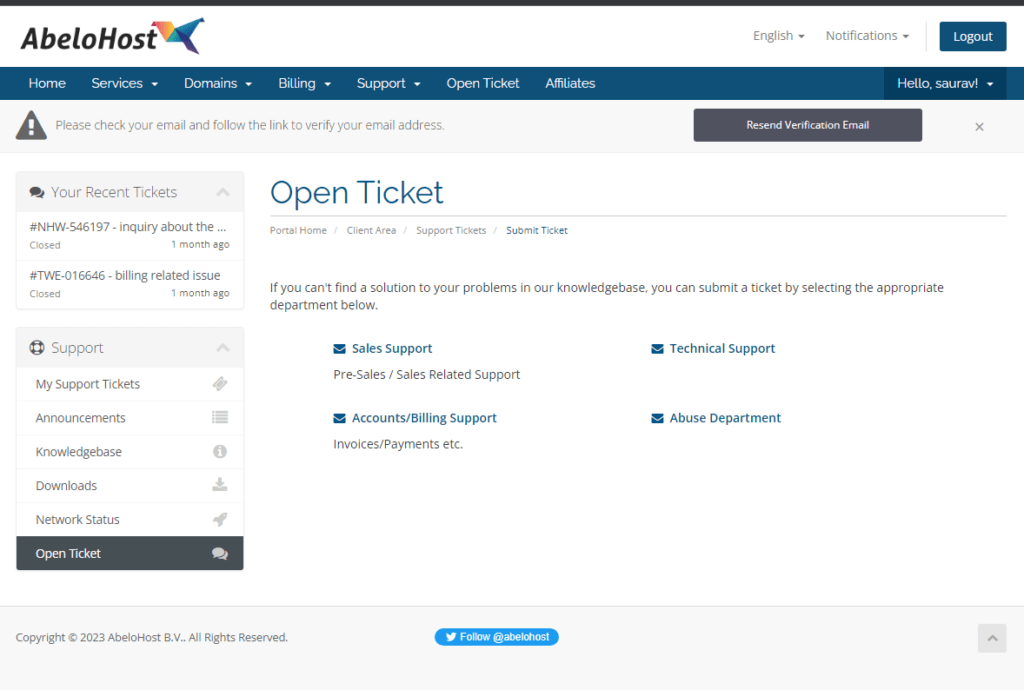
You can also contact the support team of AbeloHost via Live chat for instant assistance. The support services are 24/7 functional thereby enabling users to get their login issues redressed at any time of the day.
Conclusion
With this article newbies can easily understand how to Sign up and login to Abelohost. We sincerely hope that the information we stated on Abelohost login and related processes was helpful to you.
If so, we humbly request that you like the page and post your valuable insights. By doing so, you will encourage us to continue producing new tech-guide articles for you.