Table of Contents
- What is an AWS Monitoring Tool?
- Top 8 Best AWS Monitoring Tools 2026 Free + Paid
- 1. AWS CloudWatch - Overall Best AWS Monitoring Tools
- 2. Datadog - Best AWS Monitoring Tools
- 3. New Relic - All-in-one AWS Monitoring Tools
- 4. Dynatrace - AI-Powered Full-Stack AWS Monitoring Tools
- 5. Grafana Cloud - Simple and Reliable AWS Monitoring Tools
- 6. LogicMonitor - Unified Monitoring for AWS Tools
- 7. SolarWinds - Scalable and Best AWS Monitoring Tools
- 8. Site24x7 - End-to-End AWS monitoring for servers,
- Factors to Consider When Choosing an AWS Monitoring Tool
- How to Set Up AWS Monitoring (Step-by-Step Guide)?
- What are some Common AWS Monitoring Challenges?
- What’s the Difference Between CloudWatch and Third-Party Tools?
- FAQs
- Conclusion
- Comparison Table of AWS Monitoring Tools



Top 8 Best AWS Monitoring Tools March 2026 – Free+Paid
Are you managing your business operations on Amazon Web Services? If Yes, then you should know how important it is to keep an eye on everything, from performance and uptime to costs and resource usage.
That’s where you can use AWS monitoring tools!
Now, let’s assume that you’re a cloud engineer or a DevOps professional, these tools help you stay on top of your AWS infrastructure with ease. You can use them to track metrics, detect issues before they impact your users, and you can also make smarter and faster decisions about scaling and optimization in about seconds.
Below further, we’ve made the top guide on the best AWS monitoring tools, so you don’t have to search anywhere else.
Here, you’ll discover a proper list of the best AWS monitoring tools, learn about their unique features and even get details on free tools for AWS monitoring as well as affordable AWS tools that fit into your budget. This blog gives you a complete picture of how these tools work and how they can make your cloud management a piece of cake.
So, let’s not wait any longer and quickly dive in and explore the best AWS monitoring tools that can help you keep your cloud in perfect shape!
What is an AWS Monitoring Tool?
An AWS monitoring tool, in very simple words, is a software designed to help users track and analyse and then optimize their Amazon Web Services resources in real time.
These tools give you complete visibility into your cloud infrastructure including EC2 instances, S3 buckets and Lambda functions. They help you monitor performance and also ensure that your AWS environment runs smoothly.
For the Pro users like DevOps engineers, system administrators, cloud architects, IT managers, and developers, AWS monitoring tools are really useful.
- DevOps teams can automate alerts
- System administrators can track uptime
- Cloud architects can optimize architecture performance
- IT managers can manage budgets
- Developers can debug applications faster.
Doing all of this manually is really time-consuming and it is also open to human error. Just imagine checking metrics across dozens of AWS services daily!
On the other hand, using an AWS monitoring tool automates this entire thing. It collects data, visualizes insights and sends alerts, allowing you to focus on improving performance instead of manually tracking it.
Top 8 Best AWS Monitoring Tools 2026 Free + Paid
Now that you know what an AWS monitoring tool is, let’s now dive into the best AWS monitoring tools, both paid and free.
In this section, you’ll not only explore the top tools trusted by professionals but also get a clear idea of their unique features, usability, and whether they offer a free trial or free plan. These tools are gonna make your monitoring tasks easier.
⏰ TL;DR:
1. AWS CloudWatch – Overall Best AWS Monitoring Tools
2. Datadog – Best AWS Monitoring Tools
3. New Relic – All-in-one AWS Monitoring Tools
4. Dynatrace – AI-Powered Full-Stack AWS Monitoring Tools
5. Grafana Cloud – Simple and Reliable AWS Monitoring Tools
6. LogicMonitor – Unified Monitoring for AWS Tools
7. SolarWinds – Scalable and Best AWS Monitoring Tools
8. Site24x7 – End-to-End AWS Monitoring for servers,
1. AWS CloudWatch – Overall Best AWS Monitoring Tools
Amazon CloudWatch is a powerful AWS monitoring and observability service that helps you track performance, detect anomalies, and gain real-time visibility into your cloud and on-premises resources.
It collects and analyzes data from metrics, logs, and events, giving you a unified dashboard to understand system-wide performance. Its user-friendly interface makes it simple to visualize data through customizable dashboards, charts, and alarms, even for non-technical users.
CloudWatch also offers a Free Tier that includes 10 custom metrics and alarms, making it an excellent starting point for small projects or individuals exploring AWS monitoring.
Key Features
- End-to-End Observability: You can gain a complete view of AWS, on-premises, and hybrid resources, all in one place, to analyze logs, metrics, and traces for faster issue resolution.
- Smart Automation and Alerts: Users can set alarms and automated responses based on custom thresholds or machine learning predictions to minimize downtime and improve efficiency.
- Logs Insights and Analytics: Query and analyze logs instantly with CloudWatch Logs Insights, helping you identify root causes and trends within your data in seconds.
- Internet and Application Monitoring: Use CloudWatch Internet Monitor and Application Insights to detect outages, monitor latency, and ensure smooth website and app performance.
Pricing
- Free: Includes 10 custom metrics and alarms with limited usage
- Paid: $0.30 per custom metric per month, (Get advanced log analytics and extended retention)
Pros and Cons
Pros
- Integrates deeply with AWS and other clouds
- Customizable dashboards and visualizations
- Automated alerting and scaling features
Cons
- Pricing can increase quickly for large-scale data and log usage
Best For
- Application Developers
- IT Operations Managers
- Data Analysts
2. Datadog – Best AWS Monitoring Tools
Now, let’s talk about Datadog for AWS monitoring that centralises the visibility of your AWS-cloud environment by collecting metrics, logs and events from dozens of AWS services and displaying them in a unified platform.
It supports multi-account and multi-region deployments, and allows you to spin the integration up in minutes via a one-click or CloudFormation template setup.
Beyond basic infrastructure metrics, the tool also enables security monitoring, cost-visibility and migration tracking across AWS workloads, helping teams proactively detect performance issues, optimize spend, and ensure that cloud migrations progress smoothly.
Key Features
- OneClick AWS Integration & Multi-Account Visibility: You can install it quickly via AWS Organisations or Control Tower setups, giving instant aggregated visibility across all your AWS accounts and regions.
- Deep Service & Serverless Coverage: It supports and auto-discovers AWS services (like Lambda, ECS) and integrates with hosts via the Datadog Agent for granular metrics like memory usage or disk latency.
- Cloud Cost Management Correlated with Performance: Enables correlation of infrastructure cost with performance metrics so you can identify where overspend aligns with underperforming resources.
- Unified Observability Across On-Prem, Hybrid, Cloud: Offers Service Maps and combined views of on-premises, AWS and other cloud resources, so you get a full topology of your environment.
Pricing
- Free: 14-day free trial with full access to core features
- Paid: $15 per host per month (Get centralised host, container and dashboards & alerts)
Pros and Cons
Pros
- Very quick setup and intuitive for AWS-centric environments.
- Broad pre-built integrations (100+ AWS services).
- Strong for both ops and security teams in one platform.
Cons
- Pricing can escalate rapidly as more hosts are added.
Best For
- Start-ups building on AWS
- Enterprises migrating to AWS
- Multi-account, multi-region AWS users
- DevOps + security team combinations
3. New Relic – All-in-one AWS Monitoring Tools
New Relic’s AWS Monitoring Tool, powered by Amazon CloudWatch Metric Streams, allows users to seamlessly collect and visualize AWS metrics from multiple services in one place.
It simplifies monitoring by using a single integration point through CloudWatch, making it faster and more efficient to analyze application performance and infrastructure health. The setup is incredibly simple! You just need to sign up, connect your AWS account and start viewing pre-built dashboards and alerts instantly.
With its free plan and deep integration capabilities, New Relic is ideal for businesses that want real-time visibility without complicated configurations. It supports monitoring for more than 50 AWS services. This makes it a strong choice for developers that rely on AWS environments.
Key Features
- AWS Metric Stream Integration: It collects all AWS metrics and custom namespaces via Amazon CloudWatch, ensuring real-time and accurate data flow to New Relic with minimal setup.
- Pre-built Dashboards & Alerts: Offers out-of-the-box dashboards and alert systems that instantly visualize performance metrics and notify teams of issues.
- Cross-Service Visibility: You can use it to monitor more than 50 AWS services, giving teams complete transparency across their entire AWS ecosystem.
- Ease of Setup & Automation: The integration requires only a few clicks! You can sign up, connect and start monitoring. It is one of the simplest tools to deploy.
Pricing
- Free: Includes 100 GB per month of data ingest and alerting features.
- Paid Plan: $49 per month (Adds advanced dashboards and extended data retention)
Pros and Cons
Pros
- Real-time AWS metric streaming
- Quick setup with minimal configuration
- Supports over 50 AWS services
Cons
- Limited customization in free dashboards
Best For
- Developers
- DevOps Engineers
- Cloud Architects
4. Dynatrace – AI-Powered Full-Stack AWS Monitoring Tools
Next, we’ve Dynatrace AWS Monitoring tool, an AI-powered observability and analytics platform made for both cloud-first and hybrid environments. It provides complete visibility across AWS infrastructure, helping teams comply with the AWS Well-Architected Framework.
With automated setup and a unified dashboard, Dynatrace simplifies AWS monitoring by automatically collecting metrics, logs, and traces without manual configuration. Its seamless integration and auto-instrumentation feature make setup quick, getting you up and running in under five minutes.
The platform also enhances its working through Davis AI, which detects issues, detects root causes and provides predictive analytics to prevent future issues. Users benefit from reduced MTTR, improved performance, and proactive incident management.
Key Features
- AI-Powered Auto-Detection & Root Cause Analysis: Davis AI automatically identifies anomalies, pinpoints the root cause of incidents, and suggests resolutions without manual setup, saving time and boosting accuracy.
- Full-Stack Auto-Instrumentation: This feature (Dynatrace’s OneAgent) provides data from AWS and traditional systems without any code changes, offering complete visibility from infrastructure to user experience.
- Predictive Analytics & Auto-Baselining: The tool learns normal performance boundaries using built-in machine learning to predict and prevent issues before they impact business operations.
- Built-in SLO Management & Auto-Remediation: With Site Reliability Guardian, Dynatrace helps teams define SLOs, assess change impact, and even automate rollbacks or fixes using causal AI workflows.
Pricing
- Free: Full feature access for a limited period, (OneAgent and AI insights are included).
- Paid: $0.04 per host per hour, offering complete observability and security analytics.
Pros and Cons
Pros
- Extremely easy to deploy and use with auto-instrumentation
- Provides AI-driven, real-time root cause analysis
- Integrates natively with 100+ AWS services
Cons
- Advanced features can be expensive for small teams
Best For
- AWS Administrators
- Performance Monitoring Teams
- Enterprises managing hybrid or multi-cloud environments
5. Grafana Cloud – Simple and Reliable AWS Monitoring Tools
Grafana Cloud’s AWS Observability app is an all-in-one solution for visualizing and monitoring over 60 Amazon Web Services resources like EC2 and RDS, Lambda and CloudFront, and more other things.
It offers a quick, agentless setup that lets users connect their AWS accounts to Grafana Cloud within minutes, streaming metrics and logs securely without complex instrumentation. The platform provides a unified backend for metrics and logs, helping teams reduce operational complexity and control monitoring costs.

Its intuitive dashboards, centralized log view, and customizable metric scrapes make AWS monitoring seamless and cost-efficient. Grafana Cloud also offers a free plan, perfect for small teams or early-stage projects, allowing users to monitor basic AWS applications at no cost. With its flexible scalability, users can easily upgrade to Pro or Enterprise plans to manage multi-account.
Key Features
- Agentless, Fast Setup: Connect your AWS resources directly to Grafana Cloud. There is absolutely no need to install any local agents. The setup just takes a few clicks.
- Unified Metrics & Logs Dashboard: Monitor metrics and logs from 60+ AWS services in one unified interface, providing deep insights across EC2, Lambda and more.
- Smart Cost Control & Metrics Filtering: You can customize which AWS metrics to pull and how often, helping you control storage, data usage and cost efficiency with precision.
- Prebuilt Dashboards & Centralized Log View: You get to access dozens of ready-to-use AWS dashboards and explore all service logs in one place for faster root cause analysis.
Pricing
- Free: Yes! It includes prebuilt AWS dashboards and logs for limited-scale applications.
- Paid: $49/month (Adds advanced features like multi-account monitoring and custom alerts)
Pros and Cons
Pros
- Easy, no-code AWS integration
- Unified monitoring for 60+ AWS services
- Cost control through configurable metrics
Cons
- Advanced enterprise analytics require paid plans
Best For
- Infrastructure Teams
- Cloud-Native Startups
- Enterprise Operations Teams
6. LogicMonitor – Unified Monitoring for AWS Tools
LogicMonitor LM Envision is a comprehensive observability platform designed to extend the visibility of Amazon CloudWatch into hybrid infrastructures, spanning AWS, on-premises, and multi-cloud environments.
It enables organisations to monitor AWS resources alongside legacy data-centre and hybrid systems in one unified view, helping ensure infrastructure health, service availability and migration success with greater confidence.

Setup is fast and streamlined: you link your AWS account via IAM roles or APIs, select the services you want to monitor, and auto-discovery begins right away.
Key Features
- Native AWS Service Integration & Auto-Discovery: LM Envision offers integrations for 70+ AWS services and can automatically detect new AWS resources, ensuring the monitoring keeps pace with your cloud deployments.
- Intelligent Alert Grouping & Context Enrichment: Alerts from related AWS resources are automatically clustered into meaningful incidents, enriched with context such as severity, resource relationships and impact.
- Consolidated Hybrid and Multi-Cloud Visibility: This tool brings together metrics, logs, traces and contextual events from AWS, on-premises and other clouds (Azure, GCP) into a single real-time view.
- Automated Baseline & Anomaly Detection: Dynamic baselining via time-series learning means LM Envision detects abnormal behaviour. It monitors when performance drifts from expected behaviour.
Pricing
- Free: LM offers a free trial (typically 15 days full-platform access).
- Paid: $16 per Hybrid Unit per month (Offers monitoring of infrastructure, cloud resources and dashboards for faster troubleshooting.
Pros and Cons
Pros
- Brings hybrid and cloud into one platform.
- Many organisations onboard AWS monitoring in under an hour.
- Advanced AIOps cuts alert noise and focuses on meaningful issues.
Cons
- Pricing and licensing can be less transparent.
Best For
- Organisations migrating VMware workloads to AWS
- MSPs managing multi-tenant hybrid customer environments
7. SolarWinds – Scalable and Best AWS Monitoring Tools
The AppOptics tool from SolarWinds delivers unified, full-stack monitoring for AWS-based infrastructure and applications.
It integrates application performance, infrastructure metrics and AWS service monitoring in one dashboard, giving you rapid visibility into your AWS resources, containers, hosts, and the code-level behaviour of your services.
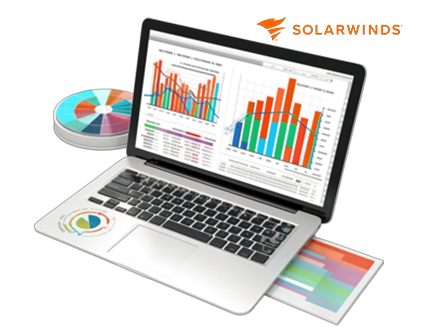
The user interface offers intuitive dashboards, pre-built AWS templates and drag-and-drop views so you can dig in quickly without heavy configuration. What makes AppOptics particularly useful is its ability to span AWS services (hosts, containers, serverless functions, databases) while correlating these with application-performance and infrastructure health.
Key Features
- Distributed Tracing and Code-level APM: AppOptics offers end-to-end tracing from high-level service down to the individual line of code. You can see transaction flows, identify slow database queries or external calls, and map performance bottlenecks.
- AWS Metrics Streaming & Hybrid Polling: For AWS monitoring, you get the choice of polling or streaming via CloudWatch Metric Streams, so you can ingest high-resolution metrics in near real-time.
- Unified Dashboard & Multi-Stack Visibility: You don’t need separate tools for on-premises, cloud hosts or serverless; AppOptics presents a unified view across the stack hosts, containers, AWS services, custom business metrics, all in one place.
- Pre-Built Integrations + Custom Metric Support: The tool includes 150+ integrations (including many AWS services) plus support for custom metrics and tagging.
Pricing
- Free: There is a free trial available (fully functional for 30 days).
- Paid: Pricing details are less publicly transparent.
Pros and Cons
Pros
- Very easy to install and get up-and-running.
- Deep stack visibility (Application, infrastructure and AWS services)
- Strong correlation capability, drill from metrics to traces to root cause.
Cons
- The product is being phased out (end of service life announced for Nov 2025) so long-term viability is uncertain.
Best For
- IT operations teams needing unified visibility
- Containers or Kubernetes teams using AWS
- Database administrators monitoring
8. Site24x7 – End-to-End AWS monitoring for servers,
Site24x7 AWS Monitoring offers a unified platform to monitor uptime, performance, and costs across all your AWS services. Made for enterprises and MSPs, it provides AI-driven insights, proactive anomaly detection, and automation to manage and optimize AWS resources efficiently.
With support for 80+ AWS services, it brings together logs, metrics, and traces into one intuitive dashboard for faster troubleshooting and decision-making. The setup is seamless, just integrate your AWS account, and Site24x7 auto-discovers resources for instant monitoring.
The tool also supports cost visualization and forecasting, helping you predict future performance trends while keeping your AWS budget under control. Its intuitive dashboards, customizable reports, and automation capabilities make it perfect for organizations looking to improve reliability.
Key Features
- AI-Powered Anomaly Detection: Detects unusual behavior in metrics using machine learning. The system forecasts potential performance issues and automatically alerts teams before they impact users.
- Automated Incident Remediation: Automate repetitive AWS tasks such as restarting EC2 instances or stopping idle RDS databases in response to incidents, saving time and minimizing downtime.
- Comprehensive Inventory Dashboard: Get a real-time overview of all AWS resources, compare weekly usage trends, and identify scaling patterns or underutilized assets effortlessly.
- Integrated Cost and Usage Analytics: Visualize AWS spending, allocate budgets, and optimize costs using built-in cost analysis tools that consolidate billing data and performance metrics.
Pricing
- Free: 30-day full-featured trial.
- Paid: Starts at $9 per month, offering real-time monitoring and full dashboard customization for multiple AWS services.
Pros and Cons
Pros
- Unified monitoring for 80+ AWS services
- AI-based predictions and anomaly detection
- Simple setup with auto-discovery
Cons
- Advanced automation options require higher-tier plans
Best For
- Cloud Architects
- MSPs
- DevOps Engineers.
Factors to Consider When Choosing an AWS Monitoring Tool
Here, we’re going to help you choose the best AWS monitoring tool for your specific use case. For example, if you want to monitor EC2 instance performance and set automated alerts for downtime, you’ll need a tool that offers robust performance metrics and customizable notifications.
To help you decide wisely, we’ve listed the top 5 factors you should consider before making your choice.
- Ease of Use: Look for a tool with a simple interface and an intuitive dashboard. The easier it is to navigate, the faster your team can adapt without extensive training.
- Integration Capabilities: The best AWS monitoring tool integrates seamlessly with services like CloudWatch, SNS, or third-party platforms like Slack. This ensures a smooth workflow without switching between tools.
- Customization and Alerts: Choose a tool that lets you set personalized alerts, dashboards, and performance thresholds. Customization ensures you get notified about what matters most to your operations.
- Scalability: As your business grows, your monitoring tool should scale with it. Look for solutions that can handle multiple AWS accounts, regions, and workloads efficiently.
- Pricing and Free Trial Options: Always check if the tool offers a free AWS monitoring plan or trial. This helps you test its functionality before committing to a paid plan.
How to Set Up AWS Monitoring (Step-by-Step Guide)?
Ready to get started? In this section, we’ll walk you through how to set up an AWS monitoring tool from scratch. Even if you’re new to AWS, don’t worry! We’ll make this step-by-step guide easy to follow. By the end, you’ll know exactly how to start monitoring your cloud infrastructure like a pro. Let’s dive in!
Step 1: Log in to Your AWS Management Console >> Access your AWS account and ensure you have the necessary IAM permissions to monitor resources.
Step 2: Navigate to the CloudWatch Dashboard >> Go to the AWS Management Console >> “Services” >> search for “CloudWatch.”
Step 3: Set Up Metrics and Dashboards >> Choose the AWS service you want to monitor (EC2, S3, RDS) >> Create a dashboard to visualize key metrics such as CPU usage, latency and disk I/O.
Step 4: Create Alarms and Notifications >> Set thresholds for critical metrics and configure alarms >> Then, connect CloudWatch to Amazon SNS to receive email or SMS notifications.
Step 5: Enable Logging and Insights >> Activate AWS CloudTrail for deeper insights into user activity and network traffic.
Step 6: Integrate with Third-Party Tools (Now this is an optional step) >> You can enhance monitoring by connecting CloudWatch with third-party AWS monitoring tools like Datadog / New Relic for advanced analytics.
Step 7: Test and Optimize >> Run a few tests to ensure your alerts and dashboards are working correctly >> Adjust thresholds and visualizations as needed.
What are some Common AWS Monitoring Challenges?
If you’re a newbie to AWS monitoring, you might face a few bumps along the way and that happens to be totally normal! In this section, we’ll highlight some of the most common challenges users encounter when using an AWS monitoring tool and explain how you can overcome them effectively.
- Overwhelming Data Volume: AWS produces tons of metrics. Use dashboards and filters to focus on what’s important instead of tracking everything.
- Alert Fatigue: Too many alerts can be stressful. Set threshold-based alerts and use automation to suppress low-priority notifications.
- Complex Configuration: Some tools can be tricky to set up. Follow official documentation and use AWS CloudFormation templates to simplify deployment.
- Cost Management: Continuous monitoring can add up in costs. Use Free AWS monitoring tools or set budget alerts in AWS Cost Explorer to control expenses.
- Integration Difficulties: Not all tools integrate easily with third-party platforms. Choose tools that support native integrations and APIs for smooth connectivity.
What’s the Difference Between CloudWatch and Third-Party Tools?
In this section, we’ll break down the difference between AWS CloudWatch and third-party AWS monitoring tools. Understanding these distinctions will help you decide which solution fits your organization best.
| CloudWatch | 3rd-Party Tools |
| native to AWS | external solutions with added functionalities |
| focuses on AWS services only | offer multi-cloud support |
| Get a basic dashboards | Visualization and reporting are good |
| relies on manual configurations | provide AI-based insights |
| more affordable | can be pricier |
FAQs
What is the best free AWS monitoring tool?
The best free AWS monitoring tool is Amazon CloudWatch. It’s built right into AWS, easy to use, and doesn’t require extra setup. Even with its free tier, CloudWatch gives you powerful insights into your resources, like EC2 instance performance to application logs.
Is AWS CloudWatch enough for monitoring all AWS services?
Yes, AWS CloudWatch is more than enough for monitoring all AWS services. It’s designed specifically by AWS to cover the entire ecosystem like EC2, S3, Lambda, RDS, DynamoDB, and more. You can track metrics, set alarms, visualize performance, and even automate responses to changes.
Can Datadog monitor non-AWS services?
Yes, Datadog can monitor non-AWS services, and that’s one of its strongest points. It’s a cloud-based monitoring tool that connects with a wide range of platforms like Azure, Google Cloud, Docker, Kubernetes, and even on-premise servers.
How do I optimize AWS costs using monitoring tools?
You can save a lot on AWS costs by using monitoring tools like CloudWatch or Datadog. These tools help you see where your money is going, such as underused instances, idle storage, or unnecessary workloads. CloudWatch can alert you when usage spikes or drops, so you can scale your resources properly.
Why is AWS Security Monitoring Important?
AWS security monitoring is absolutely essential because it protects your cloud infrastructure from threats and unauthorized access. With tools like AWS CloudWatch and Datadog, you can track every action taken within your account, detect suspicious activity, and respond before damage occurs.
Can I use third-party AWS monitoring tools?
Yes, you can and sometimes you should. Third-party tools like Datadog, New Relic, and Dynatrace offer deeper analytics, better visualization, and easier multi-cloud integration. While CloudWatch is perfect for AWS-only environments, third-party tools give you a single view of all your systems.
What is the difference between these two AWS Monitoring Tools: CloudWatch & AWS X-Ray?
CloudWatch and AWS X-Ray serve different purposes. CloudWatch focuses on metrics, logs, and overall system health, it tells you what is happening. AWS X-Ray, on the other hand, is for tracing and debugging and it shows you why something is happening inside your application. CloudWatch might alert you that your app’s latency increased, while X-Ray helps you trace the request path to find which service or function caused it.
Conclusion
AWS monitoring tools are really important for anyone who wants to ensure their cloud environment runs smoothly and efficiently. These tools help users like cloud engineers to IT managers can make quick decisions and perform accurate analyses by giving real-time insights into performance, security, and costs. With advanced AI automation, monitoring becomes even simpler, saving you time while enhancing productivity.
In this blog, we’ve listed some of the best AWS monitoring tools, including both free tools for AWS monitoring and affordable AWS monitoring tools. We’ve also highlighted their top features and pricing options, so you don’t have to waste hours scrolling through endless pages looking for the right solution.
If you enjoyed this post and want to stay updated with more easy-to-understand tech blogs like this one, follow us on Facebook for the latest insights and recommendations!
Comparison Table of AWS Monitoring Tools
In the table below, we’ve compiled all the top AWS monitoring tools so you can clearly compare their features, free plans, and pricing at a glance. This will help you make an informed decision and choose the right monitoring solution that perfectly fits your business needs.
| AWS Monitoring Tools | Key Features | Best For Who? | Free Plan | Starting Price |
| AWS CloudWatch | End-to-End Observability, smart automation and alerts | App developers | Yes | $0.30 per custom metric per month |
| Datadog | OneClick AWS Integration, Deep Services and Serverless Coverage | Startups and Multi-Account AWS Users | 14 Days Free trial | $15 per month |
| New Relic | AWS Metric Stream Integration, Pre-built Dashboard | DevOps and Cloud Architects | 100GB per month Free of Data ingest | $49 per month |
| Dynatrace | Full Stack Auto-Instrumentation, Predictive Analysis | AWS Admin, Performance Monitoring team | Limited Period Free Service available | $0.04 per host per month |
| Grafana Cloud | Smart Cost Control, Metrics Filtering, Pre-built Dashboards | Infrastructure monitoring and CloudNative Startups | Yes! Limited Scale Applications | $49 per month |
| LogicMonitor | Native AWS Service Integrations, Intelligent Alert Grouping | MSPs , Multi-Account AWS users and Developers | Free trial is available for 15 days | $16 per month |
| SolarWinds AppOptics | Distributed Tracing and Code-level APM, AWS metrics streaming | IT operations teams and Kubernetes team | Yes! Free trial is available | Contact the Sales Team |
| Site24x7 | AI powered Issue Detection, Comprehensive Inventory Dashboard | Cloud Architects, MSPs and Devops Engineer | Free 30 days full-featured Trial | $9 per month |