Table of Contents
- What Are API Monitoring Tools?
- Top 10 Best API Monitoring Tools in 2026
- 1. Saucelabs - Overall Best API Monitoring Tools
- 2. Uptrends - Best API Monitoring Tools
- 3. Checkly - Automated API Monitoring Tools
- 4. Sematext - All-in-one API Monitoring Tools
- 5. Dotcom-Monitor - Powerful API Monitoring Tools
- 6. Runscope - Enterprise-Grade API Monitoring Tools
- 7. UptimeRobot - Simple and Reliable API Monitoring Tools
- 8. Site24x7 - End-to-End API Monitoring Tools
- 9. RapidAPI - Discover and Connect API Monitoring Tools
- 10. Applitools - Monitor, Debug, and Perfect API Monitoring Tools
- How to Choose the Right API Monitoring Tool?
- What are some common challenges in API testing?
- What's the difference between API and SDK?
- FAQs
- Conclusion
- Comparison Table: Top API Monitoring Tools



10 Best API Monitoring Tools April 2026 (Top Reviewed)
Keeping your APIs functional 24/7 nowadays, is really important. If an API fails or slows down, it can disturb the functioning of the entire application, affect user experience and lead to serious downtime issues. That’s where using the best API monitoring tools becomes important.
Trusting manual monitoring might seem like a good option at first, but in real, it takes a lot of time and effort. You’ll find yourself constantly checking logs and fixing small errors, which means you can’t focus on other important tasks.
Automatic monitoring process saves you time and also ensures that you get instant alerts whenever something goes bad. That’s why using a reliable API monitoring tool is such a smart move. It simplifies your workflow, improves productivity, and guarantees that your APIs run smoothly around the clock.
In this blog, we’ve listed the top 10 best API monitoring tools that will help you automate the entire monitoring process. These tools can handle everything from checking API uptime to tracking performance and sending instant alerts.
As you read further, you’ll find detailed insights into each API monitoring software, including their features, pricing, and benefits, so that you can make the perfect choice for your needs. 👍
What Are API Monitoring Tools?
API monitoring tools are software solutions designed to continuously track, test and analyze the performance of your APIs (Application Programming Interfaces), ensuring they function correctly, respond quickly, and remain available 24/7.
They are the backbone of most modern applications, connecting different systems and services. When an API fails, it can cause downtime, poor user experience and loss of revenue. These tools help detect the issues early by simulating real-world requests and alerting you instantly if something goes wrong.
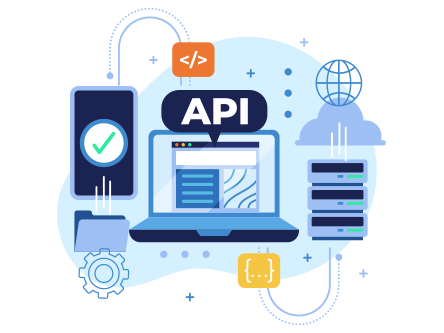
In simple words, these tools keep an eye on your APIs around the clock, checking uptime, latency and functionality. They often include features like real-time alerts, automated testing, error tracking and performance analytics.
Top 10 Best API Monitoring Tools in 2026
Exclusively for beginners who may not know where to start, we’ve curated a detailed list of the top 10 best API monitoring tools in 2026. With this guide, you can make a well-informed, rational decision and choose the tool that fits your workflow, technical requirements, and budget.
⏰ TL;DR:
1. Saucelabs – Overall Best API Monitoring Tools
2. Uptrends – Best API Monitoring Tools
3. Checkly – Automated API Monitoring Tools
4. Sematext – All-in-one API Monitoring Tools
5. Dotcom-Monitor – Powerful API Monitoring Tools
6. Runscope – Enterprise-Grade API Monitoring Tools
7. UptimeRobot – Simple and Reliable API Monitoring Tools
8. Site24x7 – End-to-End API Monitoring Tools
9. RapidAPI – Discover and Connect API Monitoring Tools
10. Apitools – Monitor, Debug, and Perfect API Monitoring Tools
1. Saucelabs – Overall Best API Monitoring Tools
Sauce Labs API Monitoring provides a complete, enterprise-grade solution for managing, tracking, and analyzing the performance of Sauce Connect Proxy and Sauce Labs REST APIs.
It enables both server-side and client-side monitoring, offering insights via the Sauce Labs Web UI, REST API, local API server, and Prometheus / Grafana dashboards. Through its intuitive dashboard and API-driven monitoring, teams can manage tunnels, review uptime, and test tunnel health directly.

The system supports detailed REST-based data access with HTTPS authentication, real-time status tracking, and structured JSON responses.
Key Features
- Centralized Tunnel Monitoring via Web UI: The Sauce Labs Tunnels dashboard provides complete visibility into tunnel activity, including tunnel type, state, hostname, duration, and sharing status.
- Prometheus and Grafana Integration: Sauce Connect Proxy exposes metrics through a /metrics endpoint on the local API server, which can be monitored via Prometheus. Grafana dashboards visualize these metrics, providing real-time analytics.
- RESTful API Access with Secure Authentication: All Sauce Labs APIs use REST-based architecture, supporting HTTP Basic with secure username and API key credentials. With structured endpoints for each data center, authenticated users can safely monitor workflows.
- Advanced Error Handling and Rate Management: The system uses standard HTTP response codes with detailed error messages for accurate debugging. Authenticated users get 10 requests per second (3,500/hour).
Pricing
- Free Trial: SauceLabs provides a free plan with basic features like automated testing minutes and REST API integration.
- Starting Price: $39 per month onwards (Get Single sign-on and enterprise-grade security)
Pros and Cons
Pros
- Real-time monitoring of tunnels via API and web UI
- Prometheus and Grafana dashboard integration for performance tracking
- Secure authentication with flexible REST API access
- Built-in rate limiting and structured JSON error handling
Cons
- Local API server monitoring must be manually enabled using (api-address)
2. Uptrends – Best API Monitoring Tools
Uptrends is a top-rated API monitoring platform designed to ensure API uptime, performance, and reliability across the globe. With 233 checkpoints in 67 countries, it provides complete visibility into API health and latency, helping teams proactively detect and resolve issues before users are affected.
Built for both API publishers and consumers, Uptrends combines ease of setup with powerful monitoring capabilities. You can spin up monitors within minutes or add advanced scripting and assertions for complex scenarios.
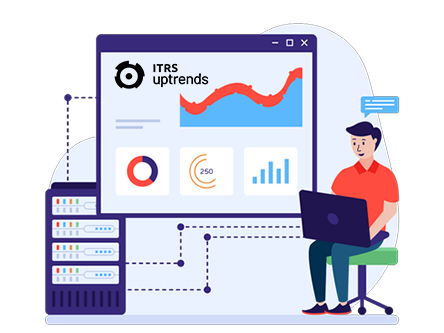
From multi-step API workflows and concurrent testing to secure private checkpoints, Uptrends ensures your APIs stay fast and dependable across every region and use case.
Key Features
- Global Checkpoint Network: Monitor your APIs from 233 locations across 67 countries to ensure worldwide uptime and performance visibility. This global reach helps you identify regional slowdowns or latency spikes before they affect users.
- Multi-Step API Monitoring: Simulate real-world API interactions with multi-step scenarios that mimic how users or systems access your APIs. Retrieve and reuse data between requests, test authentication flows like OAuth and validate full API transaction chains effortlessly.
- Advanced Configuration & Scripting: Uptrends offers a visual code editor for quick setup, with optional JavaScript scripting for custom assertions, parsing, and logic. You can also use automatic variables like timestamps to simplify setup.
- Real-Time Alerts & Dashboards: Stay informed with instant alerts whenever an API deviates from expected performance or uptime thresholds. Visual dashboards let you track uptime and errors at a glance.
Pricing
- Free Trial: 30-day free trial with access to all advanced API monitoring features
- Starting Price: $7.96 per credit per month (Includes full API monitoring, global checkpoints, multi-step workflows and real-time alerts for enterprises of all sizes)
Pros and Cons
Pros
- Monitors from 233 global locations for full visibility.
- Easy setup for any skill level.
- Supports advanced scripting and multi-step API testing.
- Instant real-time alerts for faster incident response.
Cons
- Complex configurations may require time for advanced use cases
3. Checkly – Automated API Monitoring Tools
Checkly is a programmable synthetic API monitoring platform designed to help engineering teams reduce downtime and catch performance issues in the APIs and web services that power their applications.
It supports quickly creating monitors from an OpenAPI spec or designing multi-step API monitors that simulate real data moving through your system. Built for modern DevOps workflows, Checkly allows you to monitor staging, test and production environments from over twenty global locations, define setup and teardown scripts, run the monitors as part of your CI/CD pipeline and deploy them via CLI.

Key Features
- Monitoring as Code (MaC): You write your monitors in JavaScript or TypeScript (or upload an OpenAPI spec) so your monitoring logic lives alongside the application code, is version-controlled, testable and reviewable.
- Global Synthetic Monitoring & Functional Correctness: Monitor your APIs and web services from over 20 global locations (public, or within your firewall via private agent) with high frequency intervals (as often as every 10 seconds).
- Instant Alerting & Incident Automation: You can configure alerting channels (email, Slack, webhooks, SMS etc.) right next to your application code. You can create schedules, message templates and incident management automations so the right team is alerted.
- Deep Visibility & Resolution (Traces, Status Pages, Dashboards): When something goes wrong, Checkly provides deep-stack visibility (via Checkly Traces) so you know exactly which step in the API chain broke or which database call misfired.
Pricing
- Free Trial: For one user, up to 10 uptime monitors, 10 000 API check runs (for synthetic monitoring) per month, 4 locations, email/slack/webhook alerting.
- Starting Price: $24/month (annual billing) offering more users, more monitors, higher frequency, more check runs, more locations.
Pros and Cons
Pros
- Full version-control, CI/CD integration, high developer-friendliness.
- Global synthetic monitoring from 20+ locations.
- Rich alerting and incident automation
- Response time breakdowns, traces, status pages, dashboards built in.
Cons
- Might require engineers familiar with code/TypeScript/CI workflows.
4. Sematext – All-in-one API Monitoring Tools
Sematext API Monitoring is a powerful, all-in-one solution designed to ensure the performance, health, and availability of your APIs and web services. It provides 24/7 global visibility, helping you proactively detect downtime, latency, and performance bottlenecks before they affect users.
From validating data accuracy to analyzing root causes of failures, Sematext offers seamless monitoring for both internal and third-party APIs. Its advanced dashboards, authentication support, and synthetic monitoring features make it easy to simulate real user interactions, monitor critical endpoints securely, and troubleshoot backend issues quickly.
With a 14-day free trial and back-to-back customer support, Sematext ensures peace of mind for teams of any size.
Key Features
- API Uptime & Performance Monitoring: Be the first to know when your APIs are down or underperforming. Sematext provides global, 24/7 monitoring, detects latency issues in real time and ensures you meet SLA targets across all your services.
- API Data Validation & Security: Monitor API calls to ensure accuracy, structure and valid response data. With authentication and sensitive data protection, you can securely monitor password-protected pages and APIs without compromising privacy.
- Real-Time Alerts & Incident Reporting: Get instant notifications when key transactions fail or degrade in performance. Integrate seamlessly with tools like Slack, Zapier, and VictorOps to stay on top of issues and prioritize alerts.
- Root-Cause Analysis & Troubleshooting: Easily identify and fix backend issues causing failed monitors. Sematext correlates logs, metrics and request IDs to isolate specific failures and even provides screenshots for clear insight.
Pricing
- Free Trial: 14-day free trial with no credit card required
- Starting Price: $4.50 per month (Plans are customizable and tailored to your exact monitoring needs.)
Pros and Cons
Pros
- 24/7 global API uptime monitoring
- Real-time alerts with smart integrations
- Secure API validation with authentication support
- Advanced root-cause analysis using logs and metrics correlation
- Transparent pricing and stellar support
Cons
- Limited customization in the free trial
- Advanced features may require higher-tier plans
5. Dotcom-Monitor – Powerful API Monitoring Tools
Dotcom-Monitor provides comprehensive API monitoring solutions designed to track the performance, uptime and functionality of APIs. It supports multiple protocols and data formats such as REST, SOAP, GraphQL, JSON, and XML, enabling you to monitor every layer of communication between systems.
It seamlessly integrates with Postman and Insomnia, allowing you to reuse existing API tests for continuous global monitoring, no extra learning skills required at all. The intuitive dashboard, powerful alerting, and SLA-based reporting make it a complete API observability platform for modern, API-driven businesses.
Key Features
- Multi-step API Monitoring: Simulate complex API workflows that involve sequential requests, authentication tokens, and dynamic variables. Validate JSON/XML responses at every step to ensure consistent performance across chained API interactions.
- Global & Private Monitoring Locations: Monitor API availability and response time from worldwide public checkpoints or secure private agents within your firewall.
- Seamless Postman & Insomnia Integration: Reuse your existing API test collections from Postman or Insomnia directly within Dotcom-Monitor. Automate continuous testing and alerting from multiple global regions without retraining your team.
- Advanced Alerts & Intuitive Dashboard: Receive real-time alerts via SMS, email or chat platforms when performance thresholds are breached. The customizable dashboard provides instant visibility into uptime, performance, and historical trends for quick decision-making.
Pricing
- Free Trial: Includes full access to all core API monitoring features for 14 days, covering multi-step API checks 25 targets, 5 mins monitoring frequency and instant alerts.
- Starting Price: $19.90 per month (Offers unlimited API monitors, advanced integrations and extended data retention, scalable based on business needs.)
Pros and Cons
Pros
- Supports REST, SOAP, GraphQL, JSON, XML, and more.
- Global and private monitoring agents for flexible coverage.
- Integrates smoothly with Postman and Insomnia.
- Offers real-time alerts and SLA-based reporting.
Cons
- Free plan limited to 14 days of access only
6. Runscope – Enterprise-Grade API Monitoring Tools
Runscope (API Monitoring is now part of by Perforce) is an API-monitoring and testing platform built to ensure your internal and third-party APIs keep running smoothly so you can avoid downtime, lost revenue or angry customers.
It runs scheduled monitors continuously, checking for availability, validating payloads, measuring response times and performance trends and alerting you before support tickets or user complaints begin.
With Runscope you gain full visibility into API traffic, uptime, performance, data correctness and dependency health, so you can catch issues early and fix them fast, instead of firefighting after the fact. It works for your own APIs and the external/partner ones your apps rely on.
Key Features
- Global Uptime & Performance Monitoring: Runscope runs scheduled checks from multiple global locations, enabling you to detect availability or latency issues across regions so you can stay ahead of regional outages or network issues.
- Data Validation & Assertions: Beyond just testing if the API is up, Runscope lets you assert that the response payloads contain the correct structure and content, so you catch ‘silent failures’ where status is OK but the data is incorrect.
- Chained Workflows & Real-Use-Case Coverage: You can simulate realistic API flows (multiple requests in sequence) or cover end-to-end use cases (including partner or third-party APIs). This ensures you test how users actually interact with your system.
- Integration & CI/CD Support: Runscope integrates with CI/CD pipelines and alerting tools (Slack & webhooks) so you can embed API monitors into your deployment workflow, get notified in real time, and ensure APIs are validated as part of your release process.
Pricing
- Free Trial: Runscope offers a free trial (no long-term free tier clearly listed).
- Starting Price: $79 per month for 250,000 requests, 5 team members, 19 global locations, Up to 1-minute schedules and Email and webhook alerts.
Pros and Cons
Pros
- Real-time alerts help you catch API downtime before your customers notice.
- Data validation means you catch broken data.
- Workflow / chained request support means you can simulate real use cases.
- Strong integrations with CI/CD, Slack, PagerDuty make automation smoother.
Cons
- Pricing is relatively expensive for high-volume usage.
7. UptimeRobot – Simple and Reliable API Monitoring Tools
The UptimeRobot API is a REST-based API monitoring tool that allows you to keep track of your websites, servers, cron jobs, SSL certificates, domains and more with ease. You interact with a single endpoint to create, modify or delete monitors, set up alert contacts, manage maintenance windows and publish status pages, all via API calls rather than logging into a dashboard every time.
It works like this: you sign up, grab your API key from the Integrations / API section, and then send HTTP requests to endpoints such as getMonitors, createMonitor, editAlertContact and deleteMonitor.

The API supports all monitor types (HTTP/S, keyword, ping, port, heartbeat/cron, SSL, domain expiry), geo-verified checks, rate-limit headers, bulk operations and instant webhook alerts, so many of the things you’d normally do manually in the UI you can now automate.
Key Features
- Unified Monitor Types: You can set up HTTP/S, keyword, ping, port, heartbeat (cron jobs), SSL certificate expiry and domain expiry monitors all from the same API interface.
- Geo-verified & Multi-location Checks: Each monitor gets checked from multiple locations, so your uptime monitoring is reliable and not dependent on a single check point.
- Programmatic Dashboard & Bulk Operations: Everything you can do in the UI (add/edit/delete monitors, alert contacts, status pages, maintenance windows) can be done in code, enabling integration into CI/CD, infrastructure-as-code, serverless workflows.
- Transparent Rate Limits & Multi-format Responses: The API clearly publishes rate limit headers (X-RateLimit-Limit, X-RateLimit-Remaining, X-RateLimit-Reset) so you can build loops safely.
Pricing
- Free Trial: Yes! UptimeRobot offers a free tier (Includes up to 50 monitors with a 5-minute monitoring interval)
- Starting Price: Solo $7 per month (60 sec. monitoring interval, HTTP, port & ping monitor, Included Keyword monitor & Location-specific monitoring)
Pros and Cons
Pros
- Simple to embed in automation and CI/CD workflows
- Supports many monitor types (not just website uptime)
- Free tier available with meaningful capacity
- Clear rate-limit headers make scaling predictable
Cons
- Advanced features (like shortest interval checks or huge volume of monitors) may require paid plan
8. Site24x7 – End-to-End API Monitoring Tools
The Site24x7 REST API Monitoring tool helps you keep a close watch on your RESTful APIs, basically the endpoints your mobile or web applications use to talk to the server. With this tool you can see if your APIs are available and responding correctly, check how fast they respond, and spot any errors or delays before they impact your users.
Once set up, the tool will check your API endpoints at the interval you specify, validate responses (for example in JSON, XML or plain text) and alert you if something is off (wrong status code, wrong content, high latency).
It also allows you to chain multiple API calls in a sequence (for example simulating a user workflow) and even handle secure endpoints that use Basic auth.
Key Features
- Global location monitoring: You can monitor API endpoints from 130+ geographic locations to see how your APIs perform across different regions, not just one data center.
- Multiple-step API transaction monitoring: You’re not limited to checking one endpoint! You can create sequences of API calls (login >> fetch data >> update) and validate the workflow end-to-end.
- Response data validation & schema checks: The tool allows you to validate response contents (JSON, XML, TXT) and even check against a JSON schema or use JSONPath/XPath/RegEx to ensure data accuracy.
- Support for secure & complex authentication: Monitoring supports secured endpoints using Basic, NTLM, OAuth 2, or client certificates, along with parameter forwarding between API steps.
Pricing
- Free Trial: Yes! Site24x7 offers a 30-day free trial for you to test out the monitoring service.
- Starting Price: $9 per month (when paid annually) for the basic monitoring of resources.
Pros and Cons
Pros
- Real-time alerts let you fix API issues before they affect users.
- Supports workflows (multi-endpoint transactions), not just single API checks.
- Global vantage points give you a more realistic view of API availability/performance.
- Easy to set up: endpoint + method + validation + start monitoring.
Cons
- Because it’s a full monitoring platform, the cost/licensing may add up if you monitor many endpointsa
9. RapidAPI – Discover and Connect API Monitoring Tools
RapidAPI Testing is a cloud-based tool that helps you test and monitor APIs from development right through deployment. It supports any API type including REST, SOAP and GraphQL and offers a user-friendly interface that simplifies creating tests, monitoring performance and managing everything in one place.
It automatically links with your APIs already in the RapidAPI Hub, so you don’t have to manually add each API for testing. You get features like global monitoring, collaboration, CI/CD integration, and visual or code-based test flows so that your work is easier and monitoring is done smoothly.
Key Features
- Comprehensive Testing: Enables creation of full, custom API test flows using a visual editor, or by writing code, covering REST, SOAP and GraphQL.
- Global Monitoring: Lets you monitor your APIs and tests from around the world, view reports, set alerts, and keep tab on performance and availability centrally.
- Seamless Integration: Built-in collaboration tools plus a webhook for CI/CD pipelines make it easy to include API testing and monitoring in your development and deployment workflows.
- Automatic Test Generation: Based on your existing APIs in the RapidAPI Hub, the system can infer endpoints and help automatically generate tests so you don’t always start from scratch.
Pricing
- Free Trial: The free plan gives you basically the core testing plus monitoring features so you can create tests
- Starting Price: Contact the Tech Team of RapidAPI
Pros and Cons
Pros
- Easy-to-use interface for both visual and code-based API testing.
- Supports multiple API formats (REST, SOAP, GraphQL).
- Centralised dashboard and global test execution locations.
- Strong CI/CD and team-collaboration integrations.
Cons
- Free tier limitations may not suffice for very large scale usage beyond initial testing.
10. Applitools – Monitor, Debug, and Perfect API Monitoring Tools
Lastly, we’ve listed Applitools, an AI-powered end-to-end testing and API monitoring platform built for speed, reliability, scalability and accuracy. It works by letting you create tests (functional, API, visual) once and then run them across many devices, browsers or APIs so your apps work and look right everywhere.
How does it work? You write or record tests (or even describe them in plain English) and Applitools uses its Visual AI and API/functional engines to execute them, compare results to baselines, detect anomalies and alert you. The tool makes monitoring easy by integrating with CI/CD workflows, running tests automatically, and showing you the results.

Key Features
- Natural-language & no-code test creation: You can author tests by simply describing what you want in plain English or via a UI recorder, making test creation accessible to non-programmers and speeding things up.
- Integrated API + visual + functional testing flow: Instead of separate tools for API monitoring and UI testing, Applitools lets you build tests in one place that include API calls, UI checks and visual validation together.
- Self-healing tests and smart maintenance: Tests adapt to UI changes (locators change, screens shift) and baselines are managed smartly, reducing test maintenance overhead.
- Cross-browser / cross-device / cross-API monitoring at scale: The platform supports running across multiple browsers, devices and APIs in parallel and monitors interface changes, responsive layouts and API performance all together.
Pricing
- Free Trial: Yes, there’s a 14-day free trial of the Autonomous product with unlimited users and unlimited test executions.
- Starting Price: Contact the Sales Team of Applitools
Pros and Cons
Pros
- Significantly accelerates test creation and coverage
- Detects subtle UI and API issues other tools might miss
- Integrates well with existing CI/CD and test frameworks
- Reduces manual maintenance of tests over time
Cons
- The cost and complexity of setup may be higher than simpler test tools
How to Choose the Right API Monitoring Tool?
With so many API monitoring tools out there, it can be confusing to decide which one is the best fit. Each tool offers something unique, making it tricky to pick the perfect option. To make things easier, we’ve outlined the top 6 key factors you should consider before making a choice. Keep these points in mind to ensure you choose a tool that’s not just feature-rich but also reliable and scalable for your use case.
Ease of Use
Choose a tool that has a simple dashboard and a user-friendly interface. You don’t want to spend hours figuring out how to set up a simple API test. A clear and easy setup ensures faster onboarding and smoother day-to-day monitoring.
Comprehensive Monitoring
Look for a tool that monitors all critical aspects like uptime, performance, functionality and security. A well-rounded monitoring solution ensures you get a complete picture of your API health rather than isolated metrics.
Alerting & Notifications
Timely alerts are crucial when something goes wrong. Pick a tool that offers flexible and customizable alerts through multiple channels like email, Slack or SMS, so you can act immediately before customers notice any issue.
Integration Capabilities
A good API monitoring tool should integrate seamlessly with your existing DevOps stack like CI/CD pipelines, project management tools and cloud platforms. Smooth integration helps automate workflows and improves team efficiency.
Scalability
Your monitoring needs will grow as your application scales. Ensure the tool can handle increasing API calls and users without performance issues or high costs.
Pricing & Free Trial
Lastly, consider your budget and see if the tool offers a free trial or not. A free trial helps you test all major features before committing, ensuring the tool meets your performance and usability expectations.
What are some common challenges in API testing?
API testing can be tricky, even for experienced developers. It requires understanding request/response structures, authentication and various data formats. Teams often struggle to simulate real-world scenarios or identify failures quickly. Below are some of the most common challenges testers face during API testing.
Handling Complex Data
APIs often deal with nested JSON or XML data structures, which can make validation and data comparison complex. Ensuring that every data point is accurate takes time and careful scripting.
Authentication and Authorization
Managing tokens and credentials for different environments is another major challenge. Improper handling of authentication can lead to failed test cases or even security risks.
Environment Inconsistencies
APIs behave differently across staging, QA, and production environments. Slight changes in configurations or dependencies can cause inconsistent results during testing.
Rate Limiting & Quotas
Some APIs limit the number of requests you can send in a given time. This makes load or stress testing difficult, as you need to plan around these limits without triggering throttling.
Error Handling & Reporting
When tests fail, it’s not always clear why. Poor logging or vague error messages can make troubleshooting time-consuming and frustrating.
So, what is the solution to this?
To overcome these challenges, teams should adopt automated API testing and monitoring tools that provide detailed logging, simulate various environments and support multiple authentication mechanisms. Using mock servers, setting up proper version control and maintaining clear documentation also help ensure more consistent and efficient API testing.
What’s the difference between API and SDK?
Here, we’ve clearly laid out the difference between API and SDK so there’s no confusion about what each term actually means and how they relate to each other.
| On what basis? | API (Application Programming Interface) | SDK (Software Development Kit) |
| What is it? | A set of rules and endpoints that allows one software to communicate with another. | A complete toolkit that includes APIs, libraries, documentation, and tools for building applications. |
| What does it do? | Enables interaction between different systems or services. | Helps developers create software for specific platforms or frameworks. |
| Components | Usually contains endpoints, methods and data formats. | Contains APIs, compilers and sometimes sample code. |
| Use Cases | Used when integrating third-party services like payment gateways or weather data. | Used when building apps like Android SDK for developing Android applications. |
FAQs
Yes! several API monitoring tools offer free plans with basic features. Popular options like UptimeRobot and Site24x7 provide free tiers that let you monitor a limited number of endpoints, check uptime and receive basic performance alerts.
Tools like RapidAPI, Site24x7, Uptrends, and SemaText offer real-time alerting features. They instantly notify you via channels like email, SMS, Slack or PagerDuty when your API experiences downtime, latency issues or errors. Real-time alerts help teams act quickly and maintain consistent API availability.
APIs should be tested continuously or at regular intervals, typically every minute to every 15 minutes, as per urgency of the service. Frequent testing helps detect performance degradation, broken endpoints or authentication issues early, ensuring stable and reliable integrations.
Yes! API monitoring tools automatically detect downtime by sending scheduled requests to endpoints and checking for valid responses. If a request fails or exceeds the response time threshold, the tool flags the API as down and can trigger instant alerts to notify your team.
Key metrics include response time, uptime percentage, error rate, latency, throughput (requests per second) and status codes. Tracking these metrics helps assess API reliability, identify performance bottlenecks and ensure your endpoints meet SLA requirements.
Absolutely, Yes! API monitoring is essential for microservices architectures since each service communicates via APIs. Monitoring ensures that individual microservices perform optimally, dependencies remain healthy and failures in one component don’t cascade across the system.
API performance is measured using metrics like response time, availability, error rate and payload size. Tools simulate real-world requests to measure how quickly and reliably an API responds under various load conditions, helping teams fine-tune performance.
For developers, tools like SemaText, RapidAPI Testing and SauceLabs are the best for their ease of use, strong integrations and ability to combine testing and monitoring in one interface. They streamline workflows and support CI/CD integration for automated testing.
Yes! Most modern API monitoring tools offer built-in integrations with Slack, PagerDuty, Microsoft Teams and other collaboration platforms. These integrations ensure your team receives instant alerts and status updates directly in your preferred communication channels.
Conclusion
An effective API monitoring tool has become a must-have for developers and IT teams that rely on APIs for smooth operations. These tools make it easier to detect downtime, track performance metrics and ensure your APIs deliver consistent results to end users.
In this article, we’ve covered the top 10 best API monitoring tools, along with their standout features, starting prices, and available free plans. This detailed comparison will help you understand what each tool offers so you can select the one that best fits your requirements.
If you still find it difficult to choose, we suggest you should try RapidAPI. This tool is known for its reliable monitoring, detailed performance reports and user-friendly dashboards. It’s trusted by developers and IT professionals across industries who depend on it to keep their APIs running smoothly at all times.
If you enjoyed this article and want to explore more topics like this, make sure to check out our website for the latest tech blogs.
Don’t forget to leave a comment below and tell us which technology topic you’d like us to cover next, we’d love to hear your suggestions!
Comparison Table: Top API Monitoring Tools
To give you a quick overview of all the tools at a glance, we’ve added a comparison table featuring the 10 best API monitoring tools available in 2026. The table includes key details such as their core features, pricing, and free trial availability, so you can easily compare and shortlist the right one for your business needs.
This table will help you make a smart and time-saving decision.
| Tool Name | Best For | Key Feature | Free Trial | Starting Price |
| Saucelabs | End-to-end testing across browsers, devices, and APIs | Unified platform for functional, visual, and API testing | Free Plan with basic features | $39 per month |
| Uptrends | Global uptime and performance monitoring | 230+ worldwide checkpoints for API and website monitoring | 30 Days Free Trial | $7.96 per credit per month |
| Checkly | Developer-friendly synthetic monitoring | JavaScript-based API and browser checks with CI/CD integration | Free trial is available | $24 per month |
| SemaText | Full-stack observability | Combined API, uptime, and infrastructure monitoring in one dashboard | 14 days free trial | $4.50 per month |
| Dotcom-Monitor | Enterprise-grade performance monitoring | Multi-step API transaction monitoring with global locations | 14 days free trial | $19.90 per month |
| Runscope | Continuous API testing in CI/CD pipelines | Automated functional API tests with detailed reports | Free plan Forever | $79 per month |
| UptimeRobot | Simple uptime tracking and alerts | Monitors endpoints every 60 seconds with instant downtime alerts | Yes! Free trial is there | $7 per month |
| Site24x7 | Unified IT and API performance monitoring | Multi-step API transaction workflows and global test nodes | 30 Days Free trial | $9 per month |
| RapidAPI | Centralized API testing and automation | Cloud-based API testing integrated with the RapidAPI Hub | Yes! Free trial is available | Contact the Tech team |
| Apitools | API behavior tracking and debugging | Real-time API traffic analysis and transformation rules | Yes | Contact the Tech team |


// Related Articles