Namecheap Support

By selecting Namecheap, half of the work becomes easy as you can register a domain for your website, select the most suitable hosting package for your site, and can easily manage WordPress hosting with Namecheap Support.
Even if your current domain is registered with another host, you can easily transfer your domain to Namecheap. Read more to understand how well they support their customers with various phases of hosting a website.
What is Namecheap Support?
Namecheap Support is the customer support that any of the customers can receive. Clients can contact the customer support team through their live chat and Namecheap Support ticket.
They also have a knowledge base in which you can read about various products and services step-by-step.
What is a Support PIN?
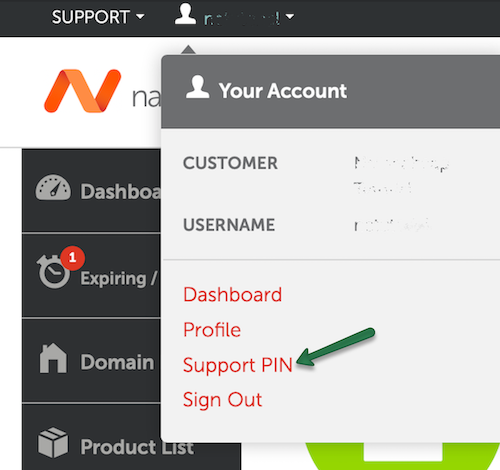
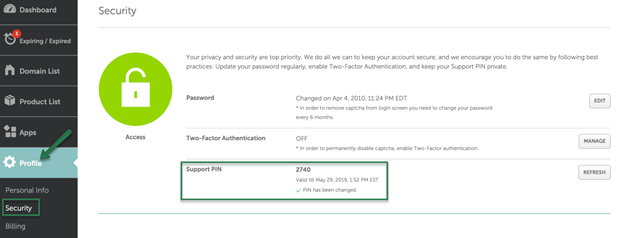
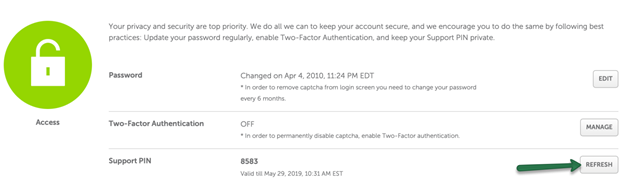
The support PIN of Namecheap is a unique number that is given to your Namecheap Support account for 24 hours after you log in to contact Namecheap support.
This PIN is given to validate your account before they can start discussing the details related to your account or to assist with your queries.
In order to get the support PIN, you must click on the down arrow over the Namecheap username which can be seen at the top of the page, and then click on the Support PIN option.
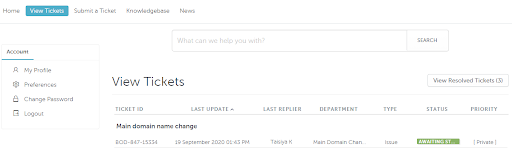
How Do I Check My Support Ticket History?
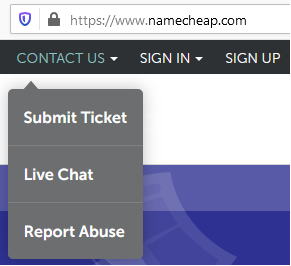
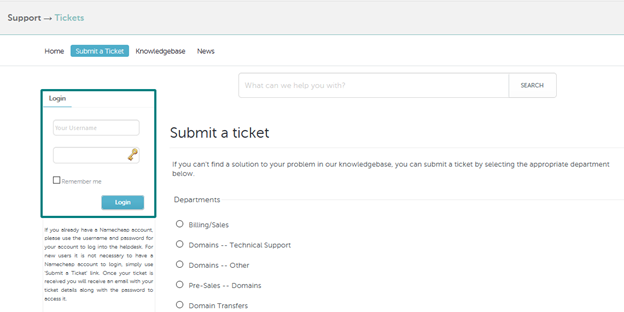
To check your support ticket history, you must follow the steps given below.
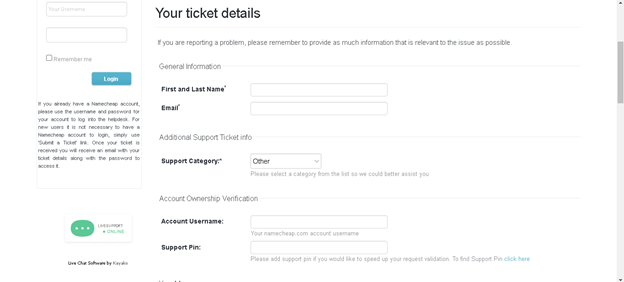
How to Submit a Support Ticket?
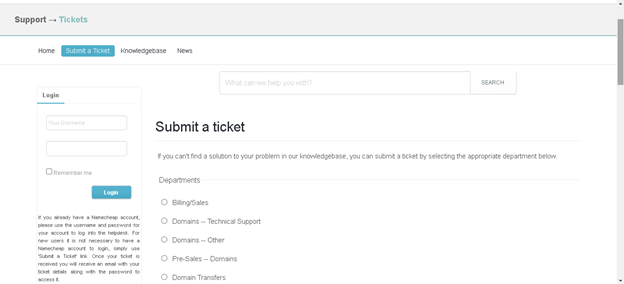
To submit a support ticket, you should search for the website of Namecheap in your web browser and then follow the guidelines given below.
What are the Customer Support Department Details in Namecheap?
The customer support department details in Namecheap Include Details regarding how they succeed; their customer support team includes training and development managers, operations leaders, and quality assurance analysts.
You can check this WebSite for more information on this.
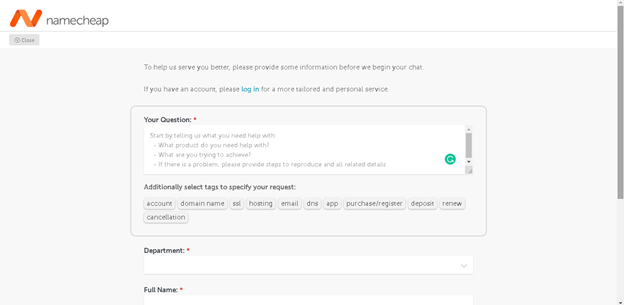
How to Contact Namecheap Live Chat Support Team?
Visit this page of Namecheap live chat support and click on the Live chat support button at the bottom.
Then you will see a form in which you should enter the details related to your question, the department to whom you want to talk, your name, and email. Then click on the Start Chat button in blue.
What is Namecheap Customer Care No?
Namecheap does not have phone support in the customer care choices. If Also you want to know about Namecheap Nameservers & DNS management?
What Username and Password Should I Use to log in to Your Support Helpdesk?
You can use your NameCheap account’s username and password if you already have an account with Namecheap. However, it is not compulsory to have an account to use the support helpdesk.
You can just select the submit ticket option from the website and enter your basic details. If Also you want to know about How to Access and Namecheap Login |
How Do I Leave Feedback?
To leave feedback in Namecheap, you can mail the details or suggestions to feedback@namecheap.com.
Namecheap Support | FAQs
Conclusion
Namecheap has a great customer support team to guide through all times. Namecheap Support Customers can check their knowledge base to read about the blogs on their service and products and report abuse, leave feedback and submit a support ticket with any queries related to any department.