FirstVDS Login
Having logging troubles with your FirstVDS account? It is totally normal for a fresh user to become entangled with a variety of challenges, one of which is the FirstVDS login procedure.
To get the right answers to the questions raised above, we strongly advise you to continue reading this article, where we’ll go over not only the process of logging in, but also the entire process of registering for a FirstVDS account, as well as some other related issues.
This post will even teach you how to properly connect to your FirstVDS account and even contact the FirstVDS support staff if you are having any sort of login issues. We have also mentioned how to login to ISPmanager to manage and control the files in your website.
Resetting your account password has also been covered with suitable navigation to clear up any confusion. Let us get started without further ado.
So, Let’s investigate 👍
How to Login to FirstVDS?
As a fresh user, we should first understand the process of registering or creating a new account with FirstVDS. So to Register yourself with FirstVDS you need to follow the given guidelines along with the images provided for you to take the reference from:
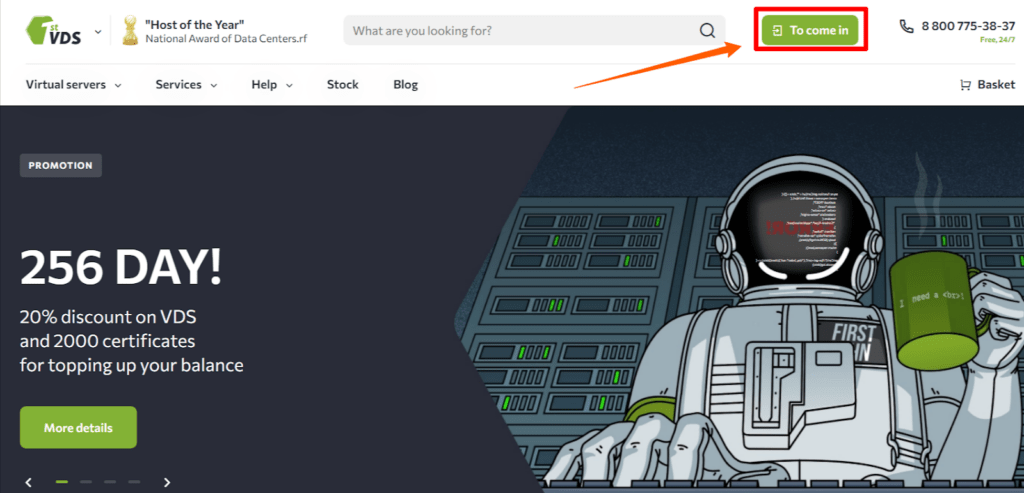
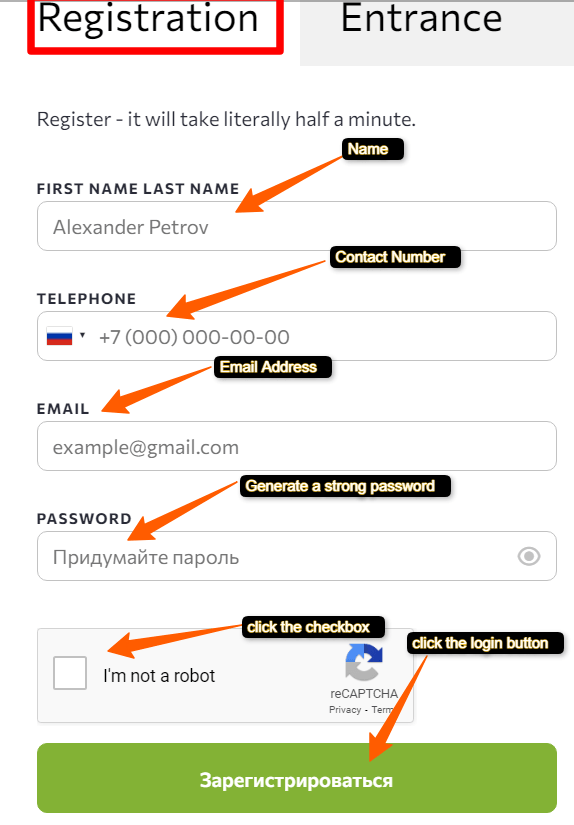
As soon as you click the above option > You can easily access your dashboard in your client area where you can make all sorts of user settings (Like- Resetting Passwords/changing email address and more)
Having said this, allow us to tell you how easily you can Login to your hosting account with the help of the following instructions:
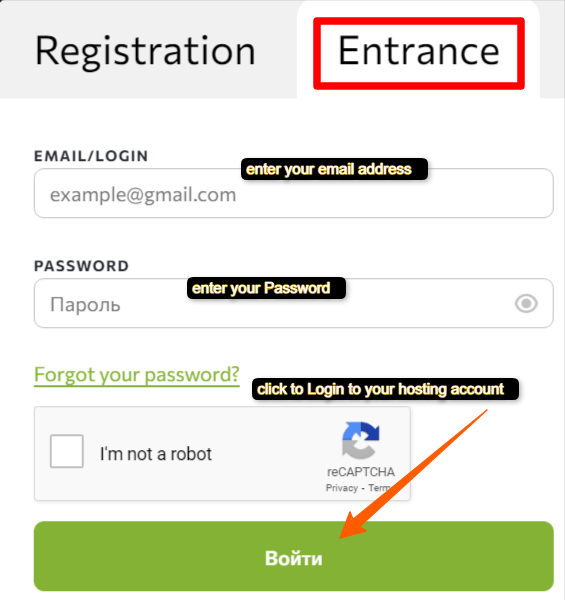
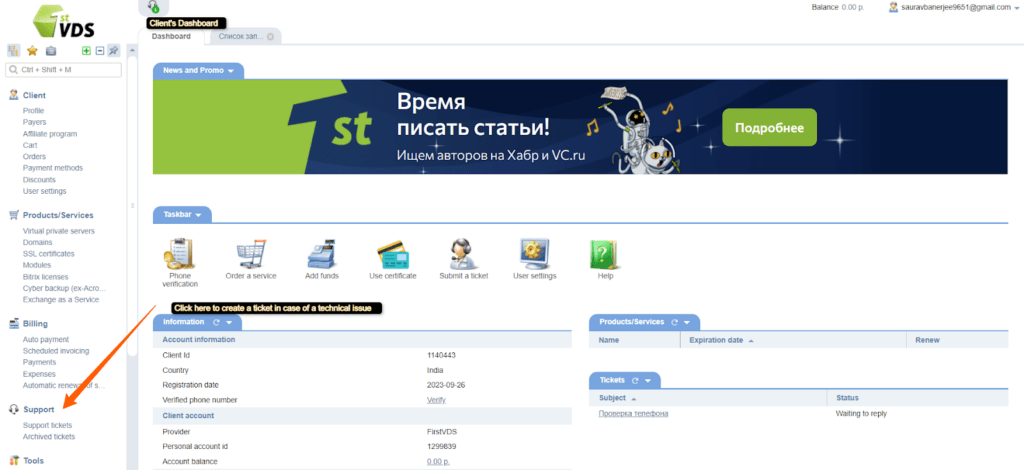
You need to understand that when you register an account and access your dashboard, getting hosting from FirstVDS becomes easier since all information is accessible on your Dashboard, where you may not only order web hosting services from FirstVDS but also configure FirstVDS nameservers and contact the FirstVDS support staff as well.
Assume you enter into your account and wish to manage your web files and make minor adjustments to your hosting account. Then how would you do that? You would require logging into your ISPmanager (Specifically provided by FirstVDS).
Let’s have a look at how to access the control panel of FirstVDS via ISPmanager.
How to login to the Control Panel of FirstVDS?
To manage your websites and to make some necessary configurations in your server, you would require to login to your ISPmanager, offered by FirstVDS. The following are the steps to get access to your ISPmanager for server management:
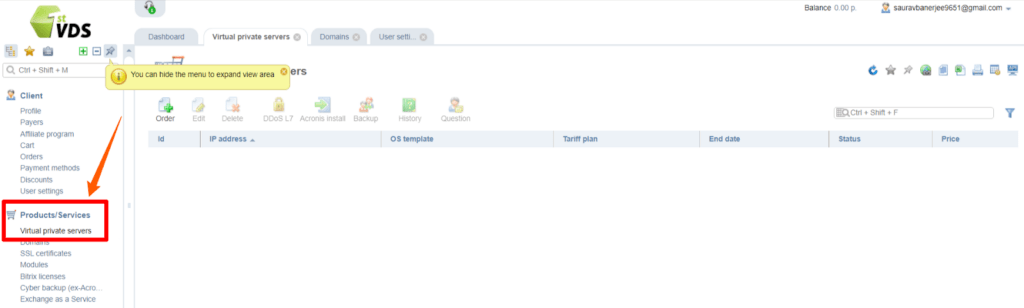
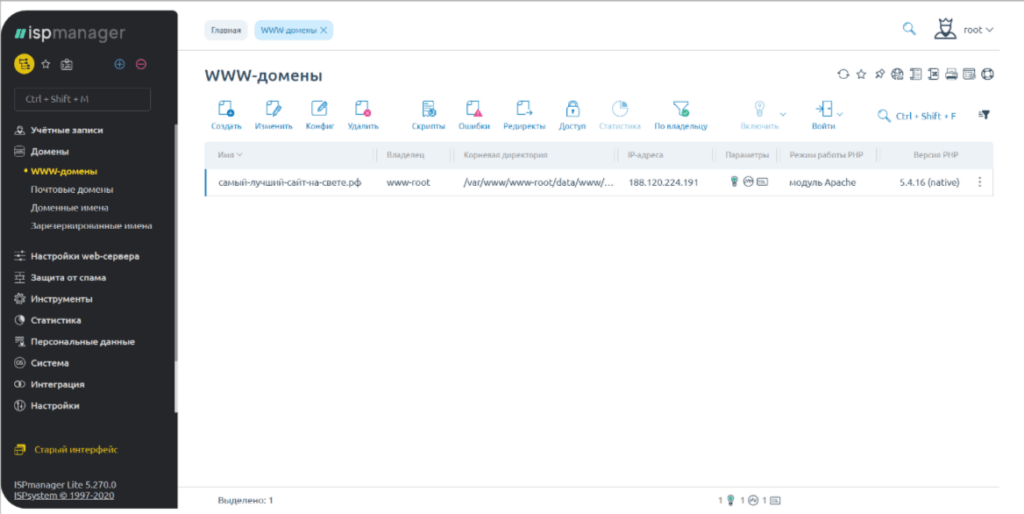
By following the above instructions, you can easily perform the server management without any issue.
What if you feel insecure and plan to reset your hosting account password? How will you do it then? To get the answer to this question, please follow up the article further 👍
How to Reset the Password of FirstVDS Accounts?
Users should update their passwords on a regular basis for security reasons. Users may even forget their passwords at times, making password resetting essential. So let’s go through how we may easily reset the passwords of FirstVDS accounts.
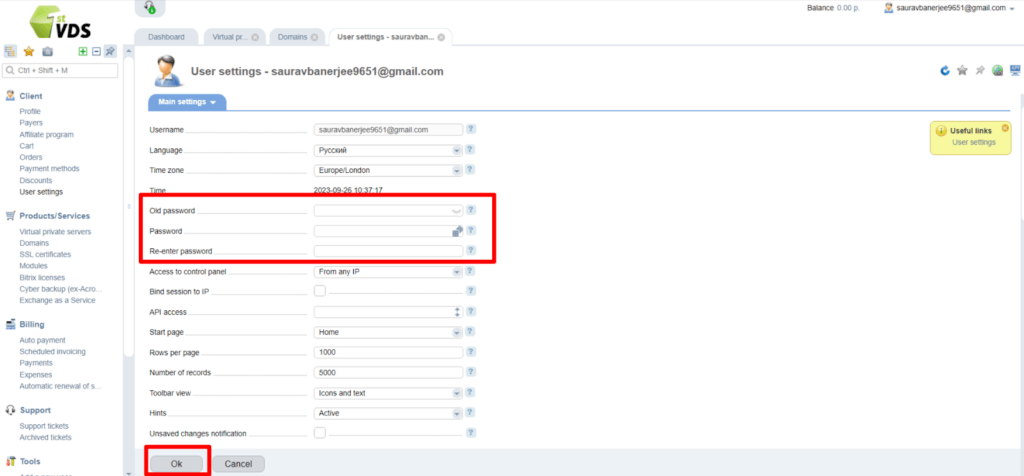
How to open a FirstVDS Support ticket for Login issues?
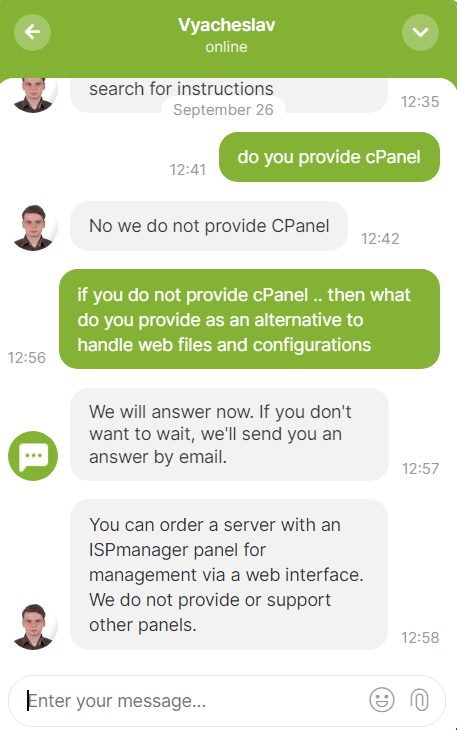
When logging gets too difficult, contacting the support staff to resolve the FirstVDS login issue becomes the only option. In such a situation, following the instructions below may assist you in successfully contacting the FirstVDS support staff to assist you with the login troubles.
Live Chat
Ticket Support
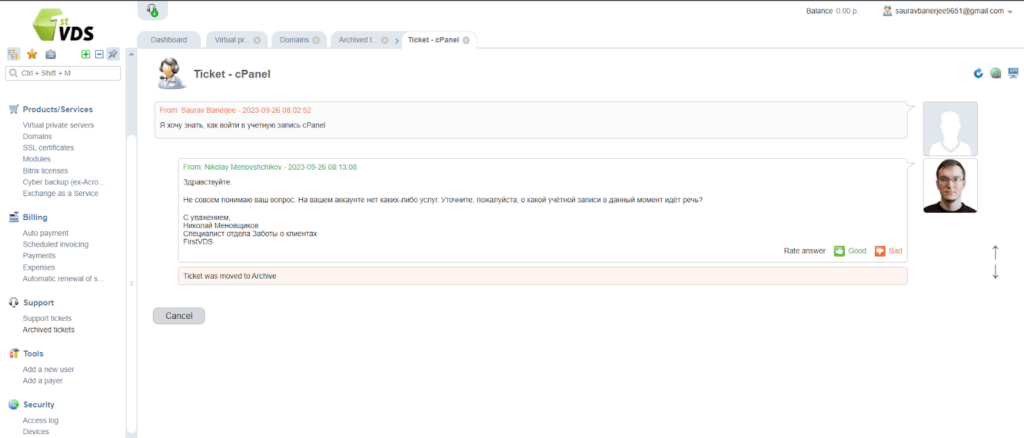
Russian Language is used by the support team so many of you may feel uncomfortable while connecting with them. In this case, you can make use of Google Translator to help you get your issues addressed from the Russian support Staff.
Conclusion – FirstVDS Login
Hoping that you have now a good understanding of the login procedure, whether in the Personal web hosting account or in ISPmanager. You’ve also learned what to do if your FirstVDS account’s password has to be reset, as well as how to contact the support staff to get the login issues addressed.
Lastly, we believe the information provided above will be beneficial to you. Your useful comments, as well as the act of sharing this post with your friends and family, would not only make a significant difference to us, but would also drive us to produce more tech-related articles.