Table of Contents
- 8 Best AI Video Enhancer that Upscale Video Quality Comparison Chart in March 2026
- What are AI Video Enhancer or Upscaler?
- 8 Best AI Video Enhancer in 2026
- 1. Adobe Premiere Pro - Overall Best AI Video Enhancer Upscaler
- 2. Wondershare Filmora - Best Ai Video Enhancer
- 3. Topaz Video AI - Best AI Video Enhancer for Slow Motion
- 4. AVC Labs- Best Facial Recognition
- 5. PixOp - Best Performer Ai Video Enhancer
- 6. Vmake - Best All-In-One E-commerce Ai Video Enhancer
- 7. Vidmore- Best Fully Features Ai Video Enhancer
- 8. DVDFab - Best AI Video Enhancer for Faces
- How to Choose the Best AI Video Enhancer that Upscale Video Quality
- How to use AI for Enhance Video Quality
- FAQ's
- Conclusion



8 Best AI Video Enhancer in 2026
Are you a Filmmaker or a Graphic Designer Looking for a video-enhancing tool?
If so, then here, in this article, you’ll find the Best AI Video Enhancer in 2026 that offers you advanced Video editing tools and video-enhancing features.
In this article, we’ll discuss the Top 8 Best AI Video Enhancer Tools in 2026, their features, plans, and pricing scheme, as well as their pros and Cons.
We’ll also discuss the AI video enhancer that offers free video editing trials, which is the best option for beginners.
8 Best AI Video Enhancer that Upscale Video Quality Comparison Chart in March 2026
Can’t wait? Below is the list of the Top 8 Best AI Video Enhancer tools that Upscale Video Quality in the form of a Comparison chart that can easily let you learn the OS it supports, whether it offers free services, and the link to access the official website of the AI video Enhancer tools.
| Brands | Supported OS | Free | Try NOW |
| Adobe Premiere Pro | Windows/ MacOS | ✅ | Try NOW |
| Wondershare Filmora | Windows/MacOS | ✅ | Try NOW |
| Topaz Video AI | Windows/iOS | ✅ | Try NOW |
| AVC Labs | Windows/ MacOS | ✅ | Try NOW |
| PixOP | Windows/ iOS | ✅ | Try NOW |
| Vmake | iOS/MacOS | ✅ | Try NOW |
| Vidmore | Windows | ✅ | Try NOW |
| DVDFab | Windows11/ MacOS | ✅ | Try NOW |
What are AI Video Enhancer or Upscaler?
In a easy language, AI Video Enhancer or UpScaler refers to an AI video enhancing tool that offers advanced editing options, enhancing video resolution features, and Upscaling the video, thereby not compromising the quality of the video at all.
The AI video Enhancer offers AI editing tools, Resolution enhancer options, a Denoise mechanism, a video Decolouring feature, and other specifications that boost the overall quality of the video.
8 Best AI Video Enhancer in 2026
Exclusively for Video Editors, Graphic Designers, and Filmmakers who are looking for a video-enhancing solution, we have catalogued the Top#8 Best AI Video Enhancer Software in 2026 that takes Video editing to the next level.
1. Adobe Premiere Pro – Overall Best AI Video Enhancer Upscaler
2. Wondershare Filmora – Best Ai Video Enhancer
3. Topaz Video AI – Best AI Video Enhancer for Slow Motion
4. AVC Labs – Best Facial Recognition
5. PixOp – Best Performer Ai Video Enhancer
6. Vmake – Best All-In-One E-commerce Ai Video Enhancer
7. Vidmore – Best Fully Features Ai Video Enhancer
8. DVDFab – Best AI Video Enhancer for Faces
1. Adobe Premiere Pro – Overall Best AI Video Enhancer Upscaler
With Adobe Premiere Pro, one of the Best AI Video Enhancer tools, you get wider Template selection options, a Video Converter, a drag-and-drop feature, and much more.
Premiere Pro also provides an excellent AI colour-matching tool, Auto Ducking, and Speech enhancer.
Adobe Premiere Pro also offers amazing Video Templates for Social Media like Instagram & Facebook, thereby letting you post your engaging video among your friends and colleagues.
Key Features
🔶 AI simplifies your Workflow: Machine Learning AI-backed Editing technology smoothens your workflow, and users enjoy effortless video editing in real-time.
🔶 Text-based Editing: With Premiere Pro, editors can easily highlight text in the clips and redefine, reorder, and trim clips as required.
🔶 Create Motion Graphics and Visual Effects: Video Editors and Graphic designers can opt for the Premiere Pro platform, which offers Motion Graphics mechanisms and Visual effects.
🔶 Crop Trim, Resize and Merge: Easily Crop the Video size, Trim the Video to capture specific events and Merge the video with others to get an engaging outcome.
Plans & Pricing
- 7 Days Free Trials (100GB Cloud Storage, 500 monthly generative Credits)
- $22.99 per month (Professional editing and Unlimited Storage and Credits)
Pros and Cons
Pros
- Cancel the subscription if you don’t like the services and get a 30-day back guarantee.
- Adobe Premiere Pro is the Best Platform for motion graphics
- Easily convert the video to different formats.
Cons
- Premium plans are too expensive.
2. Wondershare Filmora – Best Ai Video Enhancer
Famous for its Green Screen video editor, in-built tool to add text to videos, Remove watermarks from videos, AI vocal remover and many more, Wondershare Filmora is one of the best AI Video Enhancer and also the Best graphic editing solution for Graphic designers.
Wondershare’s AI video enhancer tool, Filmora, is an AI-powered video editor that includes AI copilot Editing, AI text-based editing, Ready to Go Templates for new videos, adding stickers and other emojis for amazing effects, and a lot more services.

Key Features
🔶 Operational on every device: Filmora can easily be downloaded on any of your devices like PC, Tablet, and Mobile and can be used absolutely Free of cost.
🔶 Save your work on the Cloud: Save your work on the cloud, Get 1GB of cloud Storage, and Store your edited video on the cloud to share it with your friends later.
🔶 Add Titles/ Stickers/ Effects: Easily Add Titles/ Texts/ Audio/ Stickers/ Adjust Contrast and Sharpness to enhance the quality of the video.
🔶 Enhance the Video Resolution: With Filmora, editors can easily enhance the video resolution to around 8K without compromising the video quality.
Plans & Pricing
- Free Trials (No Cloud Storage, 100 AI Credits, 10K+ Templates, Video has watermarks)
- $49.99 per year (Unlimited Credits, NoWatermarks, 1GB Cloud Storage)
- $59.99 per year (10K Templates, 1GB Cloud Storage)
- $79.99 per year (1GB Cloud Storage, Unlimited Credits, 10K Templates, NoWatermarks)
Pros and Cons
Pros
- Get 1GB Cloud Storage to Save your videos and share them later.
- Enjoy Green Screen AI editor with Filmora.
- Get Free Trials and enjoy unlimited Video editing services.
Cons
- Free Trials have watermarks on the video that can cause copyright issues.
3. Topaz Video AI – Best AI Video Enhancer for Slow Motion
Revitalise your Footage with Topaz Video AI, which is one of the most Trustworthy, Creative, and best AI Video enhancers.
It upscales the video to 16K with UltraSharp video quality, thereby not compromising the quality of the video.
Topaz VIdeo AI uses the NYX AI model to remove background noise and even deploys the Apollo and Chronos models to generate new frames, making the video super smooth.
Key Features
🔶 Uses the Latest AI Technology: Get machine learning AI technology that enhances video quality and improves FPS, including the Highest Resolution up to 16K.
🔶 Upscale video to 16K: With Topaz Video, AI upscales low-quality video, removes blurriness, improves sharpness and enhances the resolution up to 16K.
🔶 100% Local Processing: Process the imported video using the system’s minimum hardware and avoid spending extra money on remote servers with Topaz Video AI.
🔶 Supports Windows/ MacOS: This software runs mostly on every operating system, particularly on Windows and MacOS.
Plans & Pricing
- Pay once and Use Forever plan- $299 (also includes one year of unlimited Upgrades)
- Upgrading Price- $149 (Pay once use Forever)
- Free Trial package- Unlimited Services (with 4K resolution and 60 Frames per second)
Pros and Cons
Pros
- Get 30 days Refund Policy.
- Users can get Round the clock support services via LiveChat.
- Pay once use Forever plan removes any form of expensive auto renewals.
Cons
- The Trial Package includes some limitations to the video editing services.
4. AVC Labs- Best Facial Recognition
AVC Labs, one of the best AI video enhancers, uses Depp machine learning to enhance video quality and boost video performance by increasing video resolution, removing background noise, restoring video-related details, and much more.
AI-based Video Upscaling and video quality enhancer AVC Labs use an AI algorithm to upscale video from SD to HD, from HD to 4K, and from 4K to 8K resolution in just a few clicks.
Key Features
🔶 Colour Enhancement: AVC Labs adjusts the colour aspect of the video and includes an amazing colour calibration algorithm that can help you get a natural colour blend.
🔶 Fixes Blurry Footage: Removes Blurriness that’s caused by low-quality resolution, different encoding, poor lights and shaky camera.
🔶 Uses Super Resolution Upscaler: AVC Labs uses the Latest Super Resolution AI Upscaler mechanism to enhance the video resolution without compromising the quality of the frame.
🔶 Frame Interpolation: The higher the number of frames per second, the better. So, AVC Labs uses AI frame interpolation to enhance the frequency of frames and upscale the video quality, thereby reducing the latency.
Plans & Pricing
- AVC Labs offers a Free Trial Version for an Unlimited Time Period. It also provides 3 video-enhancing services for one registered account, and that too with watermarks.
- 1-Month Plan: $39.95 (Auto-Renews, Cancel anytime)
- 1-Year Plan: $119.95 (Auto-Renews, Cancel anytime)
- Perpetual Plan: $299.90 (One Time Payment)
Pros and Cons
Pros
- Has a slow-mo feature and allows video editors to enhance the video performance.
- Increases the number of frames per second, thereby enhancing the quality.
- Has an amazing Video Colourizer to increase the colour quality of the video.
Cons
- The trial Version of AVC Lab offers only 3 Video files for Free with Watermarks.
5. PixOp – Best Performer Ai Video Enhancer
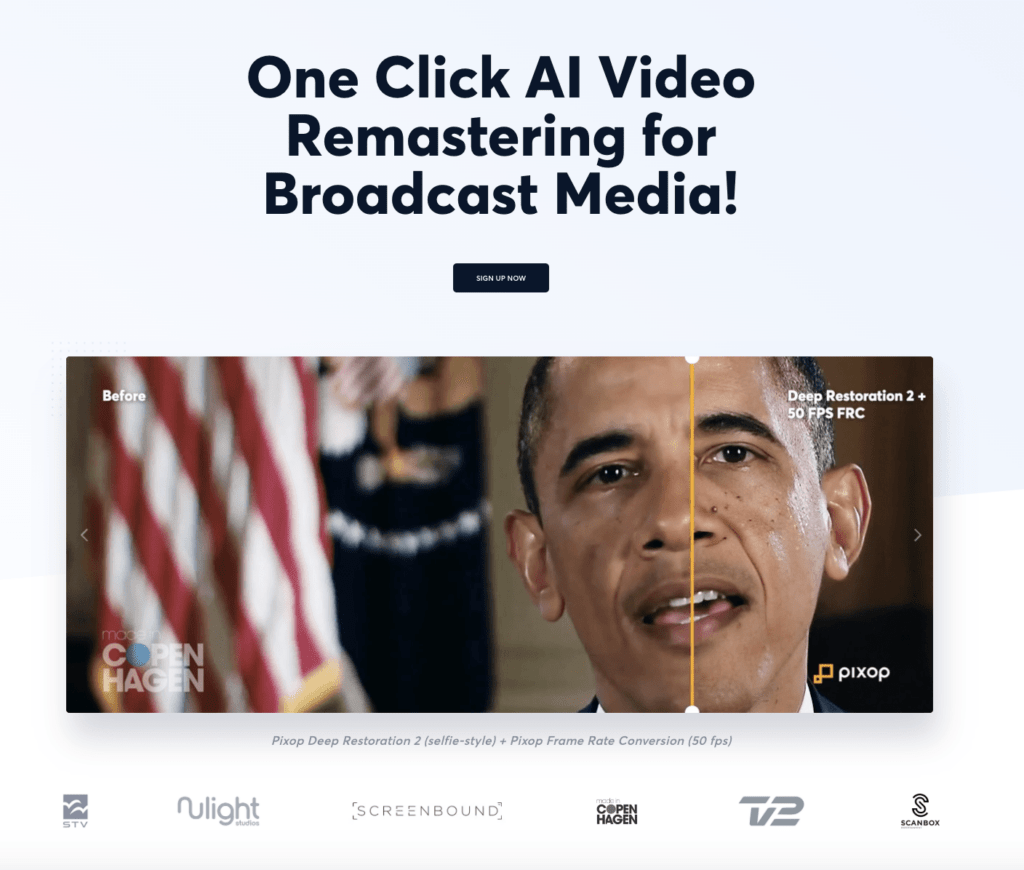
Get Deep Restoration 200% Upscaling from PixOP, one of the Best Overall Performing AI video enhancers.
PixOP is famous for its One-Click configuration. Simply Slide the shutter to upscale the video quality and increase the frames per second to ensure the lowest possible latency.
Filmmakers, video editors, and YouTubers can choose this AI video enhancer tool, PixOp, to enhance the resolution of the video and provide a good viewing experience to the audience.
Key Features
🔶 AI Video Filter: PixOp uses AI-backed video filters to enhance the quality of the video, adjust the brightness, and set the contrast of the video.
🔶 Encrypted & Secure: The videos and other forms of data are stored and secured in the cloud and can easily be recovered as and when required.
🔶 User-Friendly Interface: PixOp’s user Interface is easy to use. With just a single click, editors can enhance the quality of the video.
🔶 Robust Tools: All the video editing tools found in PixOp are AI-backed and are enough to enhance the quality of the video.
Plans & Pricing
- Free Trial with limited services like (No access to REST API)
- The pricing scheme is as per the requirement (Video for 100mins– $97.78)
Pros and Cons
Pros
- No Subscription Fee
- User-friendly interface with a One-click Video editing mechanism.
- No Expensive Hardware is required to run PixOp.
Cons
- Pricing Scheme lacks transparency.
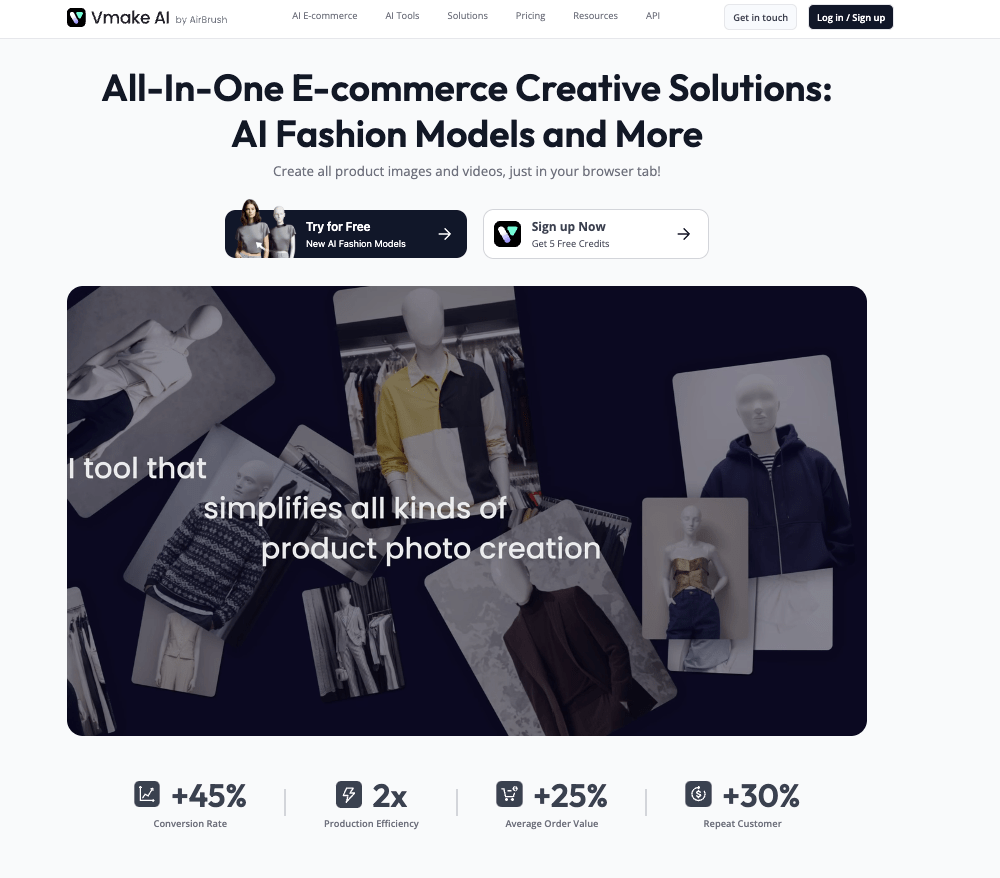
6. Vmake – Best All-In-One E-commerce Ai Video Enhancer
Vmake by Airbrush is one of the best AI video enhancers. It converts low-quality videos to high resolutions like 4K and increases the number of frames per second.
Easily Click, Drag and Drop the Video file and Edit it (only 3 videos at a time with no sign-in required)
Users can even start their video editing work with the Demo videos provided by Vmake. Vmake lets the user import low-quality video and export upgraded clips with lots of engaging filtering and upscaling.
Key Features
🔶 Sharpen Blurry Videos using AI: Users can import blurry videos and, with Vmake, can easily sharpen the video by removing the blurry effect using AI technology.
🔶 Video Background Remover: BackGraounds that are boring and require a change can effortlessly be altered using the AI-backed Tool of Vmake.
🔶 No Watermarks: Vmake can easily remove irritable watermarks and other forms of stickers, and engaging effects can even be added to the videos.
🔶 Unlimited SD Video Download: After editing videos, you can download as many as you want, including the original video, to Cloud storage.
Plans & Pricing
- Offers Free Trial
- Premium Plans aren’t shown. Pricing Schemes lack Transparency.
Pros and Cons
Pros
- No Sign is required. Easily Enhance at least 3 Videos at a time.
- Easily Contact the support services via LiveChat.
- Boost Engagement and Conversions with the AI video Enhancer of Vmake.
Cons
- Get only 5 Credit points with the Free Vmake Plan
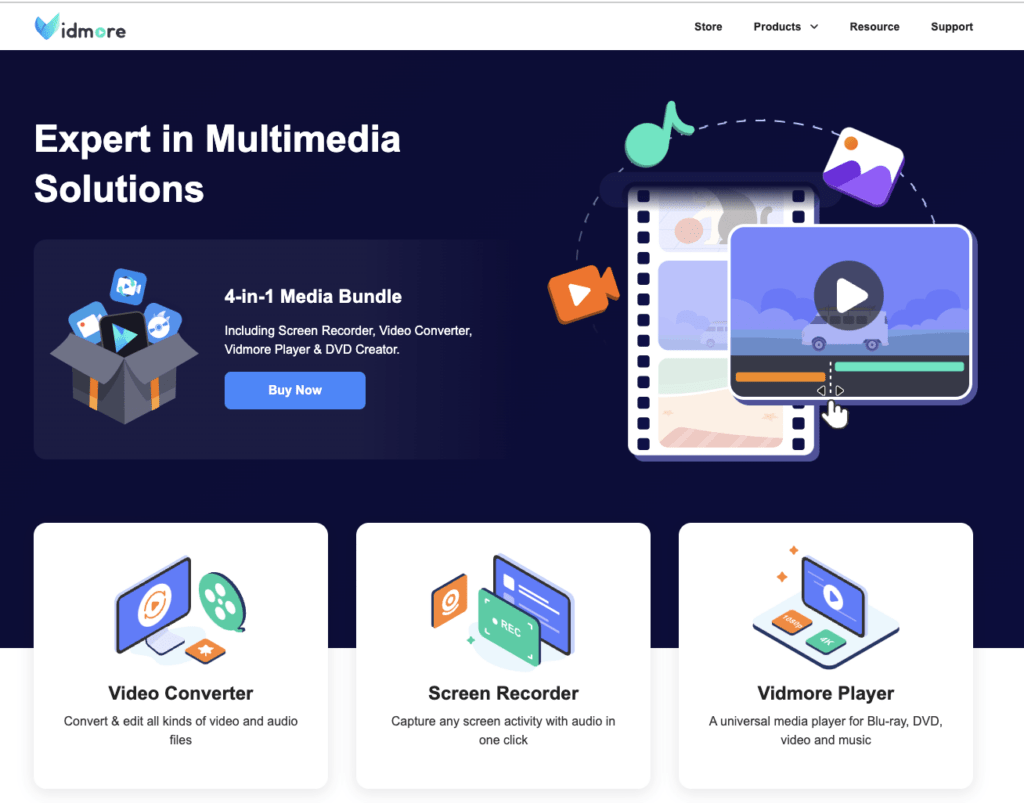
7. Vidmore- Best Fully Features Ai Video Enhancer
Vidmore is the best Video enhancer tool for fixing shaky cameras and blurry videos. It’s also one of the best tools for enhancing video quality.
It allows the video designer to cut, crop, resize, and filter the video as per the requirement. Along with the video formatting option, users can easily increase or upscale the resolutions of the video to 8K.
You can even cancel the premium subscription anytime if you don’t like the product, and there’s a 30-day money-back guarantee.
Key Features
🔶 Add or Remove Watermark: Video editors can easily Remove an irritable watermark or add a personalised watermark to mark their video content.
🔶 Optimise the Brightness & Sharpness: Adjust and customise the brightness or the contrast of the video as per the video’s quality requirement.
🔶 Denoising the video: Let’s just say you only need to capture the action of the clip; in that case, you can easily remove the music from the video or any irrelevant background noise.
🔶 UpScaling Video Resolution: Effortlessly Increase the resolution of the video from low to high up to 16K with just a click.
Plans & Pricing
- Free Trial (Immediate Video Enhancing delivery, Customer Support)
- $12.45 per month (1PC, 1 Month Access, 14 Days Money Back)
- $49.95 (3PCs, Lifetime Access, 30 Days Money Back)
Pros and Cons
Pros
- 14 to 30 Days Money back guarantee with the Premium Plans
- Smooth and Secure Payment Gateway.
- Free trials of Premium plans are available.
Cons
- Auto-renewal of a monthly plan is expensive.
- Free Trials have a few limitations.
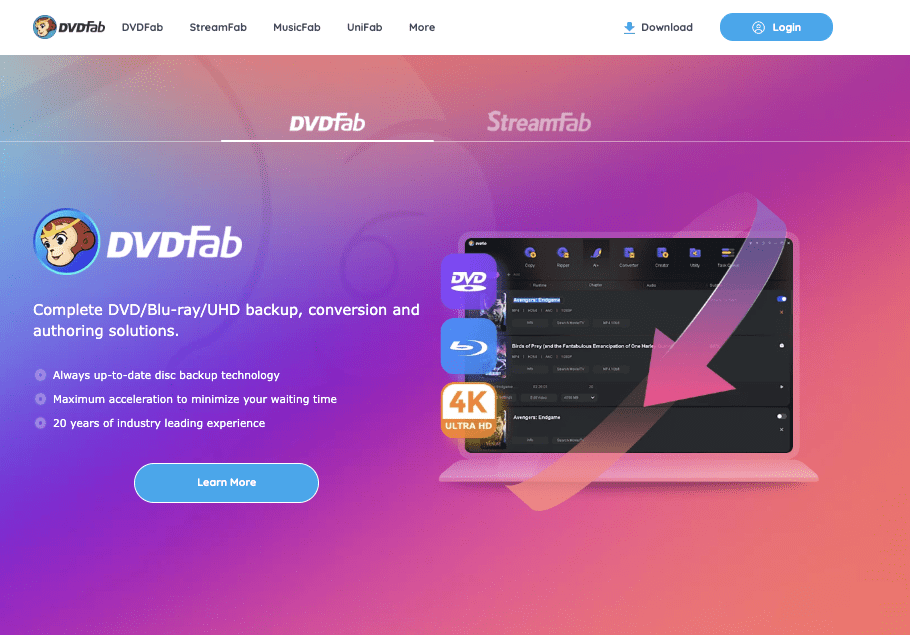
8. DVDFab – Best AI Video Enhancer for Faces
DVDFabs’ UniFab, one of the best AI video enhancers, offers an amazing video-enhancing tool that’s functional in all Windows versions, from Windows 8 to 11.
It uses the mechanism of AI machine learning to upgrade the video quality to the highest resolution as per the in-built capacity.
Along with that, DVDFab also offers a Denoise AI remover to cut off the background tune or irritable side noise just to grab the clip. The video can be scaled up to HDR10 and even compressed without compromising the quality.
Key Features
🔶 Enhance Video to 4K: With DVDFab, Enhance the quality of the Video to 4K and even more as per the video quality requirement.
🔶 AI Denoiser tool: Use the DVDFab Denoiser tool to remove the irrelevant noise and background music and simply capture the clip.
🔶 FrameRate Booster: Shoot up the video’s Frames per second to minimise the latency experience and make the video more engaging.
🔶 De blurr Footage: Video clips with shaky cameras or blurry effects can easily be sorted out with just a single click, ultimately removing the blurriness from the video.
Plans & Pricing
- Free Download facility (Unlimited Features)
- UniFab $309 LifeTime Payment (UniFab 5 Computer License and Amazon Gift Card)
Pros and Cons
Pros
- 30Days MoneyBack Policy on LifeTime offer
- One Click Video Enhancer.
- Suitable in Simple hardware features as well.
Cons
- Only One premium plan is available (Zero Scalability)
How to Choose the Best AI Video Enhancer that Upscale Video Quality
easy! Just keep the following points in mind when Choosing the Best AI Video Enhancer that upscales video quality:
- Choose the right AI Video Enhancer that lets you enhance the video resolution up to 8K and even boost the frames per second to reduce video latency.
- To make the video more engaging, pick the AI video Enhancer that offers top-notch video editing tools like Resize/ Crop/ Trim/ Cut/ Merge.
- Select the AI Video Enhancer that lets you Remove the watermark from the video or Add a Watermark to protect the content rights.
- Pick the AI video enhancing tool that offers Free Trials with Unlimited Services like Adobe Premiere Pro.
Choosing the perfect AI video enhancer tool can be challenging. To tackle such issues, consider the above points before considering the Right AI video upgrade for personalised use.
How to use AI for Enhance Video Quality
Do you need to learn how to use the AI Video Enhancer to upgrade video quality? Exclusively for you, we’re going to mention the step-by-step instructions on how one can easily use the AI video enhancing tool:
- First, go to the official website of the Best AI video enhancer tool (Vmake)
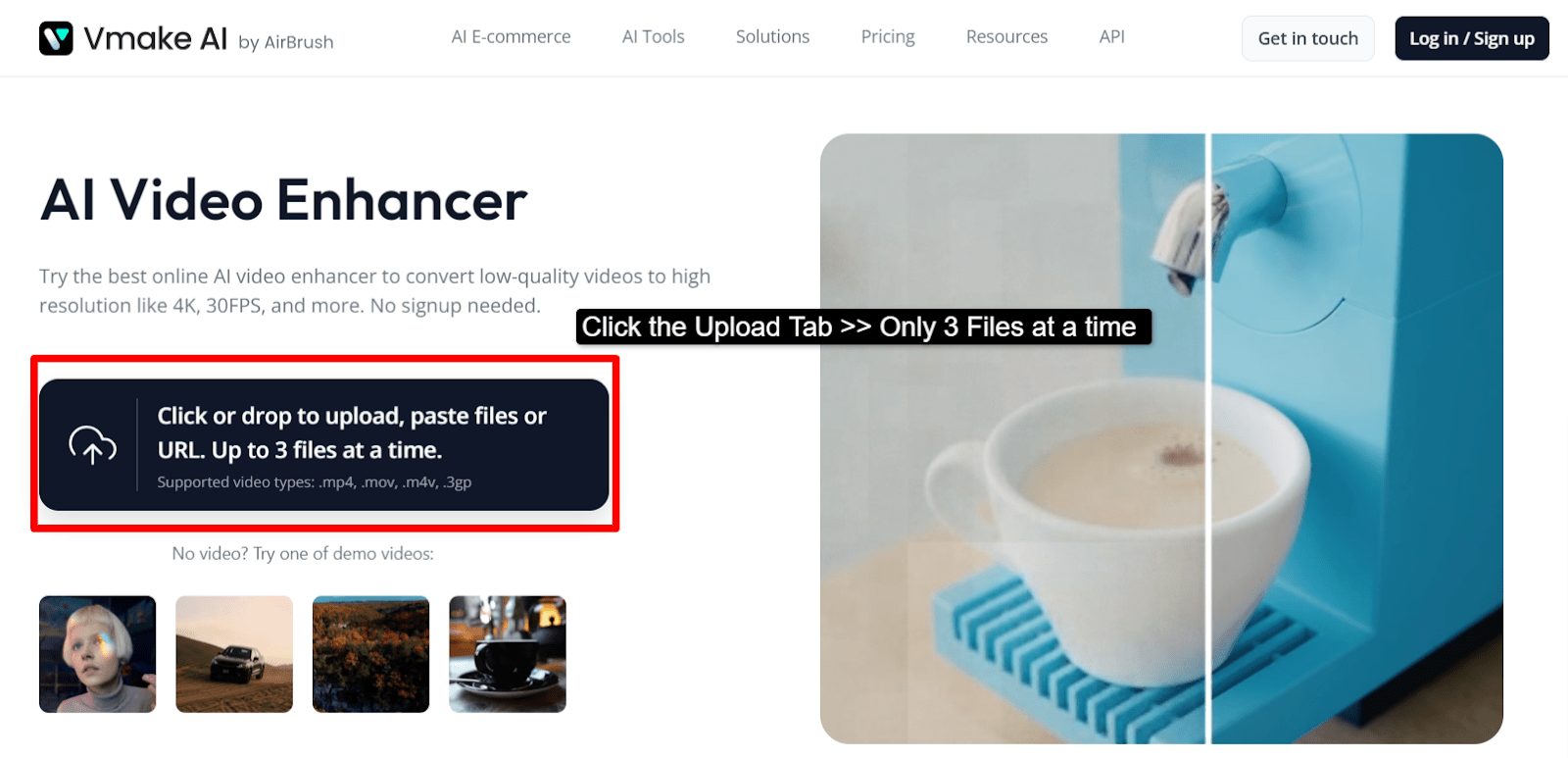
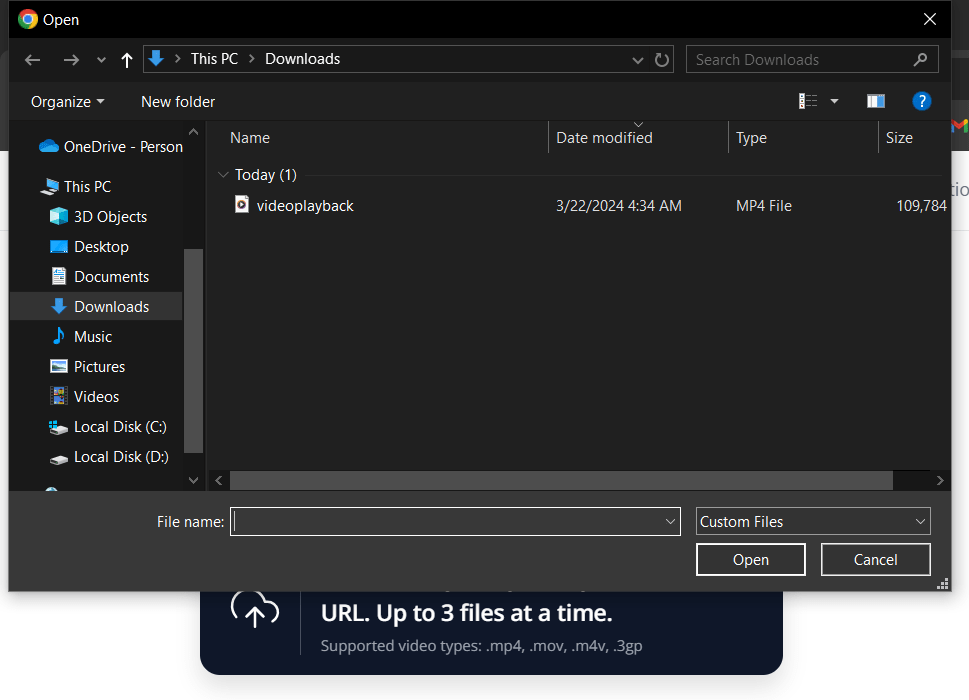
- Simply Click the Upload Tab >> Import the Video you want to edit >> Click the Open tab.
- On clicking the video >> the Video gets Uploaded soon.
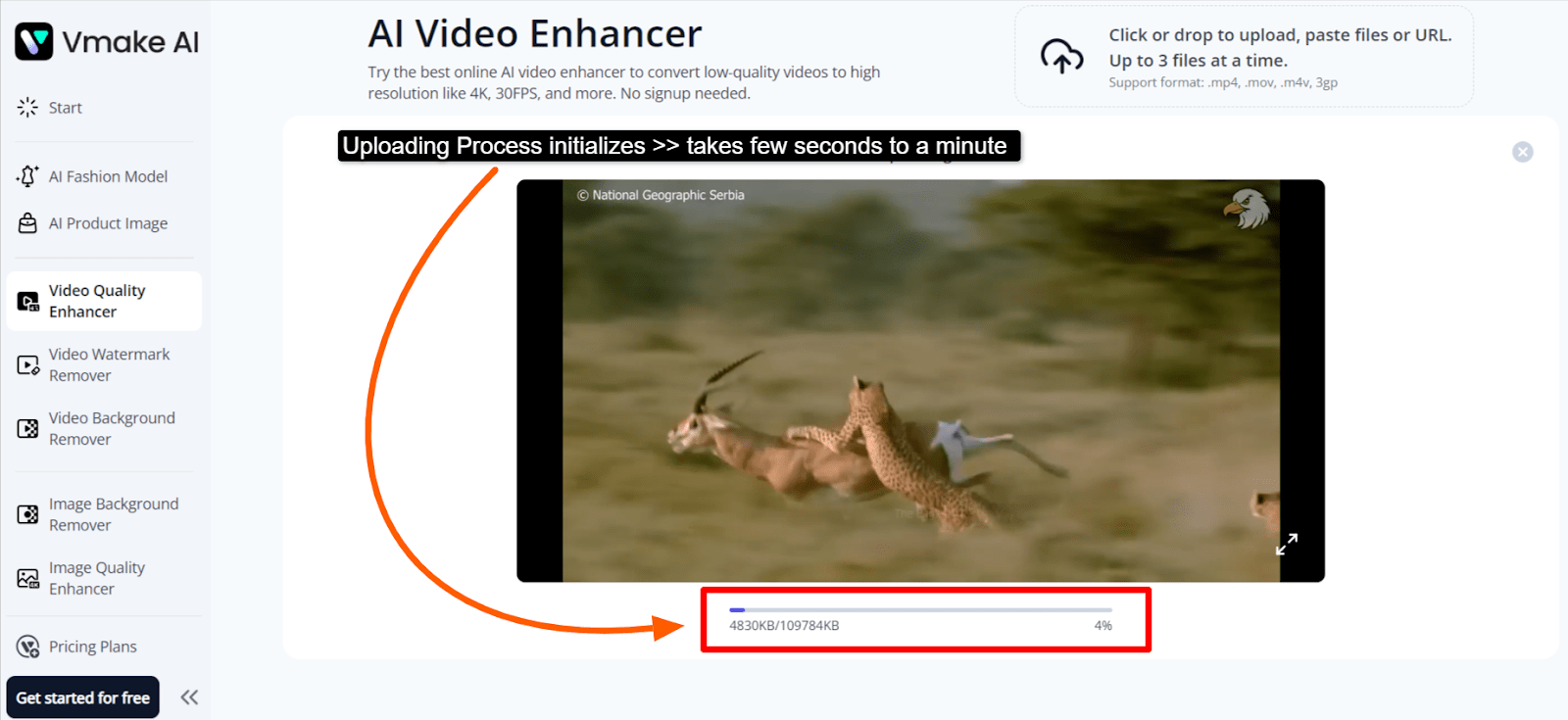
- As soon as it uploads >> Increase the video quality as per the requirement.
See, it’s that simple! Follow the instructions given above and refer to the relevant screenshots to successfully edit the video and enhance its quality.
FAQ’s
It’s easy! Simply Upload the Video from your PC or Download it from the site >> then Wait for the video to upload to the AI video enhancer site >> Use the one-click option to easily adjust the video resolution to upscale the clip.
From enhancing the quality of the video, increasing the frame rate per second, and adding personalised video effects to reducing the latency experience of the video, AI video enhancers offer immense benefits to Video designers.
Absolutely Yes! Video Enhancers amazingly improve the quality of old-resolution videos to Higher resolution, up to 16 K, with a higher frame rate.
Simply Choose the Best Free AI video Enhancer tool like Adobe Premiere Pro or Vmake >> then Upload the video you want to enhance >> Use the video editing tools to adjust the colour, effect and size, thereby increasing the video resolution as well.
Yes! Free AI video enhancers have a few limitations, like limited editing Credits, editing tools, and video uploads.
Absolutely yes! Free AI video enhancers offer limited services, and the edited video of the Free AI tool has watermarks on it, whereas the Paid PRemium AI video enhancers offer unlimited services with no watermarks on the video.
Yes! Filmmakers, video editors, and graphic designers can use AI video enhancers’ amazing features for professional video editing.
For beginners, AI video enhancers offer an easy-to-use, User-Friendly Interface and one-click Editing features that easily upscale the video’s quality.
AI Video Enhancer supports MP4, MOV, M4V, 3GP, and many more video file formats, providing a diverse area for accommodating more videos of different formats.
No! All the data and the video-related content are strongly secure, and there’s no risk of data privacy or security issues with AI video enhancers.
Conclusion
AI is the need of the hour & AI is the way forward in future! AI fused with video editing mergers out to be the best blend and the best Video editing solution for filmmakers, Graphic Designers and Video Editors.
Since there are so many to choose from, Pick the one AI Video enhancer tool that offers a Free Trial package, Unlimited Service, no watermark, Cloud Storage, and top-notch security for video-related content, all of which comes with by Adobe Premiere Pro.
If you’re still not able to figure out which one to choose from the options, make sure you consider the highest resolution enhancer, advanced editing tools and storage.
Looking for other AI Tools? Here you go-
Also read: Programming languages for ai development
Also read: Free drawing software