A2Hosting Login

Everyone knows that the first thing that must be done in order to complete any required task is to log in. In the same way, logging into your A2Hosting login credentials is essential for tracking the most recent changes, submitting support tickets to the A2Hosting team for technical concerns, and doing several other things.
The login procedure to access the Client’s Dashboard and control panel is a common problem among users who are attempting to acquire web hosting services after going through the A2Hosting reviews.
A2Hosting is a well-known Michigan-based web hosting company that offers a wide range of packages suitable to run your business effortlessly.
The developers designed the entire layout for beginners, and you shouldn’t be having problems logging into the account.
Allow us to guide you through the process, and never have to worry about logging into your A2Hosting Account.
| Sitename | A2Hosting |
| Service | Hosting and Domain |
| Provider | A2 Hosting International Ltd |
| Hosting | Shared, WordPress, Cloud, and VPS Hosting |
| Available | Worldwide |
| Official website | A2Hosting.com |
So read on for the creamy thing you’re after by paging down! 👍
How to Login A2Hosting?
Before you learn how to login to your A2Hosting client area, it is crucial to know the steps how you can easily register for A2Hosting account. So, here we are to help you with the registration process for an account with A2Hosting:
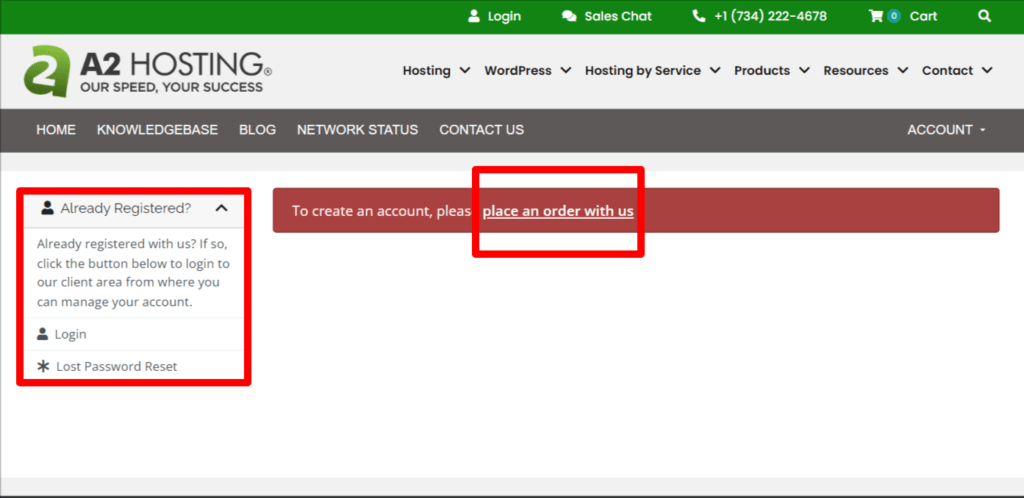
With that being said, let’s move ahead with the A2Hosting login process. now, since you have successfully registered into an A2Hosting account using your customer ID, you can easily be able to login to your account as well.
The steps to login to A2Hosting login account are as follows:

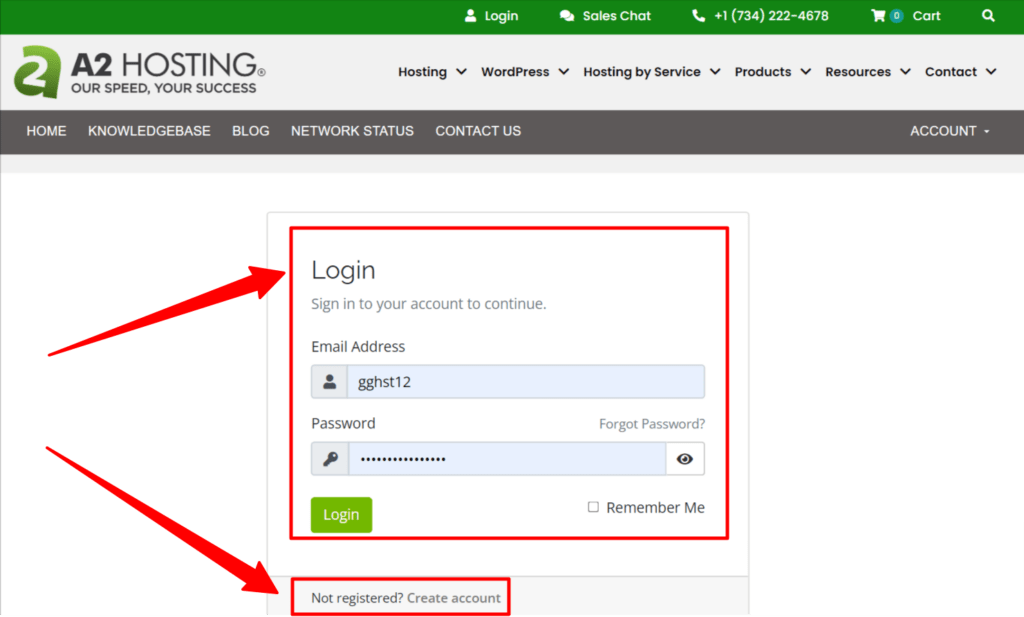
It’s crucial for you to understand that if you have forgotten your password while trying to login to your A2Hosting account, you can retrieve your Login credentials by simply pressing the “forgot Password option. To know more about it, just continue reading this article to get more information.
How to login to the Control Panel of A2Hosting ?
Since you know how to login to your A2Hosting account, now let’s look into some specifics involved in logging into your cPanel account to configure websites to customize your website as well.
Now in order to login to cPanel, there are two ways available for you which we will be explaining in great detail:
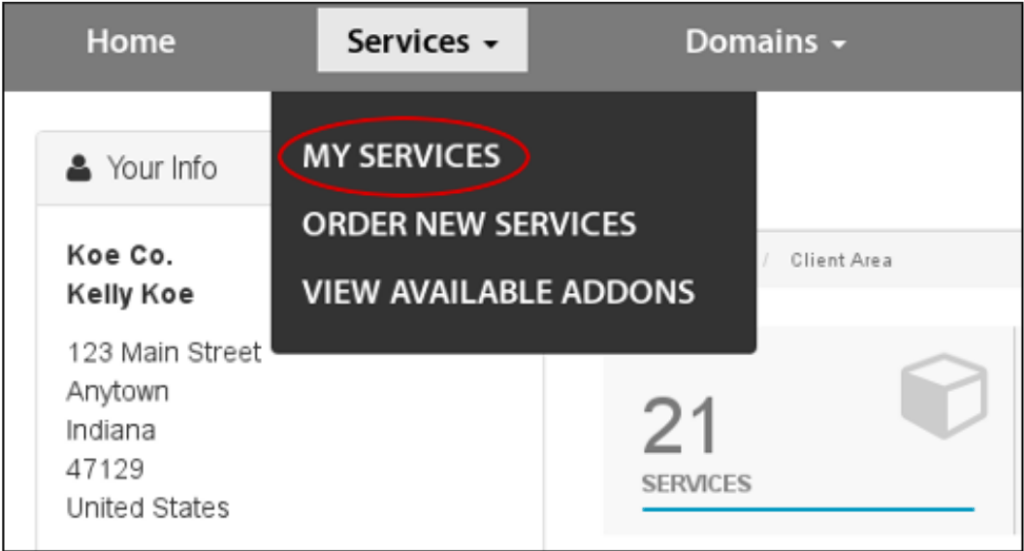
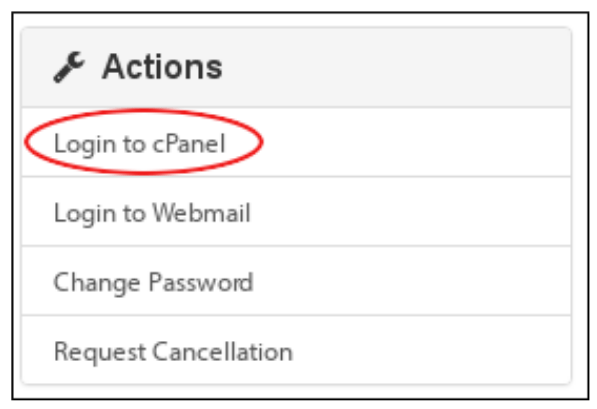
Access cPanel via A2Hosting Customer Portal
To access cPanel via Customer portal, follow the steps mentioned as under:

Access cPanel directly
You can also access your cPanel without logging into the customer portal. To know about it in detail, you need to refer the steps given below:
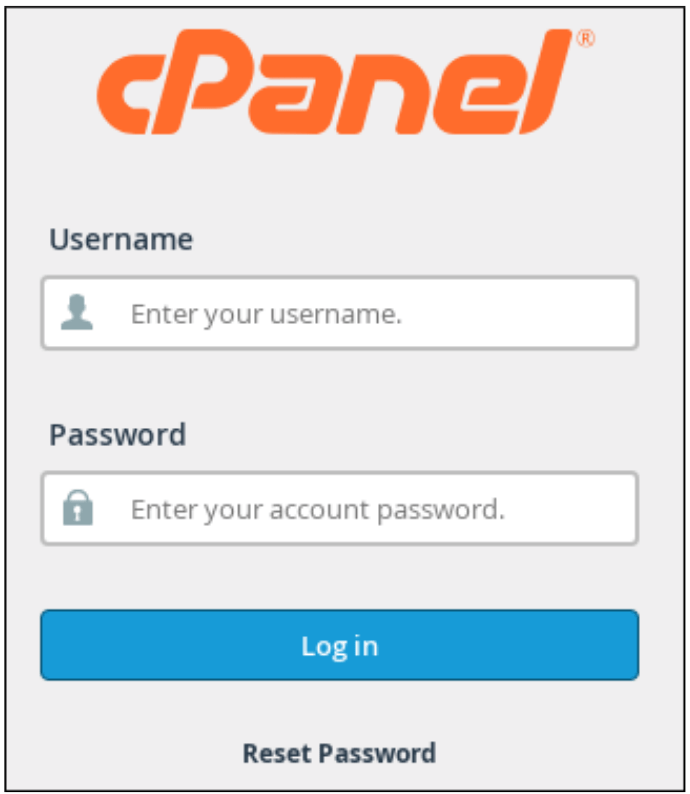
Now, the time is ripe to discuss the process that users need to adopt when they accidentally happen to forget the login id password.
👉 Here, you can also Learn How to Hostinger cPanel Login?
How to Reset the Password of A2Hosting login Accounts?
Owing to security issues or in case you happen to misplace your password, Resetting Password is the major step to be undertaken. So let’s dive deep to know the process to reset the A2Hosting login password.
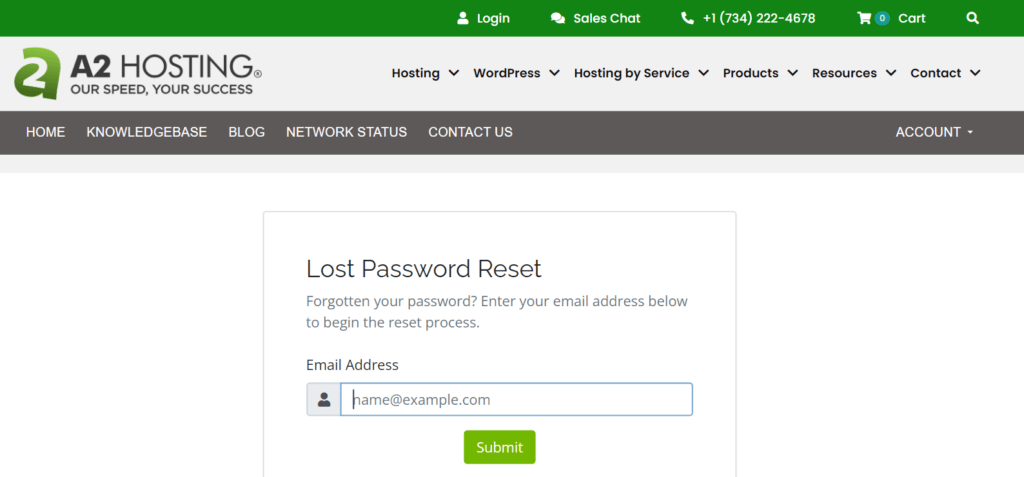
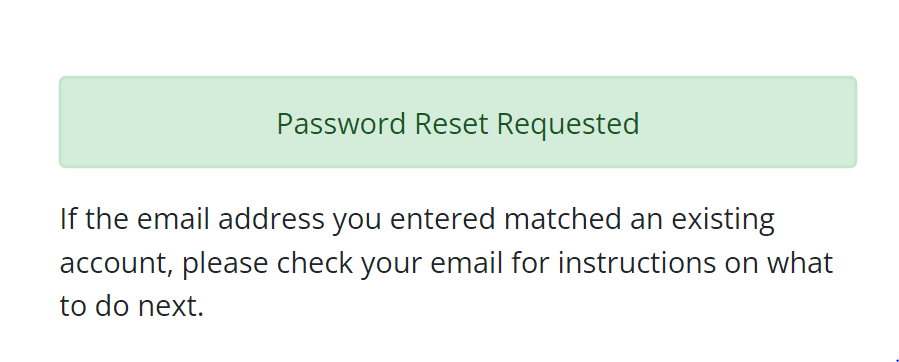
You can also look for your customer id and password in your registered email id. As during the A2Hosting account registration process, the customer id and password is sent to your email address.
What if the login into an A2Hosting account becomes completely difficult? What shall you do then? Well, in that case talking to the tech support team is the best way out. Keep swiping your screen forward to see the details.
How to contact the A2Hosting Support team for Login issues?
If you have any technical problems while checking in or creating an account with A2Hosting , you can get in touch with the support team of A2Hosting to report the problem. There are two effective ways to contact the customer service team.
Live chat with an agent
As you visit the A2Hosting HomePage, you can locate a green chat box icon at the right hand bottom of the display. You can enter your name and your email id to initiate live chat with an agent for getting your login issue redressed.
Ticket support system(only for the active users of A2Hosting )
As you login to your A2Hosting account as explained above and go to your customer portal, you will see this feature. Though it takes a while for your problem to be resolved, it is a comprehensive function that allows you to properly address your issue and attach any relevant screenshots.
Voice call support
A dial number is provided by A2Hosting. Via voice call, the resolution of login troubles may be easy as the issue will be processed by no time.
👉 Learn, Also how to Setup a2hosting nameserver
Conclusion
Through this article, new users can easily understand how to register and login to A2Hosting and by this point of time, new users would have mastered the stepwise method for both logging into the account and signing up for A2Hosting by creating a new account.
We sincerely hope that the information we stated on A2Hosting login and related processes was helpful to you. If so, we humbly request that you like the page and post your valuable insights. By doing so, you will encourage us to continue producing new tech-guide articles for you.
Related Posts:
How To Order Hosting From A2 Hosting Package
How to Open Ticket from A2 Hosting
How to set the name servers for a domain to point to A2 Hosting
Helpful Info
| Interserver Nameserver | https://googiehost.com/blog/hostingloginguide/a2-hosting-nameservers/ |