Unlimited Hosting, Unmatched Performance
Start at $0.01 Now

UltaHost Login

5 min read

Do you find registering an account in UltaHost troublesome? If you already have an account in UltaHost and due to negligence, you have forgotten your password not knowing what to do next?

If you are seeking answers to these questions then you’ve landed on the right page. In this article, we will discuss a step-by-step guide to How to register an account in Ultahost Web Hosting, and also find how to recover your password in case you’ve misplaced or forgotten it.

So, let’s get started.

How to  Sign Up UltaHost?

If you are a new user and want to register an account in Ultahost to enjoy its services, you need to adopt the following instructions to register your account. So, firstly,
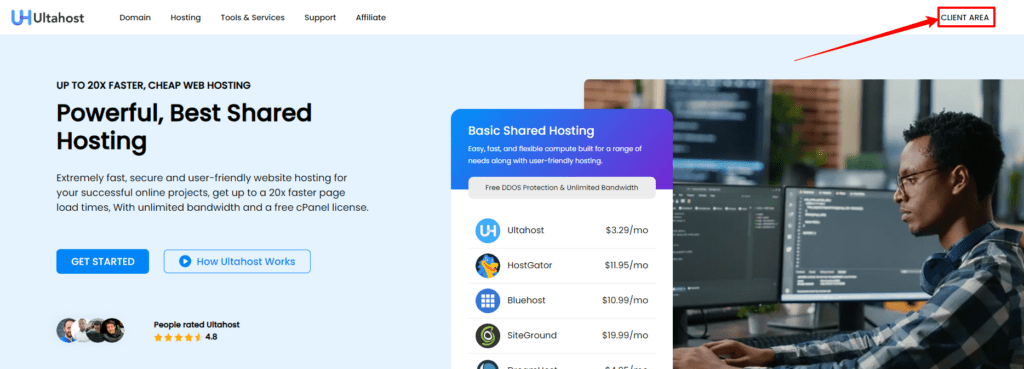
  • Go to Ultahost HomePage and click the client area.
  • The client area option is provided at the top right corner of the page.
Ultahost Login Client Area
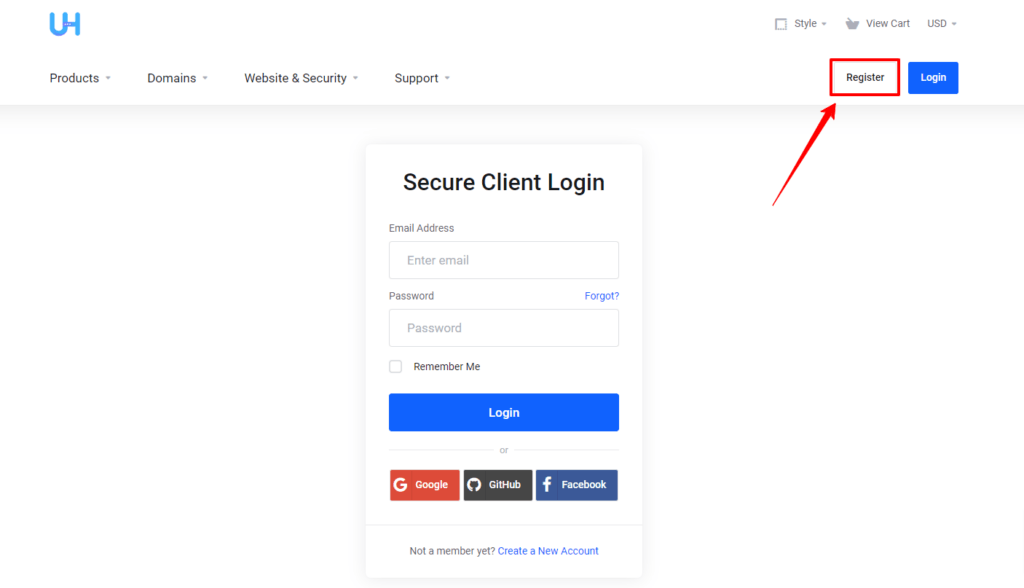
  • After clicking the client area option, the login page will appear. Go to the Register option provided beside the login option on the login page.
Ultahost Register
  • Click the register option to proceed further with the registration process.
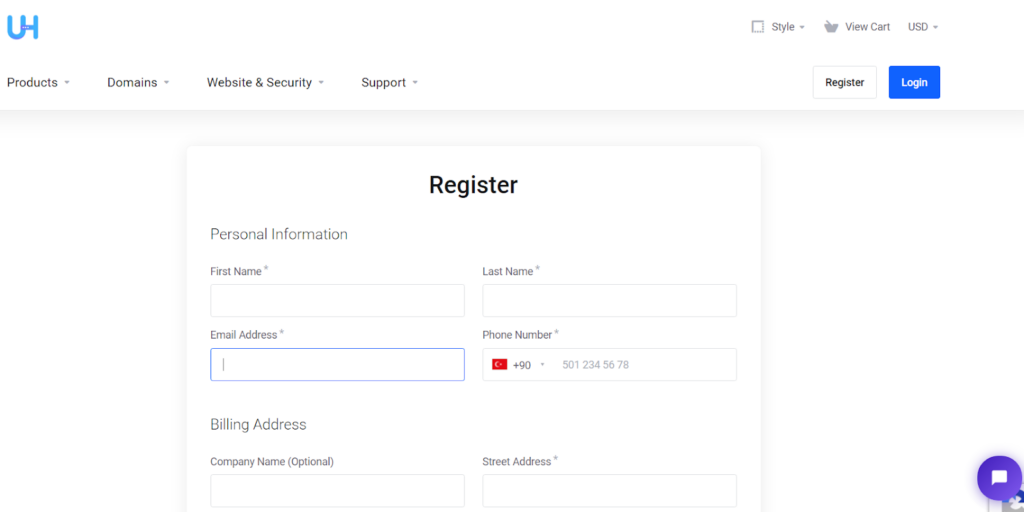
  • After clicking the register option, the registration page will appear in which you are required to plug in your necessary details such as your name, valid email address, phone number, billing address, currency, and password.
register a ultahost account
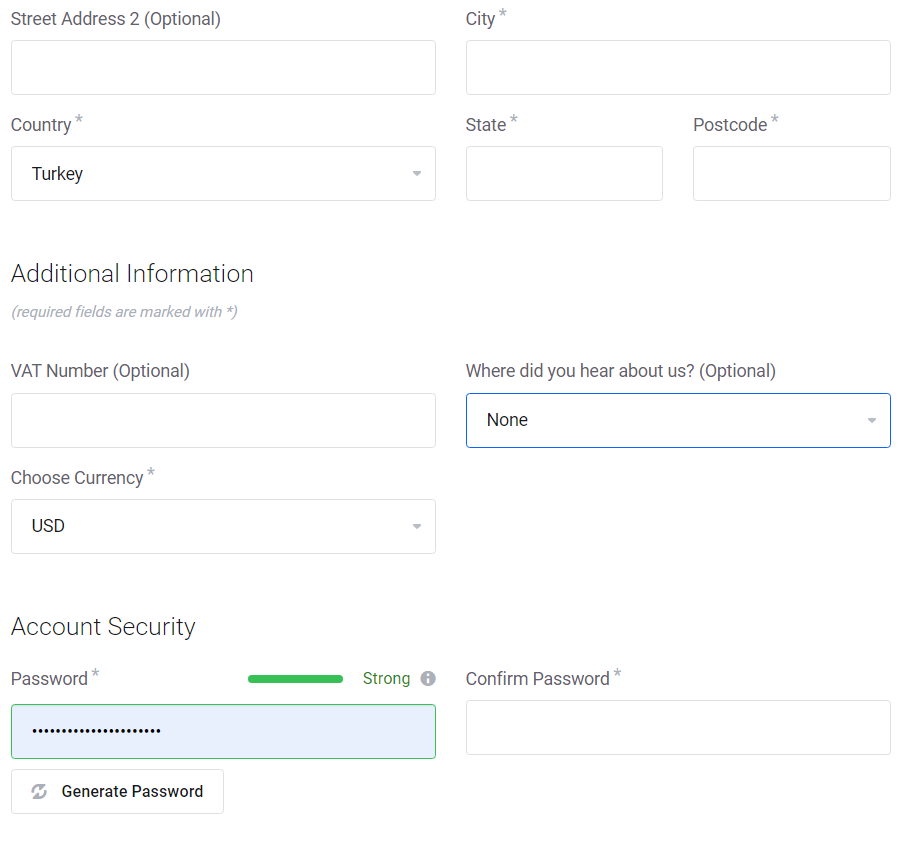
  • Make sure the password is alphanumeric with a special character symbol to make it strong and untraceable. If possible, note down the password for reference.
ultahost filling details
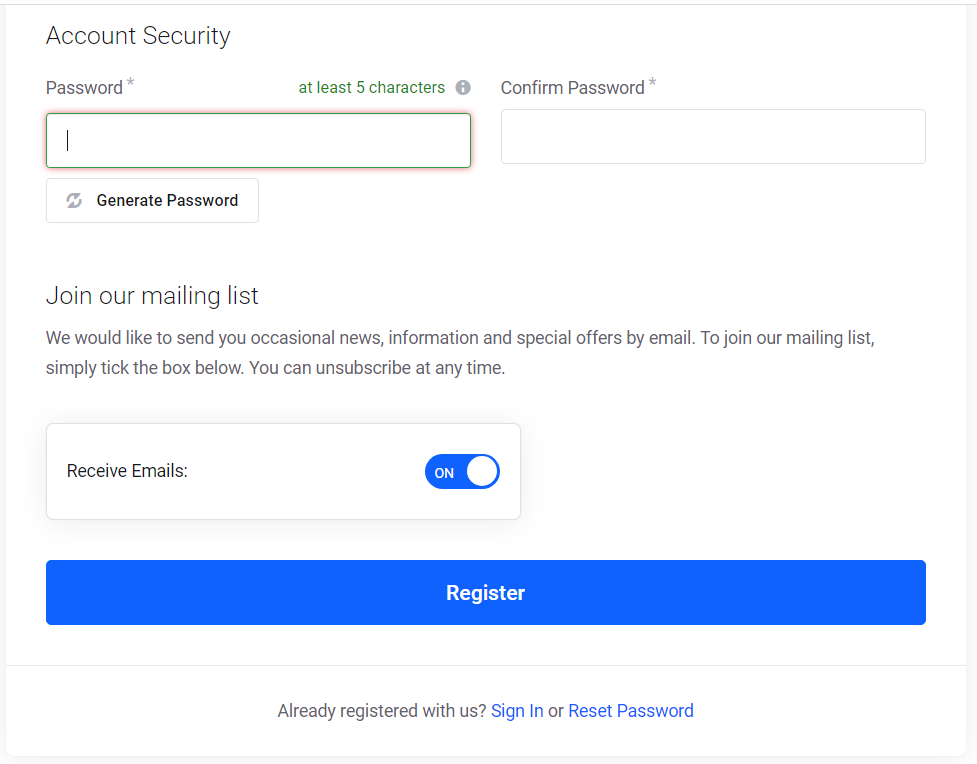
  • Since your work is almost over, you need to just click the register button to initiate the process of registration.
Ultahost Account security
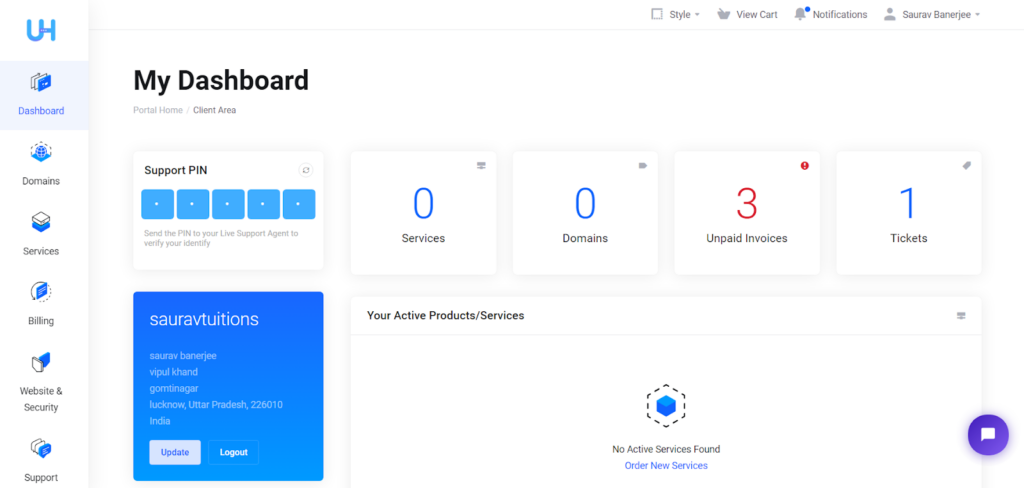
  • As you click the registration tab, your dashboard will open which will contain all the updates and activities that you perform.
Ultahost service dashboard

Now since you’ve registered your account with Ultahost, you can easily log in to your account in the client area.

So how to successfully log in to the Ultahost account? To this, here are the trouble-free ways to login to the account.

How to login UltaHost: Step by Step Guide 

If you already have an account in Ultahost or you are a new user and have newly registered an account with Ultahost, you would be keenly waiting to know the step-by-step guide to login to your account.

So here is the set of instructions you need to follow to do so.
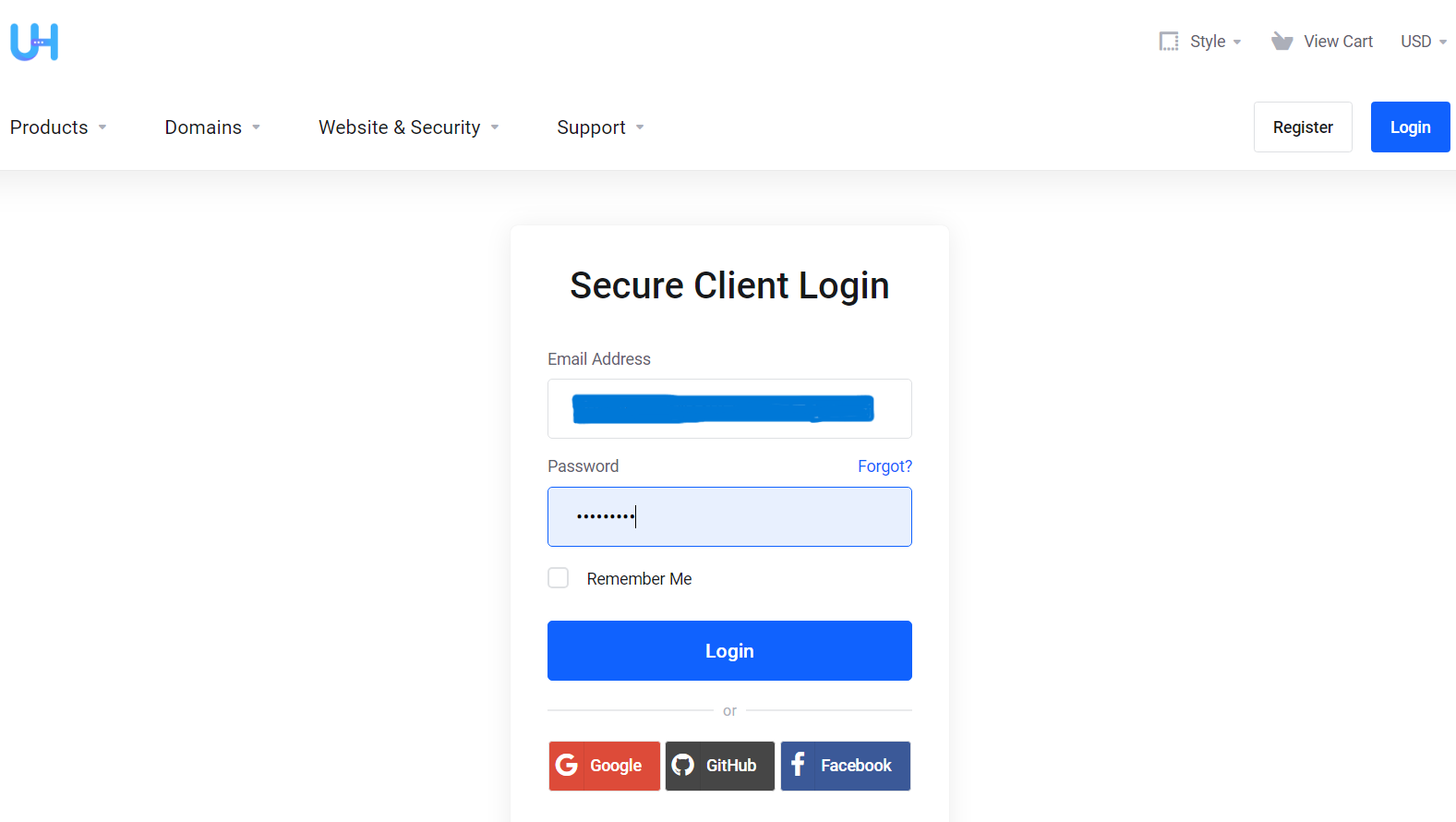
  • Go to the UltaHost Client area by clicking the client area option provided at the top right corner in the homepage of Ultahost.
  • As you reach the client area, fill in your login credentials in the box provided under the Secure Client Login option.
Ultahost login
  • After entering the login details, tap the blue login button to get access to your dashboard, where you can trace the history of all your activities and also have additional benefits as well. 

With these steps, you can easily log in to your Ultahost Account. However, at times, users happen to forget their passwords due to which logging in becomes next to impossible. so, what to do in such a situation? Well, in that case, you need to reset your password with the help of the following steps stated below. 👍

How to Reset UltaHost Login Password?

If by chance you forgot your password,  you can still be able to log in to your account by resetting the password easily. For that, you need to follow the given steps.
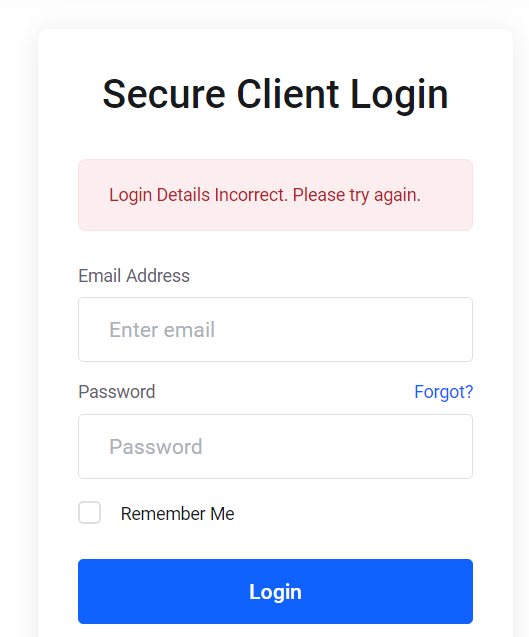
  • Go to Ultahost home page and click the client area option.
  • Click the forgot? option provided below the Secure Client Login option.
ultahost login error
  • After tapping Forgot? Option, enter your registered email address in the given box under the Lost Password Reset option.
  • As you do so, an email is sent right to your registered email address, where you can get access to the reset password option.
  • Open your Registered email address to open the reset password option.
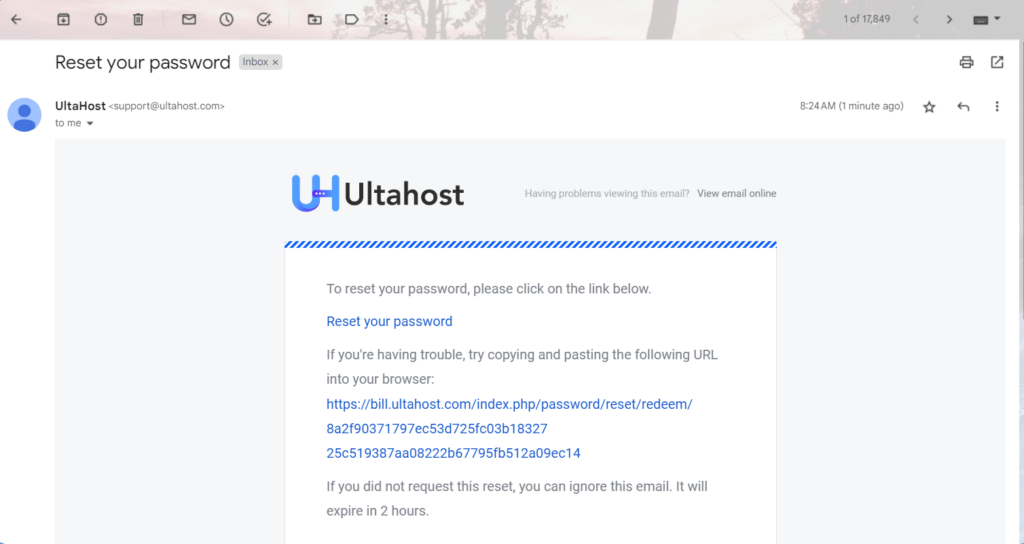
  • As you open the email you’ve received from Ultahost, click on the Reset your password option or the URL to create a new password.
Ultahost Reset your Password Mail
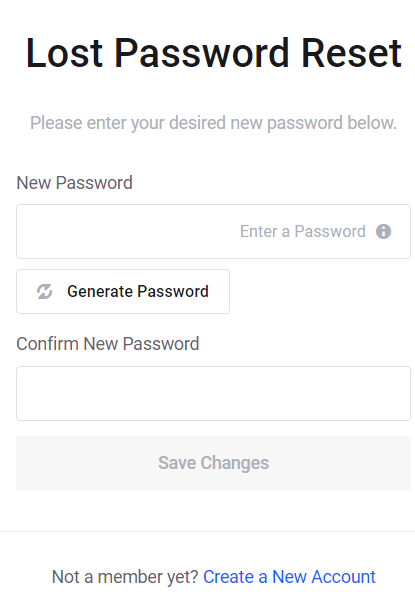
  • As you click on the URL provided in the email, then enter the desired password you want to set and enter it again to confirm the password entered.
ultahost forgot Password
  • After entering the password you want, click the save changes option to reset the password finally.

The steps are so user-friendly to reset the password in case of login failures. There is another way to get your login troubles addressed, by filling ticket support to customer care service.

How to open a support ticket on UltaHost?

So far we have discussed the steps to log in to the Ultahost account. What If you consistently suffer login troubles into your account? Therefore,  it is better to address the issue to the authorities for expert resolution.

Here are the ways in which you can submit a ticket related to the login issues.
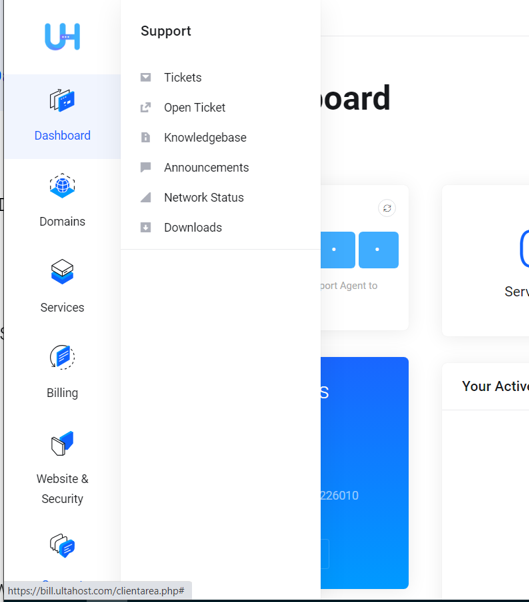
  • Go to your dashboard and tap the support button provided at the left menu bar of your dashboard.
  • As you click the support option from the menu bar, click the open ticket option to draft a new support ticket to file your complaint.
click the support option
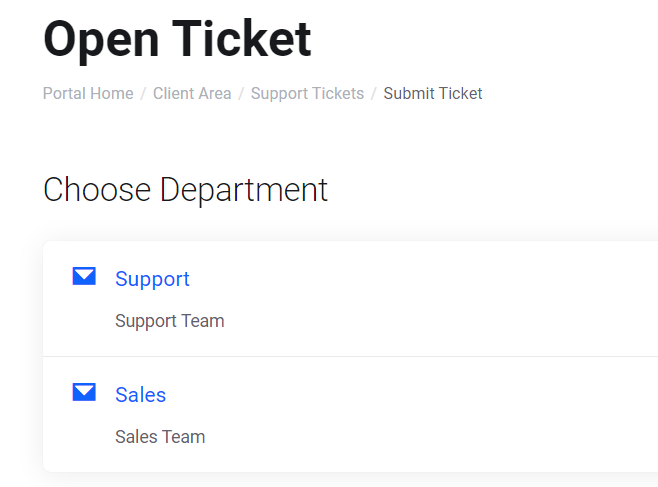
  • Choose the support team to address your logging issues.
Ultahost ticket 1
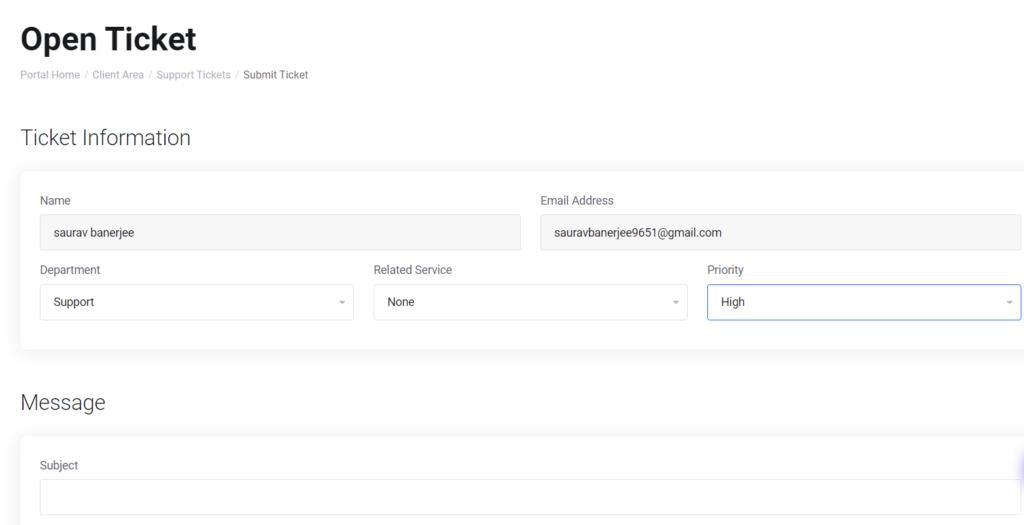
  • As soon as the open ticket displays on the page, fill in the necessary details in the boxes provided. Make sure you put the priority status high in order to get a quick reply to the ticket.
UltaHost open ticket
  • Type a detailed message to address your logging issues. One has already been done for you as a reference.
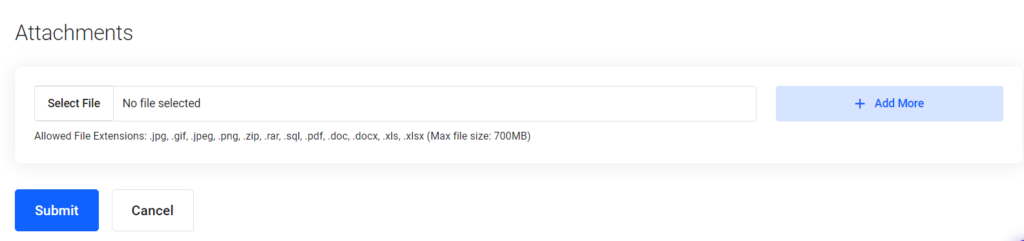
  • As you finish typing the message, you can also put the necessary screenshot showing login failure, under attachments.
  • Click the submit button as you finish with the ticket.
ultahost ticket
  • In case you are not able to log in to your account after several efforts, you can reach the Ultahost support team using the Contact Us option as well. Fill in the necessary details in the boxes before finally submitting it.

This will enable the support team to reach you via email to inform necessary steps that you will be supposed to take to initiate the login procedure. If in case you get entangled with grave troubles related to the login process you can also reach the support team via live chat, email, and voice call.

To report login complaints, reach them at info@ultahost.com

Conclusion

So through this article, we see how easy and user-friendly the login procedure in UltaHost is. We highly recommend your comments and if you want us to make some amendments, we will be extremely pleased to do the same.

Leave a Reply

Your email address will not be published. Required fields are marked *

Scroll to Top