Unlimited Hosting, Unmatched Performance
Start at $0.01 Now

Order Hosting from CrazyDomains

4 min read
Order Hosting from CrazyDomains

Crazy Domains is one of the best options when looking for web hosting packages. We have integrated all the details you might need to order hosting from the company. To understand how to get web hosting from Order Hosting From CrazyDomains, read this guide.

What is the CrazyDomains Package?

Crazy domain package is the web hosting plan that anybody can purchase from Crazy Domains. You can choose between various CrazyDomains Hosting options like web hosting, windows hosting, and WordPress hosting.

Official brand logo | Order Hosting From Crazy Domains

CrazyDomains offer three different plans in each hosting type which are economy, premium, and unlimited and you can choose the plan which is suitable to you.

How to Order Business Linux Hosting?

To Order Hosting From CrazyDomains business Linux hosting, first, you must open the website of CrazyDomains. Then select the web hosting option or just click on this Button. Then follow the steps given below.

  • Click on the unlimited option which is the plan for all businesses from the three types of plans
  • Select the number of years that you want and click on Buy Now button
  • Now, connect your domain by either using the domain you have or create a new one by clicking on the button I need a domain name
  • Then click on the Continue button
  • Now log in to your portal. If this is your first time using CrazyDomains, click the Sign-Up button.
  • After logging in, you can enter the details asked
  • Then select the payment method and make the payment to complete the order.

How Do I Buy a Web Hosting Server?

You can choose to buy Linux servers, windows servers, or custom servers from Crazy Domains. Visit the website of CrazyDomains and click on the Hosting option. Select one option from the submenu and then follow the steps given here.

  • From the three plans standard, professional and enterprise, select the one you want
  • Click on Configure button
  • You have the option of choosing a monthly or yearly plan.
  • Then select the server type like self-managed, managed, or fully managed server
  • Select the Data Centre
  • Under the configuration section, you can select the OS platform, hosting manager, and other hardware options
  • Then click on the Continue Order button
  • With the login credential sign in to your crazydomains account
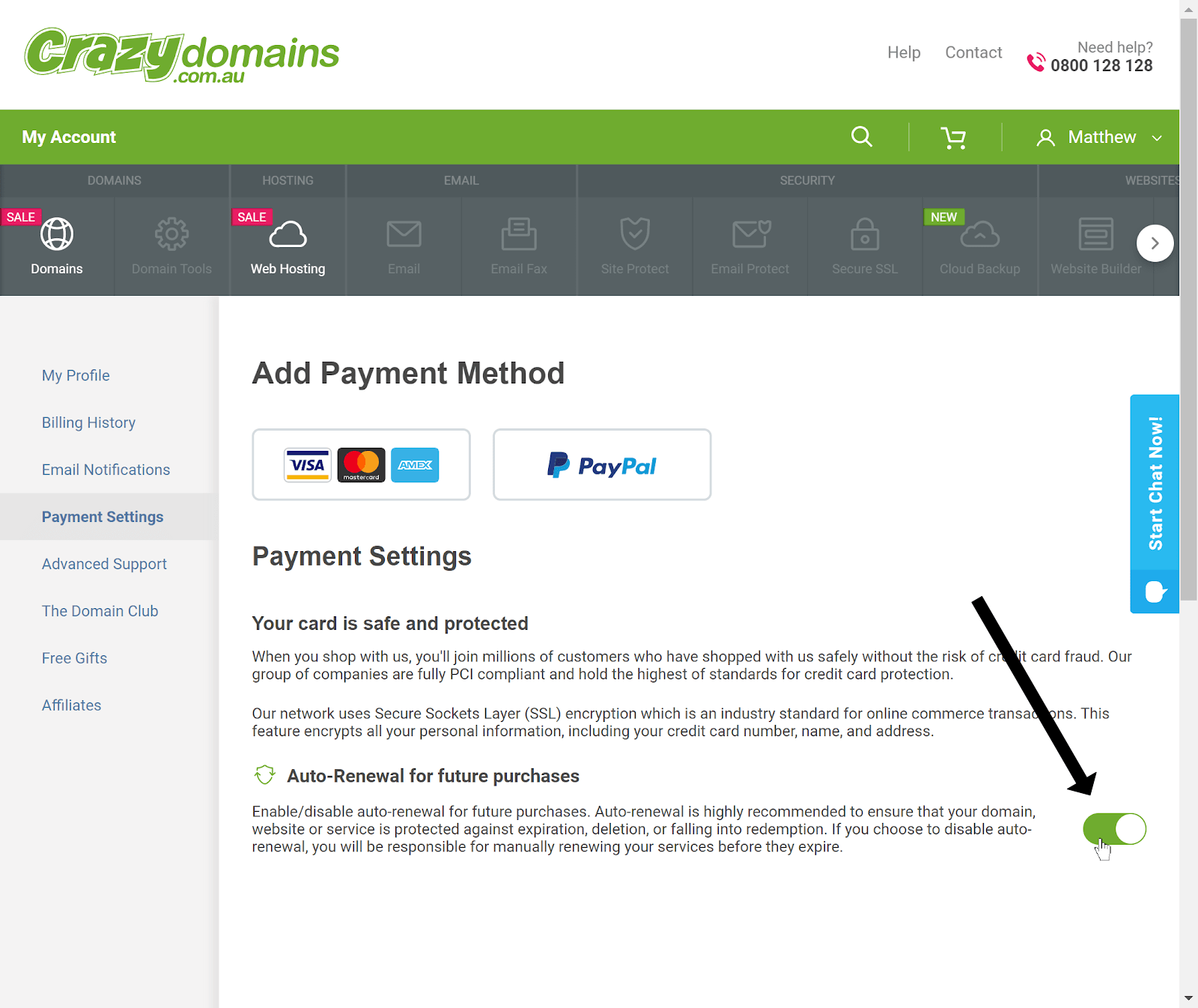
  • Add the details asked and select the payment method
  • Make the payment to complete the purchase

How to Order CrazyDomains Shared Hosting?

You can Order Hosting From CrazyDomains shared hosting by selecting the web hosting plan that you want from the options offered by crazydomains.

Then you need to purchase the web hosting package. All the hosting plans they offer come with shared servers.

How Can I View and Edit an Order in Crazy Domains?

You can view and edit an order in Crazy Domains through the account portal. By entering the credentials in Crazy Domains Login, access your account and find the option where you can see your orders.

Select the package you have ordered and you can see all the details related to it. You can edit your order here.

How To Order Fully Managed VPS in Crazy Domains?

To order fully managed VPS in the crazy domain follow the guidelines given below.
  • Open the website of Crazy Domains, Then click on the Hosting option and from the submenu select Linux or Windows server
  • From the three plans standard, professional and enterprise, select the one you want
  • Click on Configure button
  • You have the option of choosing a monthly or yearly plan.
  • Then select the server type as fully managed server
  • Select the Data Centre
  • Under the configuration section, you can select the OS platform, hosting manager, and other hardware options
  • Then click on the Continue Order button
  • With the login credential sign in to your crazy domains account
  • Add the details asked and select the payment method
Order Hosting From Crazy Domains: Add Payment Method
  • Make the payment to complete the purchase.

How to Order an Unlimited WordPress Hosting Plan?

To Order Hosting From Crazy Domains WordPress hosting plan open the website of the crazy domain and follow these steps:

  • Click on the Hosting option and select WordPress hosting from the submenu
  • Now you can select one plan from three options – economy, premium, and ultimate.
  • Click on Buy Now button
  • Select if you want to use the domain you already have or create a new domain to select a free subdomain
  • Click on the Continue button
  • Log in with your credentials
  • Add the required details asked
  • Select

FAQs – Order Hosting From Crazy Domains

Conclusion

CrazyDomains, the cheapest domain in India, can help you register a domain, construct a website, and host it. Hope this guide helped you in Order Hosting From CrazyDomains suitable hosting from CrazyDomains.
Leave a Reply

Your email address will not be published. Required fields are marked *

Scroll to Top