9 Best Transactional Email Services in 2026

Sauvik is a new customer who just registered his shopping account on an online clothing store called UrbanTrendz, a fast-growing e-store selling trendy fashion for GenZs. He’s excited to create his account so he can start shopping.
The moment he clicks “Register”, he expects a confirmation email saying his account is created. Next, when he tries to set up his password, he expects an OTP on his registered email ID. That OTP should arrive instantly. Why?
Because that’s what makes Sauvik feel his data is and is gonna be secure. When emails reach him within seconds, he feels confident that UrbanTrendz truly cares about his security.
Now imagine the opposite thing. What if that confirmation email or OTP arrives late? Or, let’s say, doesn’t even arrive at all? Sauvik starts refreshing his inbox again and again. He doubts the website. He may cancel the signup or try another store.
Late transactional emails can cause frustration, failed logins, abandoned carts, support tickets in bulk and a damaged reputation. Even a few seconds of delay can cost your business a customer.
That’s why the transactional email services are important. These services send instant, action-based emails like OTPs, order confirmations, password resets and payment notifications, exactly when users need them.
In this blog, we’ll break down their features, pricing and even mention the use cases in detail, so that you can pick what fits your business best.
What are Transactional Emails?
Transactional emails are automatic emails that are sent to users when they take a specific action. For example, when you sign up on a website and get a welcome email, receive an OTP to log in, reset your password or get an order confirmation after shopping, those are all transactional emails.
These emails are triggered instantly based on what the user does.
In simple words, we can say that transactional emails help users know what’s happening with their account or activity. They give important information at the right time, like login alerts or security codes.
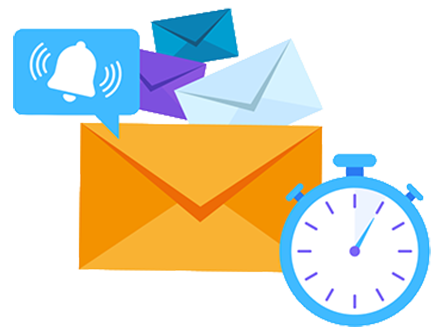
Because these emails are expected, they must reach the inbox quickly and without delay.
For startups & well-established businesses, transactional emails build trust and reliability. When your new clients receive instant and accurate emails, they feel safe using your platform. It also reduces customer support issues because users already have the information they need.
That’s why transactional emails play a important role in improving user experience.
Best Transactional Email Services in 2026
We’ve added a list of the best transactional email service providers that help businesses (of all sizes) send OTPs, order updates, password resets, alerts and other action-based emails quickly. These tools are all explained in easy words to help you choose the right one.
⏰ TL;DR:
1. Amazon SES: Overall Best Transactional Email Services
2. SendGrid: Best Transactional Email Services
3. Mailgun: Developer-Friendly Transactional Email Services
4. MailerSend: Real-Time Transactional Email Services
5. Postmark: Fast And Reliable Transactional Email Services
6. Brevo (Sendinblue): SMTP Support And Real-Time Analytics
7. Zoho: User-Friendly Transactional Email Services
8. SMTP. com: Advance Email Monitoring Services
9. Mandrill(Mailchimp Transactional): Business-Oriented Transactional Email Services
1. Amazon SES – Overall Best Transactional Email Services
Our 1st best option for you is Amazon Simple Email Service (Amazon SES). It’s a cloud-based email service that helps you send transactional emails like OTPs, password resets, order confirmations and system alerts at a large scale.
It’s built on AWS’s powerful infrastructure, which already sends hundreds of billions of emails every year for Amazon. You can send emails directly from your application using APIs or SMTP without managing your own servers.
Amazon SES offers strong deliverability tools, sender reputation monitoring and flexible IP options such as shared or dedicated.

It also provides dashboards, tracking, deliverability insights and mailbox testing to make sure your emails reach the inbox.
Key Features
- API & SMTP Email Sending: It supports both REST APIs and SMTP, giving developers full flexibility to send transactional emails from any application. You can integrate it with websites easily.
- High Deliverability: It uses AWS’s trusted email infrastructure with warmed-up IPs to improve inbox landing. It includes sender reputation dashboards and deliverability recommendations. You can track bounces and engagement metrics.
- Tracking & Analytics: Provides sender statistics. You can monitor opens, bounces, complaints and rejections through dashboards or Amazon CloudWatch. This helps you quickly fix delivery issues. Everything is under one head inside the AWS console.
- Easy Setup & Global Scalability: Setting up Amazon SES is straightforward with guided checks in the AWS console. You can verify domains, configure identities and start sending quickly. SES supports global endpoints, so emails are delivered fast worldwide.
Pro and Cons
Pros
- Strong API & SMTP Support
- Uses AWS’s trusted infrastructure
Cons
- No Built-in Email Editor
- Users must create and manage an AWS account
Best For
Amazon SES is a great option for e-commerce stores and SaaS platforms because it handles high-priority transactional emails with speed.
For e-commerce businesses, it ensures order confirmations and shipping updates are delivered instantly. Fintech apps also can use AWS email services and get strong deliverability and secure infrastructure.
Pricing
- Free Trial: Get Free Amazon SES transactional email service Free Trial for 6 months (Start with $100 in AWS credits)
- Paid Plans: Starts @ $0.1 for 1000 outbound emails (You can even Request a pricing Quote to get Custom plan)
2. SendGrid – Best Transactional Email Services
Every important email your app sends deserves to land safely in the inbox and that’s exactly where SendGrid stands out.
Specifically built for developers and fast-growing businesses, SendGrid’s transactional email service helps you send time-critical emails like account signups, password resets, receipts and alerts.
Its platform is designed to handle everything from a few emails a day to billions per month, without you worrying about deliverability or infrastructure.

With real-time analytics and a clean dashboard, you always know what’s happening behind the scenes.
Setup is quick, even if you’re not an email expert. What makes SendGrid so unique is its developer-first approach and deliverability focus.
You can send emails using REST APIs or a simple SMTP relay, supported across multiple programming languages. Best SendGrid Alternatives
Key Features
- Dynamic Email Templates: It lets you create reusable templates that can change content based on user data. You don’t need to re-deploy code every time you update an email design. Marketers and developers can work independently.
- Industry-Leading Deliverability Engine: SendGrid uses its own optimized mail transfer agent built only for inbox landing. Advanced authentication like SPF, DKIM, and DMARC is easy to configure as well.
- Real-Time Event Tracking: Every email action like – delivered, opened, clicked, bounced, is tracked instantly. You can monitor activity through webhooks or the dashboard. This feature even helps you fix issues before users complain. It’s especially useful for debugging login emails.
- Developer-Friendly API Flexibility: You can start with SMTP for simplicity or switch to APIs for more control. SendGrid supports popular languages with ready-made libraries.
Pro and Cons
Pros
- Well-documented APIs for developers.
- Real-time visibility into email performance.
- Works smoothly for startups.
Cons
- Interface can feel complex
Best For
SendGrid transactional email is a great choice for startups that want a cost-effective and reliable way to send critical emails, mobile apps that rely on login verification, OTPs and push-triggered notifications & ir is also a good option for marketplaces that need fast updates to keep users informed.
Pricing
- Free Trial: Free Plan @ $0 for 60 days (Send 100 emails per day + Free Analytics & deliverability optimization)
- Paid Plans: Starts @ $19.95 for month (Offers 50K to 100K emails per month) You can upgrade the premium plan anytime.
3. Mailgun – Developer-Friendly Transactional Email Services
Mailgun’s transactional email service helps businesses send time-critical messages exactly when users expect them. It works smoothly behind the scenes, so your teams can focus on building features instead of worrying about email failures.
This service gives you much visibility into your email activity. You get clear dashboards, deep analytics, and mailbox-provider insights to see how Gmail, Yahoo, and Outlook treat your emails.
With dedicated IPs and reputation monitoring, Mailgun actively helps protect your sender score. Setup is developer-friendly, with simple domain verification and ready-to-use templates.

The service supports powerful APIs, so it fits neatly into almost any tech stack. You can also send highly personalized emails with a single API call, even at a massive scale.
Key Features
- Advanced Deliverability: It offers dedicated IP addresses that isolate your sending reputation from others. This helps ensure your transactional emails land in inboxes, not spam folders. This is especially useful for high-volume senders.
- Powerful Email API: Supports both modern APIs and classic SMTP, giving developers flexibility in how they send emails. You can trigger emails instantly based on user actions using simple API calls.
- Deep Analytics: The platform provides detailed dashboards that show delivery status, bounces, opens, and failures. You can see how different mailbox providers handle your emails. This insight helps you quickly fix issues and is useful for optimizing performance.
- Built-in Email Validation: It includes email validation to reduce bounces and protect sender reputation. It also supports secure authentication emails and identity-related messages.
Pro and Cons
Pros
- Excellent deliverability for transactional emails
- Detailed analytics & dashboards
Cons
- Interface may feel technical for those who are non-developers background
Best For
Mailgun transactional email is best for EdTech platforms that need reliable course updates and login alerts and healthcare apps that depend on timely appointment reminders and system notifications. Its strong deliverability and security-focused features make it perfect for industries where missing an email is simply not an option.
Pricing
- Free Trial: Test the tool for Free @ $0 per month (Send 100 emails per day, 1 custom domain for sending emails + 1 day log retention)
- Paid Plans: The Basic Plan Starts @ $15 per month (10K+ emails per day, No daily limits, Get email analytics and Reporting & 1 custom domain for sending emails)
4. MailerSend – Real-Time Transactional Email Services
Instead of making you jump through technical things, MailerSend focuses on getting transactional emails live fast and keeping them reliable as your startup grows.
This platform is built for real-world business use, where speed, inbox landing, deliverability and teamwork matters the most. With strong deliverability backed by 13+ years of email expertise, MailerSend makes transactional emailing feel simple even for first-time users.
Other than sending emails, you get deep tracking, real-time logs, webhooks, and analytics to monitor every message.

Built-in integrations with tools like WordPress, WooCommerce, and Zapier make automation easy, while features like inbound email routing and role-based access turn MailerSend into a complete transactional communication hub rather than just a simple email service.
Key Features
- Developer-Friendly API with Real-Time Logs: It’s simple to use but powerful enough for advanced workflows. Developers can track every request with detailed API and SMTP logs, making debugging fast.
- Built-In Collaboration for Teams: This service is designed for teamwork. Developers handle integrations while designers manage templates and finance teams oversee billing. Custom roles and granular permissions keep access controlled and secure.
- Advanced Templates with A/B Testing: Includes drag-and-drop, rich-text and HTML builders in one place. You can personalize emails using conditions and dynamic content. Built-in A/B testing supports up to five variations, helping you optimize critical transactional emails.
- Unified Email Tracking & Analytics Dashboard: Every email event like the opens, clicks, bounces, and errors, is tracked in real time. Custom reports can be generated in a few clicks for performance insights. This gives businesses full visibility.
Pro and Cons
Pros
- Strong deliverability backed by experts
- Excellent team collaboration features
Cons
- Dedicated IP only on higher plans
Best For
This platform is best for gaming platforms that need fast account verification and reward emails & it’s also good for the logistics companies sending delivery and real-time tracking notifications. Its high deliverability and flexible API make it good for time-sensitive messages.
Pricing
- Free Trial: Get a Free Plan ($0 per month, send upto 500 emails per month + 10 email verification credits, 1 custom domain to send emails & 1-day activity data retention)
- Paid Plans: Starts @ $5.60 per month (Send upto 5K emails + 100 email verification credits & Add upto 5 users to 1 account and 1-day activity data retention)
5. Postmark – Fast & Reliable Email Transactional Services
Best known for speed and reliability, Postmark 100% focuses on transactional emails, making sure critical messages reach inboxes exactly when users expect them.
The platform is designed to eliminate delays, showing real “time-to-inbox” data so you can actually see delivery performance.
It also avoids marketing noise and keeps its infrastructure optimized only for one-to-one transactional communication. This platform also offers developer-friendly setup and transparency.
You can start sending emails quickly using a clean REST API or simple SMTP.
Postmark supports message streams to separate transactional and bulk emails, helping protect sender reputation. Its dashboard gives detailed delivery, open and bounce insights, while webhooks keep your app updated.
Key Features
- Message Streams for Email Separation: It lets you split emails into different message streams, such as transactional and broadcast. This feature prevents bulk emails from affecting critical transactional delivery.
- Real Time “Time to Inbox” Visibility: Instead of fake delivery claims, Postmark shows real delivery speed data for major inbox providers. You can see how fast emails reach Gmail, Outlook, or Yahoo. This transparency builds trust and helps teams troubleshoot delays.
- 45-Day Full Email Content History: It stores complete email content and activity logs for 45 days. This makes debugging delivery or user complaints extremely easy.
- Rebound for Smart Bounce Recovery: The Postmark’s Rebound feature helps users fix bounced emails directly from your app. It guides recipients to update incorrect email addresses. This reduces support tickets and keeps user data clean.
Pro and Cons
Pros
- Extremely fast and reliable delivery
- Clean API and simple SMTP setup
Cons
- Not designed for marketing campaigns
Best For
Postmark is an excellent choice for subscription-based services that depend on timely renewal notices and payment reminders, ensuring customers never miss an important update. It works especially well for enterprise applications where system alerts and admin notifications must arrive instantly.
Pricing
- Free Trial: Free Developer Tier (Just @ $0 per month you can send upto 100 emails per month, Only for 1 user per one account + 1 signature domain to send the emails)
- Paid Plans: Starts @ $15 per month (Best for solo Developers & Small teams, get upto 5 signature domains, add 4 users to One account and Send upto 10K emails per month)
6. Brevo (Sendinblue) – SMTP Support & Real-Time Analytics
Brevo’s transactional email service focuses on getting critical messages delivered exactly when users expect them. The platform is built for speed (mostly all of the transactional emails are built for speed) with a strong deliverability setup that keeps emails out of spam.
Personalization is simple, allowing dynamic details like names, prices and order data in every message.
In Brevo, you get mostly everything in one place. You can manage transactional emails, marketing campaigns and also track customer activity from a single portal. The setup process is fast, thanks to clear documentation, and ready-to-use code examples

Brevo also supports SMTP relay, webhooks and plugins for popular CMS platforms, making integration flexible. Real-time analytics and extended log retention help teams track and debug.
Key Features
- Inbound Email Parsing: It allows inbound email handling. Replies to transactional emails can be captured and processed automatically. This helps build two-way communication flows.
- Extended Log Retention: The platform stores detailed email logs for longer periods. This helps with compliance, audits and message history tracking. You can easily trace what was sent and when.
- Free Daily Sending with Full API Access: Offers a free plan with up to 300 emails per day. Even on the free tier, users get full API and SMTP access. This makes it good for testing and early-stage projects.
- Unified Messaging Platform: The platform Brevo, lets you manage transactional emails, SMS and WhatsApp messages from one place. This makes it easier to keep communication consistent across channels. You don’t need multiple tools or dashboards.
Pro and Cons
Pros
- Free daily transactional emails with API access
- Supports email and WhatsApp together
- Easy setup with strong CMS integrations
Cons
- UI can feel busy for first-time users
Best For
Brevo transactional email works especially well for CRM tools that need to send user activity alerts and workflow notifications in real time and also by HR software that handles interview schedules, offer letters, and employee updates, all while keeping communication reliable and easy to manage from one platform.
Pricing
- Free Trial: $0 per month Get free forever plan (Send upto 300 emails per day, For Single User only, Add upto 2000 contacts + Use AURA AI agent & Get basic reporting feature)
- Paid Plans: Starts @ $8.08 per month (Get upto 100K+ emails on a monthly basis, Only for Single User, Get a custom domain to send emails and advance reporting feature as well)
7. Zoho – User-Friendly Transactional Email Services
Next, we’ve Zoho ZeptoMail, which focuses only on one thing and that’s making sure your important transactional emails reach inboxes.
Login alerts & payment confirmations get delivered in seconds with strong inbox placement, backed by Zoho’s long experience in email infrastructure.
The account setup is simple, pricing is flexible (Highly Scalable) and there are no unnecessary features that slow you down. You can integrate it quickly with apps, websites or backend systems using ready libraries.

The dashboard gives clear visibility into delivery status, bounces, opens and clicks with detailed logs.
The Mail Agents in Zoho let you split emails by purpose or application, which is a unique way to track performance cleanly. With strong security and real-time reports, ZeptoMail keeps your email workflow controlled.
Key Features
- Mail Agents (Email Segmentation): It allows you to group emails by application, domain or use case using Mail Agents. Each Mail Agent gets its own API token. This helps you track performance separately and control access easily.
- Pure Transactional Focus: It’s built only for transactional use! This separation helps maintain a strong sender reputation and better inbox placement. Your critical emails don’t suffer because of promotional traffic.
- Detailed Email Logs & Retention: Every email sent is logged with delivery status, bounce reason, open and click data. You can quickly search logs to troubleshoot user issues. This level of transparency is helpful for support teams.
- Pay-As-You-Go Credit System: There are no monthly plans or forced upgrades. You buy credits only when needed and each credit is valid for six months. This makes costs affordable for startups and growing businesses.
Pro and Cons
Pros
- Strong dashboard with detailed logs
- Easy SMTP and API setup
Cons
- Credits valid upto 6 months of purchase
Best For
Zoho is best for social media apps that need instant login alerts and user engagement emails, and developers who depend upon API-driven workflows for automated & event-based emails. Its clean API, fast delivery and detailed logs make it good for applications where timing, reliability and transparency matter most.
Pricing
- Free Trial: Create your Zoho Account for free (Get First credit free from Zoho + Send upto 10K transactional emails before investing in for premium subscription) 1 credit = 10,000 emails
- Paid Plans: Starts @ $1.67 per credit (One credit gives you 10K transactional emails + The credits are valid only upto 6 months Only)
8. SMTP. com – Advance Monitoring Email Services
After Zoho, we’ve listed SMTP.com that offers a transactional email service designed to deliver time-critical messages with consistency.
With over 2 decades of deliverability expertise, it focuses on getting emails into inboxes, not spam, using a powerful SMTP relay.
The platform supports both SMTP and REST APIs, making it easy for developers to plug into existing systems. From account alerts to order confirmations, messages are sent instantly with strong ISP trust.
Now, along with scalable infrastructure that supports anything from thousands to billions of emails, it provides advanced monitoring, tracking and reporting through a dashboard. Integrations are straightforward with popular platforms and migrations from other providers are fully supported as well.
Users, who are from China or other Asian countries, have to use a VPN provider to access SMTP.com as it shows 403 errors when accessed from these countries. Please connect to a Californian Server to access the site.
Key Features
- SMTP Reputation Defender: This is the best feature that actively protects your sending reputation before problems happen. It automatically suppresses invalid or risky email addresses in real time. By reducing, it helps improve inbox placement over time.
- Private Cloud Instances: SMTP.com offers dedicated IPs and even fully dedicated SMTP instances for high-volume senders. This means no shared queues and complete control over sending behavior. It’s perfect for startups that want good performance and reputation stability.
- SMTP Insight Engine: The Insight Engine enriches customer data and gives deeper visibility into email engagement. It helps businesses better understand users and personalize communication.
- Enterprise-Grade Deliverability Expertise: This platform backs its technology with real human experts! Customers get access to in-house deliverability specialists, IP warming plans and migration support. This hands-on guidance is especially valuable for scaling businesses.
Pro and Cons
Pros
- Scales easily from small to high volumes
- Strong human support and migration assistance
Cons
- Advanced features are add-ons
Best For
The transactional email from this platform is best for users who depend on fast and trusted communication, such as real estate apps sending lead and inquiry notifications, food delivery apps sharing order and delivery updates, and event platforms handling registration confirmations and ticket emails.
Pricing
- Free Trial: No Free Trial (Request For Demo Trial)
- Paid Plans: Starts @ 25 per month (Get Shared IP address, email relay API, reliable expert support & detailed reporting and analytics)
9. Mandrill (Mailchimp Transactional) – Business-Oriented Transactional Email Services
Now, we have Mandrill that’s designed for businesses that send event-based emails like confirmations, alerts, and system notifications.
With globally distributed servers and high availability, emails reach inboxes in under a second on average. The service also supports multiple sending domains from one account, giving teams more control without extra cost.
The Deliverability rate of Mandrill is strengthened through automated ISP feedback loops, dedicated IP options and built-in IP warmup.
Detailed tracking and flexible dashboards help teams monitor opens, clicks, bounces, and spam complaints in real time. Setup is simple, with quick domain verification and ready-to-use templates that reduce development time.
Key Features
- Global High-Speed Infrastructure: It runs on Mailchimp’s globally distributed servers, which are built to handle billions of emails every month. This setup reduces latency and ensures fast time-to-inbox, even during traffic spikes.
- Advanced Deliverability Controls: The service automatically registers for ISP feedback loops to track spam complaints. Users can choose shared or dedicated IPs and warm them up gradually to protect sender reputation.
- Powerful API Support: It offers a flexible REST API for sending personalized, event-driven emails at scale. For simpler or older systems, SMTP support is also available without extra setup hassle. Developers can use webhooks to trigger actions based on delivery events.
- Deep Analytics & Tracking: Users can track deliveries, opens, clicks, bounces, and rejections in detail. Data can be exported or pushed into internal systems for reporting. This level of visibility helps teams quickly spot and fix issues.
Pro and Cons
Pros
- Very fast delivery with strong inbox placement
- Reliable global infrastructure with high uptime
Cons
- More developer-focused than beginner-friendly
Best For
Mandrill (Mailchimp Transactional) is best for payment gateways that need instant success or failure alerts, government portals sending secure citizen notifications and confirmations, and insurance platforms delivering policy updates or claim status messages.
Pricing
- Free Trial: New transactional email users can get up to 500 free email sends (Get a custom domain to send the emails from & Only for 1 User)
- Paid Plans: Starts @ $20 per Block till upto 20 Blocks (Get 25K emails per block & Get transactional email analytics from your dashboard)
What to Look for in a Transactional Email Service?
Let’s say Jack runs an online business and wants to send user-specific emails like order confirmations, login alerts and password resets. While searching for a solution, he discovers transactional email services. But does that mean he should pick any random one and expect great results? Absolutely not.
The right choice depends on what his business actually needs, how many emails he sends on a daily basis and how much budget he has. To avoid technical headaches, Jack first needs to understand a few key features that truly matter:
High deliverability rate
High deliverability rate means that your emails should 100% land in the user’s inbox, not the spam folder. A good email service has strong systems to make sure important emails reach users on time.
API & SMTP support
This feature helps your website or app send emails automatically. Even if you aren’t technical, these make email sending smooth. Most businesses need at least one of these to work easily with their system.
Real-time analytics & logs
This feature lets you see what happens to your emails after sending to the customer. You can check if emails were delivered, opened or failed. It helps you quickly fix problems and understand user behavior.
Template support
Templates save time by letting you re-use email designs again and again. You don’t need to design every email from scratch. This keeps your emails clean and consistent.
Scalability & volume pricing
As your business grows, the number of emails will grow too. A good transactional email service should handle small and large volumes easily. Flexible pricing helps you pay only for what you use.
Dedicated IP options
It means that your emails are sent from your own address, not shared with others. This gives you more control over email reputation. It’s especially useful when sending a high number of emails daily.
Security & compliance (DMARC, SPF, DKIM)
These security tools protect your emails from being faked or misused. They also help email providers trust your messages. Strong security keeps both your business and users safe.
Developer-friendly documentation
Clear guides make setup simple, even for beginners! Good documentation means that it saves time and reduces confusion. This helps developers start sending emails quickly without any stress at all.
How Transactional Email Services Improve Deliverability?
If you run an online business and send important emails like OTPs, order confirmations, password resets, or account verification links, the rate of email deliverability becomes an extremely important thing.
See! These user-specific emails are time-sensitive, and if they land in spam or get delayed, users get frustrated and lose trust in the business. This is where transactional email services help. They use smart systems to make sure your emails reach the inbox.
To make you understand more simply, we’ve added a few key points below to help you understand how deliverability actually works:
Dedicated IP vs. Shared IP
With a shared IP, many businesses send emails from the same address, so someone else’s bad behavior can affect you. A dedicated IP means only your business uses that sending address.
Authentication standards
Transactional email services use standards like SPF and DMARC to prove your emails are real. These tools tell email providers that the message is coming from a trusted source. When emails are verified, they don’t go to spam.
Reputation management
Email providers track how users react to your emails. Transactional email services help maintain a good reputation by sending emails in a clean way. A good reputation means higher chances of landing in the inbox.
Bounce handling
When emails fail to reach an address, they’re called bounces. Transactional email services automatically detect and stop sending bad or inactive emails. This keeps your email list healthy and improves the overall deliverability rate of your emails.
Email throttling
This feature controls how fast emails are sent. Instead of sending too many emails at once, the service sends them in a slow and steady flow (Remember!! Slow & Steady wins the Race) This looks natural to email providers and helps avoid spam.
Transactional email services are built to protect your most important messages. By using the right provider (that offers 100% deliverability rate), you can make sure your emails reach users exactly when they matter most.
Looking for full control over your campaigns? Explore our guide on Best Self-Hosted Email Marketing Tools to manage emails without third-party limits.
Why transactional emails need higher deliverability?
Transactional emails need high deliverability because:
- They’re a core part of how your business works.
These emails are sent when a user takes an action, like signing up, logging in, placing an order, resetting a password, or verifying their account.
The user is expecting that email, and without it, they simply can’t move forward (Like: they can’t Login in without an OTP). If an OTP email goes to spam or, let’s say, arrives late, the user can’t log in. If an order confirmation doesn’t arrive, the user may think the payment failed. This creates a lot of confusion.
High deliverability is also important because:
- Transactional emails are time bound. An OTP is usually valid for only a few minutes.
They’re absolutely not like marketing emails where if the email took time to reach the user’s inbox or reached spam, it wouldn’t be a problem. No, transactional emails aren’t like that.
Transactional emails like OTP, order confirmation emails can’t wait in a spam folder or can’t be delivered hours later. Email providers must recognize these emails as safe and important, which is why transactional email systems focus on inbox landing. When these emails consistently reach the inbox, users feel your platform is professional.
- From a business point of view, bad deliverability affects revenue & user retention.
Failed login emails can stop users from accessing their accounts. Missing order or payment emails can lead to support tickets, refunds, and other problems for the business. Over time, users may stop using your service altogether.
That’s why businesses need transactional emails to reach the inbox almost every single time. High deliverability ensures smooth UX and keeps your business running.
Transactional Email vs. Marketing Email
Many people who are new to email communication think transactional emails and marketing emails are the same thing because both are sent through email. But actually they aren’t.
Transactional emails are sent automatically when a user takes an action, while marketing emails are sent to promote discount offers & pitch products. To make this easier to understand, we’ve tabled the differences below so you can quickly see how both work and when to use each one.
| On What Basis? | Transactional Emails | Marketing Emails |
| What is it used for? | It’s used to deliver important information triggered by a user action | It’s used to promote products, pitch offers or announcements |
| How Quickly is it sent? | It’s sent instantly after an action like signup or purchase. | It’s sent at scheduled times or during campaigns |
| What is the email about? | The email is about OTPs, order confirmations, password resets | The email is about discounts, newsletters, and promotions |
| What is the Deliverability Rate? | The Deliverability Rate is High | The Deliverability Rate is Moderate. |
| How many emails are sent & to How many Users? | One email to One User at One Time | Same email to Multiple Users at the Same Time |
Now, When to use each type?
See! Many businesses feel confused about when to use transactional emails and when to use marketing emails.
- If you need to send emails triggered by user actions, like OTPs, account verification links, you should use transactional emails.
- On the other hand, if you want to pitch offers, announce discounts, product launches & updates with many users at once, marketing emails are the right choice.
For everyday business inboxes rather than automated mail, see our guide to the best email hosting for small business.
FAQs
What is the best transactional email service for startups in 2026?
For startups, transactional email services from SendGrid, Amazon SES, Mailgun and Postmark are the best as they’re easy to start with, affordable and reliable. Plus, these platforms even offer a free trial using which they can send upto 100 to 500 emails on a daily basis.
Which transactional email service has the highest deliverability?
Amazon SES, Postmark, and Mailgun are known for high deliverability. They focus majorly on transactional emails, which helps messages land in the inbox instead of spam. Good domain setup and clean sending practices also play a important role in deliverability.
Is Amazon SES better than SendGrid?
See! Amazon SES is actually cheaper and better for high-volume sending, while SendGrid is easier to use, offers a free trial and more beginner-friendly. SES is great if you have tech support (behind the stage), while SendGrid works well for teams that want quick setup and simple dashboards.
Can We use transactional email services for marketing?
No! Transactional email services are mainly meant for important system emails, not for promotions. Some providers allow limited marketing emails, but it’s not recommended. Mixing marketing emails with transactional emails can affect deliverability rate a lot. So please don’t choose transactional email services for marketing.
What is the cheapest transactional email API in 2026?
Amazon SES is the cheapest transactional email API in 2026, especially for large email bulk volumes. Other budget-friendly options are also available online, like Brevo (Sendinblue) and Mailgun, which offer flexible pricing for small businesses.
Do I need a dedicated IP for transactional emails?
Yes! Absolutely for sure you need a dedicated IP for transactional emails. A Dedicated IP is useful when sending a large number of emails on a daily (1 email to 1 user @ 1 time) basis and when you want full control over your sending reputation.
How many emails can I send per day?
Daily sending limits depend on the provider and your account subscription type. Some email services start with a few thousand emails per day and increase the limit over time. Paid plans usually allow much higher or even unlimited daily sending.
Are these services suitable for e-commerce?
Yes, transactional email services are perfect for e-commerce! They handle order confirmations, shipping updates, invoices, OTP’s and refund emails. Fast delivery and reliability make them important for online e-stores.
Can I send OTPs and verification emails?
Yes, you can send OTPs and verification emails! Transactional email services are absolutely great for sending OTPs, login links and verification emails. These emails are delivered quickly and securely, helping users access accounts.
How do transactional services handle bounce and spam complaints?
Transactional email services automatically track bounces and spam complaints. They suppress invalid email addresses and warn you if your sending behavior looks risky. This helps protect your domain reputation and improves future email delivery.
Conclusion
Transactional emails quietly empower your daily business operations. For example, order confirmations assure customers that their purchase was successful & OTP and password reset emails protect user accounts. These simple emails save time and build trust automatically.
Many readers, who run an online store, struggle with delayed OTP emails and are worried about emails landing in spam instead of the inbox. Using the best transactional email service provider solves these problems with features like instant delivery & SMTP support.
The biggest strength of transactional emails is that – they reach the right user at the right time, without delay.
We’ve added a list of the best transactional email services, along with their key features and pricing plans. Every provider mentioned in this blog has been 100% reviewed and compared before being listed.
Take your time and choose the one that fits with your business needs.
Comparison Table: Top Transactional Email Providers 2026
To make things even simpler, the table below compares the best transactional email providers 2026 side by side. You’ll be able to quickly check their key features and pricing, so you can easily decide which service fits your business.
| Transactional Email Providers | Deliverability | API support | Best use case | Free Trial | Pricing Scheme |
| Amazon SES | Good (If configured with DMARC) | API + SMTP Support | Low-cost & Highly Scalable | Free 6 Months Trial + $100 AWS Credit | $0.1 for 1000 Outbound emails |
| SendGrid | Strong | API + SMTP Support | Enterprise & High-volume senders | 60 Days free Trial (Send upto 100 emails per day) | $19.95 per month (100K emails per month) |
| MailGun | High (It all depends upon Configuration) | API + SMTP Support | Developers & SaaS teams | Free Forever Plan (Send 100 emails per day) | $15 per month (10K emails per day) |
| MailerSend | Strong (For moderate email volumes) | API + SMTP Support | Startups & small apps | Free 500 emails per month (Get 1 Custom domain) | $5.60 per month (Send 5K emails per month) |
| Postmark | Excellent | API + SMTP Support | User-critical transactional email | Free Forever Plan (Send 100 emails per month) | $15 per month (Send 10K emails per month + Add upto 4 users) |
| Brevo (Sendinblue) | High | API + SMTP Support | All-in-1 Marketing + Transactional | Free 300 emails per day + Add upto 2K contacts | $8.08 per month (Get 100K emails on a monthly basis) |
| Zoho | Good inbox placement | API + SMTP Support | Affordable transactional for SMBs | Free 1 credit (Get 10K emails in 1 credit) | $1.67 per credit (emails are valid upto 6 months) |
| SMTP.com | High deliverability | SMTP & REST API | High-volume email relay | Request the Team for Demo Trial | $25 per month (Get expert Support 24/7) |
| Mandrill (Mailchimp Transactional) | Good | API + SMTP Support | Mailchimp users needing transactional | Free 500 emails per month (Get a custom domain) | $20 per Block (1 Block = 25K emails) |



Table of Contents
- What are Transactional Emails?
- Best Transactional Email Services in 2026
- 1. Amazon SES - Overall Best Transactional Email Services
- 2. SendGrid - Best Transactional Email Services
- 3. Mailgun - Developer-Friendly Transactional Email Services
- 4. MailerSend - Real-Time Transactional Email Services
- 5. Postmark - Fast & Reliable Email Transactional Services
- 6. Brevo (Sendinblue) - SMTP Support & Real-Time Analytics
- 7. Zoho - User-Friendly Transactional Email Services
- 8. SMTP. com - Advance Monitoring Email Services
- 9. Mandrill (Mailchimp Transactional) - Business-Oriented Transactional Email Services
- What to Look for in a Transactional Email Service?
- How Transactional Email Services Improve Deliverability?
- Why transactional emails need higher deliverability?
- Transactional Email vs. Marketing Email
- FAQs
- Conclusion
- Comparison Table: Top Transactional Email Providers 2026