10 Best Database Monitoring Tools 2026

Think that your business website suddenly slows down, customers start complaining and you have no idea what’s the problem. You go through the code, check the server, but the real problem lies deep inside your database and by the time you realize it, BOOM! It’s already too late.
That’s exactly why you need a database monitoring tool.
A database monitoring tool acts like a 24/7 security agent for your system. It continuously tracks performance, detects errors and alerts you before small issues turn into major problems.
For Database Administrators (DBAs), these tools make it easier to monitor query performance, storage capacity, and real-time health metrics without spending hours digging through logs. Developers can also use the tools to fix bottlenecks, optimize queries and ensure their applications run smoothly.
Further, we’re gonna talk about the top 10 best database monitoring tools, exploring their key features, pricing details and what makes each one so different. To help you make a clear decision, we’ve also added a table at the end so you can easily find the best option.
So, let’s begin!
What Are Database Monitoring Tools?
Database monitoring tools help you keep an eye on the speed and efficiency of your database. It shows you important metrics like query response time, CPU and memory usage and the number of active connections.
You can see how your database is performing in real time and even get alerts when something goes wrong. These tools also provide visual dashboards, making it easy to understand what’s going on without needing to dig into technical things. They often include query analysis, bottleneck detection, error tracking and performance forecasting features.

The tools use AI to predict issues right before they happen. These are the best haddy tools for database administrators, developers, IT teams and software engineers.
10 Best Database Monitoring Tools in 2026
Now that we understand what database monitoring tools are and why they’re so important, let’s explore some of the best database monitoring tools available in 2026. Each of these tools offers unique features, from real-time analytics to AI-driven insights, helping users manage databases with ease. Some are free and open-source, while others are paid.
⏰ TL;DR:
1. New Relic – Overall Best Database Monitoring Tools
2. AppDynamics – Best Database Monitoring Tools
3. Datadog – Best Performance Database Monitoring Tools
4. SolarWinds – Simplify Complex Database Monitoring Tools
5. ManageEngine – All-in-one Database Monitoring Tools
6. Percona – Open-Source Database Monitoring Tools
7. Paessler (PRTG) – Comprehensive Database Monitoring Tools
8. Site24x7 – Unified Cloud-Based Database Monitoring Tools
9. Redgate – Smart Database Monitoring Tools for SQL
10. Nagios – Powerful Open-Source Database Monitoring Tools
1. New Relic – Overall Best Database Monitoring Tools
1st option that we believe is the best for any user is New Relic’s database performance monitoring which is designed to give you deep visibility into your database’s health, speed, and behavior, all in real time.
It helps you quickly spot slow queries, analyze execution plans, and uncover the root causes of performance bottlenecks before they affect your applications. With New Relic, you don’t need complex setup or endless configurations, it’s built for instant insights and fast results.
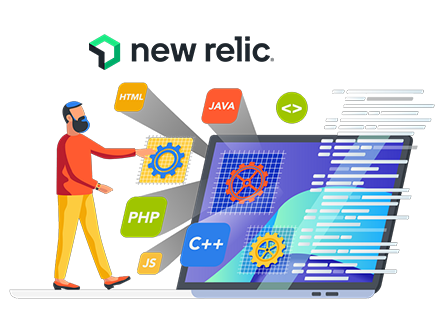
The free trial lets you explore everything the platform offers, including database integrations, query analytics, and customizable alerts for MySQL, PostgreSQL, Microsoft SQL Server, and more. You can also monitor Azure Cosmos DB, MongoDB, and DynamoDB, all while using AI-driven monitoring for smarter alerts and performance recommendations.
Key Features
- Real-Time Query Analysis: You can get a clear view of query performance, wait times and execution plans in real time. This helps teams identify exactly where bottlenecks occur and how to fix them fast.
- Automatic Dependency Mapping: New Relic automatically maps your database and application dependencies, showing how each component interacts. This makes troubleshooting seamless and gives complete context to performance issues.
- Pre-Built Dashboards & Alerts: Instantly track metrics through customizable dashboards with smart alerting systems. The platform’s pre-configured views let you start monitoring within minutes.
- On-Host Integration (OHI): Gain direct visibility into database metrics without relying on APM agents. This lightweight integration provides detailed insights while keeping your monitoring setup efficient and resource-friendly.
Pricing
| Free Plan | Paid Plan (Connect to the Staff) |
| 100 GB data ingest | Limited to 5 full platform users |
| Unlimited basic and core users | Ticketed support availability |
Pros and Cons
Pros
- Comprehensive visibility across multiple database types.
- Easy setup with minimal configuration needed.
- Powerful AI-driven alerts and anomaly detection.
- Free trial with full access to performance insights.
Cons
- Advanced features may require paid tiers for long-term use.
2. AppDynamics – Best Database Monitoring Tools
If you’re looking into a robust tool to monitor your databases, AppDynamics database monitoring is part of the broader AppDynamics platform that gives you deep visibility into database performance and the supporting server hardware.
It surfaces both database-level metrics (SQL executions, connections) and server hardware metrics (CPU, memory, disk, network) so you can see how the database and host are interacting. From a workflow perspective, you can set up health rules and alerts, so the system notifies you when performance drifts or thresholds are breached.
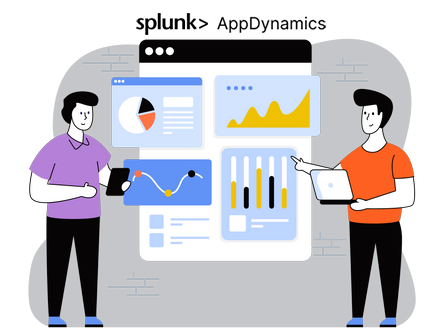
The fact that you can drill from high-level dashboards down to query-level snapshots and even examine explain plans means you can automate much of the root-cause workflow rather than manually cobbling together logs, metrics and scripts.
Key Features
- End-to-end correlation of database + hardware metrics: You’re not just getting database stats, you also get server hardware metrics such as CPU, memory, disk, and you can see how hardware issues impact database performance.
- Flow map & topology discovery for database calls: The tool automatically detects database backends used by your applications (via agents) and places them into flow maps showing database interactions.
- Deep query-level diagnostics (slowest calls, explain plans, wait states): You can drill into Slowest Database Calls, see actual SQL text, average and max times, number of calls, and even examine plans (for supported DBs).
- Dynamic baselines & health-rule alerting: Instead of static thresholds only, AppDynamics supports dynamic baselining (what’s normal for your environment) and health rules based on that. When something deviates, you get alerts.
Pricing
| Free Plan | Paid Plan |
| Yes | Connect to the Sales Team |
| 30 Days without credit card information | — |
Pros and Cons
Pros
- One unified platform for both database and underlying hardware.
- Quick setup of alerts and health rules tied to business-impact.
- Supports many database platforms and links to application-tier monitoring
Cons
- Licensing and cost can be on the higher side
3. Datadog – Best PerformanceDatabase Monitoring Tools
Now, the next best database monitoring tool is Datadog database monitoring (DBM) is a powerful observability solution designed to help developers and database administrators easily monitor, troubleshoot, and optimize database performance across large, complex environments.
It provides complete visibility into query execution & database load, helping you identify slow queries, resolve blocking issues, and optimize costly operations. You can track trends through customizable dashboards, use wait event load analysis to pinpoint performance bottlenecks, and even correlate query metrics with distributed traces for faster issue resolution.
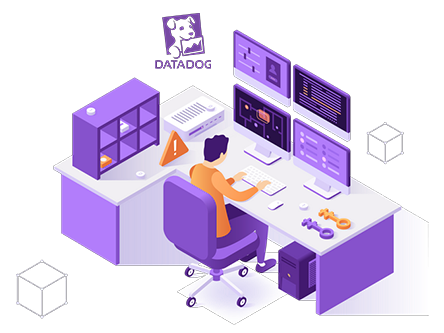
Datadog also offers a 14-day free trial of its full product suite, including Database Monitoring, so users can explore its full capabilities.
Key Features
- Unified Query and Host Visibility: Datadog unifies query performance metrics with host-level data, so you can instantly see which queries are overloading your databases and what resources they’re waiting on.
- Automated Watchdog Insights: Its AI-powered Watchdog automatically detects long-running queries, index recommendations, and blocking transactions. It saves time by surfacing root causes and optimization tips without requiring manual investigation.
- Correlated Traces and Query Metrics: Datadog correlates distributed traces from APM with database queries in real time. This end-to-end visibility helps teams quickly understand how slow queries affect application performance and user experience.
- Customizable Dashboards and SLO Tracking: Easily build dashboards that visualize database trends alongside logs, metrics, and traces. Out-of-the-box monitors and SLO tracking ensure proactive alerting and reliability across all database environments.
Pricing
| Free Plan | Paid Plan ($15 per host per month) |
| 1 Day Metric Retention | 1000+ integrations |
| Up to 5 Hosts | 15 Months Metric Retention |
Pros and Cons
Pros
- Unified observability across databases and infrastructure.
- Automated insights for faster troubleshooting and optimization.
- Supports multiple databases like PostgreSQL, MySQL, and more.
- Easy-to-use dashboards and 14-day free trial for full feature access.
Cons
- May require tuning for large-scale environments to avoid data noise.
4. SolarWinds – Simplify Complex Database Monitoring Tools
After DataDog, now we’ve SolarWinds Database Monitoring software, built to help you easily identify, analyze and fix performance issues across a wide range of databases. It delivers deep visibility into database health, queries and performance metrics, letting you quickly locate the bottlenecks and optimize workloads.
What’s good with SolarWinds DPA is that it automates the entire monitoring process, collecting data, correlating events, and providing expert tuning advice, so you spend less time troubleshooting.
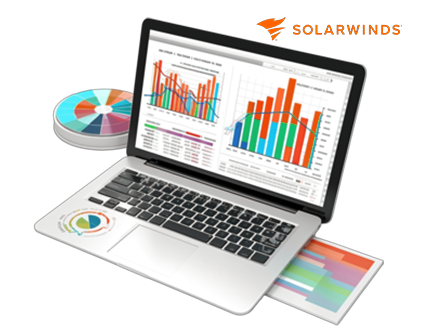
It offers fully functional free trials for its tools: SQL Sentry and Database Performance Analyzer (DPA) both come with 14-day trials, while SolarWinds Observability SaaS includes a 30-day free trial. These trials give you complete access to the full product experience monitoring, alerting, dashboards and query analysis.
Key Features
- Cross-Platform Query Performance Analysis: Monitor and tune queries across multiple database types, including SQL Server, MySQL, and PostgreSQL. The agentless architecture ensures minimal overhead while providing deep query insights for faster troubleshooting.
- Automated Performance Alerts and Recommendations: SolarWinds automatically detects anomalies and sends alerts in real time. It also provides expert tuning suggestions through query and table advisors.
- Unified Hybrid Monitoring Dashboard: You get a single, unified view across on-premises and cloud databases, containers and microservices. This hybrid visibility helps teams manage modern database environments without switching between tools.
- Scalable Monitoring for Large Environments: Proven to monitor 800+ SQL Server instances seamlessly, SolarWinds scales effortlessly as your environment grows, maintaining performance insights across your entire database fleet.
Pricing
| Free Plan | Paid Plan ($142 per month) |
| 14 days free trial | Monitor database for new issues |
| Database Performance Analyzer | diagnose and uncover root causes |
Pros and Cons
Pros
- Deep and detailed database performance insights
- Agentless design with minimal system overhead
- Intuitive dashboards and smart alerting system
- Cross-platform compatibility for hybrid and cloud databases
Cons
- Advanced features may require a learning curve for new users
5. ManageEngine – All-in-one Database Monitoring Tools
What’s so special about ManageEngine Applications Manager Database Monitoring? It’s a unified solution to give you complete visibility into your database health and performance, all from one single console.
It simplifies database monitoring by automatically detecting performance issues, pinpointing slow queries, and helping you optimize your database efficiency in real time. The tool also includes agentless monitoring, ensuring easy scalability across thousands of database instances.

It uses machine learning-based forecasting to predict future database trends and resource needs, helping teams plan capacity upgrades effortlessly. You can customize dashboards, set dynamic thresholds, and get instant alerts via email, SMS, or Slack to prevent downtime. Plus, ManageEngine offers a 30-day free trial, giving users full access to its monitoring, alerting, reporting, and forecasting capabilities.
Key Features
- Unified Multi-Database Monitoring: Monitor relational, NoSQL, in-memory and cloud databases, including Oracle, MySQL, MSSQL, PostgreSQL, and more, from a single pane of glass.
- Agentless Real-Time Monitoring: Collects data securely through JDBC and API calls, eliminating the need to install agents. This makes it lightweight, safe, and scalable for both production and test environments.
- Intelligent Alerts and Anomaly Detection: Set static or dynamic thresholds and receive alerts instantly via email, SMS, or Slack. It uses dynamic baselines to detect deviations proactively, helping reduce Mean Time to Resolution.
- AI-Powered Forecasting and Reporting: Uses machine learning to predict utilization trends and generate capacity planning reports. Create and schedule custom reports in PDF or CSV formats, and even publish them on external dashboards.
Pricing
| Free Plan | Paid Plan |
| Free Personalized Demo | Contact the Sales Team |
| — | — |
Pros and Cons
Pros
- Unified monitoring for all database types (legacy to modern)
- Agentless setup ensures easy scalability and low maintenance
- Intelligent alerts with anomaly detection reduce downtime
- Forecasting tools help plan future capacity with accuracy
Cons
- UI of the dashboard can feel slightly complex for first-time users
6. Percona – Open-source Database Monitoring Tools
Percona Monitoring and Management (PMM) is an open-source database monitoring, observability, and management tool designed to help you keep your databases running smoothly.
With real-time dashboards and built-in alerting, PMM makes it easy to spot slow queries, resolve bottlenecks, and maintain high availability effortlessly. What makes PMM good is its automation and intelligence, thanks to Percona Advisors, which provide tailored performance and configuration recommendations.

You can even schedule zero-downtime backups and restore databases quickly with Point-in-Time Recovery. PMM offers a free open-source version that includes full access to monitoring dashboards, query analytics, and alerting, giving you enterprise-level visibility at no cost. It’s a perfect starting point for DBAs and DevOps teams looking to optimize database performance without vendor lock-in.
Key Features
- Query Analytics (QAN): Quickly identify slow or resource-heavy queries across multiple databases. It helps DBAs pinpoint bottlenecks and improve query efficiency with visual insights into execution times and load patterns.
- Percona Advisors: An intelligent recommendation engine that analyzes your database setup and provides real-time guidance for performance tuning, security hardening, and configuration best practices.
- Backup & Restore with PITR: Schedule physical backups with minimal impact on performance. Point-in-Time Recovery ensures you can restore data up to any specific moment with precision.
- Customizable Dashboards & Alerting: Monitor key metrics using Grafana-powered dashboards and create custom alerts to detect anomalies before they affect end users. PMM integrates seamlessly with your existing workflows for proactive database health management.
Pricing
| Free Plan | Paid Plan |
| Open Source Monitoring tool | No Paid Plan |
| — | — |
Pros and Cons
Pros
- Open-source and completely free to use
- Supports MySQL, PostgreSQL, and MongoDB with multi-environment visibility
- Intelligent performance insights and configuration recommendations
- Powerful alerting and backup automation features
Cons
- Requires some initial setup and configuration knowledge for optimal use
7. Paessler (PRTG) – Comprehensive Database Monitoring Tools
Paessler PRTG Database Monitoring is an all-in-one, scalable observability solution that helps you keep a close watch on your databases. Built for power, PRTG lets you monitor database performance, uptime, query execution time and server health from a single intuitive dashboard.
With real-time alerts and rich visualizations, it ensures you spot issues before they cause downtime. It automates your workflow through customizable sensors and smart notifications that detect issues, restart failed services and optimize database performance without manual effort.

It comes with a free trial, giving you full access to core features, dashboards, and preconfigured sensors so you can explore how PRTG improves visibility across your database environment before making a commitment.
Key Features
- Preconfigured Database Sensors: PRTG includes over 250+ native sensor types, including dedicated sensors for Oracle SQL, MySQL, PostgreSQL, and Microsoft Azure SQL. These ready-to-use sensors collect and display critical metrics like execution time & availability.
- Real-Time Alerts and Automation: The system’s custom alerting engine instantly notifies you when thresholds are exceeded and can automatically trigger scripts to resolve common issues (like restarting failed services).
- Comprehensive Visualization Dashboards: PRTG’s dashboards transform complex metrics into easy-to-read graphs and reports. You can track CPU load, tablespace usage, and query latency in real time, enabling you to quickly detect issues.
- Unified Monitoring Across Environments: PRTG seamlessly monitors on-premises, cloud, and hybrid databases from one platform. It integrates with other IT systems like NetBrain and Plixer for full-stack observability.
Pricing
| Free Plan | Paid Plan ($179 per month) |
| Contact the Sales Team for Demo | Pre-Configured Database Sensors |
| — | Provide Red-Alerts |
Pros and Cons
Pros
- Easy setup with preconfigured sensors
- Real-time alerts and automation reduce downtime
- Unified dashboard for all major databases
- Free trial with full feature access for testing
Cons
- Dashboard’s Interface can feel confusing for beginners
8. Site24x7 – Unified Cloud-Based Database Monitoring Tools
If you’re managing databases and want everything to go well, Site24x7 database monitoring is a solid option to have. It lets you keep an eye on availability and performance across a wide range of databases, from on-premises to cloud, relational to NoSQL.
You can track deep-component health (think tablespaces, queries, locks, waits), get alerted early when things go downhill and find the root causes of degrading performance. It doesn’t just stop at monitoring, you can automate corrective actions too.
With the built-in configuration rules you define patterns, use RegEx to group / filter databases, tag them, assign user profiles, set up dependent monitors and templates, that way you reduce repetitive manual work and maintain consistency across your environment.
Key Features
- Deep Query & Insight Dashboard: With SQL server (for example) you get real-time views of slow/expensive queries, waits, locks, sessions and more, helping you zero in on performance bottlenecks and fix them.
- Unified Monitoring Across Heterogeneous Environments: It supports a wide variety of database types (Microsoft SQL Server, MySQL, MariaDB, PostgreSQL, Oracle, AWS etc) across on-premises, cloud, hybrid setups.
- Configuration Rules & Automation Templates: You’re able to define rules (using RegEx grouping/filtering) to automate tag assignment, user profiles, dependent monitors and templates. This means you can maintain consistency and reduce manual configuration overhead.
- Proactive Alerts & Remediation Workflows: The system doesn’t just monitor, it gives you root-cause level insights, alerts you when thresholds (locks, waits, query times) are breached, and supports automated remedial actions.
Pricing
| Free Plan | Paid Plan |
| 30 days free trial | Contact the Sales Team to get a Quote |
| — | — |
Pros and Cons
Pros
- One-stop dashboard for multiple database systems
- Deep drill-down into query-level performance
- Automation via rules and templates reduces manual overhead
- Free 30-day trial with no credit card means you can test risk-free
Cons
- The breadth of features means there can be a learning curve for new users
9. Redgate – Smart Database Monitoring Tools for SQL
Redgate Monitor is a future-proof, multi-platform database monitoring solution built to simplify and strengthen how you manage your entire server estate. It offers unified observability across SQL Server, PostgreSQL, Oracle, MySQL, and MongoDB.
With its intelligent alerting, instant problem diagnosis, and automation of repetitive maintenance tasks, Redgate Monitor ensures you stay ahead of performance issues, security threats, and downtime. Getting started is simple! You can try Redgate Monitor free for 14 days, giving you full access to its dashboards, alerts, and performance analytics.
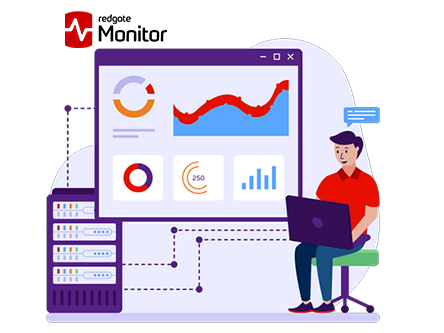
The live demo and trial let you explore its capabilities hands-on, from automated query tracking to customizable alerts and built-in guidance. Redgate Monitor adapts to your needs, helping you focus less on firefighting and more on proactive performance.
Key Features
- Global Overview: Monitor all your databases SQL Server, PostgreSQL, Oracle, MySQL, and MongoDB, from one web-based dashboard.
- Intelligent Alerting: Stay one step ahead with customizable alerts that notify you before small issues become big problems. Filter out noise and focus on what matters most, ensuring faster response times and fewer disruptions.
- Deployment & Query Impact Analysis: Redgate Monitor integrates with deployment tools like Flyway and Octopus Deploy to track the performance impact of new releases. Quickly identify problematic queries after changes and ensure stable, optimized performance.
- Security & Auditing: Gain peace of mind with built-in auditing and security monitoring features. Track sensitive actions, maintain regulatory compliance, and ensure that your databases remain secure across all platforms.
Pricing
| Free Plan | Paid Plan |
| 14 days free trial | Contact the Sales Team |
| — | — |
Pros and Cons
Pros
- Supports multi-platform database environments
- Intelligent alerting and instant problem diagnosis
- Scales easily with growing server estates
- Seamless integrations with Flyway, Octopus Deploy and ServiceNow
Cons
- Some advanced features like auditing are limited to the Enterprise edition
10. Nagios – Powerful Open-Source Database Monitoring Tools
If you’re looking to keep an eye on your infrastructure like servers, switches, applications and databases, Nagios Core is a powerful open-source monitoring engine you’ll want to consider.
From monitoring websites, DNS, routers and firewalls to tracking database health, disk usage, services and more, it gives you one unified view of your IT world. What makes it handy is its plugin-based architecture: you can add checks for many database systems (MySQL, Oracle, SQL Server, etc) via community or official plugins.
You get alerting when things go wrong, recovery notifications when things get better, and the ability to define workflows that trigger when specific conditions are met.
Key Features
- Plugin-based Monitoring Architecture: Nagios Core’s design allows you to drop in a wide variety of plugins (official and community-built) for monitoring custom services, database systems, application stacks, etc.
- Automated Event Handlers & Workflow Integration: You’re not just alerted when something fails, you can define event handlers that trigger automatic corrective actions (a script to clean up database logs, restart a hung DB instance) when a monitoring check fails.
- Comprehensive Alerting, Maintenance & Planning Tools: Nagios Core offers maintenance windows (so you don’t get alerts for scheduled work), escalation/contact-group logic, trending/capacity reports (so you know when your database system is running out of head-room).
- Scalable, Extendable Architecture with Community Ecosystem: Over one million users use Nagios; hundreds of community plugins exist; you can monitor a broad set of systems infrastructure, applications, databases, services.
Pricing
| Free Plan | Paid Plan |
| Open Source Monitoring tool | No Paid Plan |
| — | — |
Pros and Cons
Pros
- Free, open-source and fully usable.
- Vast plugin ecosystem supports monitoring.
- Strong workflow automation.
- Scalable architecture.
Cons
- Can be complex to configure and maintain.
How to Choose the Right Database Monitoring Tool?
With so many database monitoring tools out there, figuring out which one’s the right fit can be a challenge. Some tools look powerful but come with a steep learning curve, while others are simple yet lack depth.
That’s why we’ve outlined a few key factors you should always keep in mind before making your decision. These points will help you filter out the noise and find the perfect match for your system’s needs.
Ease of Setup and Use
Choose a tool that’s easy to install, configure, and navigate. If the setup takes forever or needs advanced scripting, it might slow down your workflow rather than helping it.
Performance Metrics Coverage
A good monitoring tool should track everything, from query response time to CPU usage. The more metrics it covers, the clearer picture you’ll have of your database’s health.
Scalability
As your business grows, your database grows too. Go for a tool that scales easily and can handle higher workloads without lag or data loss.
Alerting and Reporting
Look for a tool that sends real-time alerts and detailed reports. This helps your team react instantly to performance issues before they affect end users.
Integration and Compatibility
Ensure the tool integrates smoothly with your existing tech stack, be it AWS, MySQL, PostgreSQL, or MongoDB, to save time and ensure seamless monitoring.
What are the Benefits of Using a Database Monitoring Tool?
Many newbies often wonder 🤔 “Why do I even need a database monitoring tool? Can’t I just do it manually?”
Well, you can, but manual monitoring can be time-consuming, inconsistent, and error-prone. A proper database monitoring tool automates all of this, offering real-time insights, faster troubleshooting, and performance optimization that you simply can’t achieve manually.
Here are some of the biggest benefits that come with using one.
- Real-Time Performance Tracking: You get a live view of how your database is performing at any given moment, helping you detect and fix slow queries, spikes, or crashes instantly.
- Early Issue Detection: Monitoring tools send alerts before minor hiccups turn into major outages, allowing your team to act fast and prevent downtime.
- Improved Efficiency: By automating routine checks and reports, these tools free up your developers and DBAs to focus on innovation instead of constant manual monitoring.
- Data-Driven Decision Making: Detailed analytics help you understand usage patterns, optimize queries, and make informed decisions that improve both speed and reliability.
- Enhanced Security and Compliance: Many tools come with audit trails and security monitoring, ensuring your database stays compliant and protected from unauthorized access or breaches.
What’s the difference between application and database monitoring?
A lot of people get confused when it comes to distinguishing between application monitoring and database monitoring, and honestly, it’s easy to mix them up.
Both play important roles in keeping your system healthy, but they focus on different parts of your technology stack. To clear things up, here’s a simple table that shows exactly how the two differ:
| On What Basis? | Application Monitoring | Database Monitoring |
| Focus Area | Tracks the performance of the application and User interaction | Focuses on the backend database performance and query execution |
| Key Metrics | API response time, user load time, crash rates and more | Query latency, CPU usage I/O operations and cache hits |
| AIM | Ensures smooth user experience and application uptime | Ensures fast, stable and reliable data access |
| Tools Used | New Relic, AppDynamics, Dynatrace | DataDog, SolarWinds, Percona |
| Best For WHO? | Developers and DevOps team | Database Admin and backend engineers |
FAQs
What metrics should I monitor in a database?
When you monitor a database, you should keep an eye on things like CPU usage, memory, disk space, and query performance. These tell you how healthy and fast your database is. You should also track slow queries, number of active connections, and how long it takes for queries to run.
Can We use Prometheus for MySQL?
Yes, you can! Prometheus works great with MySQL. You can use a MySQL exporter (a small tool) to collect data from your database and send it to Prometheus. Once connected, Prometheus can track things like query speed, memory use, and connection count.
Are paid tools worth it for small businesses?
Yes! Paid tools come with extra features like alerts, AI-based issue detection, and customer support. If your business depends heavily on your database or you don’t have a technical team to manage things manually, a paid tool might be worth the investment.
Which tools support multiple databases?
Many modern tools support more than one type of database. For example, tools like Datadog, SolarWinds, and Percona can monitor MySQL, PostgreSQL, MongoDB, and even cloud databases together. This is helpful if you’re using different databases for different parts of your system.
Is Grafana enough for database performance tracking?
Yes! Grafana is great for visualizing data and creating dashboards, but it doesn’t collect database metrics on its own. You need to use it with another tool like Prometheus that gathers the actual data.
How do I monitor database queries in real-time?
To monitor queries in real-time, you can use tools that show live query activity, like Percona Monitoring, SolarWinds, or even MySQL’s built-in slow query log. These tools help you see which queries are running, how long they take, and if any are slowing down your database.
Do these tools support cloud databases like AWS or Azure?
Yes, most modern monitoring tools support cloud databases such as Amazon, Azure SQL Database and Google Cloud SQL. You can connect them easily using APIs or built-in plugins. This lets you monitor performance, uptime and costs just like you would for a local database.
How often should I check my database metrics?
Ideally, you should monitor your database all the time 24/7. But don’t worry! Most tools do this automatically. If you’re checking manually, reviewing metrics once or twice a day is good for smaller systems.
Conclusion: Which Tool Should You Choose?
As we’ve seen throughout this article, a database monitoring tool is a must-have for maintaining performance and keeping your systems running smoothly.
In this blog, we’ve explored the top 10 database monitoring tools, discussed their key features and pricing in simple terms and provided a detailed comparison table to help you make the right choice.
But if you’re still unsure which tool to go for, we highly recommend Datadog. Why?
Because it’s beginner-friendly yet powerful, offering real-time performance monitoring, customizable dashboards, and automated alerts that work seamlessly across different database environments like SQL, NoSQL and cloud-based systems.
So, don’t wait for your database to fail before you act. Start monitoring today and give your systems the care and visibility they truly deserve.
Comparison Table: Paid vs Free Database Monitoring Tools
Running short on time? Don’t worry! Instead of scrolling through endless reviews and confusing things, we’ve put together a simple, easy-to-scan table that lists the top free and paid database monitoring tools all in one place.
This quick table helps you spot the right tool at a glance, so you can make the best choice without wasting hours comparing features.
Also read: Free postgresql hosting
Also read: Couchdb hosting
| Tools | Supported Databases | Ideal User Type | Ease of Use | Paid vs Free | Pricing |
| New Relic | web apps, infrastructure, many DBs via agents | Startups | Relatively easy to get started. | Paid & Free | Connect to the Sales Team |
| AppDynamics | applications + underlying infra + many DBs | Large enterprises | Steeper learning curve. | Paid & Free | Connect to the Sales Team |
| DataDog | Infrastructure, logs, apps, many DBs/integrations | Cloud-native, mid-large organisations | Good usability, especially in cloud setups; some complexity. | Paid & Free | $15 per month |
| SolarWinds (DPA) | Databases (SQL Server, Oracle, MySQL etc) | Enterprises especially on-premises DB environments | Moderate; more traditional monitoring tool. | Free & Paid | $142 per month |
| ManageEngine App Manager | Applications + DBs + servers | SMEs up to enterprise | Relatively approachable for SMEs; | Free & Paid | Talk to the Sales Team |
| Percona Monitoring (PMM) | MySQL, PostgreSQL, MongoDB, MariaDB | DBAs / teams focused on open-source databases | Good for DB specialists; less plug-and-play for full stack | Open Source Tool | No Pricing |
| PRTG Network Monitor | Network devices primarily; can monitor servers/DBs | SMBs / network teams | easy for network monitoring; sensor-based model | Free and Paid | $179 per month |
| Site24x7 Infrastructure | Cloud-infrastructure, servers, applications, databases (via plugins) | Cloud / hybrid small-medium | Cloud-native UI; easier for distributed teams | Free and Paid | Talk to the Sales Team |
| Redgate SQL Monitor | SQL Server estates (and multi-platform monitoring via Redgate tools) | DBAs managing SQL Server infrastructures | Good for DB specialists; focused scope | Free and Paid | Talk to the Sales Team |
| Nagios Core | Servers, network, services (via plugins) | Operations teams preferring open-source | Requires configuration less than some SaaS tools | Open Source Tool | No Pricing |



Table of Contents
- What Are Database Monitoring Tools?
- 10 Best Database Monitoring Tools in 2026
- 1. New Relic - Overall Best Database Monitoring Tools
- 2. AppDynamics - Best Database Monitoring Tools
- 3. Datadog - Best PerformanceDatabase Monitoring Tools
- 4. SolarWinds - Simplify Complex Database Monitoring Tools
- 5. ManageEngine - All-in-one Database Monitoring Tools
- 6. Percona - Open-source Database Monitoring Tools
- 7. Paessler (PRTG) – Comprehensive Database Monitoring Tools
- 8. Site24x7 - Unified Cloud-Based Database Monitoring Tools
- 9. Redgate - Smart Database Monitoring Tools for SQL
- 10. Nagios - Powerful Open-Source Database Monitoring Tools
- How to Choose the Right Database Monitoring Tool?
- What are the Benefits of Using a Database Monitoring Tool?
- What’s the difference between application and database monitoring?
- FAQs
- Conclusion: Which Tool Should You Choose?
- Comparison Table: Paid vs Free Database Monitoring Tools