FluentCRM Review- Is #1 Marketing Automation For WordPress

We have been running an online business for the last five to six years, and one thing we have realized is that effective customer management can make or break your growth. Spreadsheets stop working after 500 contacts. SaaS tools like Mailchimp and ActiveCampaign charge per subscriber, and the bills pile up fast once you cross 5,000 contacts.
That is exactly why we started looking for a self-hosted CRM solution that runs directly inside WordPress. Our search ended at FluentCRM, and after using it for over a year across multiple client projects, we are ready to share our honest FluentCRM review covering pricing, features, automation, and whether it is worth your money.
FluentCRM
Pros
- Self-hosted. You own all your contact data.
- Unlimited contacts and unlimited emails on every plan.
- One-time annual fee instead of per-subscriber pricing.
- Visual automation builder with triggers, delays, and conditions.
- 30+ integrations including WooCommerce, LearnDash, and BuddyBoss.
- Built-in email sequencing and campaign management.
Cons
- No free version for email marketing features.
- Requires a separate SMTP plugin for reliable email delivery.
- Email template designs are basic compared to Mailchimp.
- Advanced reporting only available in the Pro bundle.
Summary
FluentCRM is a self-hosted WordPress CRM and email marketing plugin that lets you manage unlimited contacts and send unlimited emails without per-subscriber pricing. It runs entirely inside your WordPress dashboard, meaning you own all your data. The automation builder is solid for drip sequences and tagging workflows. Best suited for bloggers, small businesses, and WordPress-based membership sites that want to ditch expensive SaaS email tools.
Price: USD 129 /year
Try FluentCRMAbout FluentCRM
| Starting Cost: | $129 annually |
| Subscribers: | Unlimited |
| Support: | 24/7 customer support |
| Payment Method | Visa, MasterCard, PayPal |
| Refund Policy | 14-day refund policy |
| Self-Hosted | Yes, runs inside WordPress |
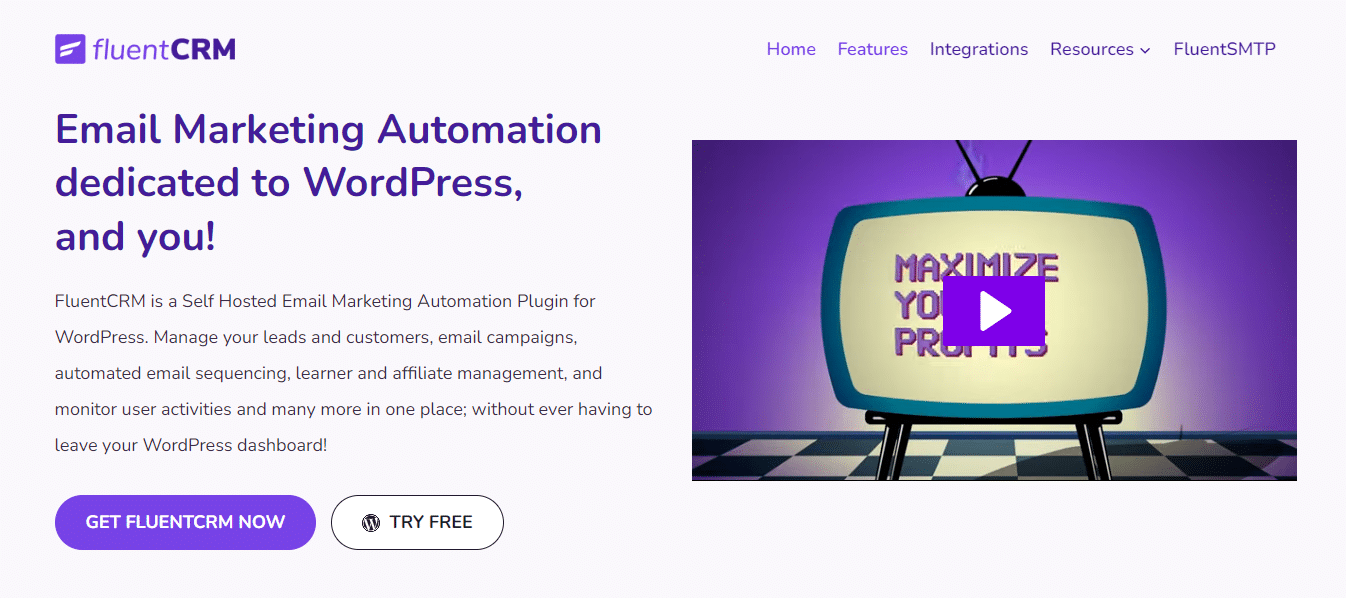
FluentCRM is an intelligent user management plugin for WordPress that helps you effectively maintain your users and strengthen your relationship with them. Unlike SaaS platforms like Mailchimp or ConvertKit, FluentCRM stores all contact data directly in your WordPress database. That means no monthly per-subscriber fees and complete ownership of your data.
It also offers smart email automation features, which you can use to schedule thousands of emails with just a few clicks. But the real advantage of FluentCRM is that everything lives in one organized dashboard inside WordPress, making it easy to manage and maintain your marketing campaigns without jumping between platforms.
FluentCRM offers both CRM and email marketing features. In this review, we focus primarily on its digital marketing and email automation capabilities, which is where it competes with tools like Mailchimp and ActiveCampaign.
FluentCRM Pricing and Plans
FluentCRM offers three different plans based on how many sites you need to use it on. All plans include unlimited contacts and unlimited emails, which is the biggest differentiator from SaaS competitors where costs scale with your subscriber count.
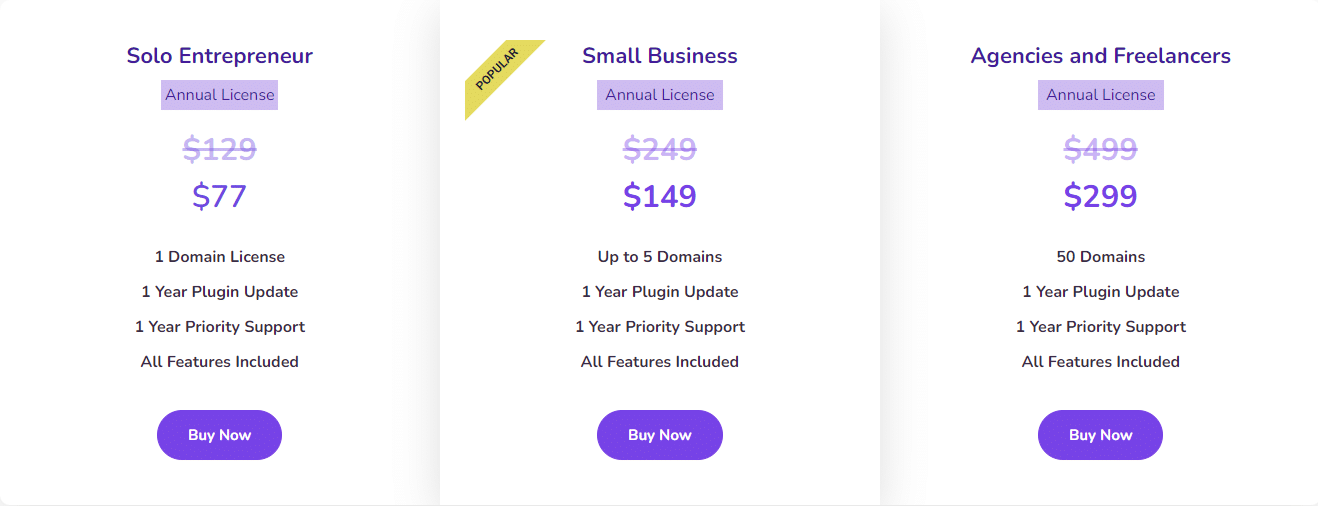
The Single Site License starts at $129/year, which covers one WordPress installation. If you manage multiple sites, the 5 Sites License costs $199/year and the 50 Sites License is $499/year. For context, Mailchimp charges $20/month just for 500 contacts on their Standard plan. With FluentCRM, you pay once per year regardless of how many contacts you have.
We recommend the single-site plan if you are looking for an affordable option that still includes all core features. If you run a web hosting business or agency with multiple WordPress sites, the 50 Sites License makes more economic sense.
Easy to Use Interface
When we first installed FluentCRM, the one thing that instantly grabbed our attention was its clean, user-friendly interface. Everything is well-labeled, making the navigation to its services, features, and settings very smooth. The dashboard gives you an immediate overview of your contacts, recent campaigns, and automation performance.
The plugin adds a dedicated menu in your WordPress admin sidebar with sections for Contacts, Campaigns, Email Sequences, Automations, and Reports. You do not need to leave your WordPress dashboard for anything. If you have ever used WooCommerce or LearnDash, the navigation style will feel familiar.
After landing on its home page, you can click on “Get FluentCRM” or “Try Free” to get started. The free version gives you basic CRM features, but email marketing and automation require the paid license.
FluentCRM Automations
Email marketing automation is the process through which you set up a workflow to send automatic emails to your users or customers. It becomes indispensable when you have a large user base and cannot afford to send emails to every individual manually.
FluentCRM includes a visual automation builder where you can create trigger-based workflows. For example, you can automatically tag a user who purchases a WooCommerce product, add them to a specific email sequence, wait 3 days, then send a follow-up campaign. The builder supports conditions, delays, goals, and branching logic.
An email automation workflow looks something like this:

The automations integrate with popular WordPress plugins like WooCommerce, LearnDash, LifterLMS, MemberPress, and Easy Digital Downloads. If someone enrolls in a course, completes a purchase, or fills a form, FluentCRM can react to that event automatically.
FluentCRM Support
FluentCRM has a dedicated team of experts that works 24/7 to help you and provide precise solutions to your problems. In our experience, response times on live chat are usually under 30 minutes during business hours.
You can connect to their customer support via:
- Live chat
- Support ticket
In addition, they have an extensive knowledge base and documentation portal that covers everything from initial setup to advanced automation workflows. For WordPress-specific troubleshooting, their support team understands the ecosystem well since FluentCRM is built exclusively for WordPress.
FluentCRM Key Features
Here we will discuss some of FluentCRM’s key features that make it stand out from SaaS email marketing alternatives.
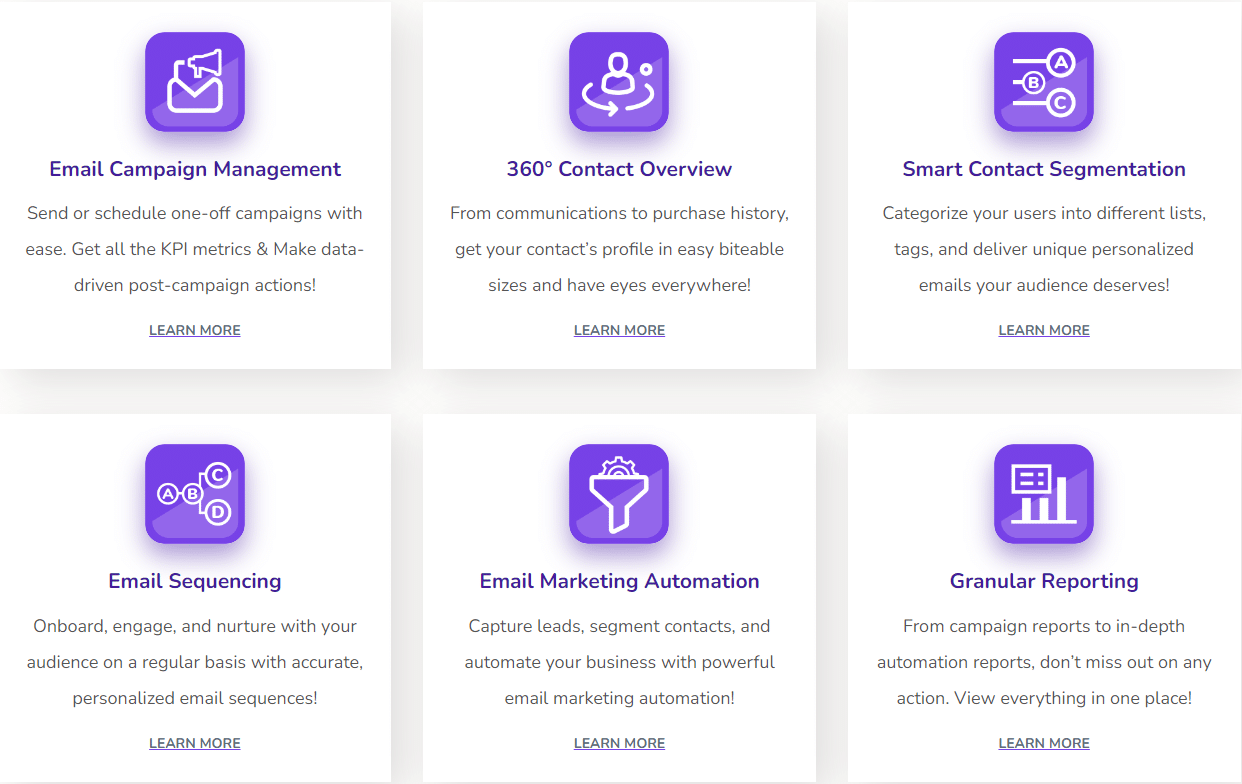
- Email Sequencing: Queue multiple emails to send automatically at scheduled intervals. Set up a 5-email welcome series that drips over two weeks without any manual work.
- Easy Integration: FluentCRM offers 30+ integrations with WooCommerce, LearnDash, BuddyBoss, Elementor Forms, WPForms, and more.
- Email Marketing Automation: Create automatic workflows to send bulk emails in just a few clicks based on user actions.
- Smart Segmentation: Create different categories or lists of your subscribers to send targeted emails based on tags, lists, purchase history, or custom fields.
- Email Campaign Management: Manage campaigns from a single dashboard with open rates, click rates, and unsubscribe tracking.
- Insightful Reports: Get complete information regarding your campaign effectiveness, including per-email analytics and contact activity timelines.
FluentCRM Pros and Cons
After using FluentCRM for over a year, here is an honest breakdown of what works well and what could be better.
Pros
- Self-hosted: all contact data stays in your WordPress database
- Unlimited contacts and unlimited emails on every plan
- One annual fee instead of per-subscriber pricing
- Visual automation builder with triggers, delays, and conditions
- 30+ native integrations with WordPress plugins
- Fast and lightweight, does not slow down your site
Cons
- No free version for email marketing features
- Requires separate SMTP plugin (like FluentSMTP) for reliable delivery
- Email template designs are basic compared to Mailchimp
- Advanced reporting only in the Pro bundle
Who Should Use FluentCRM?
FluentCRM is best suited for WordPress site owners who want to stop paying per-subscriber fees to SaaS email marketing platforms. If you run a blog with a growing email list, a WooCommerce store, or an online course platform built on LearnDash or LifterLMS, FluentCRM integrates natively and saves significant money over time.
It is not the best choice if you need advanced email design capabilities, built-in landing page builders, or if your website is not on WordPress. For non-WordPress sites, tools like ConvertKit or Mailchimp remain better options.
FAQs – FluentCRM Review
Is FluentCRM good?
Yes, FluentCRM is an excellent option if you are running a WordPress website. It is specifically designed for WordPress and integrates natively with WooCommerce, LearnDash, and 30+ other plugins. The biggest advantage is unlimited contacts and emails for a flat annual fee.
How many emails can you send with FluentCRM?
With FluentCRM, you can send as many emails as you want without any restriction. There are no per-email or per-subscriber limits. The actual sending speed depends on your SMTP provider. With a service like Amazon SES, you can send thousands of emails per hour at very low cost.
How many subscribers can you have on FluentCRM?
FluentCRM supports unlimited subscribers on every plan. Whether you have 100 contacts or 100,000, the annual license fee stays the same. Your only limitation is your server resources and SMTP sending limits.
Why use FluentCRM over other email marketing solutions?
The main reason is cost savings. SaaS platforms like Mailchimp charge $350/month for 50,000 contacts. FluentCRM costs $129/year regardless of contact count. You also get full data ownership since everything is stored in your WordPress database, not on a third-party server.
Does FluentCRM require an SMTP plugin?
Yes, FluentCRM requires a separate SMTP solution for reliable email delivery. The team behind FluentCRM also offers FluentSMTP, a free WordPress SMTP plugin that connects to Amazon SES, SendGrid, Mailgun, and other providers. Without SMTP, emails will be sent via your server’s default PHP mail function, which often results in poor deliverability.
Is there a free version of FluentCRM?
FluentCRM offers a free version on WordPress.org that includes basic CRM features like contact management and activity tracking. However, email marketing, automation, and email sequencing require the paid Pro version starting at $129/year.
All plans include a 14-day refund policy. Try it risk-free on your WordPress site.
Final Words – FluentCRM Review
If you are running a WordPress website and have a growing audience, FluentCRM is one of the most cost-effective ways to manage your email marketing. The self-hosted approach means no per-subscriber fees, full data ownership, and native WordPress integration that SaaS tools cannot match.
The automation builder handles most common workflows well, and the 30+ integrations cover the majority of popular WordPress plugins. Where it falls short is email template design and the need for a separate SMTP plugin, but those are acceptable tradeoffs for the price.
For bloggers, course creators, and small WooCommerce stores, FluentCRM is worth every penny. For enterprise e-commerce with complex segmentation needs, you may still want a dedicated SaaS platform.


// Related Articles