Fix WordPress Multisite Slowdown with CPU-Optimized Hosting

Managing multiple WordPress sites under one dashboard sounds like a dream, right? That’s exactly what WordPress Multisite offers, a powerful setup to handle everything from client websites to regional branches, all from one place.
But if your network has started to feel sluggish, pages loading slowly, frequent timeouts, or frustrated users you’re not alone. Performance issues are a common headache for growing WordPress Multisite networks. The good news? It’s usually not your fault, it’s your hosting. And more specifically, your CPU resources.
In this post, we’re gonna talk about what’s causing the slowdown and how switching to CPU-optimized hosting can bring your network back up to speed.
This guide breaks down exactly why your WordPress Multisite slow performance keeps happening, and how CPU-optimized hosting fixes it for good.
Overview of WordPress Multisite
Imagine managing dozens (or even hundreds) of websites, all from a single WordPress dashboard. That’s exactly what WordPress Multisite allows you to do.
If you’re a web agency having multiple client projects, a university taking care of department sites, or a brand running multiple language versions, Multisite makes it quick and scalable.
Here’s why people love it:
✅ Centralized Control: Manage themes, plugins, and updates across all sites from one place. No more jumping between dashboards.
✅ Massive Time-Saver: Install once, deploy everywhere. Perfect for teams and agencies.
✅ Lightweight Setup: All sites share the same WordPress core meaning fewer files, easier backups, and less maintenance.
✅ Custom Domains/Subdomains: Create subsites using subdirectories (yourdomain.com/site1) or unique domains (site2.com) you’re in control.
But here’s the catch: as your network grows, so does the demand on your server’s CPU. Without the right hosting, the dream setup can quickly turn into a slow, frustrating mess.
Up next: why your growing network might be dragging, and how the right kind of hosting can save the day.
The Performance Problem You Can’t Ignore
If your WordPress Multisite setup is starting to feel sluggish you’re not alone. Maybe your dashboard takes longer to load, plugins feel heavier, or visitors are seeing spinning loaders more than your content. This kind of slowdown doesn’t just frustrate users, it affects your SEO, conversions, and overall brand credibility.
So, what’s causing the lag? Here’s the honest truth:
- Your CPU Is Working Overtime: Every subsite in your Multisite network adds to the server’s workload. It’s like having a dozen apps open on an old phone eventually, things start lagging. When you’re on standard shared hosting or even a basic VPS, the CPU just can’t keep up with all the behind-the-scenes tasks happening at once.
- Plugins Multiply the Load: Plugins are amazing, but in a Multisite setup, they can become a real resource hog. That SEO plugin you love? It’s running across every site. That page builder? Active everywhere. Suddenly, your server’s CPU is juggling the same heavy plugins across multiple sites, and performance takes a hit.
- One Big Database = One Big Problem: All your subsites share a single WordPress database. And while that makes things easier to manage, it also means that database can get bloated fast. Every new user, post, comment, and plugin adds more entries. The result? Slower queries, delayed responses, and longer load times.
- Caching Isn’t Pulling Its Weight: Proper caching can make your site fly. But with Multisite, caching gets a bit trickier. If it’s not properly configured for each subsite, your server ends up doing more work than it should building pages from scratch instead of serving them instantly. That extra load goes straight to the CPU.
Understanding WordPress Multisite Architecture
At its core, WordPress Multisite is a clever feature that lets you run multiple websites or “subsites” from a single WordPress installation.
That means you only install WordPress once, and from there, you can spin up as many subsites as you need, all connected under one main dashboard.
It’s a powerful setup for anyone managing a network of related sites: schools, digital agencies, franchise businesses, blogging networks you name it.
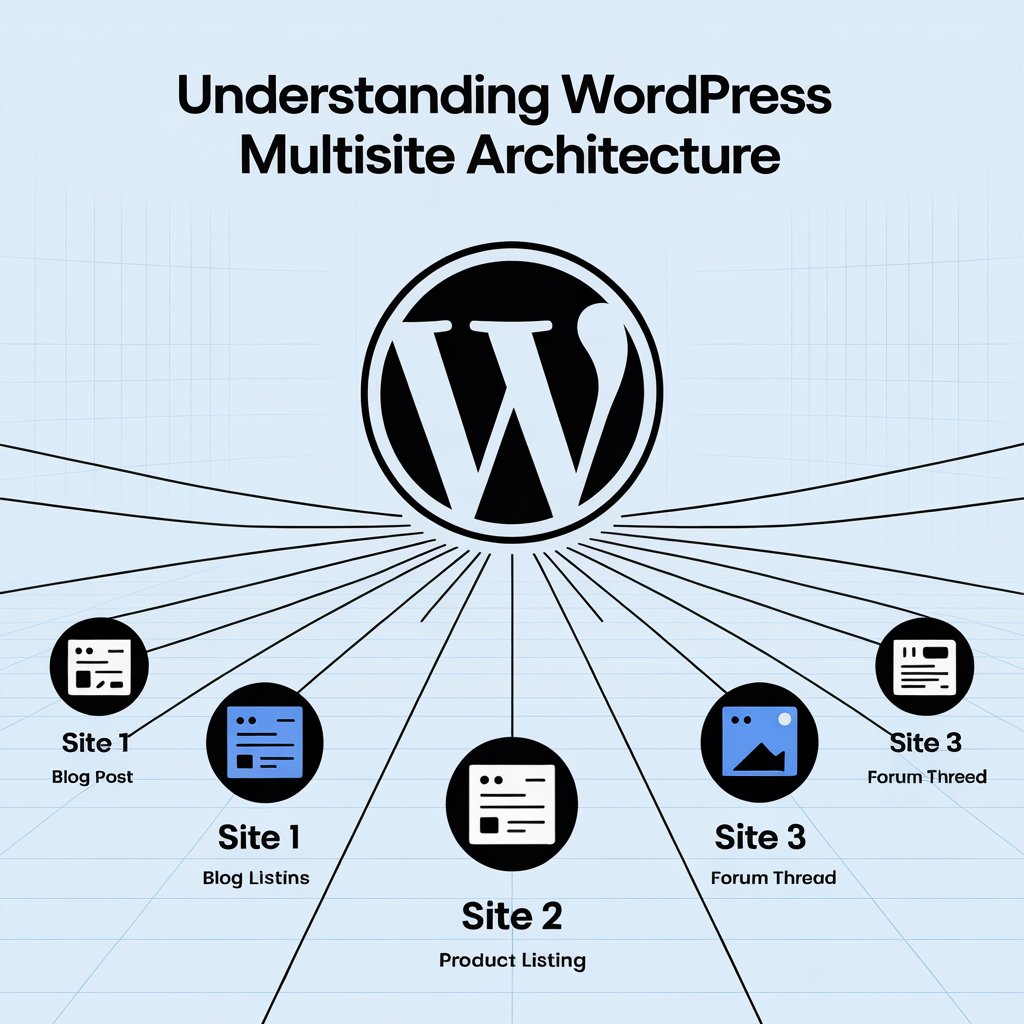
Each site in the network can have its own theme, its own users, even its own domain name but behind the scenes, it’s all working off the same WordPress engine.
How Multisite Differs from Single Site Installations
So, how is a Multisite different from a regular WordPress site?
With a single site installation, WordPress is running just one website with its own dedicated resources one database, one admin panel, and one front-end site.
With Multisite, everything is centralized. While each subsite appears independent, they’re actually sharing the same WordPress core files, themes, and plugins. You only manage one set of files, one codebase, which sounds great for simplicity, right?
But here’s the catch: every site still runs its own operations its own database queries, media uploads, plugin processes, and user logins. So, while you’re saving time on management, you’re increasing the overall demand on the server.
It’s like having ten TVs running off one power outlet. It work until it doesn’t.
Shared Resources and Performance Bottlenecks
This shared structure is where the performance problems start to show up.
Since all subsites pull from the same pool of server resources especially CPU, RAM, and database access a spike in traffic or a heavy plugin on one subsite can slow down the entire network. One busy site can eat up CPU cycles meant for others, making your whole network feel sluggish.
Let’s break down the bottlenecks:
- Shared Database: One database holds all subsite data using different prefixes. Over time, this grows large and cluttered, slowing down query performance.
- Shared Plugin Load: A plugin activated across the network runs processes for every subsite, multiplying CPU usage fast.
- Shared Caching & Cron Jobs: WordPress background tasks and cache systems can overlap, leading to conflicts and inefficiencies without careful configuration.
If you’re on a typical shared hosting or entry-level VPS, you’re likely to hit a wall. not because WordPress is broken, but because your hosting isn’t optimized for this kind of load.
Common Reasons WordPress Multisite Slows Down
Multisite demands a lot of resources from your server. Here are the most common reasons why it starts slowing down over time:
High Traffic from Multiple Sites
Each subsite brings its own visitors. When multiple sites get traffic at the same time, the server struggles to handle all the requests, especially if CPU and RAM are limited. This causes slower page loads or even downtime.
Inefficient Plugins and Themes
Some plugins and themes aren’t built for performance. When used across several subsites, they consume more CPU and memory. Heavy builders, sliders, or outdated plugins can quickly slow down the entire network.
Database Overload and Query Bloat
All subsites share one database. As the number of posts, users, and plugins grow, the database becomes bloated. This makes queries slower, especially on large networks, affecting the speed of every site.
Poor Caching Configuration
Without proper caching, every request loads fresh data from the server increasing load times. Multisite caching is trickier to set up, and if not done right, it puts more stress on your CPU and slows down your pages.
Shared Hosting Limitations
Most shared hosting plans aren’t designed for Multisite. Limited CPU, memory, and I/O can’t support the extra load leading to frequent slowdowns, crashes, and a poor experience for both admins and visitors.
The Cost of a Slow WordPress Multisite
A slow Multisite doesn’t just lag performance it costs you real results. From frustrated users to wasted resources, speed issues lead to lower engagement, fewer sign-ups, and more server overhead. And the longer you ignore it, the more it adds up.
User Experience and Bounce Rates
Visitors won’t wait for slow pages. If your site takes more than a few seconds to load, most users will simply leave. On a Multisite network, this affects all subsites making it harder to retain traffic and grow your audience.
Impact on SEO and Conversions
Google considers site speed a ranking factor. A slow Multisite means lower search rankings, less organic traffic, and fewer leads. Even if users do arrive, sluggish performance can hurt conversions whether it’s form fills, purchases, or clicks.
Increased Maintenance and Support Time
Slow sites lead to more complaints, longer support hours, and constant troubleshooting. Instead of growing your network, you’re stuck fixing issues, often caused by hosting limits, not your actual setup.
What Is CPU-Optimized Hosting?
CPU-Optimized Hosting is a type of hosting that gives more processing power (CPU cores) to your website. It’s designed to handle tasks that need high CPU usage like handling many users at once, running heavy plugins, or processing large amounts of data.
In simple terms, CPU-optimized hosting prioritizes CPU performance over other resources.
Your website gets more dedicated CPU cores, so it can handle complex operations without slowing down.

This kind of hosting is perfect for:
- High-traffic WordPress sites
- Multisite networks
- eCommerce stores
- Websites with many plugins or custom scripts
It works by allocating more processing resources to your hosting environment, so your server can handle more tasks at once without crashing or lagging.
Difference Between General-Purpose vs CPU-Optimized Hosting
Here’s the key difference:
| Feature | General-Purpose Hosting | CPU-Optimized Hosting |
|---|---|---|
| Performance Focus | Balanced (CPU, RAM, Storage) | Prioritizes high CPU power |
| Best For | Small websites, blogs, low-traffic sites | WordPress Multisite, eCommerce, high-traffic sites |
| CPU Allocation | Limited / Shared CPU | Dedicated / High CPU cores |
| Scalability | Limited under load | Scales better with resource-heavy tasks |
| Handling Multiple Sites | Struggles with growing networks | Designed for multi-site and resource-heavy setups |
| Cost | Usually cheaper | Slightly higher, but performance-focused |
| Use Case Example | Personal blog or portfolio site | Multisite network or WooCommerce store |
How CPU-Optimized Hosting Solves Multisite Performance Issues
CPU-Optimized Hosting is designed to handle heavy workloads like WordPress Multisite. It gives your server more processing power, so your sites run faster, even under load. This means smoother performance, better uptime, and less frustration for your users.
Faster Processing for Concurrent Site Activity
Multiple subsites mean more requests happening at the same time. CPU-optimized hosting handles this easily by processing more tasks in parallel — so your network doesn’t slow down when traffic spikes.
Improved Handling of Dynamic Content
Every time someone logs in, posts a comment, or views a product, your server processes dynamic content. Optimized CPUs handle this quicker, reducing delays and making your site feel faster and more responsive.
Better Database Query Execution
With Multisite, your database grows fast. CPU-optimized servers execute complex queries more efficiently, so pages load quicker and admin tasks don’t lag — even with large databases.
Enhanced Caching Efficiency
CPU-optimized environments are better at handling advanced caching tools. This reduces the load on your server by serving cached pages faster, helping your sites stay snappy and consistent under traffic.
When Should You Upgrade to CPU-Optimized Hosting?
If your WordPress Multisite is slowing down, taking longer to load, or crashing during high traffic, it’s a clear sign your current hosting can’t handle the load. CPU-Optimized Hosting gives your sites more processing power — which means faster performance, smoother multitasking, and better stability for growing networks.
Upgrade when:
- You manage 5+ subsites with moderate traffic
- Plugins and theme edits are slowing down the dashboard
- Page loads are inconsistent or spiking during peak times
Signs You’ve Outgrown Your Current Hosting
You may have outgrown your hosting if you notice:
- Frequent slowdowns or timeouts
- High CPU usage warnings from your provider
- Admin panel delays while editing or updating
- One subsite’s traffic affecting the whole network
- Poor Core Web Vitals or GTmetrix scores
These issues mean your server lacks the CPU power your network now demands.
Benchmarking Tools and Performance Metrics to Check
To confirm your hosting is the bottleneck, use tools like:
- GTmetrix / PageSpeed Insights: For load times and performance scores
- Query Monitor (plugin): To spot slow database queries or plugin issues
- New Relic / Server Logs: For monitoring CPU usage and server response times
- top / htop (Linux): Check real-time CPU load on your server (if self-managed)
Look for:
- Consistently high CPU usage (80%+)
- TTFB (Time to First Byte) above 600ms
- Slow server response even on light traffic
Case Study or Real-World Example (Optional but Recommended)
Below we,’ve added a case study to understand how you can get your wordpress multisite network supercharged with CPU-Optimized Hosting
Let’s talk about Gabriel, a digital entrepreneur managing altogether 15 blogs under a WordPress Multisite setup. His sites talk about different topics from fitness to finance, each with good themes and huge traffic.
A Before-and-After Performance Comparison
At first, Gabriel used to host his multisite project on a shared hosting plan, thinking it would be OK. However, as his network grew, so did the issues like slow load times, 503 errors, and high CPU usage alerts became regular problems.
What was The Problem before switching to CPU-Optimized hosting?
With the growing number of sites, Gabriel’s shared hosting started showing cracks. His biggest challenges included:
- Irregular performance across all the sites. Some blogs took a lot of time like 7 to 10 seconds to load.
- Admin dashboard lag. Making edits or posting content became a painfully slow process.
- Frequent downtime alerts, especially during traffic spikes or scheduled backups.
- His hosting provider kept warning him that his sites were hitting the resource limitations.
- These issues affected his SEO rankings, UX and ultimately revenue.
Now let’s talk about what happened to Gabriel’s multisite project when he switched to CPU-Optimized Hosting:
The results were instant and outstanding. Not only did UX improve across all the blogs, but search engines also ranked due to the better performance. Several of Gabriel’s blogs climbed to the first page of Google within a few weeks.
Wanna know why? It was possible as the CPU optimized hosting that he switched to, offered him
- Dedicated virtual CPU cores
- Automatic resource scaling
- NVMe SSDs for ultra-fast website loading speed
- Server-side caching pre-configured for WordPress
- Custom PHP process tuning
He chose a reputable host that offered CPU-Optimized hosting specifically for WordPress multisite projects.
Testimonials from Multisite Users
If you want to hear directly from users who’ve actually experienced CPU-optimized hosting firsthand, then check out what real customers are saying to the CloudWays Review.
You’ll get top comments from active users who have tested and reviewed the performance, speed improvements, and reliability of CPU-optimized hosting services. Their experiences offer a proper understanding of how this hosting type performs under real-life conditions.
Best Practices for Maintaining a Fast WordPress Multisite
Keeping your Multisite fast isn’t just about better hosting — it’s also about smart maintenance. Follow these key practices to avoid slowdowns and keep everything running smoothly.
Optimize Plugins and Themes
Avoid using heavy or unnecessary plugins across all subsites. Stick to lightweight, well-coded options, and deactivate anything you don’t need. The same goes for themes one bloated theme can slow down every site.
Use a CDN and Page Caching
A Content Delivery Network (CDN) stores copies of your content across global servers, making your site faster for visitors everywhere. Combine it with page caching to serve static versions of your pages, reducing server load.
Regular Database Cleanup
Multisite shares one big database. Over time, it fills with old post revisions, transients, and unused data. Use tools like WP-Optimize to clean it up regularly and keep queries fast.
Monitor with Performance Tools
Use tools like Query Monitor, GTmetrix, or New Relic to spot what’s slowing you down. Track CPU usage, plugin load times, and slow database queries — and fix them before they become a bigger issue.
Conclusion
Running a WordPress Multisite setup brings a lot of advantages centralized control, faster management, and scalability. But as your network grows, it puts increasing pressure on your hosting environment, especially on the server’s CPU and memory.
If you’re noticing slower load times, laggy dashboards, or random performance drops across your subsites, the problem likely isn’t your website it’s your hosting. A standard shared plan or entry-level VPS may not offer the resources needed to power a busy, multi-site network.
Speed plays a vital role in the success of any WordPress Multisite network. When your sites load quickly, users stay longer, bounce rates drop, and search engines reward you with better rankings.
But with multiple subsites sharing the same system, one poorly optimized or high-traffic subsite can slow down everything. Shared CPU, memory, and a single database setup mean that unless your server is powerful and well-optimized, performance issues are inevitable.
Even the most finely tuned themes and plugins can’t fix slow server response if your hosting environment isn’t equipped to handle the load.
That’s where Cloudways CPU-Optimized VPS Hosting makes all the difference. Built specifically for resource-heavy applications like WordPress Multisite, it offers dedicated CPU power, lightning-fast NVMe storage, and full root access so you can fine-tune your environment.
With no noisy neighbors and expert-level support, you get the freedom to scale confidently whether you’re running five sites or fifty. Don’t let underpowered hosting hold your network back. Upgrade today and experience the speed, stability, and reliability your growing Multisite truly deserves.



Table of Contents
- Overview of WordPress Multisite
- The Performance Problem You Can’t Ignore
- Understanding WordPress Multisite Architecture
- Common Reasons WordPress Multisite Slows Down
- The Cost of a Slow WordPress Multisite
- What Is CPU-Optimized Hosting?
- Difference Between General-Purpose vs CPU-Optimized Hosting
- How CPU-Optimized Hosting Solves Multisite Performance Issues
- When Should You Upgrade to CPU-Optimized Hosting?
- Case Study or Real-World Example (Optional but Recommended)
- Best Practices for Maintaining a Fast WordPress Multisite
- Conclusion