7 Best Mac VPS Hosting Servers in 2026 “Macintosh Friendly”

If you’re looking for a reliable, flexible VPS hosting service built for Mac, a Mac VPS gives you complete control over your server environment, without the expense and maintenance of running your own physical machine.
Mac VPS hosting is VPS hosting built to run, or remotely support, the Mac operating system, especially useful for Mac-based designers, developers, and other professionals who need real macOS access without owning the hardware themselves.
We’ll walk through what Mac VPS hosting actually offers and help you find the provider that’s right for you.

What is Mac VPS Hosting?
Mac VPS hosting is a service that allows you to run a virtual private server using a Mac operating system. This hosting service is often used by developers and designers who use Macs for their work, giving them a high degree of control over their server environment.
With a Mac VPS hosting service, you’ll have access to a virtual machine that runs on a physical server that a third-party provider hosts. This virtual machine will have its resources, including CPU, RAM, and storage space, which you can customize to suit your needs.
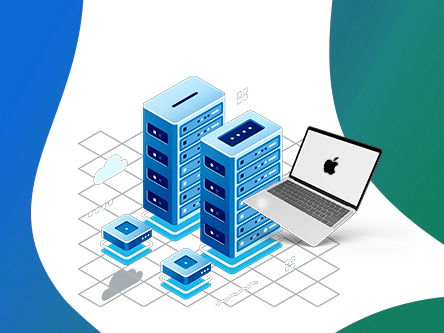
You’ll also be able to install and run any software compatible with the Mac operating system, which can be particularly useful if you’re using tools only available on Macs
7 Best Mac VPS Hosting Providers in 2026
Now that you know what to look for in the Best Mac VPS hosting provider, let’s look at some of the best currently available providers.
⏰ TL;DR:
1. UltaHost – Overall Best Mac VPS Hosting Solution
2. InterServer – Best Mac-Compatible Hosting
3. HostMyApple – Affordable Mac VPS Cloud Servers
4. Macincloud – Best Mac-Friendly VPS Hosting
5. MacStadium – Best Dedicated Mac Hosting for CI/CD
6. AWS EC2 Mac – Best for Teams Already on AWS
7. Scaleway – Best EU Cloud Mac Hosting
1. UltaHost – Best Mac VPS Hosting Solution
UltaHost

Pros
- Pre-installed Mac
- Fast, Secure and Reliable
- Free DDoS Protection
- 24/7 Expert Support
Cons
- Cost Jumps
- Technical Setup
Summary
UltaHost is a fast, fully managed web hosting provider offering Mac VPS (Virtual Private Server) hosting with pre-installed macOS and NVMe SSD storage.
Price: USD 18.98 /month
Visit UltaHostVPS hosting is a popular choice for websites and developers who need more resources and control than shared hosting offers. With a VPS, you get a virtualized server environment that behaves like a dedicated server, but at a more affordable price.
Here’s UltaHost’s Mac VPS hosting features, pricing, and plans, broken down in detail below.
UltaHost Mac VPS Hosting Features
UltaHost’s Mac VPS hosting comes with a range of features, including:
- Pre-installed macOS: Every plan ships with macOS ready to go, no manual OS setup needed.
- Full root access: Complete control over your server environment, allowing for custom software installations and configurations.
- NVMe SSD storage: Faster and more reliable NVMe solid-state drives for improved performance.
- DDoS protection: Protection against distributed denial-of-service (DDoS) attacks, ensuring your Mac VPS stays online.
- Fully managed server: UltaHost’s team handles OS updates and security patching for you on every plan.
- 24/7 customer support: Access expert support via live chat, email, or phone.
Available Location for Mac VPS:
UltaHost doesn’t publish a separate location list for its Mac VPS line specifically. Its general VPS network spans 25+ data centers across 6 continents, but it isn’t confirmed which of those run the Mac hardware, so check with their sales team before buying if a specific region matters to you.
UltaHost Mac VPS Pricing and Plans
| Basic Macos VPS | Business Macos VPS | Professional Macos VPS | Enterprise Macos VPS |
| 2 CPU Cores | 2 CPU Cores | 4 CPU Cores | 4 CPU Cores |
| 2 GB RAM | 4 GB RAM | 6 GB RAM | 8 GB RAM |
| 50 GB NVMe SSD | 80 GB NVMe SSD | 150 GB NVMe SSD | 200 GB NVMe SSD |
| Managed Server | Managed Server | Managed Server | Managed Server |
| Unmetered Bandwidth | Unmetered Bandwidth | Unmetered Bandwidth | Unmetered Bandwidth |
| $18.98/mo | $24.14/mo | $35.64/mo | $48.87/mo |
🔔UltaHost Offer: UltaHost Mac VPS plans are currently 40% off. Get an extra 7% off on top of that with coupon code GOOGIEHOST.
2. InterServer – Best Mac-Compatible Hosting
InterServer

Pros
- No Native Apple Hardware
- Linux/Windows KVM Focus
- Best for iOS/Mac Developers
- Full Root Access
Cons
- No Native macOS Support
- Not Ideal for Beginners
Summary
InterServer is a web hosting company providing reliable hosting solutions since 1999, popular with Mac-based developers who need a Linux/Windows environment for remote development work.
Price: USD 5.00 /month
Visit InterServerInterServer doesn’t run native macOS, its plans give you a Linux or Windows server you can develop and test Mac/iOS projects from remotely over SSH or remote desktop.
One of the standout features of InterServer is its commitment to transparent, affordable pricing, with no hidden gimmicks or lock-in contracts.
InterServer Mac-Compatible Hosting Features:
InterServer’s hosting plans offer various features to provide customers with a reliable, flexible, and customizable solution. Here are some key features of interserver’s VPS hosting:
- Mac-compatible remote development: Access a Linux/Windows server from any Mac over SSH or remote desktop, useful for cross-platform development and testing rather than running macOS itself.
- Managed services: InterServer’s support team takes care of updates, security, and monitoring for you.
- Customizable configurations: Choose the CPU cores, RAM, and storage you need independently.
- Free migration: InterServer offers free migration services, so you can move an existing project onto their VPS platform.
- 24/7/365 support: InterServer provides 24/7/365 support via phone, live chat, or email, so you can get help whenever you need it.
Overall, InterServer’s hosting is a great option for businesses of all sizes that need a reliable, flexible, and customizable solution. With their managed services, customizable configurations, enhanced security, and 24/7 support, you can focus on your business. In contrast, their support team handles the technical details, ensuring your website or application is always running smoothly.
Available Location for Mac VPS:
InterServer doesn’t run native Mac hardware, its Mac-compatible hosting runs on Linux/Windows infrastructure, accessible from any Mac client, with data centers in Secaucus, NJ and Los Angeles, CA (US only). If you specifically need an actual macOS server rather than a Linux/Windows box you can develop from, the dedicated Mac providers elsewhere on this list are a better fit.
InterServer Mac Pricing and Plans:
InterServer’s Mac-compatible hosting starts at just $5.00/month. They have no hidden costs and provide customization options at every level.
🔔 InterServer Offer ‘April, – InterServer offers $1 for 3 Months using Coupon GRABPENNY. Take advantage of this offer now and save more on your InterServer subscription.
3. HostMyApple – Affordable Mac VPS Cloud Servers
HostMyApple

Pros
- Unlimited Bandwidth
- Full Root Access
- Remote Desktop Access
- 24 Hour Support
Cons
- OS Version Limitations
- Higher Starting Cost
Summary
HostMyApple is a web hosting company offering genuine Mac VPS hosting, letting customers run macOS on a virtual private server from anywhere in the world.
Price: USD 24.99 /month
Visit HostMyAppleWith HostMyApple’s Mac VPS hosting, you can run Mac applications remotely from any device, backed by high-performance Intel Xeon hardware and full root access.
Here’s HostMyApple’s Mac VPS hosting features, pricing, and plans, broken down in detail below.
HostMyApple Mac VPS Hosting Features:
Here are some key features of HostMyApple’s Mac VPS hosting:
- Genuine macOS virtual servers: Real macOS, accessible remotely from any device, anywhere.
- High-performance hardware: Intel Xeon processors, SSD storage, and DDR4 RAM for fast, reliable performance.
- Full root access: Install any Mac applications, Xcode, or development tools you need.
- Customizable configurations: Choose the CPU cores, RAM, and storage that fit your project.
- Daily backups: Automatic data protection built into every plan, alongside firewalls and malware scanning.
- 24/7/365 support: HostMyApple provides support via phone, live chat, or email, so you can get help whenever you need it.
Available Location for Mac VPS:
HostMyApple runs its Mac VPS hardware out of three data centers: Atlanta, Denver, and Amsterdam.
HostMyApple Mac VPS Hosting Pricing and Plans
| macOS Ventura Cloud Lite / iMessage Package | macOS Ventura Cloud Basic | macOS Ventura Cloud Pro | macOS Ventura Cloud Max |
| 4 vCPU Cores | 4 vCPU Cores | 4 vCPU Cores | 6 vCPU Cores |
| 3 GB RAM | 4 GB RAM | 5 GB RAM | 6 GB RAM |
| 60 GB SSD Storage | 80 GB SSD Storage | 100 GB SSD Storage | 100 GB SSD Storage |
| Unlimited Bandwidth | Unlimited Bandwidth | Unlimited Bandwidth | Unlimited Bandwidth |
| $24.99/MO | $34.99/mo | $44.99/mo | $54.99/mo |
4. Macincloud – Best Mac-Friendly VPS Hosting
Macincloud

Pros
- Cost-Effective
- Pre-Installed Tools
- Flexible Billing
- Cross-Platform Accessibility
Cons
- Performance Lag
- Customer Support Limitations
Summary
Macincloud is a web hosting company offering Mac-friendly VPS hosting, letting customers run Mac applications on a virtual server from anywhere in the world.
Price: USD 4.00 /month
Macincloud’s Mac VPS hosting is a solid option for individuals or businesses that need genuine Mac-based applications, backed by high-performance hardware and full root access.
Here’s Macincloud’s Mac VPS hosting features, pricing, and plans, broken down in detail below.
Macincloud Mac VPS Hosting Features:
Here are some key features of Macincloud’s Mac VPS hosting:
- Physical, non-virtualized Mac servers: Genuine Apple hardware rather than a shared virtual slice, per Macincloud’s own plan specs.
- RDP-based remote access: Connect from Windows, Mac, or Linux client devices.
- Full root access: Install any Mac applications or software you need.
- Flexible plan types: Pay-as-you-go, managed, or dedicated server options depending on your budget.
- 24/7/365 support: Macincloud provides support via phone, live chat, or email, so you can get help whenever you need it.
Available Location for Mac VPS:
Macincloud lets you pick from seven broad regions at checkout: North America West/Mid-West, North America East/Central, South America, Europe/Africa, Asia (near Singapore), Western Australia (near Perth), and Eastern Australia (near Sydney/New Zealand). Exact city-level data centers aren’t disclosed.
Macincloud Mac VPS Hosting Pricing and Plans
| Pay-As-You-Go | Managed Server | Dedicated Server | Azure Agent |
| 100Mbps Port Speed Upgradable to 1Gbps Port Speed | 100Mbps Port Speed Upgradable to 1Gbps Port Speed | 100Mbps Port Speed Upgradable to 1Gbps Port Speed | 100Mbps Port Speed Upgradable to 1Gbps Port Speed |
| No Admin/Root Access | No Admin/Root Access | No Admin/Root Access | No Admin/Root Access |
| Physical Non-VM Mac Server | Physical Non-VM Mac Server | Physical Non-VM Mac Server | Physical Non-VM Mac Server |
| Access through RDP | Access through RDP | Access through RDP | Access through RDP |
| $4/MO | $25/mo | $49/mo | $29/mo |
5. MacStadium – Best Dedicated Mac Hosting for CI/CD
MacStadium

Pros
- Genuine dedicated Apple Silicon hardware
- Orka virtualization for scaling CI/CD pipelines
- Enterprise-grade SLAs and support
- Strong track record with iOS/macOS build teams
Cons
- Higher starting price than budget options
- Overkill for casual personal projects
Summary
MacStadium runs genuine Apple Silicon Mac mini hardware as dedicated, single-tenant servers for teams that need real macOS infrastructure, not a virtualized slice.
Price: USD 109.00 /month
MacStadium also offers its own Orka platform for teams that need to virtualize and scale macOS across a CI/CD pipeline, without giving up dedicated hardware, which is why it’s a common pick for iOS and macOS app build automation.
Here’s MacStadium’s Mac hosting features, pricing, and plans, broken down in detail below.
MacStadium Mac Hosting Features:
Here are some key features of MacStadium’s dedicated Mac hosting:
- Genuine Apple Silicon hardware: Real M2 and M4 Mac mini units, dedicated entirely to you, not a virtualized slice shared with other customers.
- Orka virtualization: MacStadium’s own platform lets you scale multiple macOS VMs across your dedicated hardware for CI/CD pipelines.
- Built for build automation: A common choice for teams running iOS and macOS app builds, code signing, and automated testing at scale.
- Enterprise support: Dedicated account support and uptime SLAs aimed at engineering teams rather than solo hobbyists.
- Remote access via SSH or VNC: Connect to your dedicated Mac mini just like a local machine.
- Multiple US and EU data centers: Choose Atlanta, Las Vegas, or Dublin depending on where your team or users are.
Available Location for Mac VPS:
MacStadium operates data centers in Atlanta, Georgia and Las Vegas, Nevada in the US, plus Dublin, Ireland for European customers.
MacStadium Pricing and Plans
| Mac mini M2 | Mac mini M4 | Higher-RAM Configs |
| Dedicated Apple Silicon | Dedicated Apple Silicon | Dedicated Apple Silicon |
| Orka virtualization available | Orka virtualization available | Orka virtualization available |
| From $109/mo | From $119/mo | $199–$249/mo |
6. AWS EC2 Mac – Best for Teams Already on AWS
AWS EC2 Mac

Pros
- Genuine dedicated Apple hardware
- Pay-as-you-go hourly billing
- Deep integration with your existing AWS infrastructure
- Scales instantly within an existing AWS account
Cons
- 24-hour minimum allocation per instance
- Requires existing AWS/EC2 familiarity
- No dedicated macOS-specialist support team
Summary
AWS EC2 Mac instances give you a genuine dedicated Mac (mac1.metal on Intel, or mac2.metal on Apple M1) allocated to you as an AWS Dedicated Host.
Price: USD 0.65 /hour
Visit AWS EC2 MacIt’s not a traditional VPS or a standalone hosting company, it’s a bare-metal Mac slotted into your existing AWS account, billed hourly after a mandatory 24-hour minimum, which makes the most sense if your build pipeline already lives on AWS.
Here’s AWS EC2 Mac’s features, pricing, and locations, broken down in detail below.
AWS EC2 Mac Features:
Here are some key features of AWS EC2 Mac instances:
- mac1.metal and mac2.metal instance types: mac1.metal runs on Intel-based 2018 Mac mini hardware, while mac2.metal runs on Apple M1.
- Dedicated Host allocation: You get a physical Mac allocated only to you, not a shared virtual machine, for a minimum of 24 hours at a time.
- Pay-per-hour billing: Billed hourly after the 24-hour minimum, rather than a fixed monthly plan.
- Native AWS integration: Connects directly with S3, EBS, and other AWS services already in your pipeline.
- Multiple AWS regions: Available across several regions in the US, Europe, and Asia Pacific, though availability varies by chip generation.
- EBS-backed storage: Attach scalable block storage volumes to your Mac instance like any other EC2 host.
Available Location for Mac VPS:
Mac instances are available in several AWS regions, though the exact chip generation varies by region: US East (N. Virginia), US West (Oregon), US East (Ohio), Europe (Ireland), Europe (Frankfurt), Europe (London), Europe (Stockholm), Asia Pacific (Singapore, Sydney, Tokyo, Seoul, Mumbai), and Canada (Central). Check AWS’s region table before choosing, since not every chip generation is available everywhere.
AWS EC2 Mac Pricing
mac2.metal (Apple M1) starts around $0.65/hour, and mac1.metal (Intel) starts around $1.083/hour. Every instance requires a 24-hour minimum allocation before you can release it, so factor that into your total cost rather than comparing the hourly rate directly to a monthly VPS price.
7. Scaleway – Best EU Cloud Mac Hosting
Scaleway

Pros
- Genuine Apple Silicon hardware (M1 through M4)
- EU-based datacenter in France
- Pay-as-you-go hourly billing
- Backed by an established cloud provider (Iliad Group)
Cons
- 24-hour minimum allocation per instance
- Only one EU datacenter location for Mac instances
Summary
Scaleway, a European cloud provider owned by the Iliad Group, runs genuine Apple Silicon Mac minis as a cloud service out of its own datacenter in France.
Price: EUR 0.17 /hour
Visit ScalewayLike AWS EC2 Mac, it’s billed hourly with a 24-hour minimum allocation rather than a flat monthly plan, a good fit if you want real Apple hardware inside an EU-based cloud account instead of a US one.
Here’s Scaleway’s Mac hosting features and pricing, broken down in detail below.
Scaleway Mac Hosting Features:
Here are some key features of Scaleway’s Apple Silicon Mac hosting:
- Genuine Apple Silicon lineup: Choose from M1, M2, M2 Pro, or M4 Mac mini hardware, dedicated to you for the duration of your session.
- EU-based datacenter: Hosted in Scaleway’s own facility in France, useful if you need EU data residency.
- Hourly billing: Pay only for the hours you use, after a mandatory 24-hour minimum allocation.
- Backed by Iliad Group: Part of an established European telecom and cloud group, not a small independent reseller.
- SSH remote access: Connect to your Mac mini instance just like a local machine.
- Simple cloud console: Spin up or tear down instances directly from Scaleway’s dashboard, no separate account setup needed.
Available Location for Mac VPS:
Currently just one location: Paris, France (zone PAR1). If you need multiple regions, AWS EC2 Mac or MacStadium offer more geographic spread.
Scaleway Pricing
The M2 Mac mini starts around €0.17/hour, with the M2 Pro variant around €0.24/hour. As with AWS EC2 Mac, every instance requires a 24-hour minimum allocation before you can release it, so factor that in rather than comparing the hourly rate directly to a flat monthly VPS price.
Who Actually Needs Mac VPS Hosting?
Mac VPS hosting solves a specific problem: needing real macOS access without owning a physical Mac. Here’s who that actually applies to:
- iOS and macOS app developers running CI/CD: Automate Xcode builds, run automated tests, and code-sign apps on a schedule, without tying up your own Mac or buying a Mac mini just to sit in a server rack.
- Teams submitting apps to the App Store from Windows or Linux: Apple requires a genuine Mac to notarize and submit apps. A Mac VPS meets that requirement without forcing your whole team onto Apple hardware.
- Cross-platform QA testers: Verify how your site or app actually behaves in Safari on macOS, not just in an emulator or a browser dev tools simulation.
- Agencies sharing one build environment: Instead of buying a Mac per developer, a shared Mac VPS keeps the whole team on the same consistent setup.
- Anyone running Mac-only software remotely: Tools like Logic Pro or Final Cut Pro are Mac-exclusive, a Mac VPS lets you access them from any device, anywhere.
If none of these match your situation, a regular Linux or Windows VPS is almost certainly cheaper and just as capable, save the Mac-specific plan for when you genuinely need macOS itself.
Choosing the Best Mac VPS Hosting Provider
If you’re interested in using a Mac VPS hosting service, you’ll need to choose a provider that meets your needs.
Here are some factors to consider when choosing a Mac VPS server:
- Reliability: You’ll want to choose a provider that offers high uptime and reliability so that your website or application is always available to users.
- Flexibility: Look for a provider that offers various hosting plans so that you can choose the one that’s best for your needs. You’ll also want to look for a provider that allows you to easily upgrade or downgrade your hosting plan as your needs change.
- Ease of use: VPS hosting provider should offer a user-friendly interface that allows you to manage your virtual machine easily. Look for providers that offer a control panel or dashboard that makes it easy to install software, manage your resources, and monitor your server’s performance.
- Customer support: Choose a provider that offers reliable customer support. Look for providers that offer 24/7 support via phone, email, or live chat and have a reputation for responding quickly to customer inquiries.
- Price: While price shouldn’t be the only factor you consider, choosing a provider competitive pricing provider for the level of service you need is important.
Look for providers offering transparent pricing and not charging hidden fees or extra charges.
FAQ’s – Best Mac VPS Hosting
Is Mac VPS hosting the same as running macOS on a regular VPS?
Not always. Apple’s licensing terms require genuine Apple hardware to run macOS legally, which most generic VPS providers can’t offer. UltaHost and HostMyApple genuinely run macOS on real Apple hardware, while InterServer actually gives you Linux or Windows marketed as Mac-compatible for cross-platform development, not real macOS.
Do I need a Mac VPS, or would remote access to my own Mac work just as well?
If you only occasionally need macOS access, screen-sharing into your own Mac at home might be cheaper. A Mac VPS makes more sense when you need guaranteed uptime, a dedicated IP, or access for a team rather than just yourself.
Can I run Xcode and build iOS apps on a Mac VPS?
Yes, most Mac VPS and dedicated Mac hosting plans support Xcode and code signing, one of the most common reasons developers rent one instead of buying a physical Mac. Confirm the specific macOS version supported matches your Xcode requirements before buying, since Apple ties Xcode versions to specific OS releases.
Is Mac VPS hosting legal, given Apple’s licensing rules?
Yes, as long as the provider runs genuine Apple hardware, which is what Apple’s EULA requires even for virtualized setups. This is exactly why some “Mac hosting” products are actually Linux/Windows VPS marketed loosely, providers avoid running macOS on non-Apple hardware because it would violate Apple’s terms.
How much RAM do I actually need for a Mac VPS?
For basic development or testing, 2 to 4GB is usually enough. If you’re running Xcode builds, CI/CD pipelines, or multiple virtual machines, look at 8GB or more, which is why enterprise-focused providers like MacStadium offer higher-RAM configurations.
What happens if I need to cancel my Mac VPS mid-contract?
This varies by provider. Some, like UltaHost, offer a refund window on top of discounted pricing, while hourly-billed options like AWS EC2 Mac and Scaleway let you simply stop the instance after the mandatory minimum, no cancellation process needed. Check the specific refund or cancellation terms before committing to a multi-year discounted plan.
Can I access my Mac VPS from a Windows or Linux computer?
Yes. Since the whole point is remote access, these providers support connecting via RDP, VNC, or screen sharing from any operating system, you don’t need to already own a Mac to use one.
Conclusion – Best Mac VPS Hosting
UltaHost, HostMyApple, and Macincloud came out as the strongest picks for most people, though for different reasons. UltaHost pairs genuine pre-installed macOS with a fully managed setup, useful if you don’t want to touch server administration yourself. HostMyApple runs dedicated Mac mini hardware with full root access, a solid middle ground between managed convenience and raw control. Macincloud remains the most budget-friendly way to get a real, non-virtualized Mac server.
If your needs go beyond a shared VPS, MacStadium and Scaleway offer genuinely dedicated Apple Silicon hardware for CI/CD pipelines, while AWS EC2 Mac makes sense if your build process already lives inside AWS. InterServer is worth a mention too, though it’s important to be clear-eyed about it: its Mac-compatible plans actually run Linux or Windows, not macOS itself, so it only fits if remote development access is all you need.
Match the provider to what you’re actually trying to do, run genuine macOS, automate iOS builds, or just develop remotely, rather than picking on price alone, and you’ll avoid paying for hardware you don’t need or missing hardware you do.
Mac VPS Provider Comparison at a Glance (2026)
Quick side-by-side comparison of hosting type, starting price, and who each provider suits best. Click any name to jump straight to its full review.
| Provider | Type | Starting Price | Best For |
|---|---|---|---|
| UltaHost | Managed Mac VPS | $18.98/mo | Beginners wanting managed macOS |
| InterServer | Linux/Windows VPS | $5.00/mo | Mac-compatible remote dev only, not real macOS |
| HostMyApple | Mac VPS / Dedicated | $24.99/mo | Full root access with real macOS |
| Macincloud | Dedicated (Physical) | $4/mo (pay-as-you-go) | Budget-friendly real Mac hardware |
| MacStadium | Dedicated | $109/mo | CI/CD and enterprise build pipelines |
| AWS EC2 Mac | Dedicated | $0.65/hr | Teams already on AWS |
| Scaleway | Dedicated | €0.17/hr | EU-based Apple Silicon cloud |
Looking for other VPS Hosting Providers? Here you go-



Table of Contents
- What is Mac VPS Hosting?
- 7 Best Mac VPS Hosting Providers in 2026
- 1. UltaHost – Best Mac VPS Hosting Solution
- 2. InterServer – Best Mac-Compatible Hosting
- 3. HostMyApple – Affordable Mac VPS Cloud Servers
- 4. Macincloud – Best Mac-Friendly VPS Hosting
- 5. MacStadium – Best Dedicated Mac Hosting for CI/CD
- 6. AWS EC2 Mac – Best for Teams Already on AWS
- 7. Scaleway – Best EU Cloud Mac Hosting
- Who Actually Needs Mac VPS Hosting?
- Choosing the Best Mac VPS Hosting Provider
- FAQ's - Best Mac VPS Hosting
- Conclusion – Best Mac VPS Hosting