5 Best Tally on Cloud Service Providers in 2026

![5 Best Tally on Cloud Service Providers in [year]](https://googiehost.com/blog/wp-content/uploads/2024/11/Best-Tally-on-Cloud-Service-1024x576.jpg "5 Best Tally on Cloud Service Providers in [year] 1")
Running Tally on a single office PC works until your team grows, branches open or your CA needs access from another city. Tally on Cloud solves this by hosting TallyPrime on a secure cloud server, so everyone can work in the same company file from anywhere.
In this guide, we compare the 5 best Tally on Cloud service providers in India on pricing, users supported, backups, uptime and licence terms, using the plans listed on each provider’s official website.
Let’s get started.
What is Tally on Cloud?
In easy language, Tally on Cloud refers to an amazing web-based solution that allows businesses to access their Tally software and data from anywhere on the internet, using any device. It’s like having your entire accounting office in your pocket, boosting businesses to run smarter and faster.
Want to know how we used to maintain accounts earlier? So, traditionally, we used to install Tally on the local computers or you can simply say, company servers, limiting its accessibility to specific devices and locations too.
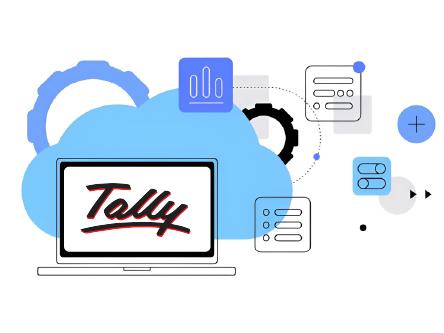
However, Tally on Cloud removes this sort of issue! This software is hosted on a highly secure cloud platform, allowing users to limitlessly access it via a browser or sort of RDP application.
Due to this flexibility, it has completely changed the manner in which the businesses are run. It removes all sorts of geographical barriers and promotes easy collaboration among your team members @ various locations.
Why Move Tally to the Cloud?
Absolutely! Any newbie, at first will definitely ask why one needs to move Tally to the cloud. What benefit would one get by doing so? If that’s what you’re trying to learn, then in that case, just stay-tuned to know that moving Tally to the cloud offers many advantages for businesses looking to modernize their accounting processes and improve operational efficiency:
- First, you get wide accessibility! With Tally on Cloud, users can easily access their accounts and financial data from any device with an internet connection. It’s valuable for businesses with remote teams and multiple office locations.
- Secondly, it’s cost-effective, which means it’s affordable! Cloud Hosting removes any sort of extra expense on servers and setup cost. You can also save a lot on hardware, CPU and other infra required to make your accounting data 24/7 accessible.
- 100% security to your accounting data is also one of the reasons why one should move Tally to the cloud. It offers advanced security measures, including encryption, firewalls, and regular backups. This ensures that your data is protected from theft at all times.
- If you’re having multiple users, then in that case you can do real-time collab that allows everyone to access and work on Tally simultaneously, enabling faster decision-making and even ensuring that everyone’s working with the latest data.
- Tally on Cloud providers even manage the software updates automatically, ensuring that businesses always have access to the latest accounting features and security protocols without manual efforts.
- Do you know that Cloud Hosting providers also offer Scalable plans! It allows users to scale their Tally usage up or down as per the needs. This kind of flexibility is a perfect fit for growing entrepreneurs or those with fluctuating workloads.
- You get a data recovery option available if in case the sensitive data is lost due to manual errors. Data stored on the cloud is highly protected against hardware failures, thanks to OneClick data recovery option, ensuring business continuity.
- And lastly, moving Tally on Cloud boosts performance! Hosting Tally on the cloud ensures that the software runs smoothly. The cloud servers are highly optimized for speed and reliability, providing a better user experience.
5 Best Tally on Cloud Service Providers (2026)
We have shortlisted the 5 best Tally on Cloud service providers that let your team run TallyPrime securely from anywhere. Here’s the quick list:
⏰ TL;DR
1. QloudRDP: Overall Best Tally on Cloud Service
2. CyFuture Cloud: Best Tally on Cloud with Licence Bundles
3. TallyCloudHub: Best Tally on Cloud for Growing Teams
4. TallyStack: Best Tally on Cloud for Large Teams
5. Cevious: Secure, Custom Tally on Cloud Service
1. QloudRDP: Overall Best Tally on Cloud Service
QloudRDP

Pros
- TallyPrime or Tally ERP 9 pre-installed with free setup and migration
- Up to 10 users working live in the same company file
- Automated daily backups with one-click restore
- Access from Windows, Mac, Android and iOS
- 99.99% uptime SLA and 24/7 human support
Cons
- You need your own Tally licence
- Prices are exclusive of 18% GST
Summary
QloudRDP runs TallyPrime or Tally ERP 9 on managed NVMe cloud servers with free migration, daily backups, remote printing and a 99.99% uptime SLA, from ₹649/month for a single user.
Price: INR 649 /month
Visit QloudRDPQloudRDP takes the top spot because it makes moving Tally to the cloud almost effortless. Every plan comes with TallyPrime or Tally ERP 9 pre-installed on a fully managed Windows Server, and its engineers migrate your company files, TDL add-ons and printer settings for free, usually within a working day.
Owners, accountants, CAs and branch staff can work in the same company file at the same time from Windows, Mac, Android or iOS. Your CA or auditor can get a separate login on live data instead of collecting backup files over WhatsApp, and invoices print straight to your local office printer.
Plans are priced by team size and start at ₹649/month (+18% GST) for one user, with NVMe storage, automated daily backups, a 99.99% uptime SLA and 24/7 human support included on every plan. QloudRDP also offers a 7-day money-back guarantee.
Key Specification
- Pre-Installed TallyPrime: TallyPrime or Tally ERP 9 is installed and activated with your existing licence before you log in for the first time.
- Free Migration & Setup: Engineers move your company files, TDLs and printer mapping for free, planned around your billing hours.
- Multi-User Live Access: Up to 10 users work in the same company file at once, with separate logins for your CA or auditor.
- Daily Automated Backups: A snapshot runs every night with one-click restore, so yesterday’s books are always one step away.
- Any Device Access: Connect from Windows, Mac, Android or iOS, with remote printing to your local thermal or laser printer.
- Managed Windows Server: Windows Server 2019, 2022 or 2025 is patched and secured for you in a Tier III data center.
Pricing
QloudRDP prices its Tally on Cloud plans by team size. All prices are monthly and exclude 18% GST.
| Plan | Users | Resources | Price |
|---|---|---|---|
| Tally Essential | 1 user | 2 vCore, 4 GB RAM, 50 GB NVMe | ₹649/mo |
| Tally Ultra | Up to 5 users | 4 vCore, 8 GB RAM, 100 GB NVMe | ₹2,199/mo |
| Tally Infinity | Up to 10 users | 8 vCore, 16 GB RAM, 200 GB NVMe | ₹4,299/mo |
Just one user? QloudRDP’s shared Tally desk starts at ₹399/month.
2. CyFuture Cloud: Best Tally on Cloud with Licence Bundles
CyFuture Cloud

Pros
- Plans available with or without a Tally licence
- Data centers in India (Noida, Jaipur, Bangalore)
- Daily backups on every plan
- 24/7 support via live chat, email and phone
Cons
- Cloud plans carry a 99.95% uptime figure; only VPS plans list 99.99%
- Free trial and refund terms are not stated
Summary
CyFuture Cloud offers fully managed Tally on Cloud plans from Indian data centers, with or without a Tally licence, daily backups and 24/7 support.
Price: INR 1100 /month
Visit CyFuture CloudCyFuture Cloud is a good pick if you want your Tally licence and hosting from one provider. Its fully managed Tally on Cloud plans come in two flavours: bring your own licence, or buy a plan that bundles the Tally licence with the server.
Servers run from CyFuture’s Indian data centers in Noida, Jaipur and Bangalore, which keeps latency low for teams across India. Every plan includes daily backups, and you can connect over RDP from Windows, Mac, Linux, iOS or Android, with printers managed through the admin panel.
Prices start at ₹1,100/month for a single-user public cloud plan without a licence, while VPS plans with 4 vCores and 8 GB RAM suit growing teams. Support is available 24/7 over live chat, email and phone.
Key Specification
- Licence Options: Choose plans that use your own Tally licence, or bundles that include the licence with the hosting.
- Indian Data Centers: Servers run from Noida, Jaipur and Bangalore for low latency across Indian offices.
- Daily Backups: Every plan includes daily backups, and all plans are fully managed by CyFuture’s team.
- Multi-Device Access: Connect over RDP from Windows, Mac, Linux, iOS and Android, with printers managed from the admin panel.
- 24/7 Support: Reach the support team any time through live chat, email or phone.
Pricing
CyFuture Cloud lists “starting at” monthly prices. GST and billing terms are not stated on the page.
| Plan | Resources | Uptime | Price |
|---|---|---|---|
| Tally Public Cloud (own licence) | 1 user, unlimited Tally data | 99.95% | ₹1,100/mo |
| Tally Cloud (own licence) | 1 user, 50 GB SSD | 99.95% | ₹1,499/mo |
| Tally VPS (own licence) | 4 vCores, 8 GB RAM, 50 GB SSD | 99.99% | ₹2,199/mo |
| Tally Cloud (with licence) | 1 user, 50 GB SSD | 99.95% | ₹599/mo |
| Tally VPS (with licence) | 4 vCores, 8 GB RAM, 50 GB SSD | 99.99% | ₹2,999/mo |
3. TallyCloudHub: Best Tally on Cloud for Growing Teams
TallyCloudHub
Pros
- Wide range from single-user cloud to dedicated servers for 60–80 users
- HTML5 web access and local printer connectivity
- Daily backups and Tier 3 data centers
- Free live demo before you buy
Cons
- Tally licence is not included
- eKYC is mandatory before activation
Summary
TallyCloudHub offers user-based Tally cloud, Tally VMs for up to 30 users and dedicated servers for up to 80 users, with daily backups and 24/7 support.
Price: INR 499 /month
Visit TallyCloudHubTallyCloudHub is built for businesses that expect their team to grow. You can start with a user-based shared plan and move to a Tally virtual machine for up to 30 users or a dedicated server for up to 80 users without changing providers.
The user-based plan includes HTML5 web access, local printer connectivity and four backup copies, while VM plans add guaranteed RAM, SSD storage and 2 TB of monthly bandwidth. Servers run in Tier 3 data centers, and you can access Tally from Mac and mobile devices too.
Plans start at ₹499/month for the user-based Economy plan. You need to bring your own Tally licence and complete eKYC, and the team offers a free live demo before you buy.
Key Specification
- User-Based Cloud: A shared plan with HTML5 web access, local printer connectivity and four backup copies for single users.
- Tally VMs up to 30 Users: Dedicated VM plans with 4–24 GB RAM, 100–250 GB SSD and 2 TB bandwidth per month.
- Dedicated Servers: Dedicated servers handle from 10–14 users up to 60–80 users for large accounting teams.
- Daily Backups: Daily backups and Tier 3 data centers help protect your company data.
- 24/7 Support: Round-the-clock support via WhatsApp and live chat, plus a free live demo.
Pricing
TallyCloudHub prices its plans monthly in INR. A Tally licence is not included.
| Plan | Users | Resources | Price |
|---|---|---|---|
| User-Based Economy | 1 user | Shared server, HTML5 web access | ₹499/mo |
| Tally Based VM | Up to 5 users | 4 cores, 4 GB RAM, 100 GB SSD | ₹2,800/mo |
| Tally Based VM | Up to 10 users | 5 cores, 8 GB RAM, 150 GB SSD | ₹4,000/mo |
| Dedicated Server | 10–14 users | 6 cores, 8 GB RAM, 250 GB SSD | ₹11,760/mo |
4. TallyStack: Best Tally on Cloud for Large Teams
TallyStack

Pros
- 99.99% uptime listed on every plan
- Supports up to 80 concurrent users
- Daily backups and fully managed servers
- Access from Windows, Mac, iOS and Android
Cons
- Tally licence is not included
- eKYC is mandatory before activation
Summary
TallyStack offers user-based Tally cloud, Tally VMs and dedicated servers with 99.99% uptime, daily backups and support for up to 80 concurrent users.
Price: INR 400 /month
Visit TallyStackTallyStack is a strong option when your accounting team is large or spread across branches. Its plans scale from a user-based cloud seat to a dedicated server that supports up to 80 concurrent users, all fully managed.
Every plan lists 99.99% uptime, daily backups and remote printing, and your team can use TallyPrime or Tally ERP from Windows, Mac, iOS or Android. Servers run in Tier 3 data centers with 24×7 India-based support.
The user-based cloud plan starts at ₹400/month, while Tally VMs start at ₹3,250/month. You need your own Tally licence and must complete eKYC before activation.
Key Specification
- Up to 80 Concurrent Users: Dedicated server plans support large accounting teams and multiple branches on one setup.
- 99.99% Uptime: All plans list 99.99% uptime, helping your team keep billing and reporting without interruptions.
- Daily Automated Backups: Daily backups protect your company data and allow quick recovery after mistakes or failures.
- Any Device Access: Use Tally from Windows, Mac, iOS or Android, with remote printing to your office printer.
- India-Based Support: 24×7 support from an India-based team that understands Tally workflows.
Pricing
TallyStack lists monthly prices in INR. A Tally licence is not included.
| Plan | Resources | Uptime | Price |
|---|---|---|---|
| User Based Cloud | Unlimited storage | 99.99% | ₹400/mo |
| Tally Based VM | 50 GB SSD | 99.99% | ₹3,250/mo |
| Tally Dedicated Server | 250 GB SSD | 99.99% | ₹10,500/mo |
5. Cevious: Secure, Custom Tally on Cloud Service
Cevious

Pros
- Dedicated virtual machine for every customer
- Disaster recovery with failover and replication
- Free IT maintenance and technical support
- Works with your existing Tally licence
Cons
- No published pricing, quotes on request
- Lists 99% uptime, lower than most rivals
Summary
Cevious Technologies offers custom Tally on Cloud setups on a dedicated VM per customer, with disaster recovery, free IT maintenance and mobile access.
Cevious Technologies, based in Noida, says it has offered Tally services since 2000. Its Tally on Cloud service is aimed at businesses that want a custom setup rather than a fixed plan, with every customer getting a dedicated virtual machine.
The setup includes automatic failover and replication for disaster recovery, encryption and firewalls, and free IT maintenance and technical support. You use your existing Tally licence and can access Tally Prime from a browser on mobile devices or from a Mac.
Cevious does not publish its prices, so you need to request a quote based on your number of users and requirements. Support is available by phone and support ticket.
Key Specification
- Dedicated VM per Customer: Every customer gets an isolated virtual machine, which keeps your Tally data separate from other users.
- Disaster Recovery: Automatic failover and replication help keep your accounts available during server failures.
- Free IT Maintenance: Cevious handles server maintenance and technical support so you can focus on your books.
- Mobile & Mac Access: Access Tally Prime from mobile browsers or a Mac without installing it locally.
- Use Your Own Licence: Your existing Tally licence is set up on the cloud server, so you don’t buy a new one.
Pricing
Cevious does not publish fixed prices. Contact the team for a quote based on your users and setup.
| Plan | Details | Price |
|---|---|---|
| Custom Tally on Cloud | Dedicated VM, own Tally licence, disaster recovery | Quote on request |
Features to Look for in a Tally on Cloud Service Provider
Here, we’ll discuss the key top features that a Tally on Cloud service provider should have to offer some of the best service when it comes to easy team collaboration, strong security, one platform data storage and a lot more. So the points are mentioned as under:
Data Security
Data security happens to be one of the most important features of a Tally on Cloud server provider! Provider uses encryption protocols to protect your data during data transfer and storage. Even that’s not all! You need to look for extra security features like firewalls, multi-factor authentication, and regular security audits.
Performance
A high-performing cloud server ensures that Tally operates smoothly without any sort of lagging and zero downtime. A provider needs to have a reliable server uptime, low latency, and optimized infrastructure to handle your business’s workload. Remember one thing! Closer data centers often result in better performance due to reduced latency.
Customer Support
Tally on Cloud providers offer the best customer support services via LiveChat and ticketing services helping to resolve technical issues quickly and further minimizing server disruptions. At times, a dedicated account manager or a priority support medium for critical business can be of great help.
Customization
Tally on Cloud server providers should offer everything that a business needs for judging financial position and other related works. Providers with one of the best customization options on the cloud platform like user access controls, storage configurations, or integration with other software are also cool to consider.
Scalability
As far as scalability is concerned, a tally on cloud provider should grow with your business. A scalable Tally on Cloud service lets you easily add or remove users, increase storage, or upgrade resources as your requirements evolve. This flexibility is particularly important for businesses experiencing growth in their accounting workload.
Compliance
And lastly, Tally cloud server providers offer strict compliance with industrial regulations and standards as it’s critical for protecting sensitive financial data. The tally cloud provider follows every relevant legal requirement that further indicates a strong commitment to compliance and data protection.
How to Choose the Right Tally on Cloud Service Provider
Now, when selecting the perfect Tally on Cloud service provider, what are the main important factors that one should consider? Here, we have listed 7 key points that one should keep in mind when choosing the best tally on cloud provider:
- Ensure the provider has robust security protocols, including data encryption, firewalls, access control, and conduct regular security audits to safeguard your financial data.
- Look for a tally cloud provider that guarantees high uptime and the best reliability! It further reflects how trustworthy the provider is and boosts customer satisfaction.
- Choose a provider that offers 24/7 technical support through multiple channels, having expertise in Tally plus be able to address cloud-related issues promptly.
- Look for providers that offer full flexibility to customize the cloud server based on your business needs. From configuring storage limits to integrating applications, get everything to boost performance.
- Ensure that the server provider can scale along with your business! Adding new users, increasing storage capacity, and much more, the provider should offer seamless scalability without any sort of downtime.
- Check the provider’s data center locations and ensure that they fit your business operations. It’s like closer data centers are, faster access and lower latency it offers.
- Research about the cloud provider’s reputation before renting it! Look for reviews and testimonials from other businesses that have used their services.
So by following the steps mentioned above, you can get the best ever secure, stable, scalable and cost-effective Tally on Cloud service provider for your accounting needs.
FAQs
Which is the best Tally on Cloud service provider in India?
QloudRDP is our top pick because every plan includes TallyPrime pre-installed, free migration, daily backups, remote printing and a 99.99% uptime SLA, starting at ₹649/month for a single user. CyFuture Cloud is a good choice if you want the Tally licence bundled with hosting.
Do I need to buy a new Tally licence for Tally on Cloud?
Usually not. Providers like QloudRDP, TallyCloudHub, TallyStack and Cevious install the TallyPrime or Tally ERP 9 licence you already own. CyFuture Cloud also offers plans that include a Tally licence if you don’t have one.
How much does Tally on Cloud cost per month?
Single-user plans start at around ₹400–₹649/month (plus GST), multi-user plans for 5 users cost about ₹2,200–₹2,800/month, and dedicated servers for large teams start around ₹10,500/month.
Can multiple users work on the same Tally company at once?
Yes. Multi-user plans let owners, accountants, billing staff and branch teams work in the same company file at the same time and see each other’s entries live. Choose a plan based on how many users need to log in together.
Can I use Tally on Cloud from a Mac or mobile phone?
Yes. Tally on Cloud runs on a Windows server, and you connect to it with a Remote Desktop app, so it works from Windows, Mac, Android and iOS devices.
Is my accounting data safe on the cloud?
With a reputable provider, it is usually safer than a single office PC. Look for encrypted connections, an isolated server, Tier III data centers and automated daily backups with easy restore, as offered by QloudRDP and TallyStack.
Can I print invoices to my office printer from Tally on Cloud?
Yes. Most providers, including QloudRDP, TallyCloudHub and TallyStack, support remote printing, so invoices and reports print to your local thermal, dot-matrix or laser printer.
How do I move my existing Tally data to the cloud?
Pick a plan, share your company files and TDL add-ons with the provider, and they set up Tally on the server for you. QloudRDP does this migration for free, usually within one working day.
Conclusion
Tally on Cloud lets your whole team work in one live company file from anywhere, without maintaining an office server, chasing backup files or worrying about a failed hard drive.
For most businesses, QloudRDP is the best overall choice thanks to pre-installed TallyPrime, free migration, daily backups and plans from ₹649/month for a single user. CyFuture Cloud suits teams that want the Tally licence bundled in, while TallyCloudHub and TallyStack are strong options for larger teams that need VMs or dedicated servers.
Whichever provider you choose, check how many users you need, whether your Tally licence is included and how backups work before you sign up.
In Short, These Are the Best Tally on Cloud Service Providers in 2026