Email Marketing Best Practices in 2026 (Full Guide)

Let me ask you something.
Have you ever handled email marketing campaigns? If yes, then you must know how difficult the process is! You pick the subject line carefully. You write the entire body of the email yourself.
Then you hit the send button to send it to your lead.
And it is just one lead. Just like that, you make another email for another lead and the process keeps on going. Plus, on top of that, it is not sure whether all the emails would open or not. You come across low open rates, zero clicks and more.
Today, everyone is using AI to automate the maximum amount of work to save time and effort. If you still run email campaigns like this manually, then in that case, it is worse.
You can use AI automation cold email tools to run campaigns and send 1000s of bulk email to your leads after personalizing them using AI.
First of all, the email audience is big, about 4.8 to 5 billion people use email. This is really massive. And for every $1 you spend on email marketing, you can expect an average return of $36.
I am really excited to tell you everything about email marketing best practices. I’ll tell you right from building your list to understanding authentication records, writing subject lines and running A/B tests. I have covered it all.
So, before you start sending campaigns, you need to understand what email marketing actually is.
What are Email Marketing Fundamentals?
Email marketing is a way you contact the leads via email. You promote your products or services to your clients by emailing them and making them aware about the discount offers and new updates.
You send targeted messages to people who have given you permission to contact them.
Let’s get an idea of what it is.
Facebook or TikTok is like renting a flat in someone else’s building. Your reach depends on an algorithm. Email is different. When someone gives you their email address, you have a direct line to them, no middleman, no algorithm.
Your message reaches directly to the lead.
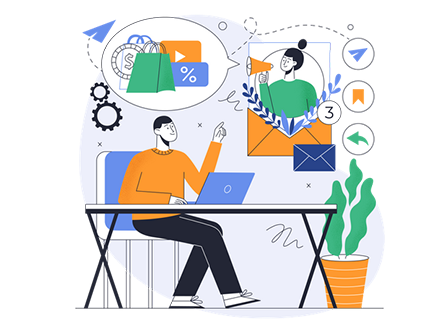
So, the things come down to 3 pillars:
- Reach the inbox,
- Earn the open
- Drive the action.
Everything I cover in this guide ties back to these three things. Keep them in mind as you read.
Email marketing success in 2026 requires both technical setup and content quality. Even the best-written email fails if it never reaches the inbox. Always focus on deliverability before focusing on design.
Build a High-Quality Email List
Your list is the basis of everything.
A list of 1,000 engaged subscribers will always outperform a list of 10,000 unresponsive contacts. Quality beats quantity every single time.
Let me break down why that matters.
If your engagement rate is low, inbox providers like Gmail take it as a signal that people do not want your emails. That hurts your sender reputation (your domain’s credit score with email providers)
A damaged reputation means your future emails land in spam.
Why you should avoid buying email lists
Buying an email list is one of the worst decisions you can make in email marketing.
I say this with confidence.
When you buy a list, those people never gave the permission to send them emails day and night.
You show up like an uninvited guest in their inbox. Most will ignore you. Many will mark you as spam. And in regions where GDPR rule prevails, sending to bought lists without consent can result in serious legal issues.
Other than the legal issues, bought lists are usually filled with invalid addresses and outdated contacts. Your bounce rate shoots up. Your complaint rate goes up. And your domain gets blacklisted.
Strategies to grow your list organically
Organic list building takes more time, but it gives you subscribers who actually want to hear from you. Here are the plans that work best in 2026.
- Lead magnets
It includes PDF templates, free mini-courses, calculators, checklists. Lead magnets are free resources you offer in exchange for someone’s email address.
It works because you are giving value to your leads.
Make sure that the resources you offer are immediately useful. A 10-page guide on every technical How to topic. A one-page checklist for launching a Google Ads campaign in 30 minutes? Something like that.
- Exit intent pop-ups
Exit intent pop-ups are triggered when a visitor’s cursor moves toward the browser close button. It detects the intent to leave and shows a targeted offer.
Used correctly, these convert 2 to 4 percent of abandoning visitors into subscribers. The key is the offer.
A normal ‘subscribe to our newsletter’ pop-up will get easily ignored. A targeted message like ‘Wait! Grab our free email strategy template before you go’ works far better.
- Landing pages
A dedicated landing page built only to capture email addresses is also an effective lead-building tool available. You just need to add a compelling headline and a sign-up form.
Your landing page should answer one question for the visitor: what is in it for me?
The moment that question is answered clearly, your sign-up rate goes up.
- Social media lead capture
Your social media presence can boost your email list. LinkedIn lead gen forms, Instagram bio link tools, Facebook lead ads and Pinterest email capture all work well depending on your audience.
The best way is to promote your lead magnet on social platforms. Drive the click to a landing page.
The landing page exclusively converts potential leads. This keeps the process clean and measurable.
Segmentation basics
From the moment someone joins your list, you should know something about them.
- Are they a first-time visitor?
- A returning customer?
- Did they come from a specific landing page or content piece?
That information shapes how you communicate with them from day one.
Basic segmentation at the sign-up stage might include asking one simple question: what are you most interested in? That single data point lets you send relevant content immediately.
And relevant content is what builds long-term trust.
Segmentation & Personalization
Sending the same email to everyone on your list is like handing out the same flyers to every person who walks past your shop, not even knowing what they are looking for.
It wastes your effort! Believe me.
| Segmentation means dividing your list into smaller groups based on shared behaviors. | Personalization means setting up your content to speak directly to each group or individual. |
Together, they transform your campaigns from bulk emails to genuine conversations.
Why segmentation increases engagement
The numbers make a strong case. Segmented email campaigns really perform well as compared to non-segmented ones.
When someone receives an email that speaks directly to their situation, they open it. They click. They convert.
Think about it from the subscriber’s point of view. You run an online store selling fitness products.
- A message about beginner home workout equipment means everything to a new subscriber who just got into fitness.
- But the same email means nothing to an advanced gym-goer who wants to know about your protein supplements.
Segmentation is how you send the right message to the right person.
Behavioral, demographic, psychographic segmentation
These are the three main types of segmentation, and each tells you something different about your audience.
Behavioral segmentation groups people by what they do.
- Did they open your last 5 emails?
- Did they click on a specific product link?
- Did they leave a cart unattended?
Behavioral data is the most actionable because it reflects real-time intent.
Demographic segmentation groups people by who they are.
Age, location, job title, industry, and company size.
This is really a powerful classification strategy in B2B email marketing, where a campaign aimed at a SaaS founder needs a different tone and offer than one aimed at a freelance designer.
Psychographic segmentation groups people by why they do what they do.
Their values, goals, pain points and motivations. This is harder to gather but incredibly powerful when you have it.
Survey responses & purchase history can help you build psychographic profiles over time.
Dynamic personalization examples
Dynamic personalization means your email content changes automatically based on who is receiving it.
The same email template can show different product recommendations, different headlines and different CTAs according to the subscriber’s data.
Let’s take an example to understand it:
A clothing retailer sends AI personalized cold emails. Subscribers in colder climates see winter jacket recommendations. Subscribers in warm regions see summer collections.
So, you see that the email template is the same but the experience is 100% different. That is dynamic personalization in action.
Hyper-personalization with AI tools
Hyper-personalization goes beyond using someone’s first name.
It means using AI to study the individual behavior patterns and adjust the email content and offer based on each person’s preferences.
Businesses using AI-powered personalization have seen:
- CTRs jump by up to 41%
- Conversion rates increase by 20%.
Personalized emails can deliver six times higher transaction rates compared to generic ones.
The tools that power this are built into most advanced email automation software platforms like ActiveCampaign and HubSpot.
Crafting Effective Email Content
Your email content is what makes the subscriber relationship strong with you.
- Good content gets read and acted upon.
- Poor content gets ignored.
Let me tell you every element of a high-performing email. I’ll tell you everything that users see before they open your email.
Writing compelling subject lines
Your subject line is your first impression.
If it does not open, it is the worst thing. So, this means that our goal first is to create just enough curiosity that the reader thinks: I need to see what this is about.
- Keep subject lines under 50 characters for mobile preview.
- Use specific numbers when you can: ‘How to cut your email bounce rate by 30%’ is better than ‘’Tips to improve email performance.’
- Ask a question. Create urgency when it is genuine.
- Avoid clickbait!
Ideal email structure
Every effective email follows a simple three-part structure:
- Hook,
- Body,
- CTA.
Hook: Your opening line should immediately engage the reader. Start with a story, a bold claim, or a direct question.
Do not start with ‘I hope this email finds you well.’
Body: This is where you deliver your message.
Keep it focused on one core idea per email. Do not include a second topic in the same email. This way you can dilute the email’s effectiveness.
Write as if you’re talking to your lead.
CTA: Your CTA should be clear and singular. One email, one CTA.
“Download your guide” is far better than ”Click here to learn more.”
Best length for email copy
The answer depends on what you want to do?
- Make the email as short as it needs to be to make your point clearly.
- Promotional emails often work well in 150 to 300 words.
- Educational newsletters can go longer like upto 400 to 600 words is a comfortable read.
- Storytelling-based emails can push past 800 words if the story is compelling.
What you should not do is padding. Do not add words to fill space.
Personal tone, storytelling, and clarity
Write like a human.
- Your emails should sound like they come from a real person who understands the reader’s situation.
- Use ‘you’ and ‘I’ throughout.
- Share a quick story, if relevant. It builds trust.
See! Above all, clarity matters. If a reader has to re-read a sentence to understand what you mean, you have lost them.
Simple words and short sentences always win.
Designing mobile-friendly emails
I have seen that now everybody is using mobile to access their email accounts, checking accounts, even they use mobile phones to browse the latest news and content.
Yet only 47 percent of companies are currently designing fully responsive, mobile-friendly emails. That gap is your opportunity.
- Use a single-column layout.
- Keep your font size at 16px minimum for body text.
- Make your CTA buttons at least 44px tall so they are easy to tap on a touchscreen.
- Load times matter too! Heavy images slow down mobile and hurt deliverability.
- Keep your email file size lean.
The email content best practices shared in this section are based on widely tested industry standards. Results may vary depending on your audience and specific email platform. Always test before scaling.
Design Best Practices
Good email design is about making it easy to read, easy to navigate and easy to act on. A complex design damages your email UX
Let me tell you the design principles that directly affect performance.
Responsive email design
Responsive design means your email automatically adjusts its size based on the screen size it is viewed on.
A responsive email looks perfect on a desktop monitor and still reads cleanly on a small phone screen.
Most modern email builders handle this automatically, but you should still see your emails across multiple devices before sending.
White space, scannability, font choices
White space, the empty space around and between elements, is not wasted space.
It gives your content room to breathe.
Subscribers scan emails before they read them. White space guides the eye toward what matters most.
Choose fonts that are web-safe and easy to read.
Arial, Georgia, and Helvetica are safe choices.
Avoid decorative fonts that might not render across all email clients. Stick to a maximum of two font styles per email.
Button placement and CTA optimization
Your CTA button should be visible without scrolling!
If your email is longer, include the CTA at both the middle and the bottom of the email. Use high-contrast colors so the button stands out clearly against the email background.
Button content matters as much as placement.
Instead of ‘Click here,’ use action-oriented language: ‘Get my free template,’ ‘Start my trial,’ or ‘See the full breakdown.’
These drive higher clicks because they tell the reader exactly what happens next.
Accessibility in email design
Accessibility means designing emails that everyone can read like people who use screen readers or have visual issues.
This is actually a legal requirement in many regions.
- Add descriptive alt text to every image.
- Ensure your text-to-background contrast ratio meets at least 4.5:1 for body text.
- Use a minimum font size of 14px.
- Structure your email with proper heading hierarchy so screen readers can navigate it logically.
Send Time & Frequency Optimization
You could write the most compelling email of the year and still see zero results just because you sent it at the bad time.
Timing of the email (WHEN to send the email to your subscribers) and Number of times you send the emails to your subscribers are really important things to consider also.
If you send late emails to your leads, your subscribers forget who you are. Send them too often and they get annoyed and hit unsubscribe.
Finding the right balance is really important.
Best days and times to send emails
I have done thorough research on this thing. See!
- Tuesday, Wednesday and Thursday produce the highest open rates for most B2B audiences.
- For B2C, Tuesday and Thursday mornings between 9 AM and 11 AM tend to perform well.
- Evenings between 7 PM and 9 PM also show strong engagement for consumer audiences.
These are averages. Your specific audience might be completely different.
A newsletter for night-shift healthcare workers will perform best at completely different times than one for corporate executives.
The only way to know for sure is to test.
Avoiding subscriber fatigue
This thing happens when you email people so often that they start ignoring you.
People start unsubscribing. They do not open your emails. Plus your emails even suffer from increasing spam complaints.
What do you think is the solution to this? Sending less emails? No!
Sometimes it is to send more relevant content. If every email you send is genuinely useful to the subscriber, they will welcome frequent communication.
If your emails feel repetitive, even 2 emails a month can feel like too many.
How often you should email your audience
You should email your audience at least, once or twice a week is a comfortable cadence for engaged subscribers. Once a month is the minimum if you want to stay top of mind.
The right frequency depends entirely on what you have to say and what your audience expects.
Ask new subscribers upfront how often they want to hear from you.
Some platforms let you create a ‘frequency preference’ option at sign-up. This small step reduces unsubscribes significantly.
Using AI-powered send-time automation
Send-time optimization, or STO, is a feature that is available in most advanced email automation software. It studies when a subscriber is most likely to open your email.
The automation tool also sends the emails to the right person at the right time automatically.
Tools like ActiveCampaign & GetResponse all offer some form of STO.
(STO means send time optimization)
It is one of the easiest wins in email marketing. You write one email and the tool handles the personalized delivery timing for your entire list.
A/B Testing Your Emails
A/B testing (which is also called split testing) is a technique of sending two versions of an email to different segments of your list to see which one performs better.
This way you can remove the element of guesswork and use logic to excel in email marketing.
Here is the simple example of how to do it: you take your list, split it into two groups, send version A to one group and version B to the other and measure the results. The winning version then goes to the rest of your list.
It is really a very powerful method in practice.
What to A/B test
Subject lines: This is the highest-impact element to test because it directly affects open rates.
- Test emotional vs. factual subject lines.
- Test questions vs. statements.
- Test short vs. slightly longer subject lines.
Send times: Test whether Tuesday morning or Thursday afternoon gets more opens from your audience. Even a one-hour difference can shift open rates meaningfully.
Email designs: Test a plain text email against an HTML-designed one. Test single-column vs. two-column layouts. Test with images vs. without. The results often surprise marketers who assume flashy always wins.
CTAs: Test the button copy, the button color and the button placement. ‘Start my free trial’ vs. ‘Try it free’ can produce very different click-through rates even though the offer is identical.
How to measure what works
The metric you measure should match the element you tested.
- Testing subject lines? Measure open rate.
- Testing CTAs? Measure click-through rate.
- Testing overall design? Measure conversion rate (how many people completed the goal action after clicking)
Wait until your test gives you a proper analysis.
Importance of continuous testing
Your audience changes over time. What worked in January may not work in July. Continuous testing keeps your strategy latest.
Build a simple testing calendar, test one variable per month, document your findings and apply what you learn. Each test makes the next campaign smarter.
Over 12 months of consistent testing, you will build a detailed playbook of what works for your specific audience.
Email Deliverability Best Practices
Deliverability is the single most important technical factor in email marketing. You can have the best content and the most strategic send times, but none of that matters if your emails never reach the inbox.
See, deliverability is really an important factor. It is a trust infrastructure that involves domain authentication, sender reputation, list quality and engagement signals.
Why deliverability matters
Here is a small situation explained in number!
16.9% of real authentic emails never reach the inbox. That is nearly 1 out of every 6 emails disappearing before anyone can read them. If your deliverability is poor, your open rates, click rates, revenue and everything take a bad turn (even if your content is excellent)
All three dominant consumer email providers: Gmail, Yahoo and Microsoft Outlook, now reject unauthenticated bulk emails instead of routing them to junk.
This is a basic shift. The era of relying on spam folders is over.
Authentication setups: SPF, DKIM, DMARC
These 3 protocols work together to prove you are who you claim to be. Let me explain each one in easy terms.
SPF (Sender Policy Framework)
It is a DNS record that tells receiving mail servers which IP addresses are allowed to send emails on behalf of your domain.
Think of it as a guest list. Only the names on the list get through.
Avoid adding more than one SPF record per domain, and stay under the 10 DNS lookup limit.
DKIM (DomainKeys Identified Mail)
It attaches a cryptographic signature to every email you send.
The receiving server checks this signature against a public key published in your DNS. If the signature matches, the email is verified as authentic.
Use a 2048-bit DKIM key. It is the minimum acceptable standard.
DMARC (Domain-based Message Authentication, Reporting and Conformance)
It ties SPF and DKIM together and tells inbox providers what to do with emails that fail authentication.
Start with ‘p=none’ to monitor your sending activity without blocking anything, then gradually move to ‘p=quarantine’ and eventually ‘p=reject’ as you confirm all legitimate sending is covered.
| Protocol | What does it do? | Priority Level |
| SPF | Authorizes sending IP addresses for your domain | Essential |
| DKIM | Cryptographic signature verifying email authenticity | Essential |
| DMARC | Policy enforcement combining SPF and DKIM results | Essential |
Avoiding spam triggers
Spam filters are really sophisticated.
They scan for obvious spam words. They analyze your sender reputation and check your engagement history. Plus, it also verifies your link quality as well.
- Avoid using all-caps words in subject lines.
- Do not use excessive exclamation points.
- Keep your image-to-text ratio balanced (an email that is nothing but one giant image will get flagged)
- Never use URL shorteners that hide the destination link.
- Make sure every link in your email goes to a reputable destination.
Cleaning your email list regularly
A clean list is a healthy list.
- Remove hard bounces immediately after they occur. Hard bounces happen when an email address is permanently invalid.
- Monitor soft bounces (temporary delivery failures) and remove addresses that soft bounce repeatedly.
- Run a re-engagement campaign for subscribers who have not opened your emails in three to six months. If they still do not respond after two or three re-engagement emails, remove them.
- Sending to unengaged contacts drags down your engagement and hurts your sender reputation.
Warm-up practices for new domains/IPs
If you are starting fresh with a new sending domain or IP address, you cannot jump straight to sending 10,000 emails per day.
You need to warm up gradually.
- Start with 50 to 100 emails per day in week one.
- Send only to your most engaged subscribers.
- Increase by 50 to 100 percent each week.
- This gradual increase builds your sender reputation with inbox providers before you scale.
Most bulk email service providers include automated warm-up tools to handle this for you.
Authentication alone does not guarantee 100% inbox placement.
Even fully authenticated emails can still land in spam if your engagement metrics are poor.
Automation & Drip Campaigns
Email automation is really important to make email marketing powerful.
Instead of manually sending each campaign, you set up sequences that work automatically based on subscriber behavior.
The email works for you 24/7.
A drip campaign is a pre-written series of emails delivered at specific intervals or triggered by specific actions. The term ‘drip’ comes from the idea of delivering information slowly over time, like water dripping.
This is the best way to nurture relationships with the audience.
Benefits of automation
The data on automation is really good. Automated emails account for just 2 percent of email sends, but they drive 30 percent of email revenue.
They earn 16 times more per send than scheduled broadcast campaigns. Automated emails hit 48.57% average open rates compared to 25.2% for manual sends.
- Automation frees up your time.
- Once you build a sequence, it runs continuously.
- A welcome series can onboard a new subscriber while you sleep.
A win-back campaign can re-engage a lapsed customer while you focus on other work.
Welcome series
Your welcome series is the most important automation you will ever set up. It is the first impression your email program makes on a new subscriber.
I have researched Welcome series emails. As per my analysis, welcome emails generate up to 320 percent more revenue per email than standard promotional emails.
A simple three-email welcome series works like this.
- Email 1 (immediately): Thank them, deliver the lead magnet, set expectations for what is coming.
- Email 2 (2 days later): Share your best content or your brand story.
- Email 3 (4 days later): Make a soft offer or invite them to explore a product or service.
Onboarding flow
For businesses that deal in SaaS, an onboarding flow helps new users get value from your product as quickly as possible.
An onboarding sequence might guide a user from signup to their first action, what product teams call the ‘WoW! moment.’
A strong onboarding flow reduces the craze. When users see value early, they stick around. Email plays a crucial role in guiding that early experience.
Win-back campaigns
A win-back campaign targets subscribers who were active but now they are quiet. People who were engaged once but have stopped clicking.
The goal is to re-ignite the relationship before you remove them from your list.
A classic series might start with ‘We miss you’ email, followed by a special offer or exclusive content, and end with a final ‘Are you still interested?’ message.
The action of this last email is clear! Either they re-engage or they get removed.
Cart abandonment flows
If I talk about ecommerce businesses, cart abandonment emails are among the highest-ROI automations available.
When a shopper adds items to their cart but does not complete the purchase, a timed sequence of emails can recover that sale.
A standard cart abandonment sequence sends three emails:
- One within an hour of abandonment (It is just a simple reminder)
- One 24 hours later (This email addresses a common objection)
- And a final one in 72 hours. (This email includes a small incentive like free shipping)
Tools for automation
The right automation tool depends on your business type and budget.
- For creators and newsletters, Kit (formerly ConvertKit) offers a clean and focused experience.
- For B2B email marketing software in 2026, HubSpot and ActiveCampaign are the strongest choices for complex multi-step workflows.
- For ecommerce, Klaviyo and Omnisend lead on revenue attribution and pre-built flows.
- For teams that need full data control, self hosted email marketing platforms like Mailwizz or Sendy, which run on your own server and integrate with SMTP providers like Amazon SES. It gives you complete ownership of your infrastructure at lower costs.
Tracking & Analytics
Sending emails without measuring their performance is like driving with your eyes closed. You need data to understand what is working, what is failing, and what to do next.
I have researched and found out that the metrics that matter most have shifted.
- Open rate is now treated as a directional signal rather than a hard performance metric, following the impact of Apple’s Mail Privacy Protection (MPP) which pre-fetches emails and inflates open counts.
- Click-through rate
- Conversion rate, and revenue per email
Now these metrics tell the real story.
Key email marketing metrics
| Metric | What It Measures | Healthy Benchmark (in 2026 and onwards) |
| Open Rate | Percentage who opened your email | 20-40% (directional signal only) |
| Click-Through Rate (CTR) | Percentage who clicked a link | 2-5% average |
| Conversion Rate | Percentage who completed the goal action | Varies by goal |
| Bounce Rate | Percentage of undelivered emails | Below 2% is healthy |
| Unsubscribe Rate | Percentage who opted out | Below 0.5% per send |
Now, the question is, how to use analytics for optimization? Do not just collect data, act on it.
- If your open rates are declining week over week, review your subject line strategy and your send frequency.
- If your click-through rate is low despite good open rates, your email body or CTA needs work.
- If your unsubscribe rate spikes after a specific campaign, analyze what was different about that send.
Authentication alone does not guarantee 100% inbox placement.
Set up a simple monthly reporting dashboard using your ESP’s built-in analytics or export to Google Sheets.
Track trends over time rather than reacting to individual sends. Patterns over 8 to 12 weeks reveal a lot more than single campaign numbers.
Compliance & Privacy
Email marketing compliance is not something that you can take lightly.
Every country where your subscribers live has rules about how you can contact them. Breaking those rules damages your brand’s reputation in ways that take years to repair.
Let me give you a practical overview of the key regulations and what they mean for your sending practices.
GDPR, CAN-SPAM, and other regulations
GDPR (General Data Protection Regulation) applies to anyone emailing subscribers in the European Union. It requires a consent before you add someone to your list. It gives subscribers the right to access their data, correct it and have it deleted.
CAN-SPAM applies to anyone emailing subscribers in the United States. It requires a physical mailing address in every email, a clear unsubscribe mechanism and honest subject lines that match the email content. It also allows opt-out consent (you can email someone until they opt out) rather than requiring explicit opt-in.
In addition to those that I’ve mentioned above, CASL (Canada), LGPD (Brazil), and POPIA (South Africa) have their own specific requirements.
If you have international subscribers, review which regulations apply to your list composition.
Importance of consent
Consent is the most important foundation of ethical email marketing.
Every subscriber on your list should have actively agreed to receive your emails. A pre-checked opt-in box does not count under GDPR.
A buried consent clause in a terms-of-service agreement does not count either.
Use a double opt-in process. In this process, the subscriber clicks a confirmation link in a welcome email, to confirm genuine consent. It may reduce your immediate sign-up numbers slightly, but the subscribers who complete double opt-in are far more engaged than those who did not.
Clear unsubscribe links
Every email you send must have a working unsubscribe link that is easy to find.
- Making it deliberately hard to unsubscribe is a dark pattern that damages trust and increases spam complaints.
- Process unsubscribe requests within 10 business days (CAN-SPAM requirement) but ideally process them immediately.
- An automated unsubscribe system handles this instantly and eliminates any risk of accidentally sending it to someone who opted out.
Data security best practices
Your subscriber data is sensitive. Treat it accordingly.
- Use encrypted storage for your subscriber database.
- Limit who on your team has access to subscriber personally identifiable information.
- Never share your list with third parties without explicit subscriber consent.
- Run regular security audits on your email platform and any connected CRM systems.
Integration With CRM & Other Tools
Email marketing connected to your CRM, sales tools, and other marketing channels is really powerful.
Integration creates a unified view of your customer and allows actions in one tool to trigger responses in another.
I’ve found out that the most effective email programs are not the ones that operate alone. They are connected to the broader marketing and sales ecosystem.
Let me show you what that looks like in practice.
Why CRM integration matters
A CRM (Customer Relationship Management) system is a database of all your contacts, their history with your business, their deal stages, and their communication records.
When your email platform connects to your CRM, every email open, click and reply gets logged automatically against the contact’s record.
This means your sales team can see exactly which emails a prospect engaged with before a sales call.
Email + sales automation
Combining email with sales automation creates seamless handoffs between marketing and sales.
A lead who downloads a high-intent content piece triggers an automated nurture sequence. After a certain number of opens and clicks, they get automatically assigned to a sales rep and added to a sales outreach sequence.
This is a core use case for B2B email marketing software. HubSpot, ActiveCampaign and Salesforce Marketing Cloud are built precisely for this kind of multi-touch, multi-channel workflow.
Email + social media
Your email list and your social media audience are complementary. Use your email list to build lookalike audiences on Facebook and LinkedIn.
Upload your subscriber list as a custom audience and run ads to the people who have not opened your emails lately. This is a cheaper re-engagement tactic than email alone.
In the other direction, use social media lead ads and bio link tools to drive new subscribers into your email list continuously.
The two channels feeding each other creates a sustainable audience growth loop.
Email + AI personalization
AI personalization email tools like Klaviyo, ActiveCampaign and Customer.io analyze your subscriber data and generate personalized content recommendations,and predictive segmentation automatically.
As per my personal in-depth research, about 35% of email marketers expect more than half of their operations to be AI-driven in future.
The teams using AI effectively are not replacing human judgment, instead they are using AI to handle the data analysis while humans focus on strategy and creativity.
That combination is where the real gains come from.
Integration between email platforms and CRM or social tools may require paid plans, developer resources or third-party middleware like Zapier.
Always review your specific tool stack before subscribing to a platform.
Common Lapse to Avoid
After all the best practices, let me talk about the mistakes.
The most common email marketing failures are completely avoidable once you know what to watch for. I have listed the five most damaging ones below.
Avoiding these will save you subscribers and prevent the slow decline that kills many email programs over time.
Over-mailing subscribers
Sending too many emails is one of the fastest ways to lose subscribers.
When someone unsubscribes or marks your email as spam, it signals to inbox providers that people do not want your messages.
Over time, that damages your deliverability for everyone, even the engaged subscribers who enjoy your content.
How to fix this problem?
- Set a clear sending cadence. Stick to it.
- If you need to increase frequency for a campaign or promotion, let your subscribers know in advance and give them the option to temporarily pause emails.
Not segmenting
Sending the same email to your entire list wastes your effort and your subscribers’ attention.
A 30-year-old fitness enthusiast and a 55-year-old corporate manager on the same list should not be receiving the same content.
Even basic segmentation, separating active from inactive subscribers, or new subscribers from long-term ones, makes a meaningful difference in engagement rates.
So, the only way to fix the problem is to:
- Start simple and build segmentation complexity over time.
Misleading subject lines
A subject line that promises one thing and delivers another destroys trust instantly.
Even if it earns a higher open rate initially, it burns subscriber goodwill and increases spam complaints. Under CAN-SPAM, misleading subject lines are also a regulatory violation.
How to resolve this issue?
- Your subject line should accurately reflect the content of the email.
- Curiosity is fine. Ambiguity is fine. Deception is never acceptable.
Poor design
An email that is hard to read on mobile, takes too long to load, or looks unprofessional undermines your credibility. Your email’s design is part of your brand impression.
What to do then to fix the poor design thing:
- Keep it simple.
A clean single-column layout with clear hierarchy, adequate white space and a visible CTA performs better than an over-designed template packed with images and multiple color blocks.
Ignoring analytics
Your email platform generates a wealth of performance data after every send. Ignoring it means you make the same mistakes repeatedly without realizing it.
How to fix the problem?
- Schedule a monthly analytics review.
- Look at trends, not just individual campaign numbers.
- When you see a pattern, investigate the cause.
- When you find something that works, replicate it.
FAQs: Email Marketing Best Practices
What is the most important email marketing best practice?
Building a permission-based list and authenticating your domain are the two most critical practices. Without subscriber consent, you face legal risk and spam complaints. Without authentication (SPF, DKIM, DMARC), your emails get rejected before anyone reads them.
How often should I send marketing emails?
Once or twice a week is the sweet spot for most businesses. Once a month is the minimum to stay top of mind.
What’s the ideal subject line length?
Keep subject lines under 50 characters to ensure full visibility on mobile screens. Shorter is often better, up to 30 to 40 characters is the sweet spot.
How do I improve my email open rates?
You can improve your open rates in just a few steps.
- First, clean your list and remove unengaged subscribers.
- Second, test different subject line styles using A/B testing.
- Third, optimize your send time using your ESP’s analytics or AI-powered send time optimization.
- Fourth, improve your sender name. Emails from a real person’s name often outperform those from a brand name alone.
Is buying an email list a good idea?
No. Buying an email list is a bad idea because of three reasons.
- First, those contacts never consented to hear from you, which violates GDPR and CAN-SPAM.
- Second, bought lists are full of invalid addresses and outdated contacts that damage your sender reputation.
- Third, your domain can get blacklisted, killing your ability to send emails from that address entirely.
How do I avoid spam filters?
Set up your SPF, DKIM, and DMARC records correctly. Keep your list clean and engagement rates high. Avoid spam-trigger language in subject lines and copy. Balance your image-to-text ratio. Never use URL shorteners. Send only to people who consented to your emails.
Should I use emojis in subject lines?
Yes. A single relevant emoji can increase open rates in some audiences. But avoid overusing them like three emojis in a subject line looks like spam.
What’s the best time to send emails?
For most B2B audiences: Tuesday, Wednesday, or Thursday between 9 AM and 11 AM in the subscriber’s timezone. For B2C: Tuesday and Thursday mornings, or evenings between 7 PM and 9 PM.
How do I personalize emails without sounding robotic?
Use behavioral context, not just name tags. Instead of ‘Hi (Name),’ write based on what the subscriber actually did: ‘You downloaded our guide last week, so I wanted to share the next step.’ That contextual personalization feels natural because it is based on a real interaction.
What tools are best for email automation?
ActiveCampaign for most businesses, Klaviyo for ecommerce, Hubspot for B2B with CRM needs, Brevo for budget-conscious teams are few of the best email automation tools.
How do I warm up a new domain for email?
Start by sending 50 to 100 emails per day in your first week, only to your most engaged, responsive subscribers. Double your sending volume each week for four to six weeks. Monitor your deliverability and spam complaint rates throughout.
How do I reduce unsubscribe rates?
You can reduce unsubscribes by:
- Segmenting your list and sending relevant content to each group.
- Giving subscribers a frequency preference option so they control how often they hear from you.
- Maintaining a consistent, recognizable sender identity.
- Delivering on what you promised when they signed up.
Conclusion: Email Marketing Best Practices
You have now seen every step of email marketing that matters. I’ve discussed with you the steps right from building a quality list to setting up authentication records, from writing compelling subject lines to running continuous A/B tests.
Choose the right tools for your stage and budget. The best email newsletter tool and email automation tool are ActiveCampaign, Klaviyo, HubSpot, Brevo, all have the automation and personalization features you need.
For teams that want full infrastructure control, self hosted email marketing is a powerful alternative at scale.
Finally, measure and improve continuously.
Track your click-through rate, conversion rate, and revenue per email. Test your subject lines, your CTAs, and your send times. Build a monthly analytics habit. The teams seeing the highest email ROI are the ones treating email marketing as an ongoing optimization practice.
Email marketing done right is one of the most reliable, scalable, and cost-effective growth channels available to any business.
I have given you the full playbook. Now it is your turn to put it into action.



Table of Contents
- What are Email Marketing Fundamentals?
- Build a High-Quality Email List
- Segmentation & Personalization
- Crafting Effective Email Content
- Design Best Practices
- Send Time & Frequency Optimization
- Email Deliverability Best Practices
- Automation & Drip Campaigns
- Tracking & Analytics
- Compliance & Privacy
- Integration With CRM & Other Tools
- Common Lapse to Avoid