
24 Best Server Monitoring Software and Tools in 2026


Is your server lagging continuously, and are you worried about the performance of your web resources?
If so, then this article will prove worthy. Here, we’re going to tell you about the Best Server monitoring tools in 2026 that you can use to boost server performance.
Server monitoring is a NewGen technology that lets you monitor your IT infrastructure and other systems to ensure that your servers are Up 24/7.
How GoogieHost reviews these tools: our editorial team has independently evaluated all 24 of the tools listed below. For each one we record feature coverage, ease of setup, pricing tiers, documentation quality, integration breadth, and customer support, and refresh entries when the underlying product changes.
Exclusively for readers who have no idea about what server monitoring actually is, Lets read about it.
| S No | Software | Free Trial | Overall Rating |
| 1 | Nagios | ✅ | 4.9 |
| 2 | Prometheus | ✅ | 4.9 |
| 3 | Datadog | ✅ | 4.8 |
| 4 | SolarWinds Server & Application Monitor | ✅ | 4.8 |
| 5 | Dynatrace | ✅ | 4.8 |
| 6 | Splunk | ✅ | 4.7 |
| 7 | New Relic | ✅ | 4.6 |
| 8 | Grafana | ✅ | 4.7 |
| 9 | PRTG Network Monitor | ✅ | 4.7 |
| 10 | Icinga | ✅ | 4.6 |
| 11 | LogicMonitor | ✅ | 4.5 |
| 12 | ManageEngine OpManager | ✅ | 4.6 |
| 13 | Observium | ✅ | 4.6 |
| 14 | Zabbix | ✅ | 4.6 |
| 15 | NetData | ✅ | 4.5 |
| 16 | Cacti | ✅ | 4.5 |
| 17 | Checkmk | ✅ | 4.5 |
| 18 | Sensu | ✅ | 4.4 |
| 19 | LibreNMS | ✅ | 4.3 |
| 20 | AppDynamics | ✅ | 4.3 |
| 21 | Elastic Stack (ELK) | ✅ | 4.2 |
| 22 | SignalFx | ✅ | 4.2 |
| 23 | Sumo Logic | ✅ | 4.1 |
| 24 | VictorOps | ✅ | 4.1 |
What are Server Monitoring Software or Tools?
In simple language, server monitoring software refers to tools that check the servers or the system, locate issues, alert users, and even fix technical issues by self-healing.
It has an intuitive Dashboard that lets the user track the CPU or other web resources’ performance, note the servers’ metrics, and fix the issues right away.

24 Best Server Monitoring Software and Tools in 2026
Having said that, let’s list the best server monitoring tools in 2026 that offer quick issue alerts, instant detection, and self-healing of server issues.
We have even discussed the key specifications, Use cases and Pricing schemes of each one of them to offer the readers a clear picture of the workings of the tool. So, let’s get started 👍
1. Nagios
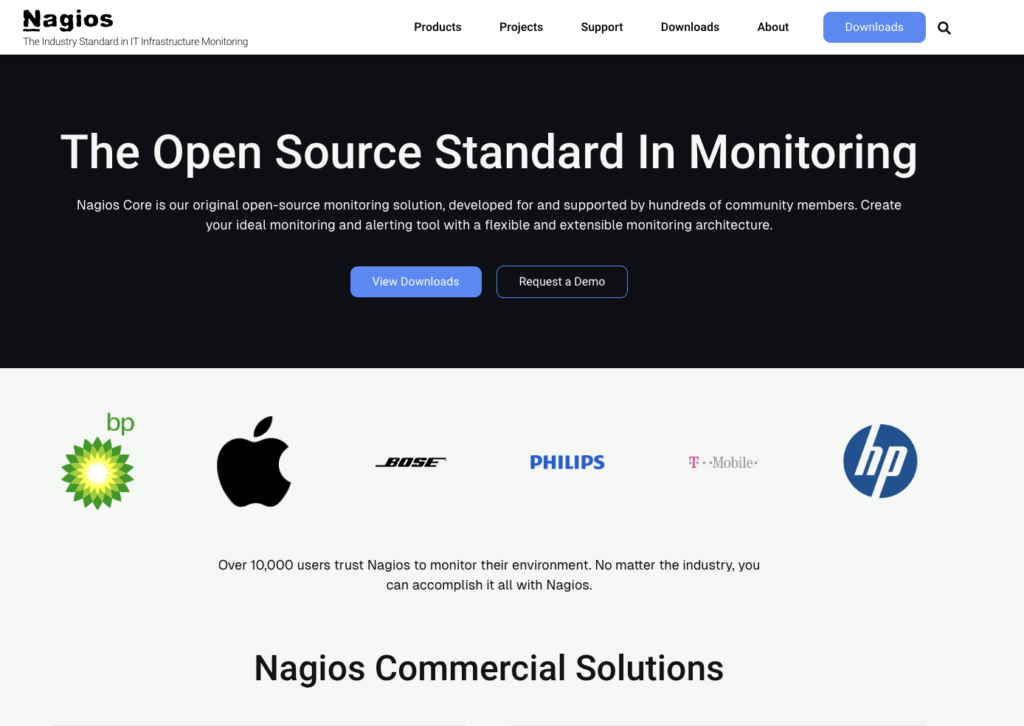
Nagios is an IT infrastructure monitoring system that provides one of the best server monitoring tools to help users identify and resolve technical troubles. In other words, Nagios checks the health and performance of your server and lets the users fix the issue Immediately. It monitors your entire IT infrastructure to ensure that Tech systems and business applications run effortlessly.
Key Specifications
🔶 Quick Support: When a system fails, Nagios notifies the technical support team to ensure a 24/7 remedy process.
🔶Network Analyser: Users can easily check the bandwidth status to see if it’s dropping or not, which is possible due to Nagios’s grade NetFlow Data analysis solution.
🔶 Centralised DashBoard: Nagios’s Dashboard allows the user to monitor the working of the servers and other Hardware and even lets the user fix them in real-time.
🔶 Essential Nagios AddOns: From Cross Platform monitoring agent and remote Plugin Executor to Server checker and Data processor, Nagios offers every essential tool as a Free/ Paid Addon.
Use Cases
- Nagios, a server monitoring tool, checks for server-related faults, allowing the developers or admins to quickly locate and fix them.
- Gamers can use Nagios’s Network Analyser to check the Network traffic and bandwidth to ensure uninterrupted Gameplay.
- The Nagios Log Server helps the user monitor the server log and prevent security breaches and malware attacks, thereby keeping the server safe and healthy.
Pricing
For Custom plans and Demo trials, the User can Contact the support team. However, the Nagios charges only for maintenance and Support services.
- The basic server monitoring services, such as checking status and fixing issues, are free.
- Support & Maintenance Cost: starts from $1963 per month (100 Nodes)
Pros and Cons
Pros
- Demo Available on Request
- Centralised monitoring of all the essential hardware.
Cons
- Paid Support services are available.
2. Prometheus
Prometheus, one of the best server-monitoring tools, is specifically designed to offer monitoring and other server-examining functionality for cloud servers. It also gathers metrics in real-time, allowing admins to resolve issues correctly.
Prometheus can also be used to monitor Kubernetes, which manages containers for running applications smoothly. Cloud Users who are looking for a server monitoring tool can blindly choose Prometheus due to its outstanding service quality.
Key Specifications
🔶 Precise Alerting: Prometheus notifies the developers of the servers’ or containers’ performance, allowing them to fix the issue as soon as possible.
🔶 Multiple Integrations: System Stats, Docker, HAProxy, StatsD and various other Integration tools can be used along with the Prometheus server monitoring tool for greater functionality.
🔶 Effortless Operation: Prometheus’s user-friendly operations and effortless functions make it one of the perfect Server monitoring tools for users.
🔶 Allows Customization: Users can easily scale and customise the monitoring resources as per the requirement.
Use Cases
- Developers use Prometheus to collect Kubernetes’ numeric metrics to run applications effortlessly in a containerised atmosphere.
- App developers check the performance metrics of applications running on servers and track the response time.
- Tech support Staff members make use of Prometheus’s Server monitoring tool and RDP to track the performance of the client’s servers.
Pricing
Prometheus offers all the server monitoring tools for absolutely Zero Charge. Users can download the tools from the official website.
- Server monitoring tools can be downloaded from the website.
Pros and Cons
Pros
- Free Download (No Extra Cost Required)
- Effortlessly works in a Cloud environment.
Cons
- No support services are available on the official website.
3. Datadog
DataDog, a cloud server monitoring tool, is one of the Best IT infrastructure monitoring systems.
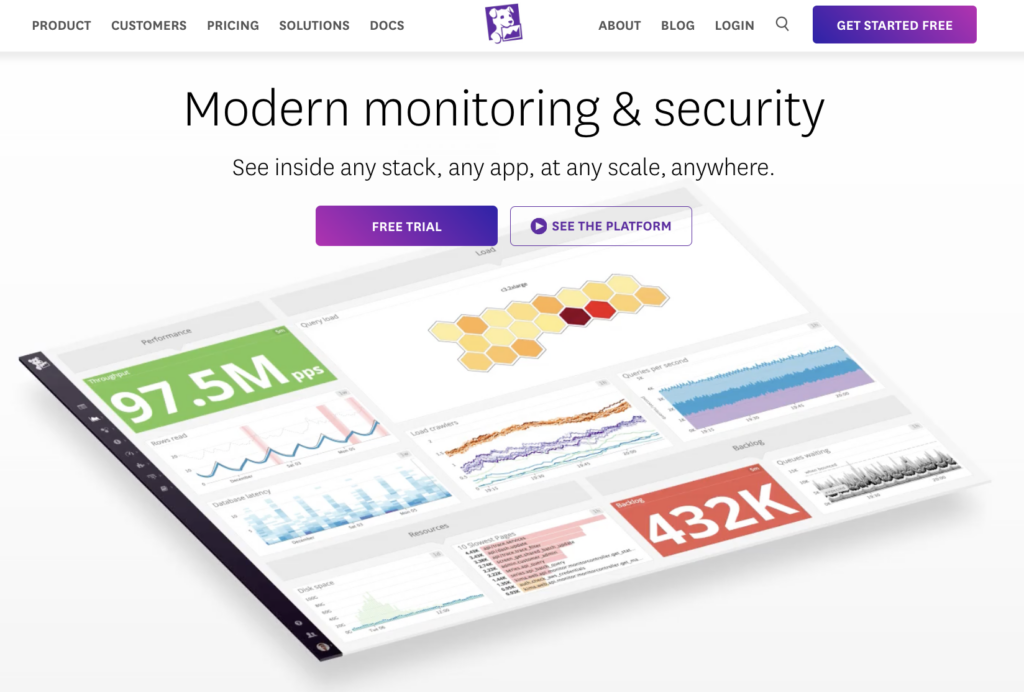
It offers monitoring services from log management, Server Security, and Network monitoring to Error tracking, Database Monitoring, and Workflow Automation. DataDog also offers One Dashboard to monitor the Performance of the server’s hardware. The DataDog monitoring tool can also work well in a Cloud environment.
Key Specifications
🔶 Cloud server friendly: DataDog offers Cloud server monitoring, ensuring that the tracking process can be easily conducted under cloud conditions.
🔶 One DashBoard: One DashBoard displays all the hardware activities involved in real-time and helps developers locate and fix issues.
🔶 Monitor your User Experience: Monitor your User experience with an easy-to-use Web Recorder, Receive alerts and detect performance issues.
🔶 Sync business decisions with performance metrics: DataDog enables the users to use the Performance Frontend & Backend metrics in Business decision metrics.
Use Cases
- DataDog is one of the best Server monitoring platforms for SaaS and Cloud Providers due to its cloud-friendly analytics.
- Developers and gamers can use the DataDog server monitoring tool to detect and fix server loading issues.
- App builders can access an interactive real-time dashboard with high-resolution metrics, and users can receive alerts via email and Slack.
Pricing
You can get free trials with a few limitations (you must contact the tech support team). Users can even customise the DataDog Monitoring plan as required.
- The Serverless Workload Monitoring plan starts from $5 per month.
- Get Serverless APM (AddOn) just for $10 per month
Pros and Cons
Pros
- User-Friendly Interface.
- Centralised Dashboard
Cons
- Free trials have few limitations
4. SolarWinds Server & Application Monitor
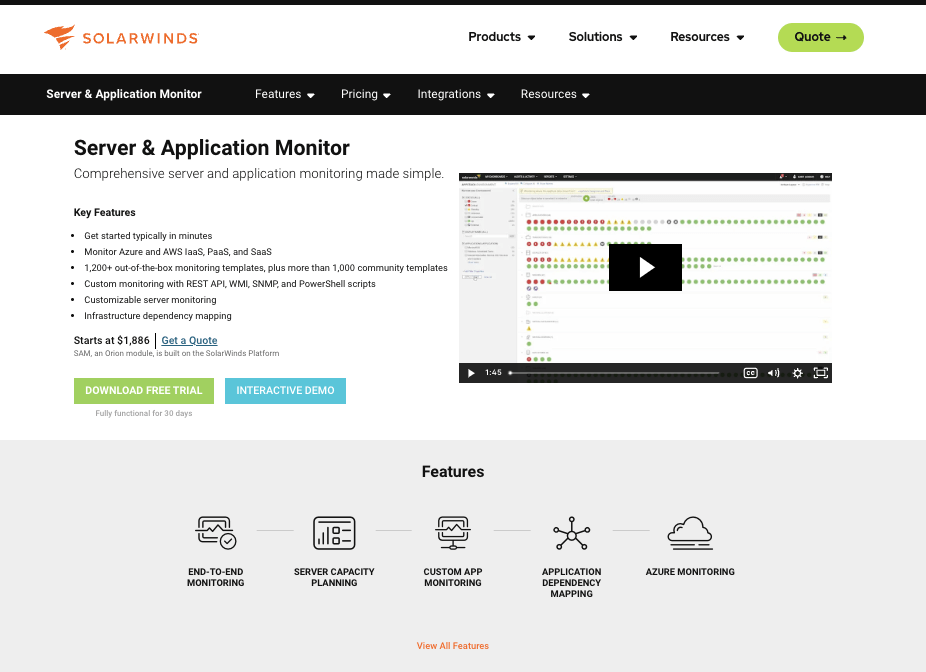
When it comes to multi-cloud Observability, Database, and server management, SolarWinds stands out from the other server monitoring tools due to its seamless Application monitoring, modern observability platform, and multiple tool integrations, taking the server tracking process to the next level. Solar Winds offers multi-vendor network monitoring stuffed with intelligence mapping and advanced alerting.
Key Specifications
🔶 Seamless Integrations: SolarWinds allows several tool integrations for smoother performance tracking processes and real-time server health detection.
🔶 Secured Design: The interface is designed to meet the latest security norms, thereby securing your servers from online threats.
🔶 NexGen Intelligence: Get accurate and trustworthy data along with actionable insights using AI.ML Intelligence to help the user fix issues faster.
🔶 Hybrid Cloud Observability: SolarWinds offers network and Infrastructure Monitoring & observability with BandWidth analysis and configuration management as well.
Use Cases
- Small and Medium businesses can use Server monitoring tools to fix the issue without compromising the workflow.
- The best option for government agencies is to monitor and manage the digital infrastructure environment safely, even by providing a full-stack monitoring facility.
- DevOps can enjoy seamless Monitoring solutions to enhance visibility, Remove cyber barriers and Automatic asset reporting.
Pricing
The pricing scheme for SolarWinds isn’t provided on the official website, and one needs to talk to the support team to book a demo or get a quote.
- Get a Free Demo Trial for limited days after contacting the Sales Team of SolarWinds.
Pros and Cons
Pros
- 24/7 Support service via LiveChat
- Best Monitoring plan for Public sector (Full stack monitoring facility)
Cons
- Prices and Plans aren’t transparent
5. Dynatrace
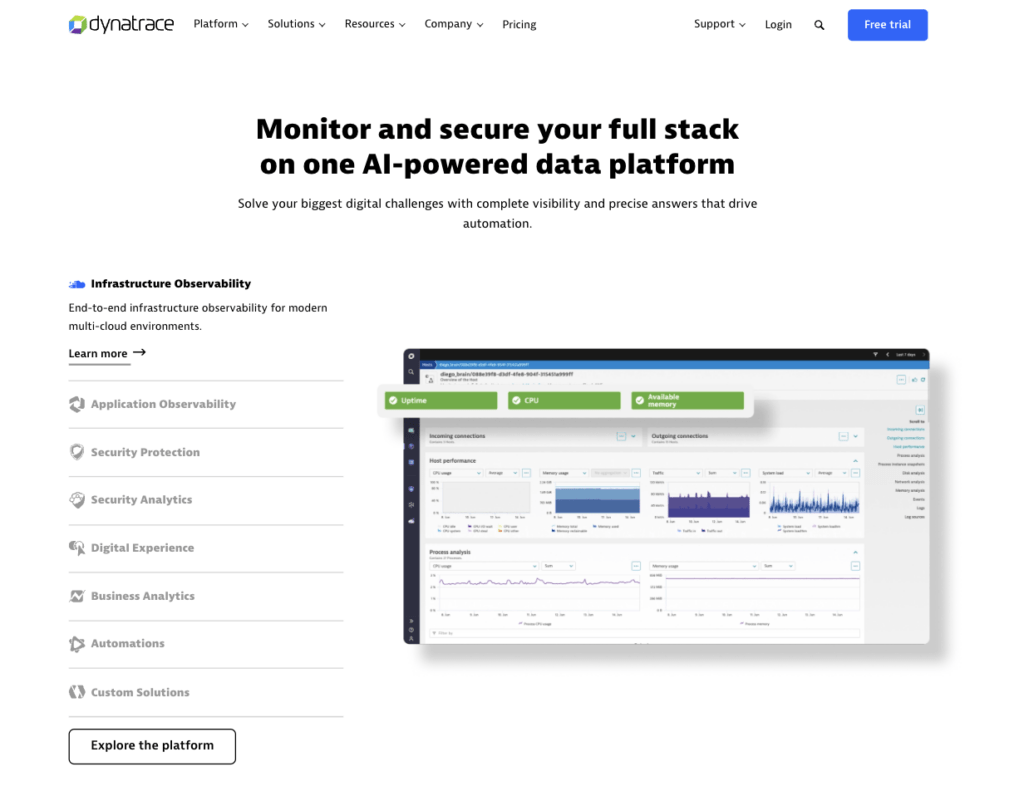
DynaTrace, a unified observability and highly secure monitoring system, is one of the best application monitoring tools that AI uses to carry out most IT-related operations.
DynaTrace offers full-stack monitoring to let the user conduct performance analysis before implementing any sort of business decision. DynaTrace identifies and resolves the issues before they can impose a negative impact on the user’s servers.
Key Specifications
🔶 Manage Real User Experience: This feature enhances user experience through real-time monitoring, quick red alerts, and instant issue resolution.
🔶 Auto Detects cloud server dependencies: Using DynaTrace’s Davis AI, it monitors the cloud infrastructure to help reduce major degradations that can impact the working of the server in its entirety.
🔶 Monitor Hybrid Multi-Cloud: Get full observability on all clouds, including OS-level and crucial network metrics, for efficient issue detection.
🔶 Resolves issues Proactively: DynaTrace monitors the virtualised server environment and offers full transparency in Performance metrics.
Use Cases
- Secure observability, application security, and AIOps, all under a single platform, are some of the best options for financial enterprises to deliver a digital experience that meets customers’ demands.
- Government agencies can use Dynatrace to manage cyber risks and ensure zero-error mission execution, military campaigns, or civil needs.
- App developers executing tasks in packets called containers and Kubernetes managing these containers can use DynaTrace for back-to-back container monitoring services.
Pricing
Though DynaTrace offers Free Trials on premium plans, helping Small industries utilise Monitoring services, the Premium plans start at just $0.8 per hour.
- Users can even connect with the sales team to chart a customised plan as required.
- $0.20 per GB for Log Server management and $0.0007 per GB per day
Pros and Cons
Pros
- Plans and Prices are Highly Flexible (Hourly Plans are available).
- Container monitoring tool for App Developers.
Cons
- Support Service isn’t perfectly operational.
6. Splunk
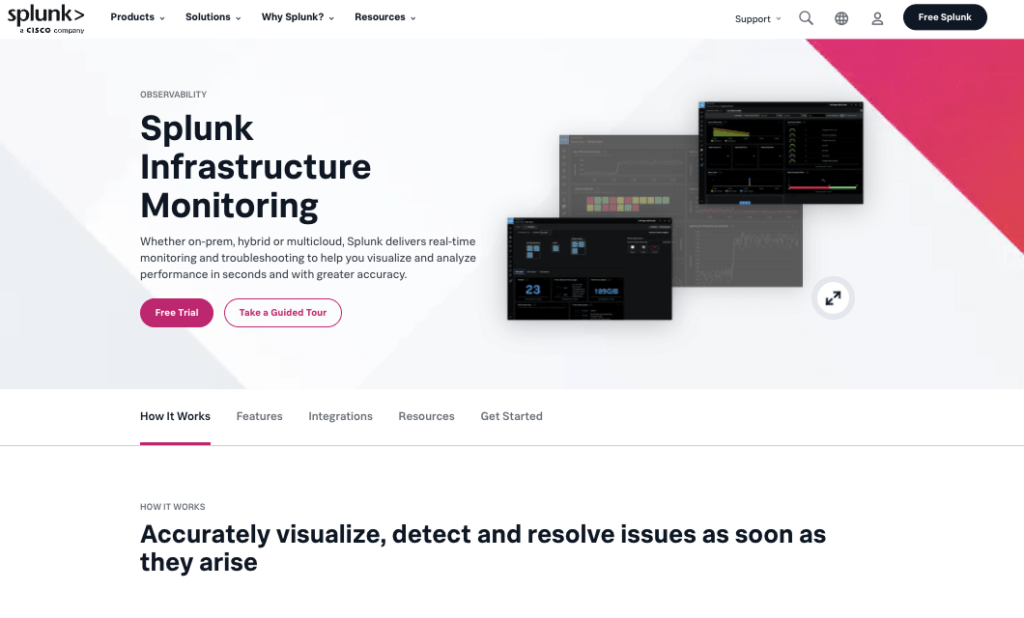
Splunk, one of the Best Server monitoring software, not only manages servers, containers, and applications but also tracks and fixes them right away.
With Splunk’s monitoring services, organisations become more resilient as it brings downtime to zero and boosts server performance. Splunk even offers AI-driven observability and security to ensure a secure server environment.
Key Specifications
🔶 AI-powered Solutions: Top-notch AI mechanism for security and observability of servers that boosts detections and processes ad notifications.
🔶 Instantly Visualizes Server: Splunk’s Auto Discover tracks, breaks down, fixes, and explores cloud services and systems in a matter of minutes.
🔶 Troubleshoot in RealTime: AI-powered Server monitoring infrastructure detects processes and troubleshoots server-related issues quickly.
🔶 Streamlined for business priorities: Aggregate Performance metrics tracked down by Splunk are specifically meant to scale or grow your business.
Use Cases
- Splunk manages, maintains, handles, and monitors Kubernetes, ensuring that the application’s dependencies are safe and secure for developers.
- Small or medium-scale businesses can use the performance metrics to calculate the server functionality, thereby ensuring smooth business growth.
- Individuals running websites on dedicated servers and gamers can blindly use Splunk to check server performance and fix issues in real-time.
Pricing
Splunk offers Free Downloads, zero-cost Trials, and Demos of Premium plans so that customers can test the functionality before actually purchasing it.
- Free Trials of Splunk’s Server monitoring tool consist of Limited services.
- Talk to the Sales Team to Discuss a customised plan and Request an Estimate as per the requirement.
Pros and Cons
Pros
- Manages Kubernetes and offers High-Quality Performance metrics.
- Troubleshoots server-related issues in real-time.
Cons
- No support Services are available, and Prices aren’t Transparent.
7. New Relic
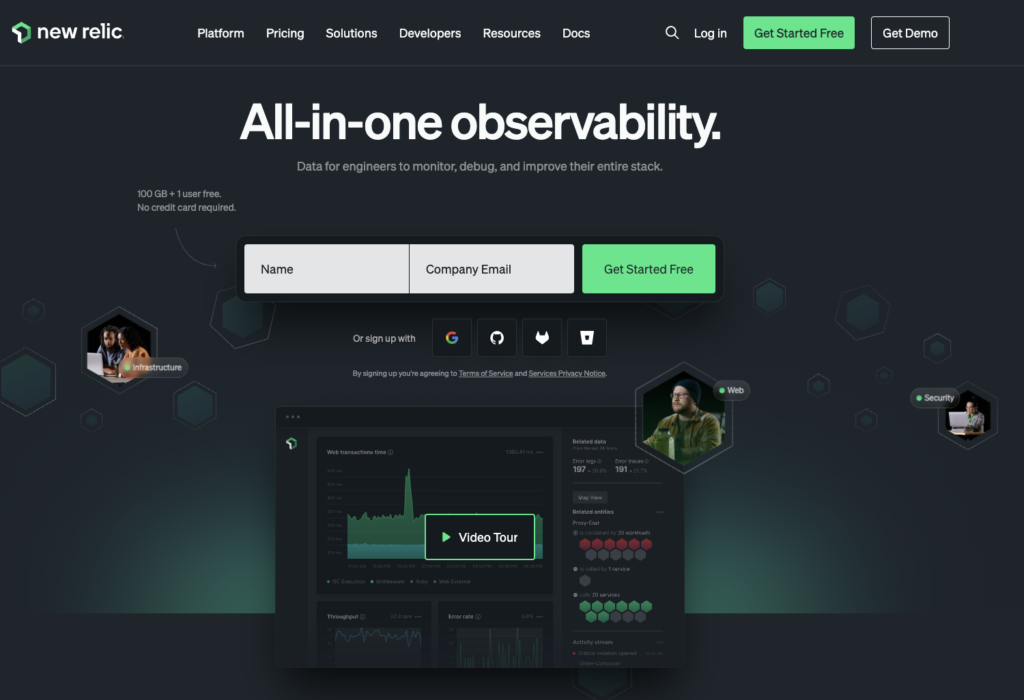
With an early warning system and instant resolution of alert activities, New Relic offers the best server monitoring features.
These include uncovering outdated operations, detecting health patterns at a glance, and filtering and comparing host performance. New Relic quickly pinpoints issues across cloud servers and offers faster troubleshooting services. Users can easily get a clear picture of the host’s status with New Relic.
Key Specifications
🔶 Easily Detected Under Provisioned Resources: New Relics’ monitoring mechanism detects underperformance of RAM/ CPU and correlates the metrics with graphs for easy understanding.
🔶 Visualise relationships and dependencies: This enables the user to see the status of all the dependencies to ensure smooth application performance.
🔶 Fix the detected issues in Real Time: This resolves the problems detected instantly to ensure a smoother workflow and even detects health patterns for greater server functionality.
🔶 Monitor hosts and Configure changes: To reduce negative impacts on the health and behaviour of the server, New Relic monitors Hosts and ensures quick Configurations.
Use Cases
- Since it focuses mainly on Application monitoring performance, App developers can use New Relic to manage containers for smoother application continuity.
- Dedicated Server users can opt for NewRelic to control, manage and monitor server performance in a single dashboard for greater server visibility.
- Government agencies requiring a secure cloud environment from cyber-attacks can also choose New Relic for strict server monitoring and quicker issue resolution.
Pricing
Free trials of New Relic invite new users to get 100GB of Free data per month and 30+ server monitoring capabilities under a single dashboard. New Relic allows users to customise plans as required.
- Free trials are available (However, there are a few limitations)
- Data above 100GB cost around $0.30 per GB
- Get 750+ Integrations for advanced Monitoring services at a customised price.
Pros and Cons
Pros
- Easily Filter underperforming resources.
- A centralised dashboard for easy viewing.
Cons
- Free trials have limitations and carry $0.30 for every 1GB of data above 100 GB.
8. Grafana
Known for its ability to monitor applications and minimise the time needed to resolve an issue, Grafana is one of the best server monitoring tools.
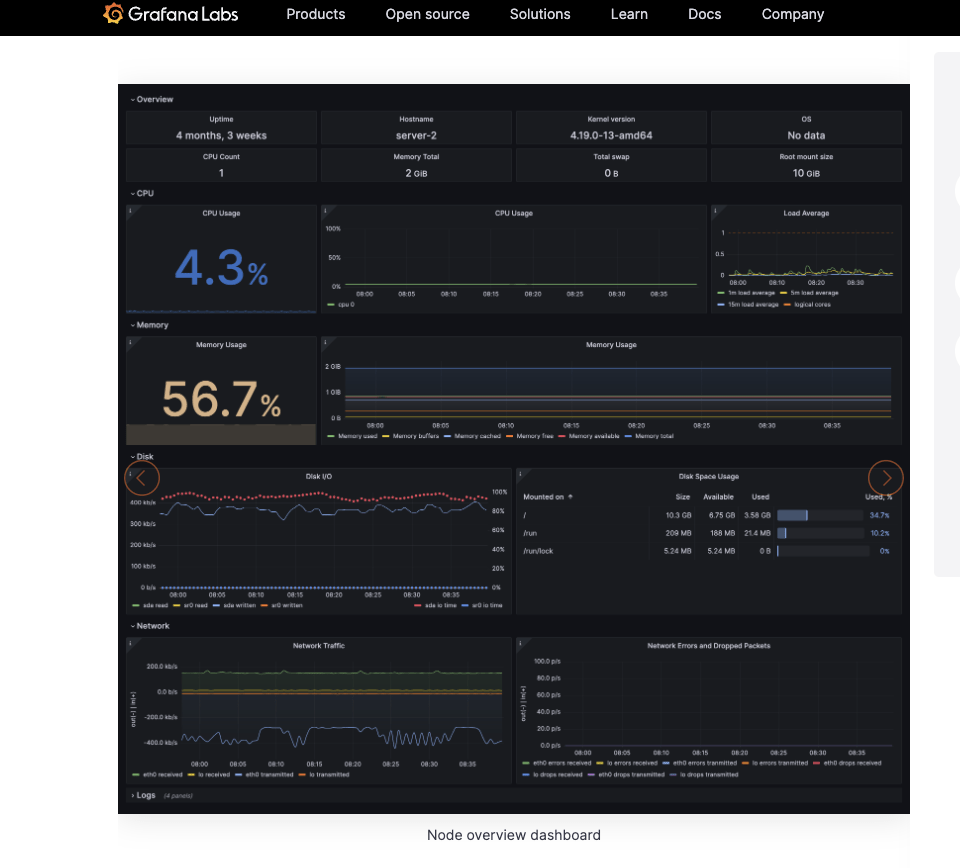
It’s even popular for its various pre-built engaging dashboards, which allow tracking real-time performance and troubleshooting server issues. With easy setups and instant insights, Grafana configures application observability in minutes and detects abnormalities on the server.
Key Specifications
🔶 Troubleshoot Application issues faster: Grafana offers instant application observability with pre-designed dashboards tracking the performance of all the services.
🔶 Collaborate with Prometheus and OpenTelemetry: Grafana is compatible with Prometheus and OpenTelemetry to instrument the applications.
🔶 Grafana offers cloud storage for server protection: The servers’ data is stored in Grafana’s highly scalable, fully managed database.
🔶 Pre-built Templates for DashBoards: Dashboards are the centralised location where the server’s performance is traceable, and Grafana offers multiple dashboards for the user.
Use Cases
- Grafana’s server monitoring tool is easily used by users with any operating system (Windows, Linux, Docker).
- Are you a newbie user who wants 14-day free trials, 50GB traces minimum, 50GB logs of Telemetry, and 3 active users? You can reach out to the Grafana support team.
- Application runners use Docker and Kubernetes to handle and manage the application dependencies, for which Grafana offers a server monitoring tool.
Pricing
Grafana offers Free Trials! It gives users 14 days of back-to-back demos with free data and 10K metrics on server performance.
- Get Free trials with Grafana with few limitations.
- No Credit Card is Required to register for Free trial services.
Pros and Cons
Pros
- Pre-build well-designed Templates on various Dashboards.
- Collaboration with Prometheus made advanced-level server monitoring possible.
Cons
- Free Monitoring tools have a few limitations.
9. PRTG Network Monitor
PRTG Network Monitor, also known as Paessler Router Traffic Grapher, helps businesses monitor their entire IT infrastructure, including cloud-based monitoring.
PRTG monitors all system devices, traffic, applications, networks (LAN/ WAN/ Servers), and websites. It supports all important technologies to seamlessly carry out the tracking process of server performance.

Key Specifications
🔶 Unified Dashboard with High-Resolution Interface: Users can make use of a centralised DashBoard, Real-Time mapping with live status information, and receive popups at times of issues.
🔶 Reporting & Analytics: PRTG lets you customise server reports according to your needs and graph the status of the server performance to make it more understandable to users.
🔶 Remote Server Monitoring: No matter where you’re, PRTG Network monitoring enables you to check and fix bugs using Remote Technology.
🔶 Quick Alerts and Notifications: Set a custom notification alert for your server monitoring and even benefit from built-in notification methods like email, push, etc
Use Cases
- Tech support staff can necessarily use PRTG network monitoring services to provide technical assistance to clients settled remotely.
- Users can operate PRTG monitoring functions in various OS devices, such as iOS, Android, and Windows, ensuring seamless tracking of server performance anywhere and anytime.
- As it involves basic IT automation tasks plus full administrative control features, PRTG network monitoring can even be used by IT-based SMBs with a smaller budget and more requirements.
Pricing
PRTG offers Free Downloads and even Free trials for Premium services, letting you use them before you actually pay. You can contact the support team to book a Demo.
- Free trials and Downloads are available
- Starting at $2149 per server license
Pros and Cons
Pros
- Centralised DashBoard with pre-designed Templates
- Full administrative control features for NexGen Server monitoring
Cons
- Premium plans are expensive, and most of the plans and Pricing aren’t Transparent.
10. Icinga
Icinga, one of the best server monitoring platforms, manages all kinds of servers with different operating systems with just a single tool.
also, Icinga offers a single user-friendly modern interface to let the user track the performance of all the hardware involved in the servers. It provides integrated reporting and instant troubleshooting of server-related issues.

Key Specifications
🔶 View the entire Infrastructure in one Interface: Get an easy-to-use interface to handle and monitor the entire server infrastructure to ensure real-time updates.
🔶 Advanced server monitoring using RDP: Icinga uses RDP to monitor servers from a distant location, and that integrates other tools to enhance monitoring functions.
🔶 Store Server Performance Metrics: Server performance metrics are stored, and historical data can easily be accessible during the decision-making process.
🔶 Cloud Monitoring: Icinga monitors multiple clouds with just one tool, ensuring round-the-clock surveillance of servers that monitor large amounts of data.
Use Cases
- SaaS providers can extensively make use of Icinga due to its ability to handle multiple cloud environments and establish server status in real-time.
- Remote server monitoring can enable gamers and traders (who operate remote resources) to check the performance of the servers to ensure good gameplay without any lagging experience.
- It can monitor massive amounts of data, which is highly useful for government agencies in creating, managing, and putting data under acute surveillance.
Pricing
You can download it on your PC right away, or You Can Try the demo series before downloading it. Icinga doesn’t offer pricing schemes.
- Free Download and Demo are available too.
- No Premium Plans
Pros and Cons
Pros
- Free of cost
- Cloud server monitoring proves worthy for SaaS providers
Cons
- Support services aren’t handy
11. LogicMonitor
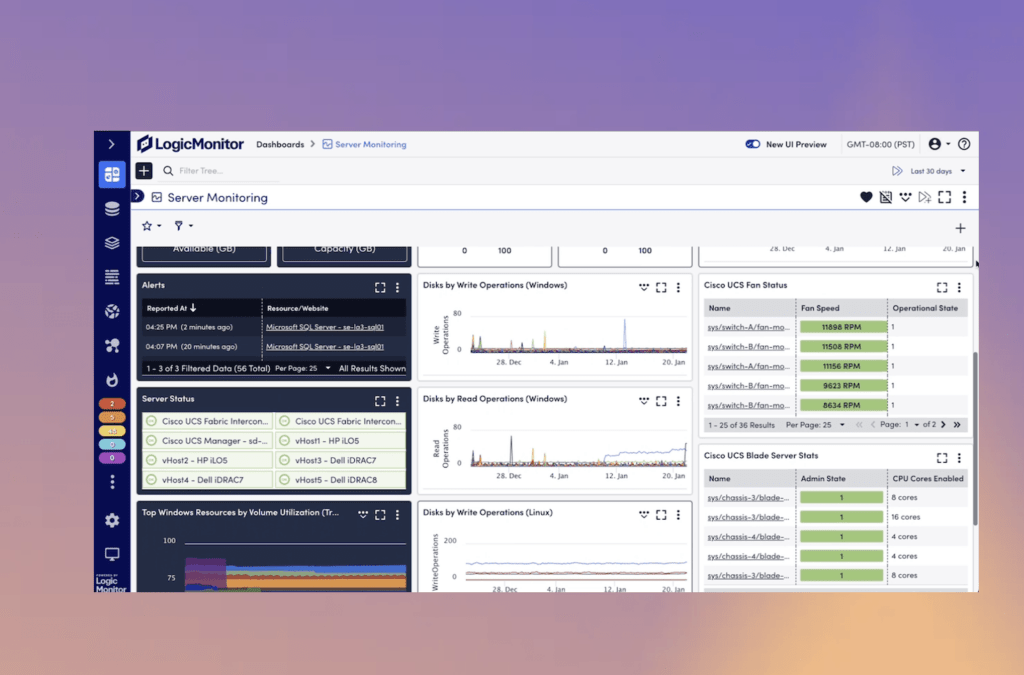
LogicMonitor, one of the best Cloud-based server monitoring software and the best place for SaaS providers, offers a cloud-monitoring platform that proactively improves IT performance and lets users fix issues in minutes. It offers 1000+ integrations to elevate server performance and even accelerate responses, which is possible due to AI-driven hybrid observability.
Key Specifications
🔶 Unified Experience: LogicMonitor offers an amazing user experience. It offers a customised single dashboard and is user-friendly.
🔶 Cloud Monitoring tools: Get server monitoring tools to ensure the hardware components of the cloud server are functional and to fix them immediately.
🔶 Quick Alerts & Reduced MTTR: Get real-time alerts without noise, using dynamic topology to troubleshoot issues and minimise server problems.
🔶 Universal monitoring platform: Monitor all the infrastructure under one roof with the help of 1000+ integrations and even collaborate with the technologies instantly for quick support.
Use Cases
- Several Integrations and cloud monitoring can hugely benefit Application Developers in managing the containers and their dependencies.
- Instant CPU health checks, CPU Fan statuses, and other network-related services immensely help SaaS providers check proper application operation in a cloud setup.
- As an LM (Logic Monitor) manages and handles the web servers, Businesses with multiple IT infrastructures can easily administer their digital infra seamlessly, causing no troubles again.
Pricing
Users need to register and enter their details to try Logic monitor services at absolutely zero charge.
- $22 per month (Infrastructure monitoring)
- $22 per month (Gain more control over your cloud servers.)
Pros and Cons
Pros
- Best place for Cloud Providers
- Cheap monitoring plans.
Cons
- No pricing policy is stated.
12. ManageEngine OpManager
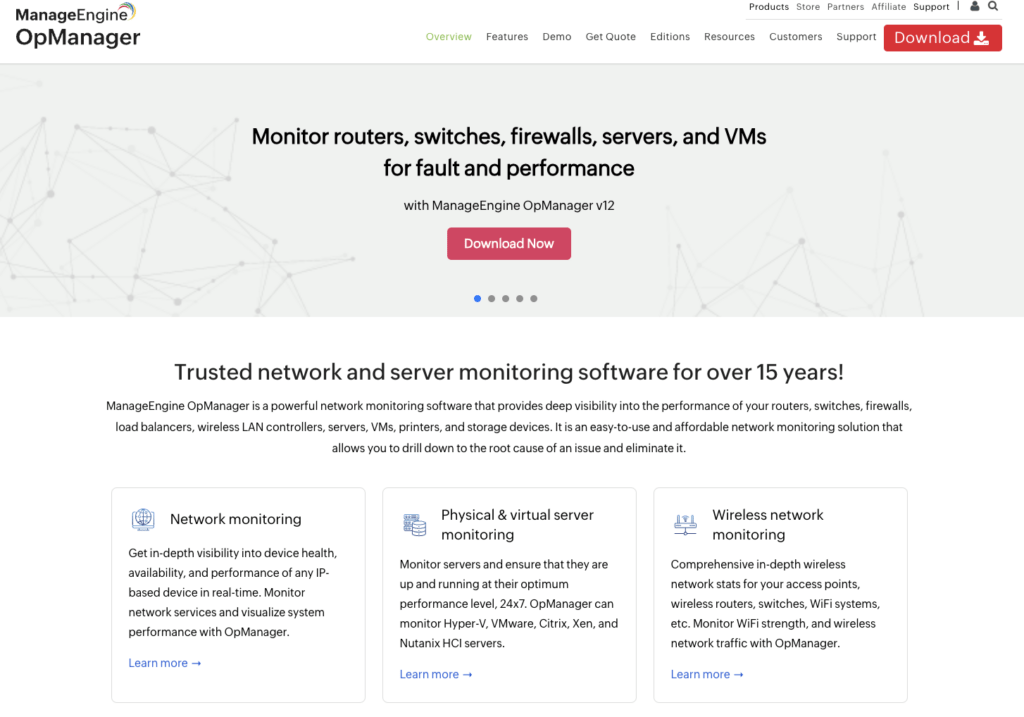
Famous for Virtual and Physical server monitoring, Wireless Network Monitoring, and Storage Monitoring, ManageEngine offers real-time surveillance and provides deep visibility into the performance of routers, Switches, and firewalls. In other words, it’s an easy-to-use monitoring solution that allows users (Developers and businesses) to identify the root cause of an issue and fix it.
Key Specifications
🔶 End-to-End Network Monitoring: ManageEngine provides in-depth visibility into device health, availability and performance of any dedicated IP.
🔶 Custom and User-Specific DashBoards: Get a user-friendly dashboard with all the features, like CPU status and RAM storage, on the interface with easy-to-understand graphics.
🔶 Alarms and Notifications: Receive notifications and alerts to fix the bug right away, ensuring smoother server performance.
🔶 Universal monitoring from anywhere at any time: Users can monitor the web resources of servers from anywhere in the world using any device, such as a smartphone or PC.
Use Cases
- Remote users, such as Gamers with physical servers at remote locations, can use ManageEngine OpManager to handle server performance from remote locations.
- Government agencies can use OpManager’s server monitoring services, which offer immense web security from malicious online threats.
- Business sectors looking for easy workflows and automated server troubleshooting processes can use ManageEngine’s Network management and fault monitoring features.
Pricing
Users can download the free version of OpManager on Windows/ Linux and even contact the sales team to plan a customised monitoring feature.
- Download the free version of ManageEngine and even get a chance to enjoy demo services for Premium plans.
Pros and Cons
Pros
- Support services are available 24/7 via LiveChat
- Remote server monitoring enables the user to keep an eye on the servers from any location.
Cons
- The free version has some limitations.
13. Observium
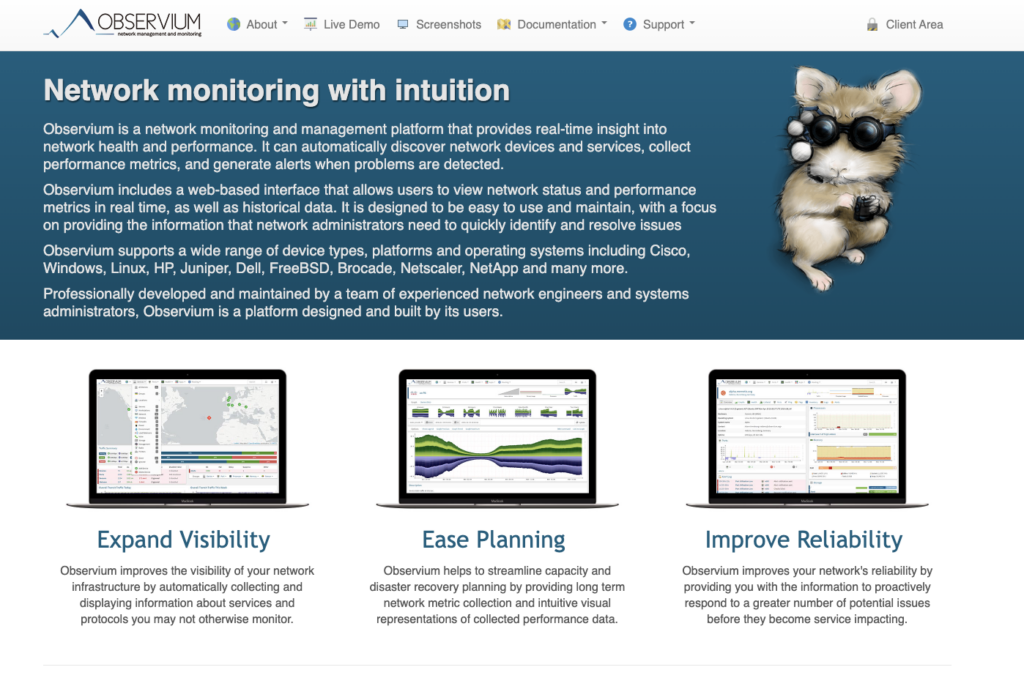
Observium, a UK-based server monitoring tool, offers a web interface to check the network status and performance metrics in real time.
It supports all kinds of device types, platforms and OS, including Cisco, Windows, Linux, Juniper, Dell and many more. Observium, as the name suggests, observes the performance metrics of the server and even offers an integrated reporting tool for easy understanding.
Key Specifications
🔶 Real-time updates and fixes: Observium filters out the defects and updates the users to resolve the issue instantly, failing, which can hamper the business working.
🔶 Traffic Accounting System: Server traffic is sorted out and checked regularly to ensure the servers are free of issues.
🔶 Seamless Integrations: We offer a wide variety of software integrations to streamline the monitoring process according to the user’s requirements.
🔶 Threshold Alerting: Observium allows the user to configure the threshold and receive alerting protocols when there’s a server-related issue.
Use Cases
- Network administrators can easily identify and resolve server-related issues, allowing the business to focus more on growth.
- Observium’s ability to monitor vast volumes of data is extremely helpful to government entities in the creation, management, and intense monitoring of data.
- Small and medium-sized enterprises may ensure smooth company growth by using performance indicators to determine the server’s functioning.
Pricing
Along with the free plans, Observium provides Premium plans with advanced server monitoring features that boost the performance of SMBs and other sectors.
- Community: Free of cost (Unlimited number of monitored devices, ports and sensors)
- Professional: $256.20 per year (Ideal for SMBs and ISPs)
- Enterprise: $1072.96 per year (Ideal for large business enterprises)
Pros and Cons
Pros
- Provides Traffic accounting feature for easy tracking and billing customer bandwidth usage.
- A globally trusted monitoring tool that has a broad user base.
Cons
- Premium plans are expensive enough for individual or startup businesses.
14. Zabbix
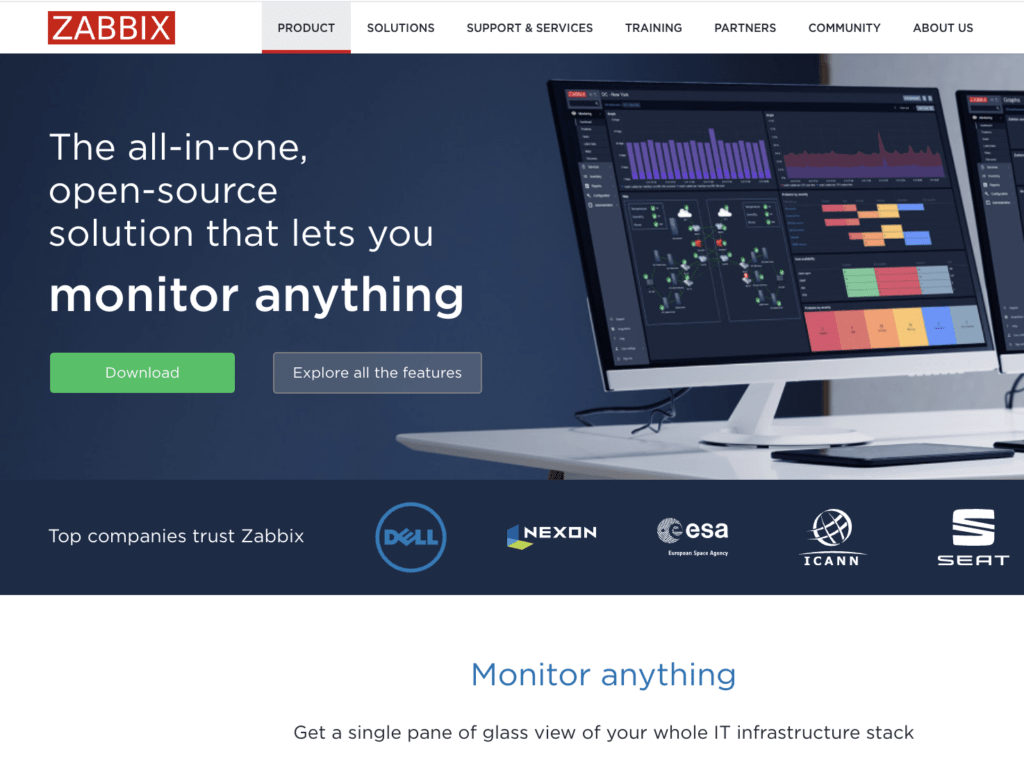
Zabbix, also known for its high scalability, robustness, and smooth monitoring functionalities, offers server metrics in real-time to enable users to locate issues and fix them to ensure the smooth functioning of the server and the business. Network monitoring, Problem detection, Alerting, Metric Collection, and Data Visualization are a few of the other IT monitoring services that Zabbix offers.
Key Specifications
🔶 Collection Metrics: Zabbix ensures that centralised data is gathered and displayed to the user to analyse server performance.
🔶 Alerting system: On occasion of server lagging or any sort of performance issue, Zabbix lets the user know by Alerting and notification system.
🔶 Engaging Data Visualization: Collected data is mapped and presented in a user-friendly manner so that users can easily understand the server’s performance matrices.
🔶Custom Dashboard Widget: The DashBoard contains popups that show the health of the hardware working in the server with a single click.
Use Cases
- It helps track business KPIs and assists App developers in monitoring Docker for regular checkups and fixing bugs if they’re found.
- All sensitive information is encrypted, allowing the Public Sector enterprise to store sensitive data and monitor server control.
- Admin access and regular monitoring of data servers allow reseller hosting providers to use Zabbix’s amazing feature to fix issues in real-time.
Pricing
Free Downloads are available. Users can Download the Zabbix package after customising the usage and choosing the appropriate Operating system.
- Free Download available with no limitations.
- No premium plans come with.
Pros and Cons
Pros
- Zabbix Package is available for absolutely zero charge.
- Developers use the Zabbix Application monitoring tool for data server surveillance.
Cons
- No support options are available.
15. NetData
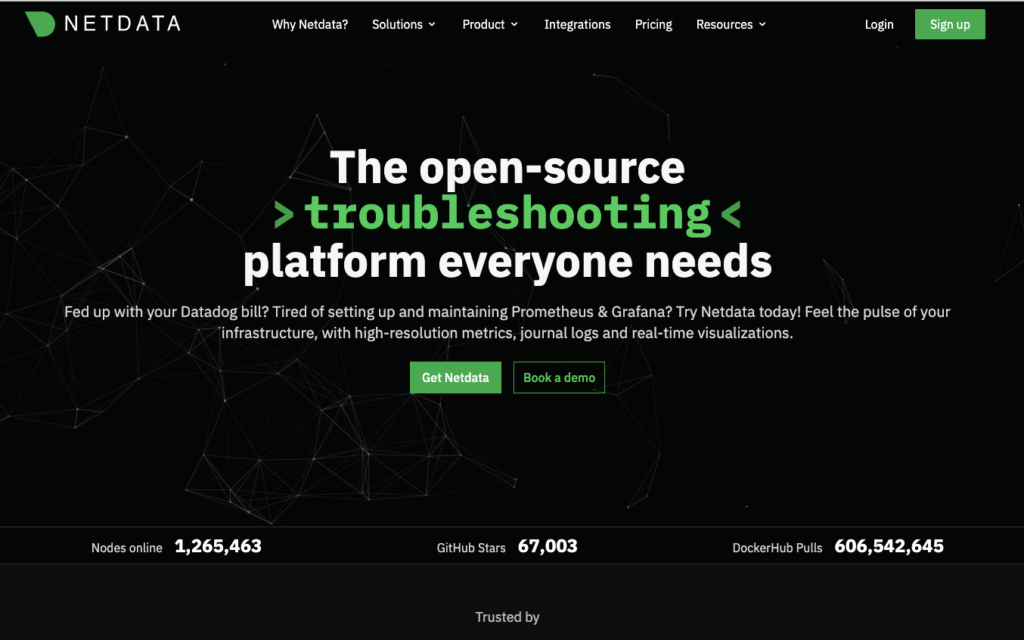
Famous for its high-resolution metrics journal logs and real-time visualisation, NetData optimises your IT operations and provides highly reliable alerts, real-time performance and health monitoring of the servers.
NetData centralises all the performance data in a single Dashboard, letting the user get all the information related to the servers in just one place. Along with that, NetData spends a fraction of the time monitoring, ensuring the issue is resolved instantly.
Key Specifications
🔶 Quick Installation: Users can easily install NetData from the command line on Linux. After the installation is successful, users can access several metrics charts that update every second.
🔶 1000+ Integration: View metrics using your favourite operating system, servers, containers, hardware, and applications operating in a variety of environments.
🔶 1Second Monitoring Latency: Get 1 Second latency for all metrics, designed explicitly for troubleshooting issues in real-time.
🔶 Fully Automated DashBoard: Presents metrics in an engaging manner on the fully automated dashboard, letting users understand the server performance in just one view.
Use Cases
- NetData lets users like software engineers troubleshoot the root cause of some underlying long-nagging issues in the network.
- Easily locate the bottlenecks and identify where changes are required. The system handler requires monitoring solutions for running applications and data migration.
- NetData is a key solution for server monitoring. The alerts are simple and bring the tracking process of data centres into a single dashboard for meaningful visualisation by Tech support.
Pricing
Get a Community plan of Net Data for absolutely Free of cost, with max 5 active connected nodes, 1 active Custom dashboard, and secure access to the dashboard at any part of the globe.
- HomeLab: $90 per year (Perfect monitoring solution for students or non-professionals only)
- Business Plan: $3 per node per month (Unlimited Metrics & Log, Unlimited Nodes & unlimited Data Retention)
Pros and Cons
Pros
- Students can make use of the HomeLab Plan and get minimum basic monitoring services at a affordable cost.
- Ensures near-zero Latency for all server performance metrics to further ensure quick issue resolution.
Cons
- The community plan (free Basic Plan) has limited monitoring services.
16. Cacti
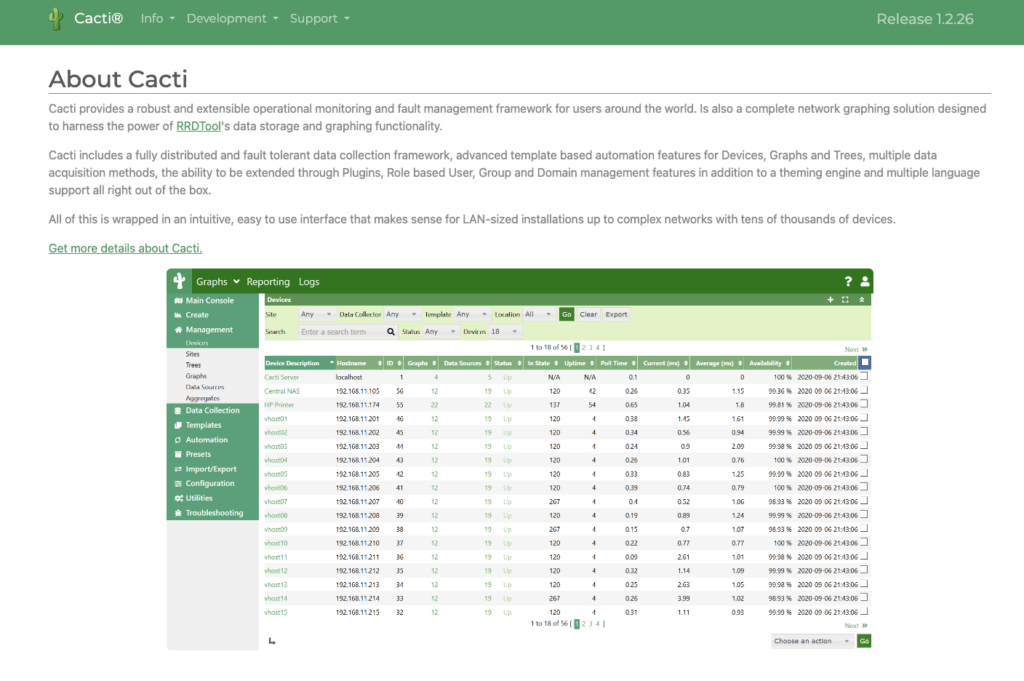
Cacti, one of the best server monitoring tools, is an extensive and robust operational monitoring and fault management system.
It offers multiple advanced templates with device automation features. It’s a full network graphic solution specifically designed to harness the power of RRD Tool’s data storage and other functionalities. Cacti offers a discussion forum for users having issues downloading or working.
Key Specifications
🔶 Proper Licensed: Cacti, server monitoring software, is released under a certified authority, and GNU General Public License ensures its authentication.
🔶 Graph View option: Graph List view allows the user to construct, manage and analyse the server performance and its health metric.
🔶 Cacti Plugins: Get various plugins, such as the THold Plugin, SysLog Plugin, MacTrack Plugin, and IntroPage Plugin, for easy tracking and effortless dashboarding.
🔶 Easy Data Collection: Seamless data collection using plugins streamlines the monitoring process, thereby enhancing server management.
Use Cases
- Users can track and fix server-related issues, ensuring quicker server management and smoother workflow.
- The best server monitoring software for students is free and has multiple plugins, thereby easing the functionality.
- Web hosting companies can use the software to detect and fix server issues and even handle the servers in real-time.
Pricing
Cacti offers free downloading with no in-app purchases. The server monitoring services are absolutely Zero cost.
- No Premium Plans.
- Free downloading option with limitless features.
Pros and Cons
Pros
- Several Plugin options help newbie users easily handle the server monitoring tool.
- A free Downloading tool with no spending requirement.
Cons
- Live Expert Support service is unavailable.
17. Checkmk
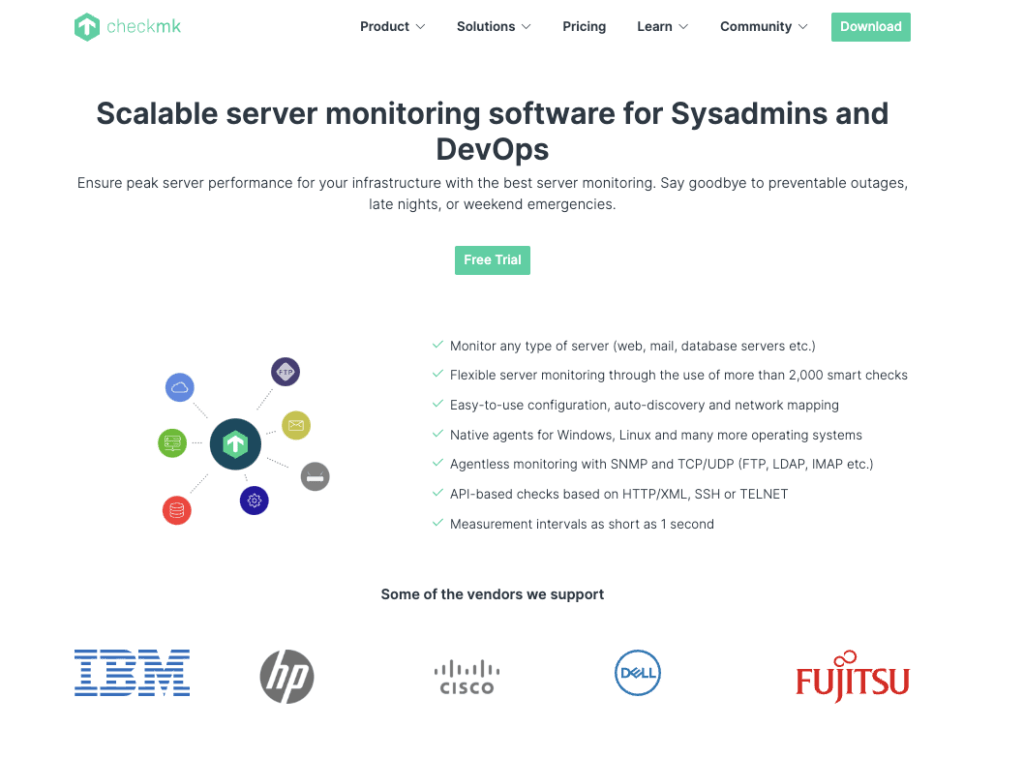
Highly Scalable, Fully Automated, and Extensive Server Monitoring Tool, CheckMK provides a full view of your complete IT infrastructure, letting you change or fix server issues. CheckMK uses modern configuration mechanisms to resolve the complex environment and even centrally manages system integrations using powerful API to fully automate anything.
Key Specifications
🔶 Automate Monitoring: CheckMK fully automates the monitoring process by adding new components to automatically detect and configure the server.
🔶 2000+ monitoring Plugins: from collecting metrics to powerful IT monitoring, CheckMK comprises 2000+ server monitoring plugins.
🔶 Full detail insights in real-time: Get an in-depth analysis of your network traffic, alerts, and notifications, as well as a detailed view of your host in a single dashboard.
🔶 Easy Customization: CheckMK offers effortless customisation options that let the user mould the functionality of the tool as required.
Use Cases
- 24/7 Server monitoring and issue resolution enables the Public Cloud Providers to seamlessly manage the cloud servers without any lagging experience.
- Amazing monitoring plugins, graph maps, and live monitoring data ensure that the DevOps team can easily monitor the containers, thereby allowing the applications to run smoothly.
- Custom dashboards, quick alerts and notifications, and combined log monitoring metrics enable the system team or software engineer to manage the monitoring process.
Pricing
Raw Plan is free, giving users an Auto-discovery tool for tracking server issues and 2000+ plugins covering the basic monitoring process. However, users need to buy premium services for greater monitoring resources.
- Enterprise Plans: $188.63 per month (accelerate or scale up your monitoring)
- Cloud Plans: $269.47 per month (Monitor cloud workloads)
Pros and Cons
Pros
- Have several Plugins to ease the monitoring process.
- Works smoothly in a cloud environment.
Cons
- Free Plan has a few limitations.
18. Sensu
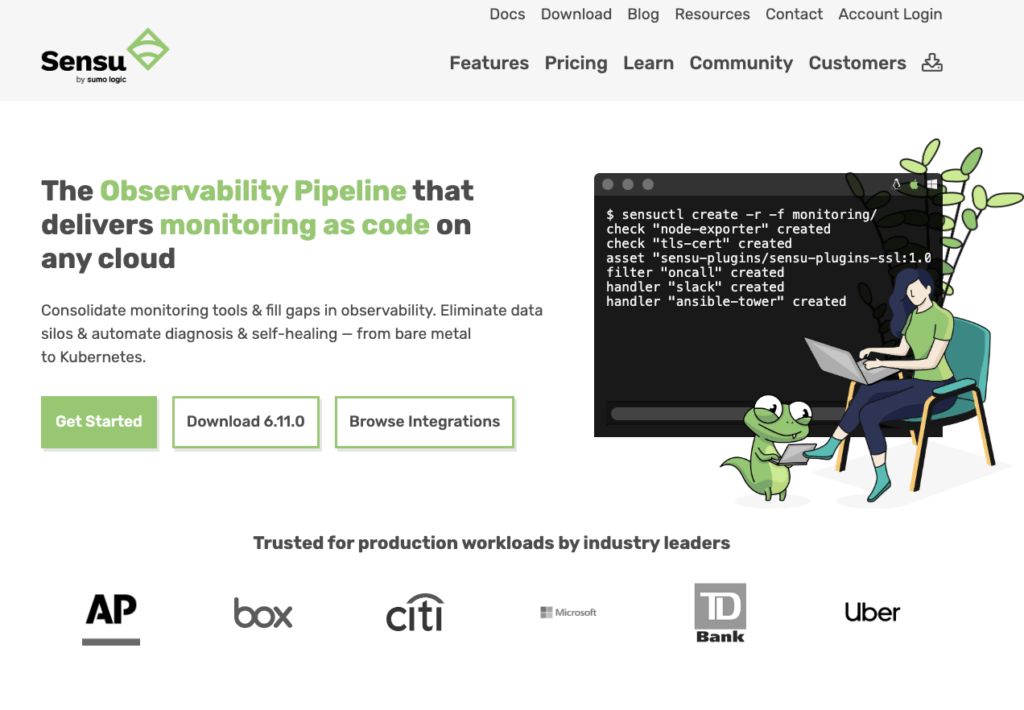
With a self-healing mechanism, Sensu, one of the best server monitoring tools, offers a new way of monitoring using codes.
It’s a modern monitoring tool specifically tailored for quick visibility across various IT infrastructures and even supports cloud environments. Sensu matches the new business requirements for monitoring and observability with tightly coupled Ops tools, ensuring easy workflow.
Key Specifications
🔶 Highly Secure: Sensu’s User Dashboard, the monitoring process, and data collection are highly secure, preventing the leakage of sensitive info due to cyber threats.
🔶 TurnKey Observability Pipeline: Sensu’s end-to-end observability pipeline allows users to collect, filter, and transform the monitoring process.
🔶 Extensively Scalable: Sensu’s plans are highly scalable, allowing the user to choose the monitoring service plan as per the requirement.
🔶 Alert and Incident Management: Receive alert notifications via email, Slack, SMS, and more, and even use a self-healing tool to focus more for a smoother workflow.
Use Cases
- Sensu’s monitoring process is defined as one that empowers users to solve problems by cohesively collecting and monitoring data.
- Sensu’s multi-cloud operations, packed with server monitoring plugins and flexible tools, boost the DevOps and SRE teams.
- Network technicians can quickly locate and fix server-related problems, freeing up the company to concentrate more on expansion.
Pricing
In addition to its free plans (with up to 100 nodes For absolutely Free), Sensu offers Premium subscriptions (with 14 days of Free Trial)that include sophisticated server monitoring tools to improve the efficiency of SMBs and other industries.
- Free: $0 per month (100 nodes and run up to 1 Site)
- Pro: $3 per month (3000 nodes and run up to 1 Site)
- Enterprise: $5 per month (Unlimited Nodes and Sites)
Pros and Cons
Pros
- Get 14 day free Trial on Premium Plans
- 24/7 Support Service via LiveChat
Cons
- The free plan has limitations (user can run only 1 site)
19. LibreNMS
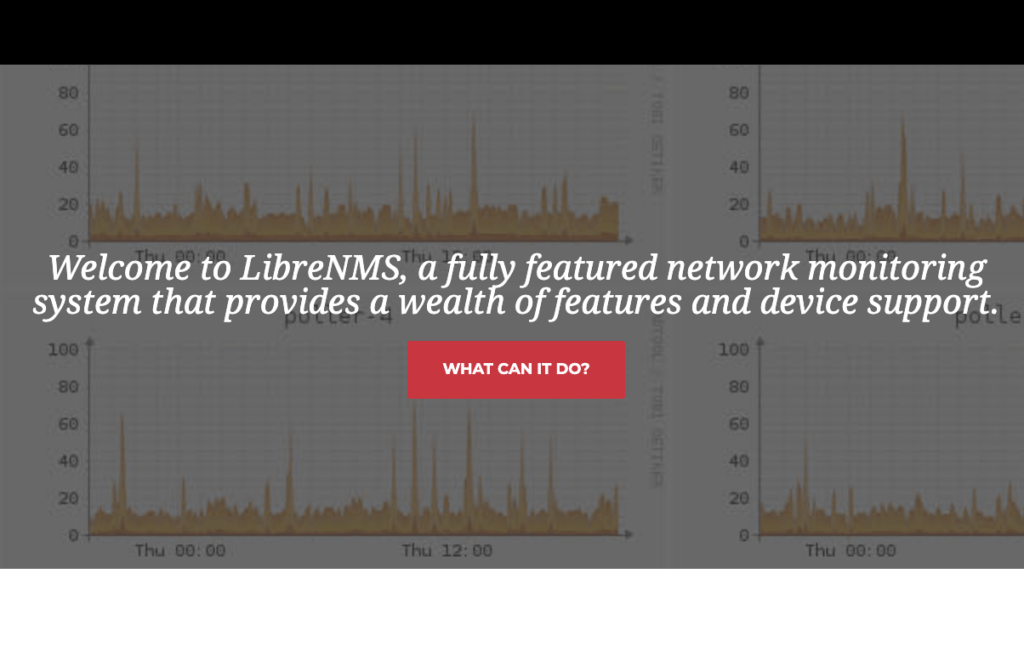
A fully featured network monitoring system, LibreNMS, provides a wide range of features, making server monitoring seamless.
It boosts server performance, thereby using the organisation’s growth. LibreNMS offers community support via Discord and Forums. In addition, LibreNMS monitors for a much shorter period of time to guarantee that the problem is fixed right away.
Key Specifications
🔶 Automatic Discovery: Within no time, the entire network can be discovered using CDP, FDP, ARP, LLDP, and BGP. It ensures that your network is
🔶 Customisable alerting: A highly flexible alerting system via email, Slack, and many other mediums helps the user identify and fix the issue.
🔶 Distributed Polling: Get a horizontal scaling option to grow the network and even boost the performance metrics by installing plugins.
🔶 Automatic Updates: LibreNMS automatically updates you with bug detection and fixes, a new monitoring mechanism, and much more.
Use Cases
- LibreNMS allows remote users, such as gamers with physical servers situated in different places, to manage server performance from a distance.
- Since everything is encrypted, the public sector organisation is able to keep track of server control and save sensitive data.
- LibreNMS is a crucial tool for server monitoring. Its straightforward notifications consolidate data centre tracking into a single dashboard, allowing for insightful tech support visualisation.
Pricing
You may download things for free. After selecting the proper operating system and customising use, users may download the LibreNMS plan.
- No restrictions apply to the free download.
- Plans for premium users aren’t available
Pros and Cons
Pros
- Mobile Friendly Web Interface
- Support services are broad, and Discord offers community help.
Cons
- The Free monitoring plan has some limitations.
20. AppDynamics
AppDynamics, powered by the Cisco Observability Platform, is a server monitoring tool that offers real-time, end-to-end management for applications, providing helpful insights to boost business activities.
also, App Dynamics offers Cloud migration and monitoring and shows network performance metrics in a customised form. To ensure data security, App Dynamics offers top-notch security technology to prevent any sort of data leakage.
Key Specifications
🔶 Simple Customization: AppDynamics provides simple customisation options that allow the user to modify the tool’s functionality as needed.
🔶 Integrated Experience: Provides an outstanding user experience. It’s easy to use and provides a customisable single dashboard.
🔶 Remote Network Surveillance: Network monitoring lets you use remote technology to examine and repair issues from anywhere.
🔶 Quickly resolve application problems: AppDynamics provides immediate application observability with pre-made dashboards that monitor each service’s performance.
Use Cases
- The system team or software developer may oversee the monitoring process using a customised Dashboard, instant alerts and notifications, and unified log monitoring metrics.
- The incredible AppDynamic feature enables reseller hosting providers to address problems in real time. This is made possible by admin access and routine data server monitoring.
- App Dynamic allows remote users to manage server performance from a distance, such as gamers who have physical servers located in faraway areas.
Pricing
Users can make use of free trials of the premium plans, which will let them understand the workings and functionality of the tool before going for the paid services.
- Infrastructure Monitoring Edition: $6 per month per CPU
- Premium Edition: $33 per month per CPU
- Enterprise Edition: $50 per month per CPU
Pros and Cons
Pros
- Highly Scalable Plans let you choose only the resources that you require.
- Full Stack Monitoring in the basic premium plan (the best plan for the newbies)
Cons
- No Free Plans
21. Elastic Stack (ELK)
Elastic Stack, which is specifically tailored to ElasticSearch, LogStach, and Kibana, provides powerful searching, log gathering, and data visualisation capabilities.
Organisations become more robust with ELK stack monitoring services because they eliminate downtime and improve server performance. Even more, ELK provides AI-driven security and observability to guarantee a safe server environment.
Key Specifications
🔶 Full Integration: To view metrics, use your preferred operating system, servers, containers, hardware, and apps running in different contexts.
🔶 LogStack: ELK’s LongStack (a data Processing Pipeline) collects and transforms the data, streamlining the server monitoring process.
🔶 Interesting Data Visualization: Users may quickly comprehend the server’s performance matrix thanks to the mapping and presentation of collected data in a user-friendly manner.
🔶 Alerting system: ELK uses an alerting and notification system to notify the user when there’s a server outage or other performance issue.
Use Cases
- Because ELK can manage many cloud settings and determine server status in real-time, it may be useful to SaaS companies.
- It may monitor large volumes of data, which is helpful for government organisations in developing, maintaining, and closely monitoring data.
- ELK primarily focuses on application performance monitoring, which app developers may use to manage containers for more seamless application continuity.
Pricing
ELK offers free trials on the premium plan, allowing users to try the services before paying for the premium options.
- Standard: $95 per month (Core elastic stack features)
- Gold: $109 per month (Reporting, Third Party alerting actions)
- Platinum: $125 per month (Advanced Security features)
Pros and Cons
Pros
- Offers Free Trials of the premium plans.
- It lets you access the Global testing services for synthetic monitoring
Cons
- No Free plan
22. SignalFx
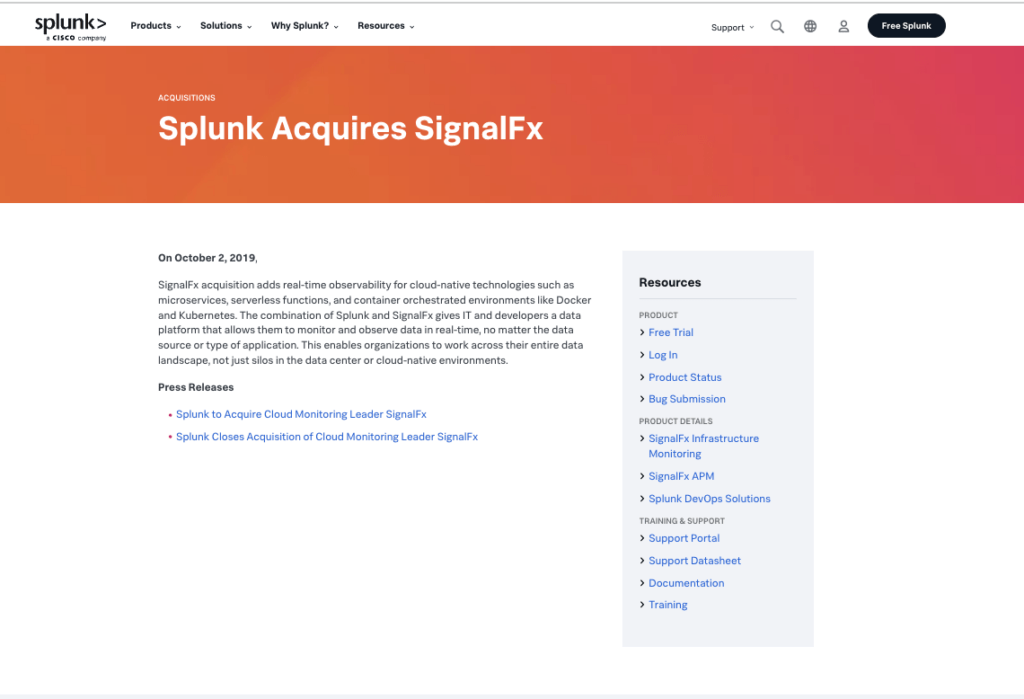
SignalFx, an integral part of Splunk (a Cisco Company), specialises in real-time cloud monitoring and observability for IT infrastructure and applications. It offers advanced analytics and insights for easy issue-fixing processes.
Splunk SignalFx centralises all performance data into a single Dashboard, providing the user with all server-related information in one location. Splunk SignalFx monitors for a fraction of the time, guaranteeing that the problem is fixed right away.
Key Specifications
🔶 Complete Network Tracking: Splunk SignalFx offers a comprehensive insight into the functionality, availability, and health of any assigned IP.
🔶 Alarms and Notifications: Get alerts and notifications so you can address the issue promptly and improve server performance.
🔶 Cloud Monitoring Tools: Obtain server monitoring tools to verify that the cloud server’s hardware is operational and to promptly address any issues.
🔶 See the Infrastructure as a Whole in a Single Interface: To ensure real-time changes, get an intuitive interface for managing and monitoring the complete server architecture.
Use Cases
- Uncover sophisticated threats and malicious traffic that bypass traditional detection mechanisms with Advanced Threat Detection of SignalFx.
- The public sector organisation is able to monitor server control and preserve important data because everything is secured.
- Server professionals can identify and resolve server-related issues quickly, allowing the business to focus more on growth.
Pricing
Splunk SignalFx allows users to evaluate the capabilities before committing to a purchase via free downloads, cost-free trials, and premium plan demos.
- SignalFx’s Free Trial is limited in its functions.
- Speak with the sales team to discuss a personalised strategy and get an estimate based on your needs.
Pros and Cons
Pros
- Cheapest monitoring plans
- The best location for cloud providers.
Cons
- There is no mention of a price policy.
23. Sumo Logic
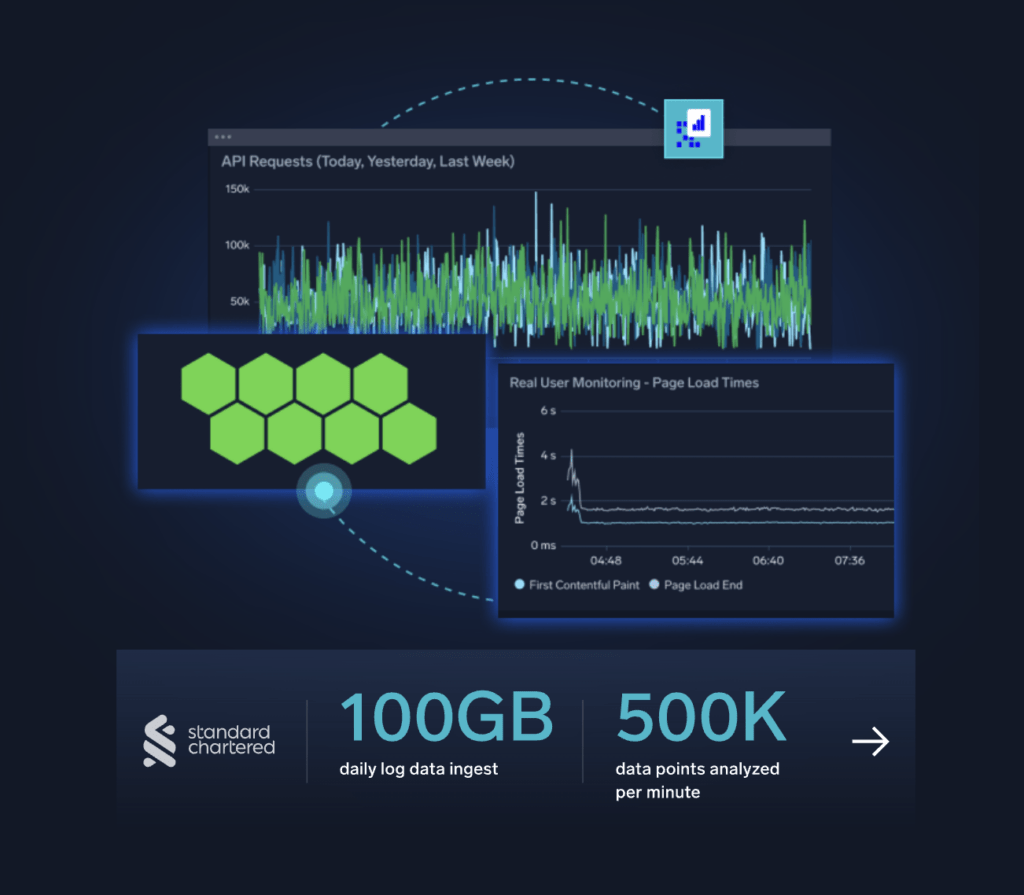
One of the greatest server monitoring tools is Sumo Logic, which was created especially to provide server monitoring and other functions for cloud servers.
It collects analytics instantly, enabling administrators to address problems accurately. It has a service-oriented structure explicitly designed for real-time log management and quick performance metrics for monitoring and troubleshooting the issues when located.
Key Specifications
🔶 Smooth Integrations: SumoLogic supports a number of tool integrations for more efficient performance monitoring procedures and real-time server health assessment.
🔶 Hybrid Cloud Observability: In addition to BandWidth analysis and configuration management, SumoLogic provides network and infrastructure monitoring and observability.
🔶 Enables Customization: Depending on the needs, users may quickly scale and modify the monitoring resources.
🔶 Accurate Alerting: SumoLogic provides developers with early warnings about server or container performance so they may address problems as soon as possible.
Use Cases
- Users may monitor and resolve server-related problems, resulting in more efficient server administration and workflow.
- Application developers may greatly benefit from several integrations and cloud monitoring when it comes to managing containers and their dependencies.
- Technical support personnel may help clients who are located remotely by using Sumo Logic’s network monitoring services.
Pricing
Free plans with Sumo Logic offer 1GB daily log capacity, 3000 DPM per day metric capacity, and 1.5GB of Trace capacity. For more details, refer to Sumo Logic’s official pricing page.
- Essential plans: (Contact the Sales team to get a Quotation for the Premium Plan)
Pros and Cons
Pros
- The server monitoring tool is easy to use, even for new users, thanks to several plugin choices.
- A free downloading utility that doesn’t demand payment.
Cons
- No support services are available.
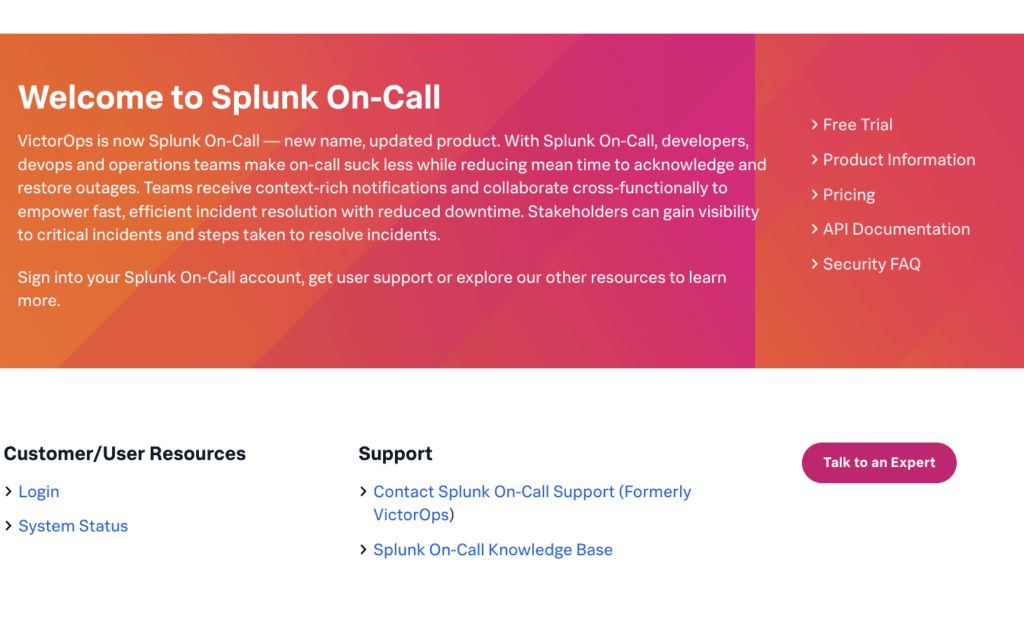
24. VictorOps [Now Splunk]
Splunk’s VictorOps even tops the list of server monitoring tools as it focuses on real-time server management.
It assists the IT sector and DevOps staff in detecting, tracking, and resolving server-related issues by improving server uptime and performance. VictorOps provides a single dashboard for tracking the server’s hardware performance. In a cloud setting, the VictorOps monitoring tool can also function well.
Key Specifications
🔶 Widely Scalable: VictorOps plans are scalable, allowing users to select the monitoring service plan that best suits their needs.
🔶 Extremely safe: The monitoring procedure, data collecting, and VictorOps User Dashboard are all extremely safe, preventing the loss of confidential information owing to cyber attacks.
🔶 Alert and Incident Management: Use a self-healing tool to increase concentration for a more efficient workflow and get alert messages via SMS, email, Slack, and other channels.
🔶 Simple Customization: VictorOps provides simple customisation options that allow the user to alter the tool’s functionality as needed.
Use Cases
- Users may monitor and resolve server-related problems, resulting in more efficient server administration and workflow.
- The Public Sector enterprise may store sensitive data and keep an eye on server control since all sensitive information is secured.
- VIctorOps’s network administration and fault monitoring features are useful for business sectors seeking simple workflows and automated server troubleshooting procedures.
Pricing
VictorOps allows users to try out its features before committing to a purchase with free downloads, free trials, and premium plan demos.
- Splunk’s VictorOps Trials Are Free, and the server monitoring tool offers only a few services.
- Speak with the sales team to discuss a personalised strategy and get an estimate based on your needs.
Pros and Cons
Pros
- Solves server-related problems instantly.
- Provides high-quality performance measurements and oversees Kubernetes.
Cons
- Prices are opaque, and no support services come with.
Things to consider when choosing the best server monitoring tools.
Such a long list! Right? If so, which server monitoring tool should you use? If you want the answer to this question, then Consider the following factors when choosing the best server monitoring tool for smoother system performance.
- Alerting and Notifications: Make sure that the server monitoring tool you choose displays quick alerts and notifies you when there are server issues or CPU malfunctions.
- Customised DashBoard: An engaging, easy-to-understand DashBoard would be of greater help as it lets you see the server’s web resources performance in a single view.
- Highly Scalable: Choose the server monitoring tool that offers highly scalable plans, letting you upgrade the monitoring service when required.
- Extremely Secure: Go for an extremely secure monitoring tool that ensures that your data is highly protected from malicious online threats.
- Quick Installation: The monitoring tool can be instantly set up on your PC or any device, ensuring quick functioning and proper server control.
Read More – Best Network Monitoring Software
FAQs
How do We know if my business needs server monitoring tools in 2026?
Constant server lagging, consistent downtime over the period and web resource issues are some of the problems that will require your business to buy a server monitoring tool in 2026 to sort out the server-related issues.
Can server monitoring software integrate with different types of server environments?
Absolutely, be it cloud servers or Containers, Server monitoring software can easily integrate with different types of server environments.
How do server monitoring tools help in preventing downtime and ensuring optimal performance?
Server monitoring tools check the server performance (CPU, RAM, Storage, Bandwidth), detect the issues, and resolve them in real-time, thereby helping prevent downtime situations and further ensure optimal performance.
What are the typical alerting mechanisms used by server monitoring software to notify administrators of issues?
Notifications and Red Alerts are the basic alerting mechanisms used by server monitoring software to notify the admins of issues and even fix them through self-healing.
Are there any industry-leading server monitoring tools recommended for businesses in 2026?
Yes! Nagios, Prometheus, and Splunk are some of the industry-leading server monitoring tools highly recommended for businesses in 2026 due to their Customized Dashboards, Alerting mechanisms, Free plans, and free trials of Premium plans.
What are some best practices for effectively implementing and utilising server monitoring tools within an organisation?
Consistent Server monitoring, Tracking specific performance metrics, Log and fault management, and other best practices are among the best practices for effectively implementing and utilising server monitoring tools within an organisation.
Conclusion
Server monitoring can take your business KPIs to the next level. It consistently monitors all your IT infrastructure, thereby ensuring that your Server works efficiently 24/7. Users may have issues selecting the right server monitoring tool that perfectly fits their business needs.
Take this post as your Personal mentor, and believe us! Choose the server monitoring software, like Prometheus or Splunk, which offers a highly customisable dashboard, quick alerts, and the ability to run on a cloud environment.
Here are some other most popular Tools.
Also read: How to set up mcp server
Also read: Free rmm software
Also read: Mlm software
- Best Proxy Checker Tools
- Best Plagiarism Checker Tool
- Best Free Content Marketing Tools
- Best Free Backlink Checker Tools
- Best Task Management Software Tools
- Best Free Ai Resume Builders4
- Best Free Graphic Design Tools


1 thought on “24 Best Server Monitoring Software and Tools in 2026”
Leave a Comment

Table of Contents
- What are Server Monitoring Software or Tools?
- 24 Best Server Monitoring Software and Tools in 2026
- 1. Nagios
- 2. Prometheus
- 3. Datadog
- 4. SolarWinds Server & Application Monitor
- 5. Dynatrace
- 6. Splunk
- 7. New Relic
- 8. Grafana
- 9. PRTG Network Monitor
- 10. Icinga
- 11. LogicMonitor
- 12. ManageEngine OpManager
- 13. Observium
- 14. Zabbix
- 15. NetData
- 16. Cacti
- 17. Checkmk
- 18. Sensu
- 19. LibreNMS
- 20. AppDynamics
- 21. Elastic Stack (ELK)
- 22. SignalFx
- 23. Sumo Logic
- 24. VictorOps [Now Splunk]
- Things to consider when choosing the best server monitoring tools.
- FAQs
- Conclusion










Thanks for sharing this detailed guide. Tally Software has become an important accounting tool for businesses of different sizes. The explanation in this article makes it easier to understand its key benefits.