The 5 Best URL to Video Ad Makers for E-Commerce Content Automation New
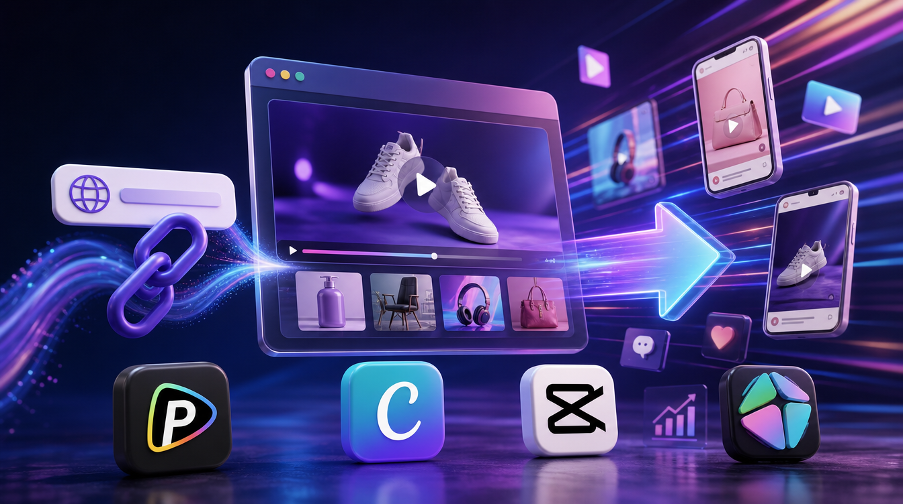
The demand for faster content production has pushed many marketing teams toward automation tools that can turn product pages into video ads with minimal manual effort. A URL to video ad maker typically works by reading a webpage link, extracting product information, and assembling it into a structured video format suitable for advertising.
In practice, these tools differ in how much they automate the process. Some focus on full page analysis and script generation, while others rely more on templates or manual editing. The following tools represent some of the more widely used approaches in this space.
1. Pollo AI
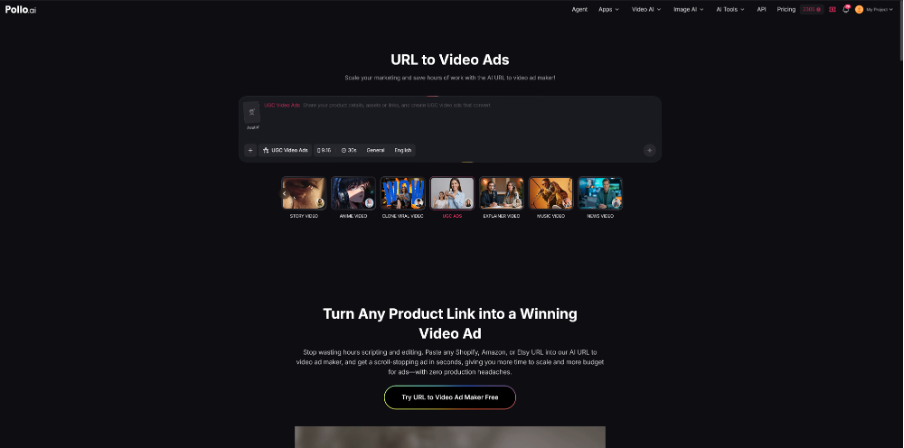
URL to video ad maker from Pollo AI converts product links into video ads by extracting key data from e-commerce pages like Shopify, Amazon, or Etsy, including descriptions, reviews, pricing, and visuals, then turning them into a script and scene flow with minimal editing.
It supports formats such as UGC-style ads, product explainers, and short promotional videos. Users can adjust tone and style through prompts, allowing fast adaptation for different needs. A finished video ad can usually be generated shortly after pasting a product link.
The platform supports formats commonly used in advertising, including UGC-style videos, product explainers, and short promotional clips. Users can also adjust tone and visual style through simple prompts. In most cases, the workflow is designed so that a complete ad can be generated shortly after pasting a product link.
Why Pollo AI Is Used for E-Commerce Campaigns
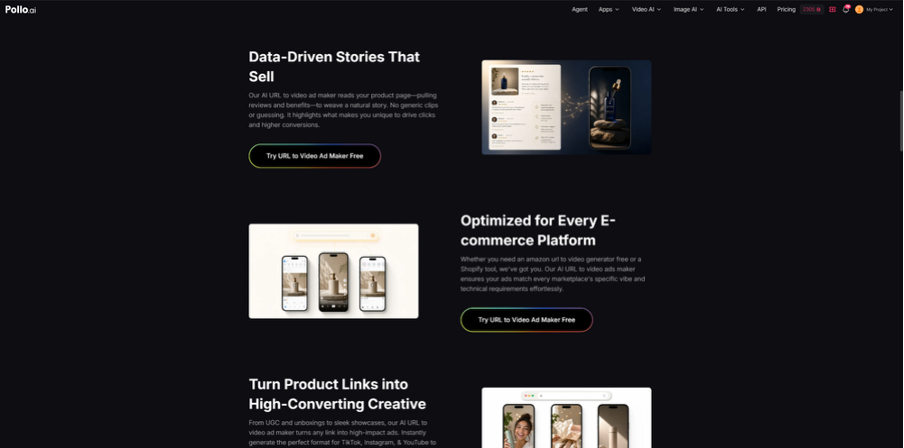
Pollo AI is often used in performance-driven marketing because it focuses on turning product data into structured messaging rather than generic video templates. The system looks at product details such as benefits and reviews to build a more persuasive narrative, which is useful for sellers on platforms like Amazon and Shopify. In some workflows, it is also compared with tools like Renderforest AI video generator.
It also supports producing multiple variations from a single URL, which helps with A/B testing across campaigns. Branding options such as logo placement and style consistency make it suitable for teams running multiple ad sets. Combined with fast generation time and trial access, it is often adopted in workflows that require frequent creative output.
2. HeyGen
HeyGen works as a URL to video ad maker focused on avatar-driven presentations. Instead of building traditional video edits, it converts product pages or scripts into videos featuring AI presenters. The system analyzes webpage content and structures it into a spoken script delivered by a digital avatar.
This approach is commonly used for product explanations, onboarding content, and simple marketing presentations. It also supports multilingual output, which allows the same product page to be repurposed into different localized video ads.
Why HeyGen Is Used for Explainer Content
HeyGen is often chosen when brands want a spokesperson-style video without filming real actors. The avatar format makes product explanations feel more direct, which is useful for SaaS products, tutorials, or service introductions.
It also supports translation and voice replication, making it practical for international campaigns. This allows marketing teams to produce localized versions of the same video without rebuilding the entire workflow.
3. Canva
Canva is a design platform that supports partial URL to video ad maker workflows through manual content transfer. Instead of automatically reading a webpage, users typically take product information and rebuild it inside Canva using templates, drag-and-drop tools, and brand kits.
It is commonly used to create promotional videos, social media ads, and presentation-style content. While it does not fully automate link processing, it provides a structured environment for turning landing page content into branded video assets.
Why Canva Is Used for Brand-Focused Design
Canva is often selected for its control over visual consistency. Teams can manually convert URL content into video ads while maintaining strict brand guidelines, which is useful for businesses that prioritize design accuracy over automation.
It is also accessible to non-technical users and supports collaboration across teams. This makes it practical for organizations that need predictable output and shared editing workflows.
4. CapCut
CapCut is widely used for short-form video creation and supports semi-automated URL to video ad workflows through templates and AI-assisted editing. Users usually convert product information into scripts or captions and then build videos using built-in editing tools.
It is optimized for platforms like TikTok and Instagram, where fast, engaging content is more important than complex production. Features such as auto-captioning, transitions, and effects help speed up the editing process.
Why CapCut Is Used for Social Media Ads
CapCut is commonly used because it allows quick production of short-form ads. Product information can be turned into social-ready videos that fit platform trends and algorithm requirements.
It also makes it easier to test different hooks and visual styles in a short time. This flexibility is useful for marketers who need to publish frequently and adjust creatives quickly.
5. InVideo AI
InVideo AI is a cloud-based video creation tool that converts URLs and text inputs into structured video ads. It analyzes webpage content and breaks it into scenes, which are then combined with stock footage, text overlays, and voice narration.
Users can adjust videos through natural language prompts, which makes it easier to refine structure and pacing without traditional editing tools. The platform is often used for turning blogs, landing pages, and product links into marketing videos.
Why InVideo AI Is Used for Scalable Video Production
InVideo AI is commonly used when teams need to produce a large number of videos from different URLs. It helps reduce manual editing work by automatically sourcing visuals and assembling scenes.
It also allows a balance between automation and manual refinement, making it suitable for teams that want flexibility while maintaining production speed.
Conclusion
URL to video ad maker tools are increasingly used to simplify the process of turning product pages into marketing videos. Instead of relying on traditional editing workflows, these tools automate or streamline content creation based on webpage links.
Each platform serves a different purpose. Pollo AI focuses on automated e-commerce conversion, HeyGen on avatar-based presentations, Canva on design control, CapCut on short-form social content, and InVideo AI on scalable video production. The right choice depends on whether the priority is automation, branding control, or social media performance.