
YouTube Title Extractor






Do remember, when we used to start a YouTube channel? It really gave us an exciting feeling, uploading videos with high hopes, refreshing the dashboard again and again to check how many views the video got and wondering why the views aren’t coming.
We see successful creators' stories, we even scroll through their channels, see their video titles and try to figure out what makes their video titles so clickable. But doing it all manually (writing catchy engaging click-to titles) takes a lot of time and we still miss important patterns.
That’s where we can make use of YouTube title extractors. Instead of simply guessing what works, we can instantly pull titles from top-ranking videos and see trends, keywords in matters of seconds. There is no need to do any sort of random trial and error.
Let’s say you’re just starting a Youtube channel or already have a channel, having the right Youtube tool makes all the difference. A good YouTube Title Extractor helps us understand what’s working in our niche, improve our SEO strategy and create titles that actually attract clicks.
If you want better rankings for your YT videos and smarter content planning for your videos, in that case, this tool is the best option that you can go with.
Now, let’s explore how it can transform the way we create YouTube titles and turn slow growth into boosted momentum.
What Is a YouTube Title Extractor and Why Do You Need One?
A YouTube Title Extractor is just a simple YouTube tool that pulls the exact title from any YouTube video link you enter. Now, instead of manually copying titles one by one, the tool instantly shows you the full, accurate title so you can study it, analyze it and also use it for research.
In very simple terms, it helps you understand what kind of titles are ranking and getting clicks, fast and without any extra effort. Now let’s talk about why this actually matters.
See! On YouTube, the title is the first thing that people notice. It decides if someone will click your video or simply scroll past it. A strong title can improve your click-through rate (which we commonly call it CTR), boost your search visibility and even help your video rank on Google.
When you use a title extractor, you can quickly study top-performing videos in your niche and spot patterns like power words, numbers, emotional triggers or trending keywords.
Let’s understand this tool with the help of a simple example!
|
That’s the real thing! Instead of creating titles based on assumptions, we create them based on proven examples. It saves time and gives us a smarter way to build titles that attract clicks and improve SEO.
Key Features of GoogieTools' YouTube Title Extractor
This isn’t just a basic tool that pulls a title. It’s actually built to actually help creators understand what’s working on YouTube and use that knowledge smartly.
Let’s break down the features in simple words.
Instant Title Extraction
All you have to do is paste a YouTube video link and within seconds the tool shows you the exact title. There is absolutely no searching required and no wasted time. It’s quick and super convenient, especially when you’re analyzing multiple competitors.
Batch Processing for Multiple URLs
Instead of checking videos one by one, you can add multiple links at the same time. This is perfect when you’re studying a whole niche or reviewing top-ranking videos together. It saves hours of manual work and makes competitor research much easier.
Smart Keyword Highlighting
The tool doesn’t just show the title, it helps you understand it. It highlights important short and long keywords inside the title so you can quickly see what’s driving attention. This makes it easier to spot patterns like trending phrases or commonly used SEO terms.
Easy Export Options
Want to analyze titles more deeply? You can download them as a CSV file and open them in Excel or Google Sheets. This is helpful if you like organizing data, comparing performance, or planning your own content strategy in a structured way.
Extra Video Insights (Metadata)
Along with titles, you can also see helpful details like view count, likes, and upload date. This gives context. Let’s say, if a title has millions of views, you can study what made it work. It helps connect the title style with actual performance.
Mobile-Friendly Design
If you’re working from a laptop or you’re just simply browsing on your phone, the tool works smoothly on any device. So even if inspiration strikes while you’re away from your desk, you can still do quick research easily.
Works with Other GoogieTools Features
It connects with other tools in the GoogieTools platform, like tag generators and keyword tools. This means you can move from title research to full YouTube optimization without switching between different websites.
All these features together make it more than just a title extractor. It becomes a smart research companion for creators who want to grow faster and create titles that actually get clicks.
How to Use GoogieTools' YouTube Title Extractor: A Step-by-Step Guide
See! You do not have to worry at all. You can use this tool very simply. You don’t need to be a tech expert to use this tool. The process is simple and beginner-friendly. Just follow these easy steps.
Step1) Open the Tool >> Go to the GoogieTools website >> Find the YouTube Title Extractor tool >> (You can search for it in the tools section)
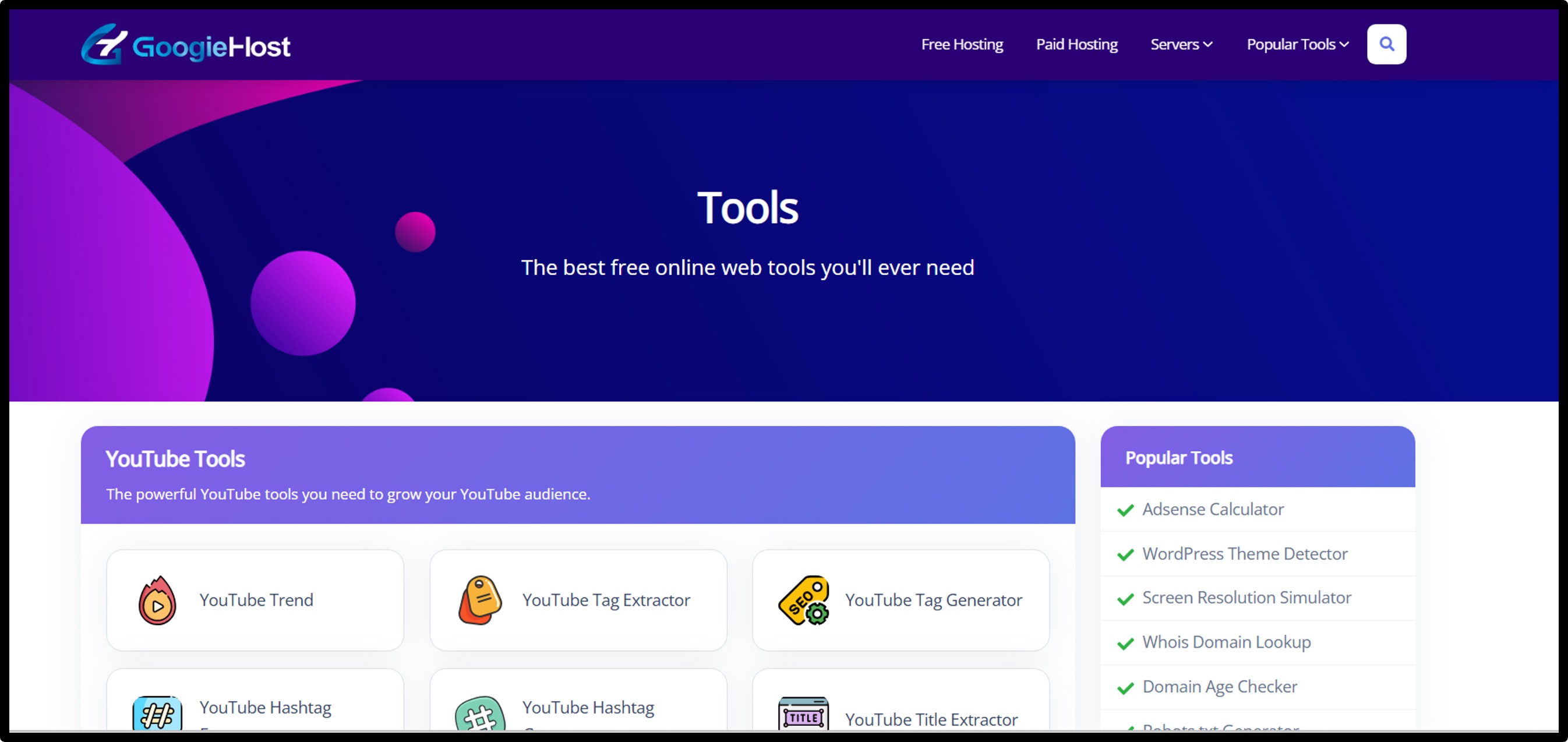
Step2) Once you’re on the page, you’ll see a simple input box waiting for a video link >> To copy the YouTube Video Link, go to YouTube >> Choose the video you want to analyze >> Copy the video URL from the address bar.

Step3) Paste the Link >> Come back to the tool >> Paste the copied link into the input box >> Make sure the full link is added correctly.
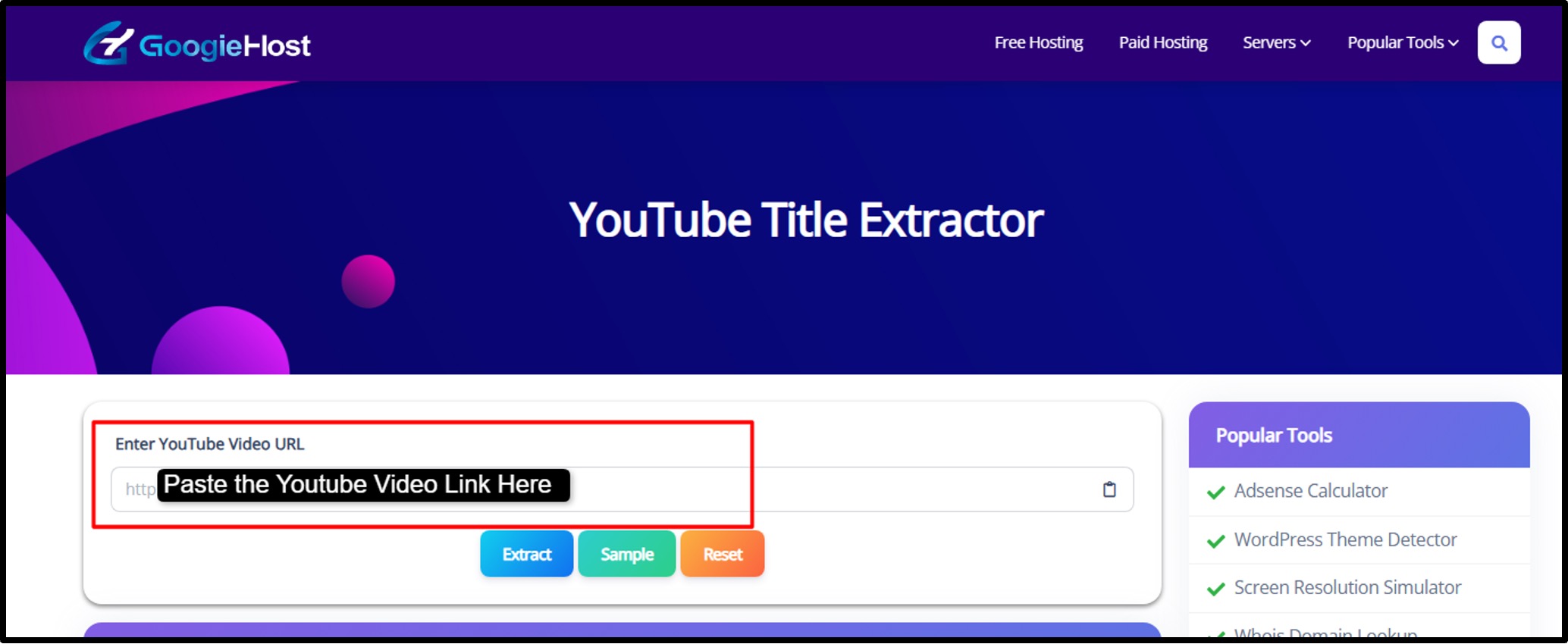
Step4) Press the extract button >> Within seconds, the tool will show you the exact video title >> If you add multiple links, it will pull titles for all of them at once.

Step5) Check the extracted titles carefully >> Look at the keywords used, the structure, and any highlighted terms. Notice patterns like numbers, emotional words, “how to,” “beginner guide,” or year-based titles.
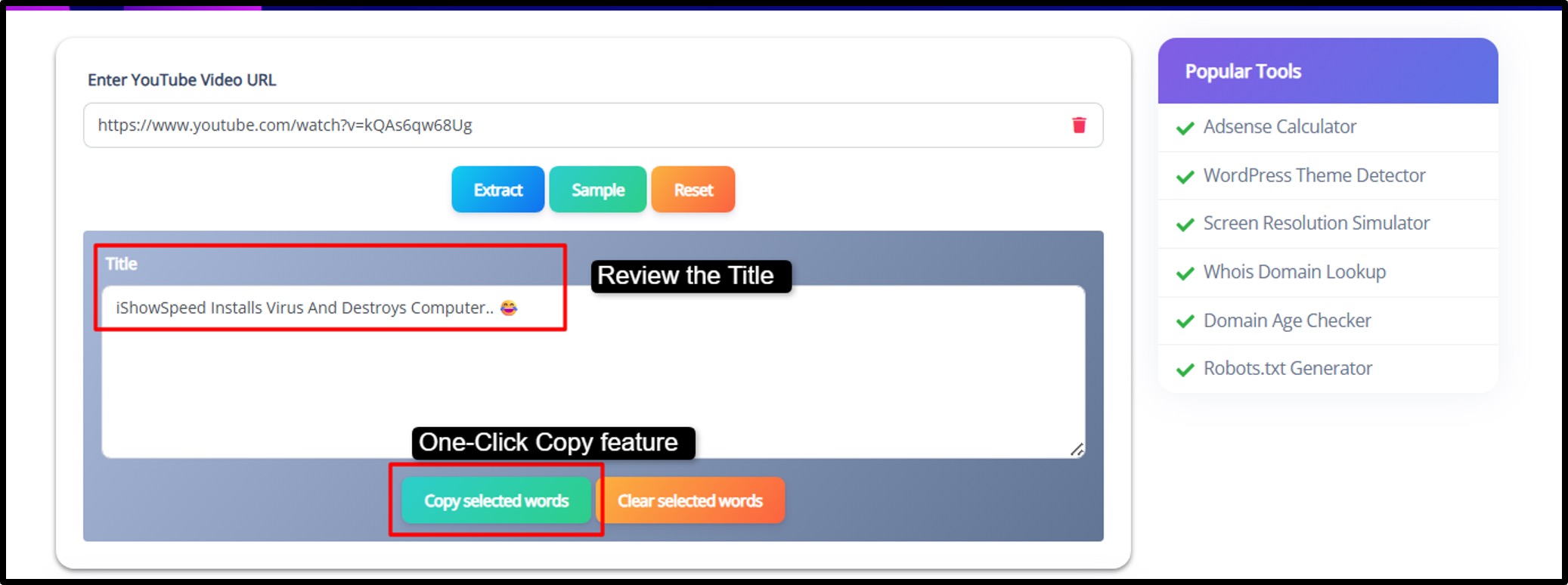
Step6) Now use what you’ve learned >> Apply similar keyword styles, improve clarity and test your new titles using YouTube Analytics to see what performs best.
That’s it! What used to take hours of manual research now takes just a few minutes, leaving you more time to focus on creating great content.
Pros and Cons of Using a YouTube Title Extractor
Every tool has good and not-so-good sides. Here’s a quick and simple breakdown
Pros
- Extract titles from many videos in seconds instead of doing manual work.
- Helps you spot keywords that improve rankings.
- Quickly see what top creators are doing.
- No payment needed for basic features.
- Export data and plan content based on real insights.
Cons
- Doesn’t work on private or deleted videos.
- Wrong link means no results.
- Free tools may not have deep filtering options.
- Overusing it might make titles look less original.
Best Practices for Extracting and Using YouTube Titles Effectively
If we want real results from a YouTube Title Extractor, we have to use it with proper planning.
- The first smart move is to study videos that are already performing well. Look at videos with high views, strong engagement, or recent growth. Those titles are not lucky accidents, instead, they follow patterns.
- When we extract titles from top-performing videos, we start noticing common formulas, keyword placements, emotional triggers or numbers that attract clicks.
- Next, pay close attention to the keywords inside those titles. A healthy mix works best! Short keywords like “YouTube SEO” help with broader visibility, while longer phrases like “free YouTube title extractor tool online” target specific searches with less competition.
- Also, observe the structure. Are the titles around 50–60 characters? Do they use brackets, numbers, or questions? These small details make a big difference.
- It’s also important not to stop at titles alone. Mix properly what you extract with other elements like descriptions, tags and video topics. This gives you a full SEO picture instead of partial insight.
- And once you create your own improved titles, test them. Use YouTube Studio to track CTR and impressions. Growth comes from testing, not guessing.
Most importantly, stay original. Use what you learn to create better, unique titles in your own voice. And since trends change quickly, repeat this process regularly.
The Role of Titles in YouTube SEO: Why Extraction Matters
The title is the first impression of your video.
Before someone even sees your thumbnail clearly, they read your title. And from an SEO point of view, YouTube heavily depends on title keywords to crawl what your video is about.
When we extract titles from ranking videos, we begin to understand what the YT algorithm favors. We see which keywords are in use on a consistent basis and how creators position them. Long keywords often help rank for specific searches, while shorter keywords help reach a wider audience.
In competitive niches like gaming, tech reviews, even one word can change performance. A slight adjustment like adding a year or “for beginners”, can improve visibility.
That’s why title extraction matters.
Common Mistakes to Avoid When Extracting YouTube Titles
Even though this tool is powerful, using it the wrong way can limit results.
- One common mistake is ignoring performance context. Just because a title looks good doesn’t mean it performs well. Always check views and engagement before using it as inspiration.
- Another mistake is copying titles too closely. This can hurt originality and even confuse your audience.
- Also, many creators extract titles but never analyze them deeply. They don’t study keywords, structure or patterns, which defeats the purpose.
- Some people also forget to save or export their findings. Research takes time, so keeping organized data helps with long-term planning.
And finally, don’t skip testing. Without tracking performance, you won’t know what’s actually improving your results.
Real-World Examples: Success Stories with Title Extractors
Title extraction works in real situations.
For example, a tech content creator once studied high-performing gadget review titles. They noticed patterns like adding the year and strong benefit-based words. After adapting a similar structure in their own niche, their click-through rate improved significantly, and their video views increased noticeably within weeks.
Another creator in the beauty space analyzed beginner-focused tutorials. By incorporating clearer benefit-driven phrases and simplified wording into their titles, their channel started gaining steady subscribers faster than before.
These examples show something important, success leaves clues.
When we extract and analyze titles correctly, we stop guessing and start building content based on proven strategies. And that shift alone can transform a slow-growing channel into a steadily growing one.
Frequently Asked Questions About YouTube Title Extractors
Q1. Is it free?
Ans. Yes! The YouTube Title Extractor on GoogieHost.com is completely free to use with no sign-up or payment required.
Q2. Does it work for Shorts?
Ans. Absolutely! It works for both long-form YouTube videos and Shorts, extracting titles instantly from any public video.
Q3. Can I extract in bulk?
Ans. No! Currently, the tool extracts titles one video at a time by entering its URL.
Q4. How does it help SEO?
Ans. By revealing optimized titles from high-performing videos, you can gain insights into keyword usage and audience targeting to improve your own video titles.
Q5. Any privacy concerns?
Ans. No! The tool only works with publicly available YouTube videos and does not store or access private data.
Why Choose GoogieTools' YouTube Title Extractor Over Competitors?
When there are dozens of YouTube title extractor tools available online, it’s fair to ask what makes one better than the rest.
GoogieTools is totally different as it is built to “extract” titles and to help creators understand them. Instead of simply pulling text from a URL, it focuses on SEO value, keyword structure, and performance insights. That means you’re not just collecting titles; you’re learning what makes them rank and attract clicks.
Another big advantage is its batch processing and smooth workflow. Many basic tools only allow one URL at a time, which slows down competitor research. GoogieTools lets you analyze multiple videos together, saving time and making niche research much easier.
Plus, it connects with other optimization tools, so you can move from title research to keyword planning and tag generation without jumping between platforms. Everything works together in one place.
Most importantly, it stays simple and accessible while offering real value. It provides a reliable way to improve titles and strengthen overall YouTube SEO.

Aman Singh
CREATIVE HEAD
Enjoy the little things in life. For one day, you may look back and realize they were the big things. Many of life's failures are people who did not realize how close they were to success when they gave up.