Robots.txt Generator
Create a correct robots.txt file in seconds. Choose which crawlers to allow or block and add your sitemap.
Have you ever thought about why some parts of your website appear on Google and others stay hidden?
This is exactly where a robots.txt file becomes your website’s traffic controller and manages it. The GoogieHost Robots.txt generator tool helps you to create the perfect robots.txt file in seconds and requires no coding knowledge.
Robots.txt from GoogieHost In just a few seconds, a clean, crawl-efficient robots.txt file may be created using Generator, a free, user-friendly tool that lets search engines know exactly what to crawl and what to skip on a website.
When robots.txt is set up correctly, it can lower server load, stop duplicate or low-value pages from being crawled, and direct bots to an XML sitemap for more intelligent discovery.
What is GoogieHost's Robots.txt Generator?
GoogieHost’s Robots.txt Generator is a free online tool that helps website owners to create a robots.txt file without writing any code manually. It generates a file that gives instructions to search engine bots, telling them which pages to crawl and index and which ones to ignore.
The tool is very useful if you don’t want certain backend or frontend pages indexed by search engines. If not used, then robots will crawl and index everything on your site by default. It's not like you hide your website completely from Google, but find a way to control which specific pages get included in search results.
How do I Use the Robots.txt Generator?
Let's see very easy and simple steps on how you can use this GoogieHost tool:
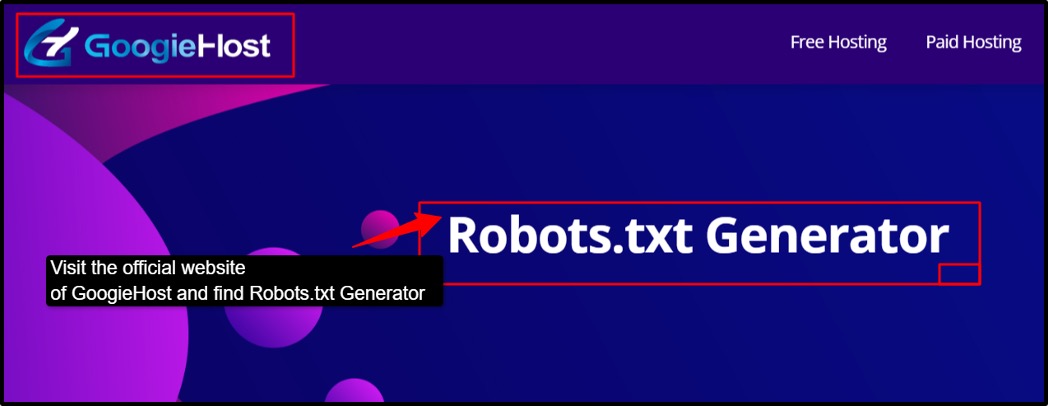
- Step 1: Visit the official website of GoogieHost >> Find Robots.txt Generator from their toolbar in your browser.
- Step 2: Understand the purpose of the tool, which the robots.txt file guides search engine bots on which pages to crawl or ignore.
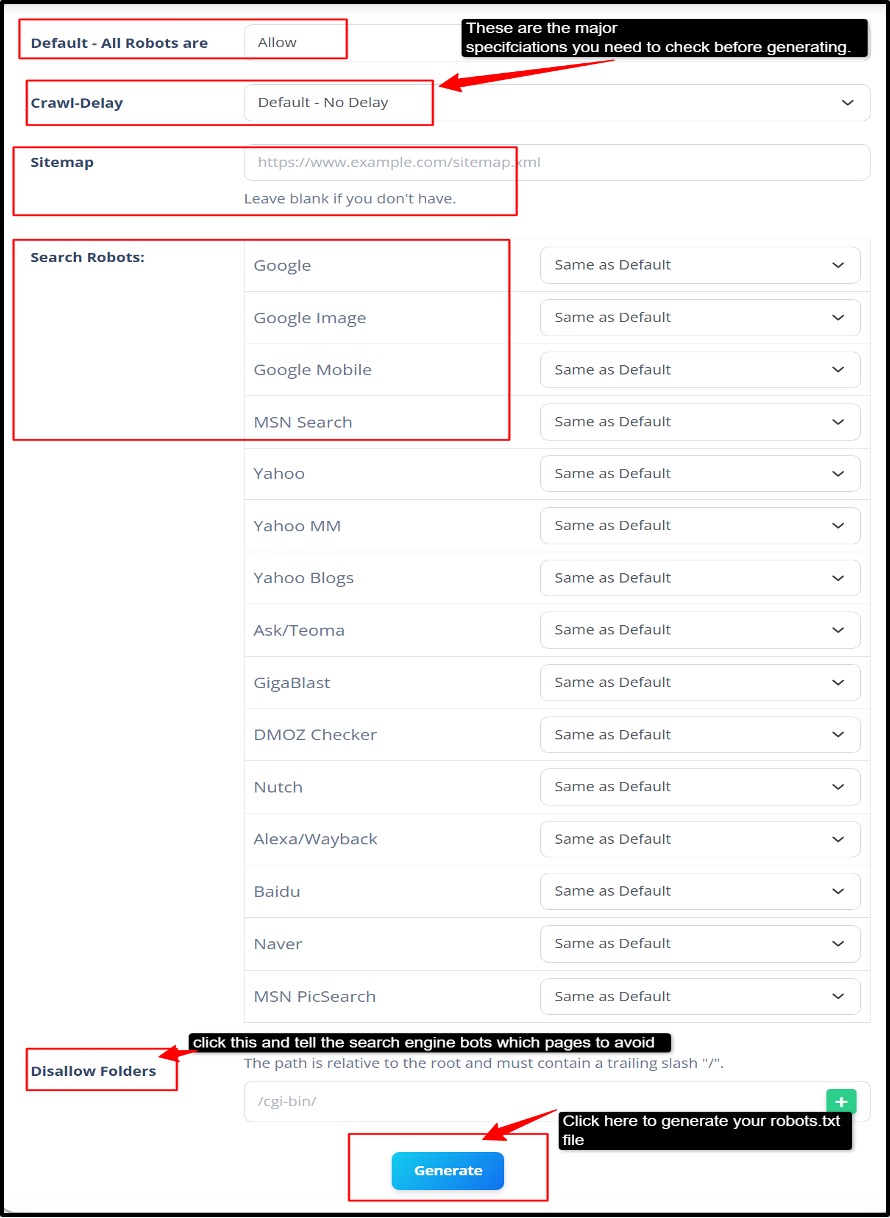
- Step 3: Locate the form with Default (All Robots) >> Crawl Delay >> Sitemap, list of search robots. Disallow robots >> Click the “Generate” button.
- Step 4: Set the default rule. Choose Allow to let the compliant crawlers access the site or Disallow to block crawling by default.
- Step 5: Pick a crawl delay only if certain bots support it; note that Google ignores crawl-delay, so rely only on server controls or Search Console for Googlebot rate management.
- Step 6: Add Sitemap URL >> Include your XML sitemap link so search engines can easily discover your website pages.
- Step 7: Every listed bot, like Google, Google Image, and Google Mobile, you need to keep it the same as the default. Rules are set per user-agent block in robots.txt.
- Step 8: Review the generated rules >> Double-check all allow and disallow options to avoid blocking important content by mistake.
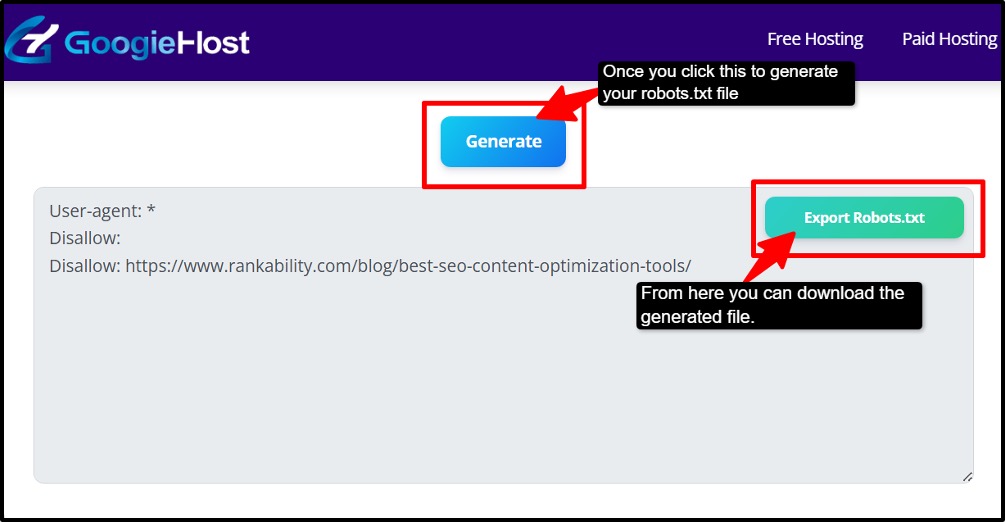
- Step 9: Generate the Robots.txt generator file >> Click the generate button to instantly create your custom robots.txt file.
- Step 10: Download a copy of the file. Save the generated file or copy its code for manual upload to your website.
- Step 11: Upload to your website root folder >> Place the robots.txt file in your website’s main directory and test it for proper functionality.
Follow these many steps, and you can very easily use this GoogieHost tool
Who Benefits from the Robots.txt Generator
There are several users who actually get a lot of benefits from using this tool. Let's see each of these users in detail.
- Bloggers, Startups, and Small Businesses
If you do blogging, have a portfolio, or run a small-scale business website, the GoogieHost Robots.txt Generator tool helps you create a robots.txt file quickly without writing complicated code manually. This saves time, reduces mistakes, and even helps search engines to focus on your important pages.
- SEO Experts & Developers
Many SEO professionals and developers often need to manage large websites with hundreds or thousands of pages. You can control the “crawl budget,” which means always guiding the search engine bots towards the valuable pages and not wasting time on duplicate or unnecessary URLs. it will improve the website’s indexing efficiency but will also impact the complete SEO performance.
- Improves Crawl Budget Optimization
Search engines allocate limited resources to crawl websites. This tool easily allows you to block duplicate pages, filtered URLs, or low-value sections so that the bots spend more time crawling your important content pages like blogs, products, or business websites. This will improve indexing speed and also contribute to SEO efficiency.
- Website Owners
Website owners want search engines like Google to find their pages more quickly and efficiently. An XML sitemap acts like a roadmap of your website, where it lists all important pages in one place.
Benefits of Using GoogieHost's Robots.txt Generator
Let's see some of the major benefits that this tool delivers:
- Fast, easy file creation: This tool will quickly generate a robots.txt file without the requirement of any coding knowledge. You can easily create your file in a few clicks, saving both your time and effort.
- Reduces Human Errors: If you write the robots.txt file manually, then it can lead to common syntax mistakes that may block your important pages from search engines. But this tool creates perfectly proper, formatted rules to avoid these common problems.
- Better SEO Management: It helps website owners to control which pages search engines should crawl and which pages should be avoided. It will help in improving the complete SEO strategy and website organization.
- Improves crawl budget usage: Search engine bots focus more on the important pages and do not waste their resources on duplicate or low-value pages or unnecessary sections.
- Reduces Server Load: Blocking unnecessary bot activity helps reduce server resource usage, and it improves website speed and performance.
- Beginner-friendly Interface: Even non-technical users can easily generate and manage the robots.txt file because of the simple and user-friendly interface.
- Works for all website types: It does not matter if you run a business website, have your own blog or portfolio, or have an eCommerce store; the tool will help manage all search engines crawling efficiently.
Why Choose GoogieHost's Robots.txt Generator?
There are several reasons why you should go for this GoogieHost tool, like:
- This tool follows Google’s official robots.txt guidelines to help you create properly structured files. It even ensures the correct file naming, placement, and rules so search engines can read the file without issues. This even reduces the chances of SEO mistakes that could accidentally block important pages.
- Many beginners accidentally block important CSS or JavaScript, which stops the search engines from understanding website layouts and designs. The tools use sensible default settings that help to avoid these mistakes.
- It does not matter what kind of domain your website is running on; this tool can generate robots.txt rules that will work correctly for different setups. This is especially useful for businesses managing multiple websites and staging environments.
- The tool works smoothly with popular robots.txt testing and validation methods. You can easily review and test their robots.txt rules before publishing to ensure search engine bots will interpret the files correctly. This helps with indexing or crawling problems.
FAQs
Q1. Why do I need a robots.txt file for my website?
Ans. To control crawl traffic, safeguard server resources, and direct bots toward valuable sections while avoiding low-value or redundant places. A robots.txt file instructs compliant crawlers which portions of a website they can visit. Also, it enables website owners to use a sitemap to improve URL discovery.
Q2. Will using a robots.txt file improve my SEO?
Ans. Yes, robots.txt can indirectly promote technical SEO health by reducing wasteful crawling and allocating crawl money to key pages. But it is not a ranking booster on its own and does not prevent indexing. Use noindex (meta robots or XRobotsTag) on crawlable sites or demand authentication to prevent content from appearing in search results.
Q3. Can I block all bots using robots.txt?
Ans. Robots.txt offers regulations that "good" bots usually abide by, but it isn't an enforcement mechanism because certain crawlers may completely disregard the restrictions. Instead of depending just on robots.txt for sensitive content, consider more robust safeguards like authentication or appropriate noindex on accessible sites.
Q4. Where should I place my robots.txt file?
Ans. Since crawlers only take into account robots.txt at the host root and not in subdirectories, place a single robots.txt file at the root of the host it pertains to, such as https://www.example.com/robots.txt. Every port or subdomain needs its own robots.txt file. If you wish to manage crawling there (e.g., example.com:8181/robots.txt or sub.example.com/robots.txt).
Q5. What happens if I don’t have a robots.txt file?
Ans. Without robots.txt, there is no host-level direction to limit crawl priority or exclude unnecessary areas, which could waste crawl budget and server resources. But most sites don't necessarily need one, and crawlers will try to find and crawl pages by default. These guidelines can be formalized by adding robots.txt, which can also direct users to a sitemap for faster discovery.
Q6. Can I test my robots.txt file before uploading it?
Ans. Yes, employ robots.txt testers and crawlers, such as tools based on Google's parser or SEO crawling software that mimics robot behavior, to validate rules and verify URL allow/deny outcomes before deployment. Before going live, testing aids in identifying syntax errors and unexpected blocks.
Q7. Does robots.txt block sensitive information from being accessed?
Ans. No, robots.txt does not safeguard material. Even if crawling is prohibited, URLs remain accessible directly or indexed if found through external links. It simply recommends complying with bots. Instead of depending on robots, employ authentication, appropriate headers, or noindex on accessible pages to actually prohibit access or indexing.txt.