HTTP Status Code Checker
Check the HTTP status code of up to 100 URLs at once and quickly spot 301, 302, 404 and 500 errors.
Have you ever clicked a website and got hit with a mysterious “404 Not Found” or “500 Server Error” message?
It feels like knocking on a door and hearing complete silence from the other side. That's the point where this GoogieHost tool, HTTP Status Code Checker, comes in and helps you instantly to find out exactly what is happening behind any website’s URL, in just one click.
An HTTP Status Code Checker helps you check the response codes of one or multiple URLs, such as 200, 301, 404, or 500. It shows whether a website is loading properly, redirecting correctly, or facing errors.
These status codes are important for both users and search engines. Codes starting with 2xx mean the website is working fine, 3xx means redirects are set up, 4xx shows client-side issues like broken links, and 5xx indicates server errors. Keeping these errors under control helps improve website crawlability, indexing, user experience, and overall SEO health.
What is GoogieHost’s HTTP Status Code Checker?
GoogieHost's checker is a quick and easy way to find the actual HTTP status of any website and uncover common SEO blockages like 404s, redirect hops, or sporadic 5xx issues.
It helps maintain link equity on 301s, eliminate dead ends, and keep crucial pages returning 200 OK for people and bots by exposing code types and redirect behavior.
How do I Use the HTTP Status Code Checker?
Now lets understand and clearly follow these steps to see how the tool actually works and helps you:
- Step 1: Visit the official website of GoogieHost >> Search and find HTTP Status Code Checker from their toolbar.
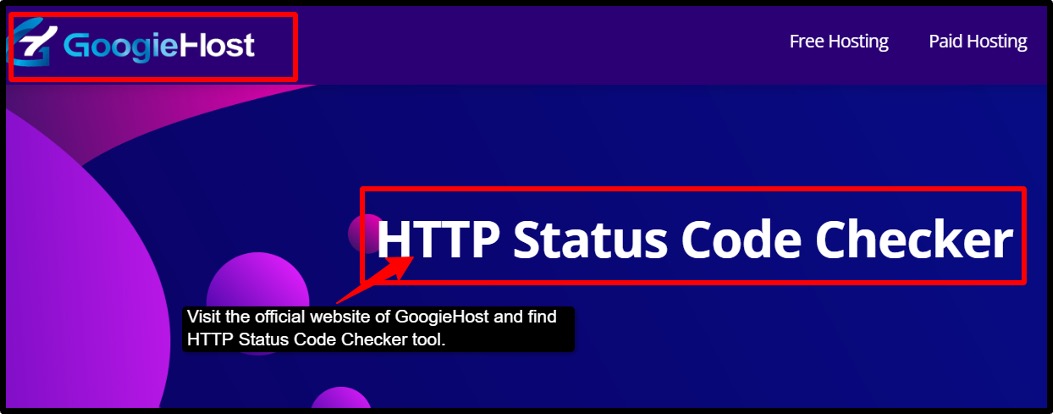
- Step 2: Now you can enter your URL >> Or copy and paste it in the box, including the protocol (https:// or http://).
- Step 3: After pasting the URL >> Click on the ‘Check’ button so that the tool can start scanning your URL. It will quickly give you the response in real-time.
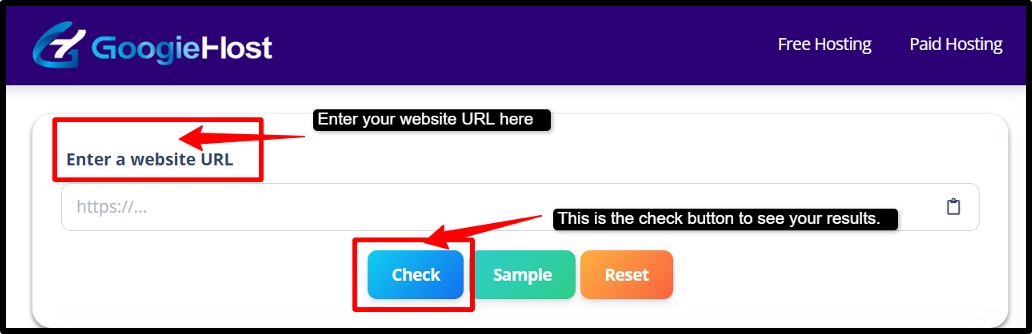
- Step 4: Now you can see the HTTP status result like 200 OK, 302 Redirect, 404 Not Found, or 500 Server Error along with the server response details.
- Step 5: Follow the Redirects >> Check if the tool shows a 301 or 302 redirect status. Verify where the URL is redirecting users >> Make sure the final destination page returns 200 OK and confirm HTTPS.
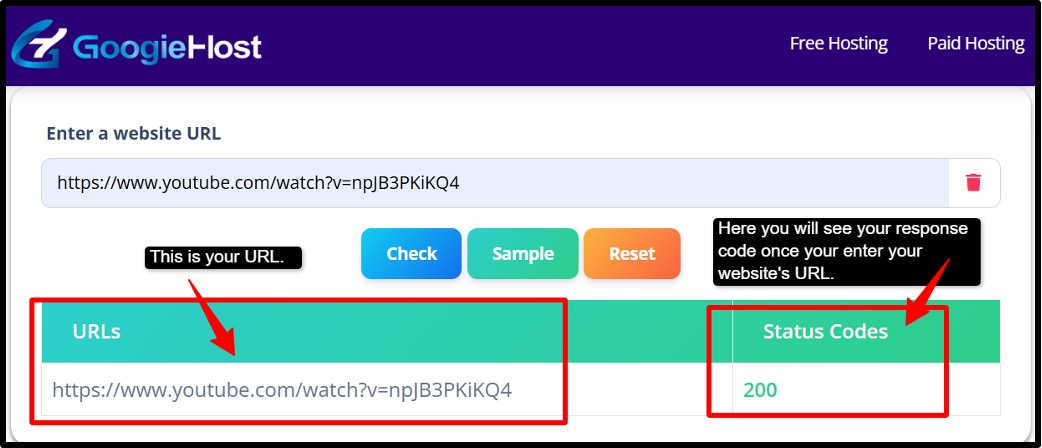
- Step 6: Identify errors like 404 Not Found or 500 Server Error >> Fix the broken links or incorrect URLs and correct the redirect loops or wrong redirect settings.
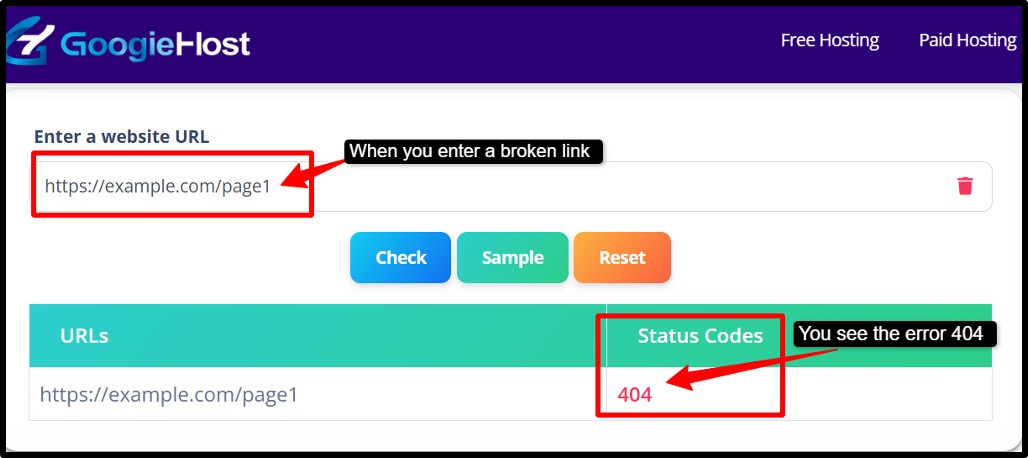
- Step 7: Run the checker again to confirm the website now returns to 200 OK.
Just by following these many steps, you can easily use the tool and check the response code for URLs.
Who Benefits from the HTTP Status Code Checker
Now, let's focus on those who get benefits from using this tool:
- SEO and content teams
SEO experts and content managers can use the HTTP Status Code Checker to make sure important pages are properly accessible to search engines. It helps them identify redirect issues, broken pages, or indexing problems that may affect website rankings and organic traffic.
- Developers
Developers can use this tool to test website deployments, APIs, and server responses quickly. It helps them to detect errors like failed redirects, broken endpoints, or server issues before they affect users or website performance.
- Site Owners & Marketers.
Website owners and digital marketers can find broken links, slow-loading pages, and server problems that may create a poor user experience. Fixing these issues will help improve visitors' trust, engagement, and complete website performance.
- Agencies
Agencies managing multiple client websites can use this tool checker to audit redirects, monitor migrations, and prevent SEO issues like soft 404s or redirect chains. This helps maintain the search rankings and ensures the website continues working smoothly after updates or domain changes.
Benefits of Using GoogieHost’s Domain to IP
Now, let's uncover what some of the major benefits are that anyone can get by using this GoogieHost tool:
- Improve Crawlability and Indexing: This tool helps make sure important website pages return a proper 200 OK status so search engines like Google can easily crawl and index them. This improves the chances of your pages appearing correctly in search results.
- Preserve Link equity with proper redirects: When pages are moved or URLs change, proper 302 redirects help pass SEO value from the old page to the new one. The checker helps verify that redirects are working correctly without losing rankings or traffic.
- Reduce broken links and user drop-offs: Broken pages showing 404 errors can frustrate visitors and make them leave your website quickly. The tool helps identify these broken links early so you can fix them before they affect your user experience.
- Diagnose server reliability issues: If your website frequently shows 5xx server errors, it may indicate hosting or server problems. The checker helps spot these issues early so you can improve website stability and avoid downtime.
- Speed up the website audits and fixes: Instead of manually checking every URL, this tool will allow you to quickly check the status for multiple pages. This saves your time during SEO audits, website migrations, or troubleshooting tasks.
Why Choose GoogieHost’s HTTP Status Code Checker?
There are some possible reasons why you should start using this tool. Let's understand that:
- SEO-First guidance: It doesn’t just show you a status code; in fact, it tells you what that code means for your website’s ranking. For example, if a page returns a 404 error, it explains that search engines cannot index it, which hurts your SEO. You get clear, actionable SEO context, not just numbers.
- Bulk- Friendly Workflow: In place of checking URLs one by one ( which wastes your hours), you can paste many URLs at once and check them all together. This is super useful when you are moving a website, doing a site audit, or fixing links after a redesign. ‘
- Redirect Chain Visibility: When a URL redirects multiple times ( A > B > C), link value (equity) can get lost along the way. This tool shows you the full redirect path so you can confirm the traffic and link power are flowing cleanly from the old URL, all the way to the final destination page.
- Actionable Outcomes: Most of the tools that are available, they just show a problem. This tool actually tells you exactly how to fix it, no matter you need to change the status code, fix a redirect type, or update your server settings. There is no guessing, just clear steps that you need to follow.
FAQs
Q1. Why should I check HTTP status codes?
Ans. Checking HTTP status code is essential because it helps you catch and fix hidden website problems, like broken pages (404s), failed redirects, and server errors (5xx) before they damage your SEO rankings, block Google from indexing your website, and drive your visitors away.
Q2. Which status codes can this tool detect?
Ans. This tool detects 200 OK to confirm pages are accessible, 301 redirects to ensure link equity passes correctly during content moves, 404 errors to catch broken or missing pages, and broader 4xx and 5xx error patterns to identify client-side and server-side problems before they hurt your SEO rankings.
Q3. What does a 200 status code mean?
Ans. A 200 OK status code means the page is working perfectly, the server found it, loaded it successfully, and search engines like Google can crawl it and index it without any issues.
Q4. Can this tool check multiple URLs at once?
Ans. Yes, the tool supports a bulk-friendly workflow, meaning you can paste multiple URLs at once and check all of them together in a single go. It will save you a lot of hours as compared to checking them one by one.
How do HTTP status codes affect SEO?
- When a page returns 200, it tells Google the page is live and accessible, so it gets crawled, indexed, and ranked. Without this, your page simply won’t appear in search results, no matter how good your content is.
- When you move a page, a 301 redirect passes all the SEO value and ranking power from the old URL to the new one. Without this, you will lose all the backlinks and authority you built on that old page.
- Google gives every website a limited crawl budget. When crawlers keep hitting dead 404 pages or servers' 5xx errors, they waste that budget on broken pages instead of indexing your good content, so it directly harms your rankings and frustrates users.
- If a URL redirects through multiple steps (A>B>C>D), link signals weaken at every hop. Keeping redirect chains short and clean ensures SEO value travels fully to the final destinations without getting lost along the way.
- Rather than checking URLs one by one, professionals check many URLs together after site fixes or migrations to quickly verify everything is working correctly, and nothing was accidentally broken.