
What Is My User Agent






Every time you visit a website, your browser silently sends a “user agent," which is a digital ID card that contains the details about your browser, your operating system, and even the device you use. This tool basically helps websites to display content correctly and deliver the best experience.
But do you know exactly what information your browser is sharing?
GoogieHost’s tool, What Is My User Agent, makes it effortless to find out. You don't need to do the complicated digging through browser settings or go through the technical logs. This is a free tool that instantly reveals your complete user agent string along with major details about your device and browser.
If you are a developer who needs to test website compatibility, or a marketer analyzing traffic, or you are just curious about how websites identify you, then this tool will give you a clear and instant answer.
What Is My User Agent Tool?
This tool helps you instantly see the unique string your browser sends whenever you visit a website. Think of it as a digital identification card that tells servers what browser, device, and operating system you’re using so they can display content correctly.
Popular search terms like “what is my user agent,” “user agent checker,” or “browser user agent tool” all point to this kind of service. More specific long-tail searches such as “free online tool to check my user agent string” describe its exact purpose even better.
A user agent string usually contains details including:
- Browser name and version
- Operating system
- Device type
- Rendering engine
- Platform information
This information is important for developers and website owners because it helps diagnose compatibility issues across different browsers and devices. If a website behaves differently on Chrome versus Firefox, checking the user agent is often the first troubleshooting step.
Why Choose GoogieTools for Your User Agent Checker Needs?
Now, here are many valuable reasons as to why you should consider using this tool:
- Simple & Accurate: It instantly detects your browser’s user agent information with reliable results and a user-friendly interface.
- Completely Free to Use: It does not require any sign-ups or any subscriptions. You don't even need to use your credit card details, as you can access the tool from anywhere and anytime.
- Fast Performance: Get your user agent details within seconds, making it best for quick troubleshooting and testing.
- Lifetime Free Access: It is not like other platforms that limit your features behind paywalls, but GoogieHost offers free access whenever you need it.
- Mobile-friendly Experience: You can use this tool seamlessly on desktops and tablets or even your smartphones without compromising functionality.
- Ad-Free & distraction-free: Its focus is on your task without intrusive ads or unnecessary pop-ups.
- Reliable Results Every Time: You can quickly view accurate user agent data to ensure smoother debugging, testing, and website development workflow.
- Available Anytime & Anywhere: You can access this tool from any device with an internet connection whenever you need browser information.
Key Features of the GoogieTools: What Is My User Agent Tool
Now, let us see and understand clearly the core features of this tool:
- Instant User Agent String Display
This feature instantly shows the complete User Agent (UA) string sent by your browser. It also breaks down important details such as your browser name, browser version, and your operating system. It gives all the device information and makes it very easy to understand how websites identify your device.
- Device & OS Detection
The tool automatically detects the device and operating system you are using. If you have a Windows PC, Mac, or Android, it will help you quickly verify your device information for texting and troubleshooting purposes.
- Browser Engine Insights
Every browser runs on a rendering engine such as Blink or Gecko. This feature identifies the engine behind your browser and helps developers check website compatibility and ensure web pages work correctly across different browsers.
- Privacy-focused websites
Your privacy remains protected while using the tool. It displays useful browser information without requiring sign-ups or strong personal data, allowing you to check your user agent details safely and securely.
- Unlimited Queries
There are no usage limits here. You can run as many user agent checks as you need. It makes the tool useful for developers, testers, website owners, and anyone performing multiple browser checks.
- Additional Details
Along with user agent information, the tool may even display extra details such as your IP address, internet service provider (ISP), timezone, and location-related data. It gives you a broader view of how your device appears online.
How to Use the GoogieTools What Is My User Agent Tool: A Step-by-Step Guide
Let's see easy and navigable steps to understand this tool more:
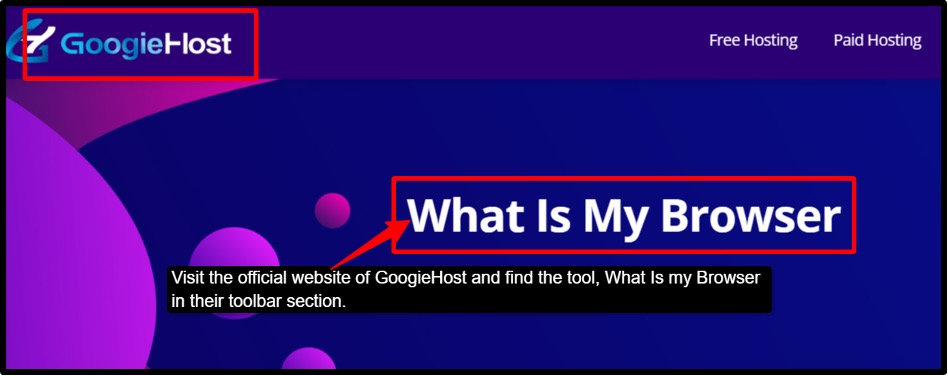
- Step 1: Visit the official website of GoogieHost >> Navigate to their toolbar section and find What Is My User Agent.
- Step 2: Once the page opens>> It automatically detects your browser and device information. No registration or setup is required.
- Step 3: View your User Agent String >> You will see the complete information your browser sends to websites.
- Step 4: Check browser details >> Review the browser information displayed, like >> browser name & version & rendering engine used by your browser.
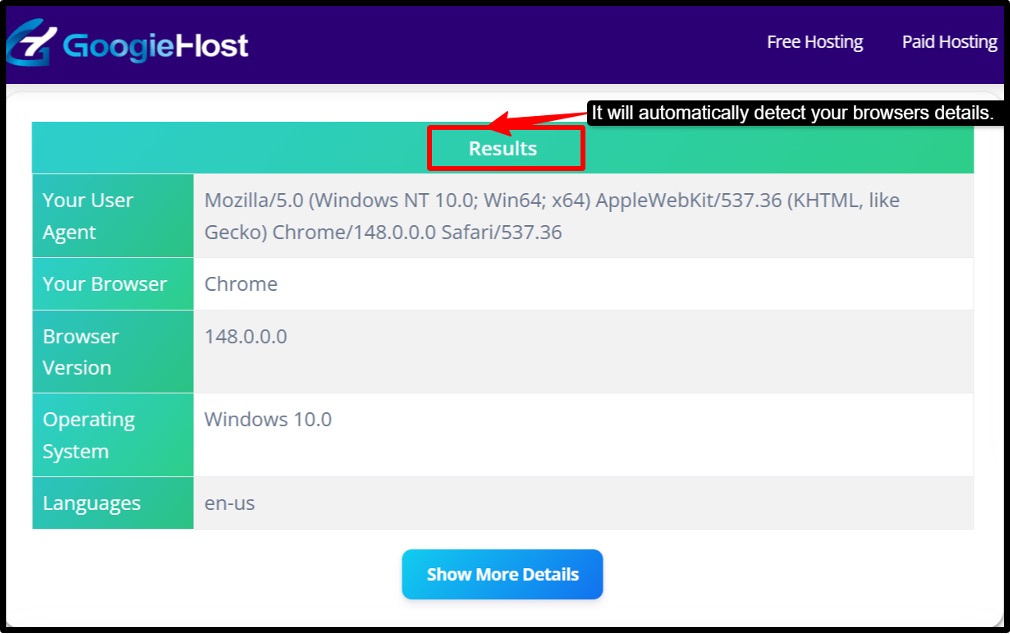
- Step 5: Verify device & operating system >> Scroll through the results and see the details about your operating system & device type.
- Step 6: Review Additional Information >> This tool may also display details like your IP address >> ISP >> timezone and other relevant information.
Just by following all these steps, you can successfully use this tool and not get confused by other alternatives.
Pros and Cons of Using a User Agent Checker Tool
Here is a quick and clear breakdown of the tool’s pros and cons:
Pros:
- Quick Results.
- Free to use.
- Improves Security.
- Useful for Testing.
- Easy to Use.
- Works Everywhere.
Cons:
- User Agent information can be fake.
- Limited information.
- Depends on browser data.
- No Automation Support.
Benefits for Web Hosting and Site Management
Some benefits that this tool delivers to web hosting and site management areas:
- Improves Website Performance: It helps ensure users receive the correct version of your website for their device and browser.
- Identifies Compatibility Issues: It detects browser-related problems that may affect how your website loads or functions.
- Enhance User Experience: It helps in optimizing websites for different devices, browsers, and operating systems.
- Supports Faster Troubleshooting: It makes it easier to diagnose and resolve website display or performance issues.
- Assists with Bot Detection: It helps in identifying suspicious or fake user agents used by bots and automated traffic.
- Optimizes Server Configurations: This tool ensures your servers deliver content correctly based on visitor device and browser information.
- Improves Mobile Responsiveness: It verifies that mobile users are being detected and served mobile-friendly content.
- Strengthens Security Monitoring: It provides insights that can help in detecting unusual traffic patterns and potential threats.
- Supports Better Site Management: It gives website owners and administrators valuable browser and device information for informed decision-making.
Common Use Cases for the User Agent Checker Tool
Here are some of the common use cases for this tool:
- Browser Compatibility Testing: Here you can check how your website appears and behaves across different browsers and versions.
- Troubleshooting Website issues: You can easily identify your browser's or device’s display or functionality problems.
- Mobile Optimization: It verifies that mobile users are correctly detected and served a mobile-friendly version of your website.
- Web development testing: Here you can confirm that browser and operating system detection scripts are working as intended.
- Bot & Traffic Analysis: It examines the user agent strings to distinguish genuine visitors from bots or crawlers.
- Security Monitoring: This tool will help in detecting suspicious or fake user agents that could indicate malicious activity.
- Server Configuration Checks: It ensures that your server delivers the right content based on visitors' devices and browsers.
- Technical Support: Quickly gathers browser and device information when helping users resolve website issues.
Final Words
Understanding your User Agent information can be very useful for developers and website owners. It can even help IT professionals and everyday internet users; this tool will help you to exactly see how websites identify your browser, device, and operating system.
It makes it very easy to troubleshoot issues and test compatibility. It improves the security and optimizes user experience. This GoogieHost tool gives you instant access through a simple and free user-friendly interface. This tool will help you out with major issues and offers you accurate insights in seconds.
Give it a try and gain a better understanding of the information your browser shares every time you browse the web.

Aman Singh
CREATIVE HEAD
Enjoy the little things in life. For one day, you may look back and realize they were the big things. Many of life's failures are people who did not realize how close they were to success when they gave up.