Domain to IP
Find the IP address of any domain name instantly, along with its server country and ISP.
Have you ever wondered how websites magically know where to send your browser? It is just like ordering a pizza with just the restaurant name, but behind the scenes, someone still needs the exact address.
The Domain to IP tool of GoogieHost does the same. This tool helps you uncover the real IP address hidden behind any website domain in seconds, making networking and website tracking much easier.
You type a website name like “google.com” is easy for humans, but computers understand numbers called IP addresses. This tool quickly converts any domain into its real server IP in just one click. The tool finds the real IP address connected to any website domain and helps users to check server details, troubleshoot network issues, verify website hosting, and understand where a website is actually hosted.
It also helps with DNS verification, security analysis, and SEO diagnostics. It saves your time by quickly showing the IP address and details instead of checking them manually or using command-line tools.
What is GoogieHost’s Domain to IP?
GoogieHost’s Domain to IP tool helps users quickly find the IP address linked to any website domain. You simply enter the domain name, and the tool instantly shows the server IP along with other useful details. This makes it easier to monitor website uptime, check DNS records, troubleshoot hosting issues, and evaluate server performance without using complicated command-line tools.
How do I Use the Domain to IP? (step‑by‑step)
Now follow these steps and understand how easily you can use this tool:
- Step 1: Visit the official website of GoogieHost >> Navigate to the Domain to IP tool in the tool searchbar section.
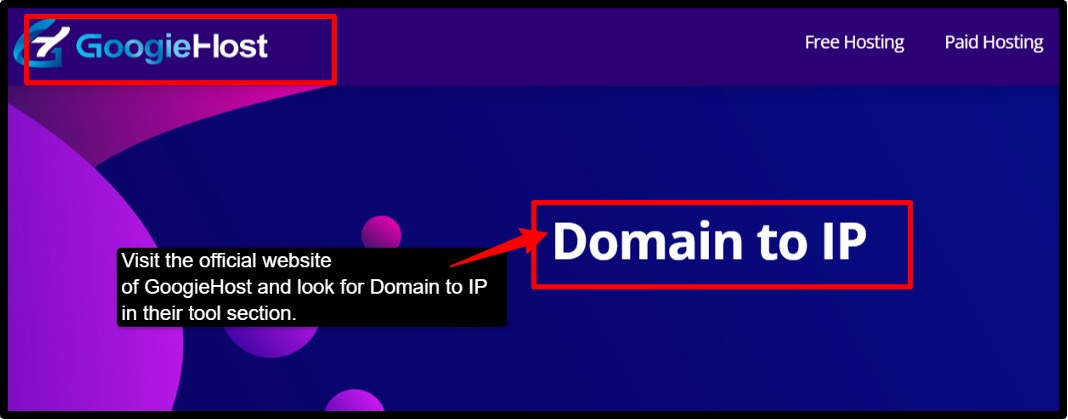
- Step 2: Enter any website URL, for example, (google.com). In the box, type or paste your website URL.
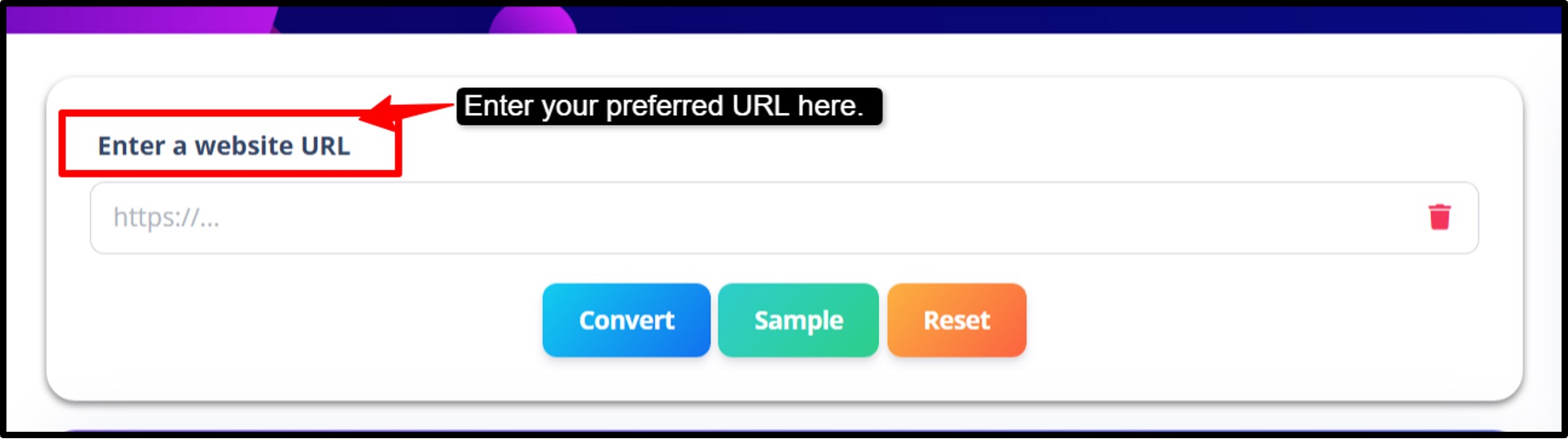
- Step 3: Click on the “Convert” button. Now the tool will instantly display the website’s IP address.
- Step 4: Now you read your results. You will see the IP address linked to the entered domain. If the website uses multiple IPs through a CDN or load balancer, you may see one of the active server IPs along with the extra details.
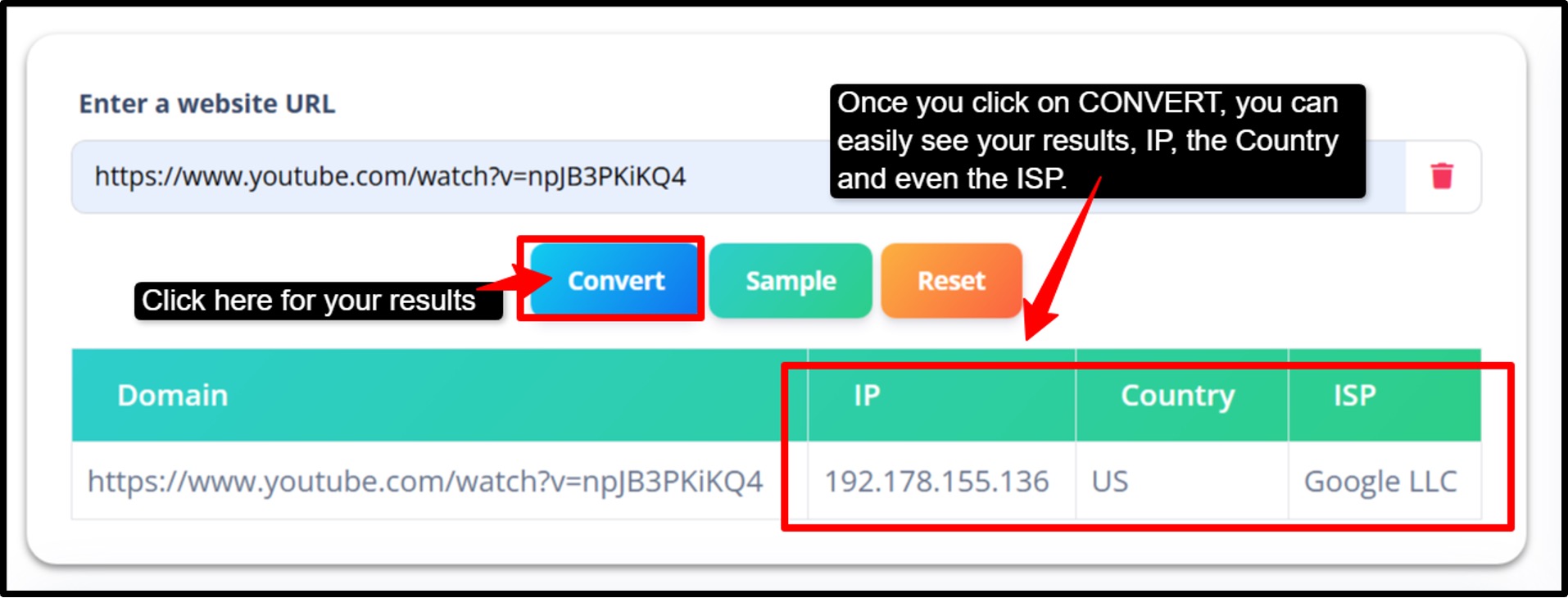
- Step 5: You can also see the green button as ‘Sample’, which you can use to auto-fill an example URL and understand how the conversion takes place.
- Step 6: If you want to try for another URL, then click on the ‘Reset’ button and try again.
Just by following these many steps, you can easily use the tool and check IP addresses also.
Who Benefits from the Domain to IP
Several regular users achieve a good amount of benefit from using this tool, such as:
- Website Owners & Developers
Website owners and developers can quickly identify DNS, SSL or server routing problems by checking the exact IP linked to their domain. This helps them troubleshoot website downtime, verify the server changes and ensure the domain is pointing to the correct hosting server after migrations or updates.
- SEO Experts & Digital Marketers
SEO professionals and marketers can use this tool to analyze hosting setups, shared server environments and geo-targeted content delivery. It also helps them to understand where a website is hosted and monitor domain behaviour that may affect website speed or search engine rankings.
- Security Teams & Cybersecurity Analysis
Security teams benefit by tracing suspicious IP activity and verifying if the domain points to a trusted server or not. The tool can help identify blacklist issues, monitor unusual traffic sources and improve the complete website security before allowing network access.
- IT Operations Teams & SREs
IT operations teams and Site Reliability Engineers (SREs) can quickly confirm where a domain resolves during server migrations, CDN setups and outage investigations. This makes troubleshooting faster and helps ensure services are running on the correct infrastructure without routing errors.
Benefits of Using GoogieHost’s Domain to IP
Now, let's uncover what some of the major benefits are that anyone can get by using this GoogieHost tool:
- Fast Troubleshooting: This tool helps users quickly find DNS errors, wrong A records or domain propagation issues by showing the actual IP address connected to a website. This makes it very easy to fix any website’s downtime, server connection problems or incorrect domain routing.
- Hosting & Infrastructure Insight: Users can definitely learn more about a website’s hosting provider, ISP and server environment by checking the IP address. It even helps in identifying multiple websites hosting like are they hosted on the same server or not. It gives a better understanding of the website’s network setup.
- SEO Support: SEO professionals can use this tool to verify if a website is hosted in the correct geographic location for a better audience target. It even helps to detect the shared IP environments that may affect the website’s performance, reputation and complete search engine rankings.
- Time-Saving & Easy to Use: The tool provides instant results without requiring technical commands or any kind of advanced networking knowledge. It can be used by anyone, from a beginner to a professional and can quickly convert a domain into an IP address using a few clicks.
- Handles Multiple Domains Efficiently: There are many agencies, developers and IT teams that need to handle many websites, so this tool definitely makes it very much easier to process and verify large lists of domains efficiently. It also improves workflow and saves manual effort during audits and migrations.
Why Choose GoogieHost’s Domain to IP?
There are some possible reasons why you should start using this tool. Let's understand that:
- Here, using this tool, you get instant and accurate results. The tool quickly finds the correct IP address connected to a domain without requiring complicated commands or technical setup. This helps users troubleshoot website and server issues faster.
- Along with your IP address, this tool even helps to show details like the hosting provider, ISP, country location and reverse the DNS records. These many details help the user to understand any website’s server and network setup.
- The Domain to IP tool is completely free to use at GoogieHost and will give you results within seconds. It has a very simple interface, making it easier for beginners, students and developers to use it anytime.
- It works with both modern IPv6 addresses and traditional IPv4 addresses. It ensures your results are accurate even for websites that are using newer network technologies.
- There are many users who manage multiple websites, so they can use this tool, which will quickly convert an endless number of domains into IP addresses, making migrations, competitor research and server management much faster and easier.
FAQs
Q1. Why do I need to find the IP address of a domain?
Ans. Finding the IP address of any domain name is quite useful for troubleshooting website connectivity, configuring the DNS records and identifying the server host. You can even find solutions for your SSL issues, hosting changes and investigate the security concerns like suspicious traffic sources. It helps in improving website security and verifying the server changes during migrations or website setup.
Q2. How accurate is the IP information shown?
Ans. The IP information shown is usually very accurate because it is fetched directly from the domain’s current DNS records. It is quite accurate at the country level of approximately 95-99%, which is quite high, whereas at the city or region level it drops to 20-75% depending on the provider. Residential IPs are more precise, while the mobile IPs often change or fluctuate because of tower locations.
Q3. Can I find the IP address of any website?
Ans. Yes, you can find the IP address of most public websites using a domain name. You simply enter the website domain name, and the tool will show the server IP connected to it. But, in some cases, websites using advanced security services or CDNs may hide their original server IP for protection. Results could even vary due to location and time.
Q4. Will this tool reveal the owner of the IP address?
Ans. No, this Domain to IP tool does not reveal the personal owner of any IP address. It mainly shows technical details like the server IP, hosting provider, ISP or the server location linked to the domain, but it will not directly disclose the owner ever.
Q5. Does finding an IP address reveal the physical location of the server?
Ans. Yes, finding an IP address can give an approximate physical location of the server, but not the exact address. Usually, the IP address can reveal details like Country, State or region, City, ISP and sometimes even the data center location.
Q6. Is this tool free to use?
Ans. Yes, most Domain to IP tools are completely free to use, including GoogieHost’s Domain to IP tool. Their page specifically mentions that these utilities are “free to use” for quick lookups and troubleshooting. It is suitable for daily use and for your learning environments.
Q7. Can I use this tool for bulk domain checks?
Ans. Yes, this Domain to IP tool quickly converts the list of domains to IPs in just one go, which makes your audit speed much faster with a number of migrations and blacklist checks. This bulk checking also helps with asset inventories.