
Page Size Checker





You’ve just launched a shiny new website, packed with stunning visuals and killer content. You’re ready to dominate the search engines and wow your visitors. But then, disaster strikes—users are bouncing faster than a rubber ball because your pages take forever to load. I’ve been there. A few years ago, I built a portfolio site, loaded it with high-res images, and thought I was golden.
Turns out, my pages were so heavy they crawled, costing me traffic and rankings. If only I’d had GoogieTools’ Page Size Checker back then! This free, easy-to-use tool analyzes your webpage’s size in seconds, helping you optimize for speed, user experience (UX), and SEO.
Let’s explore why this tool is a game-changer for web developers, marketers, and site owners, and how it can skyrocket your site’s performance.
What Is a Page Size Checker?
A Page Size Checker is an online tool that measures the total file size of a webpage, including HTML, CSS, JavaScript, images, and other resources. GoogieTools’ version delivers accurate results in bytes, kilobytes (KB), or megabytes (MB), giving you a clear picture of what’s weighing your site down.
Page size directly impacts load times, which affect both user satisfaction and search engine rankings. With Google’s emphasis on Core Web Vitals and mobile-first indexing, keeping your pages lean is critical. This tool makes it easy to identify bloated pages and take action to optimize them.
Why does page size matter? Large pages slow down your site, increase bounce rates, and hurt your SEO. According to studies, pages over 3 MB can significantly delay load times, driving users away. GoogieTools’ Page Size Checker helps you stay within Google’s recommended size limits (ideally under 1 MB) for lightning-fast performance.
Key Features of GoogieTools’ Page Size Checker
GoogieTools’ Page Size Checker is designed with simplicity and power in mind. Here’s what makes it stand out:
- Accurate Size Analysis: Measures total page size, including HTML, CSS, JavaScript, images, and more, in bytes, KB, or MB.
- Instant Results: Enter a URL and get a detailed report in seconds—no waiting required.
- Breakdown of Resources: Identifies which elements (e.g., images, scripts) contribute most to page size.
- Free and Unlimited: No subscription fees or usage limits, perfect for all budgets.
- User-Friendly Interface: Simple design ensures anyone can use it, from beginners to pros.
- No Installation Needed: Runs directly in your browser for hassle-free access.
These features make GoogieTools’ tool a must-have for anyone serious about website speed optimization and SEO performance.
How to Use GoogieTools’ Page Size Checker?
Using the Page Size Checker is a breeze, even if you’re not tech-savvy. Follow these simple steps to analyze your webpage:
- Visit GoogieTools: Navigate to the GoogieTools website and locate the Page Size Checker tool.
- Enter Your URL: Copy and paste the URL of the webpage you want to analyze.
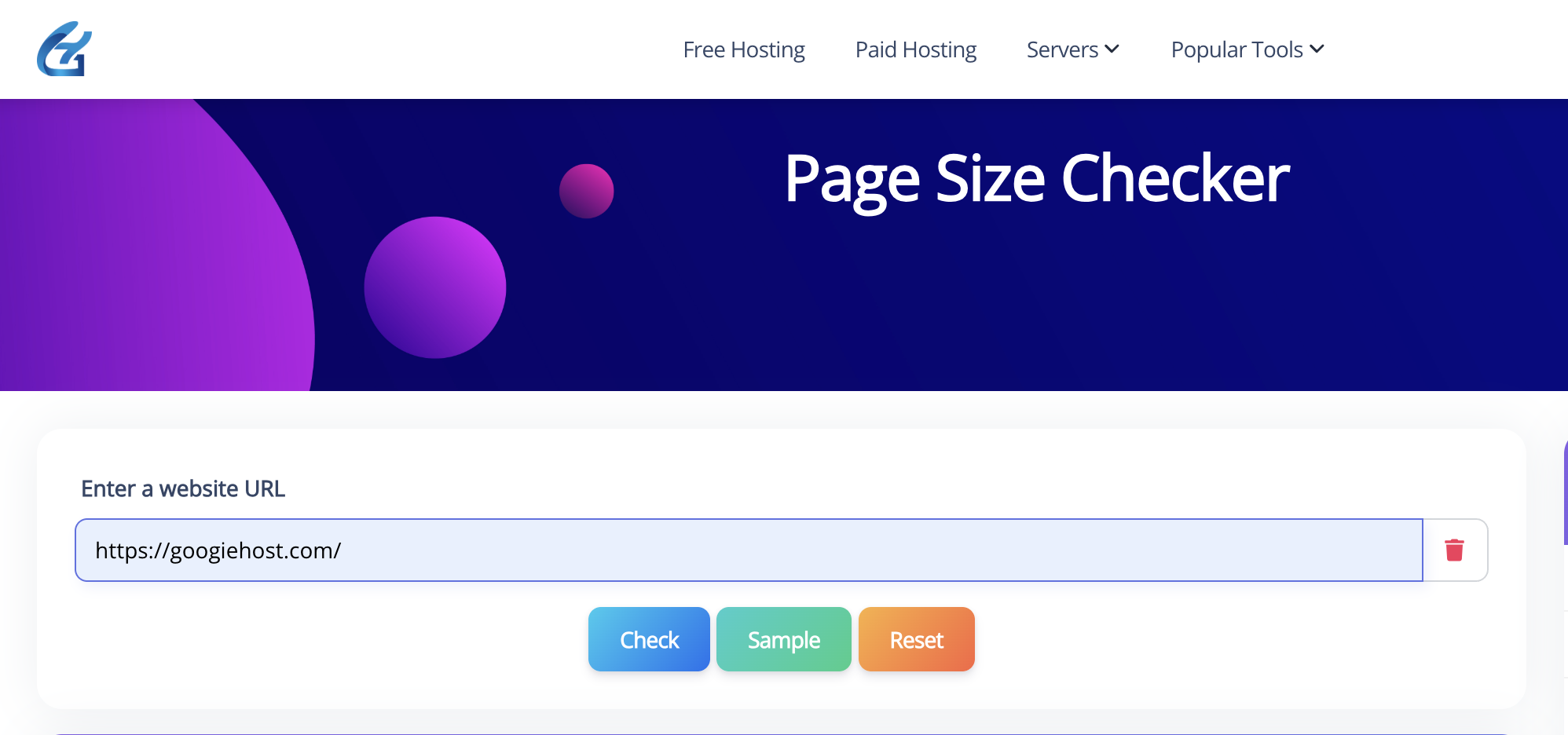
- Click Check: Hit the “Check Page Size” button to start the analysis.
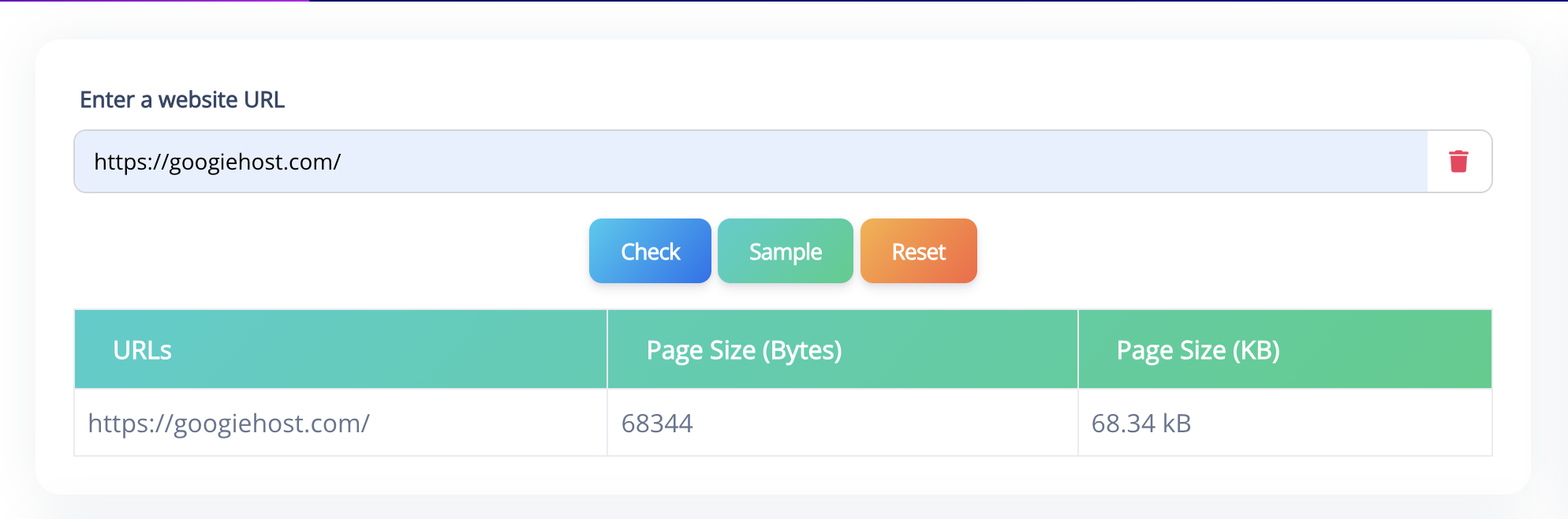
- Review the Report: Get instant results showing total page size and a breakdown of resources (e.g., images, scripts).
- Optimize: Use the insights to compress files, minify code, or adjust content for better performance.
Pro tip: Test multiple pages across your site, especially high-traffic ones like the homepage or product pages, to ensure consistent performance.
Benefits of Using a Page Size Checker for Web Optimization
A website page size checker is more than just a diagnostic tool—it’s a gateway to better performance. Here are the key benefits:
- Faster Load Times: Smaller pages load quickly, improving UX and reducing bounce rates.
- Higher SEO Rankings: Google rewards fast sites, especially those meeting Core Web Vitals standards.
- Better Conversion Rates: Studies show a 1-second delay in load time can reduce conversions by 7%.
- Cost Efficiency: Lower page sizes reduce bandwidth usage, saving on hosting costs.
- Proactive Issue Detection: Catch oversized files before they harm your site’s performance.
By using GoogieTools’ Page Size Checker, you ensure your site is optimized for speed, SEO, and user satisfaction.
Pros and Cons of GoogieTools’ Page Size Checker
Every tool has strengths and limitations. Here’s a balanced look at GoogieTools’ Page Size Checker:
Pros
- Completely Free: No hidden costs or subscriptions, making it accessible to all.
- Fast and Accurate: Delivers precise results in seconds, saving you time.
- Detailed Breakdown: Shows which resources (e.g., images, scripts) are bloating your page.
- No Technical Skills Needed: Simple interface is perfect for beginners and experts alike.
- SEO-Focused: Helps optimize for Google’s page speed and Core Web Vitals metrics.
Cons
- No Advanced Analytics: Lacks in-depth insights like load time estimates or network speed simulations.
- Single-Page Testing: Doesn’t offer bulk analysis for multiple pages at once.
- No Auto-Monitoring: You must manually check pages; no scheduled audits available.
Despite these minor limitations, the tool’s simplicity and cost-effectiveness make it a top choice for most users.
you optimize page size to meet SEO standards and delight your audience.
Why You Need GoogieTools’ Page Size Checker
Back in my early web design days, I didn’t realize how much unoptimized images and bulky code were tanking my site’s speed. Visitors left before the homepage even loaded, and my Google rankings suffered. Sound familiar? A website page size checker like GoogieTools’ can save you from these pitfalls. Here’s why it’s essential:
- Boosts Site Speed: Smaller pages load faster, keeping users engaged and reducing bounce rates.
- Improves SEO Rankings: Google prioritizes fast-loading sites, especially for mobile users.
- Enhances User Experience: Quick load times create a seamless, enjoyable browsing experience.
- Saves Bandwidth: Smaller pages reduce hosting costs, especially for high-traffic sites.
- Identifies Optimization Opportunities: Pinpoints heavy files like images or scripts that need trimming.
Using this tool, you can catch issues early, optimize your site, and keep both users and search engines happy.
Ideal Page Size Guidelines
What’s the perfect page size? While it depends on your site’s content, here are general guidelines:
- Under 1 MB: Ideal for most pages, ensuring fast load times and great UX.
- 1–3 MB: Acceptable for media-heavy pages, but optimize where possible.
- Over 3 MB: Likely to cause slow loading and higher bounce rates, requiring immediate action.
Use GoogieTools’ Page Size Checker to ensure your pages stay within these limits for optimal performance.
Common Page Size Issues and How to Fix Them?
Running into problems? Here are common page size issues and their fixes:
- Large Images: Compress images using tools like TinyPNG or convert to WebP format.
- Bulky Code: Minify CSS and JavaScript to remove unnecessary characters.
- Excessive Plugins: Limit WordPress plugins to only essential ones to avoid bloat.
- Unoptimized Videos: Host videos on platforms like YouTube to reduce page size.
- Heavy Scripts: Shorten or defer JavaScript to improve load times.
GoogieTools’ Page Size Checker helps you identify these issues quickly so you can act fast.
Why GoogieTools’ Page Size Checker Stands Out?
With so many page size checkers available, why choose GoogieTools? Here’s what makes it unique:
- Free and Unlimited: No paywalls or restrictions, unlike some premium tools.
- Instant Insights: Delivers quick, actionable results without complex setups.
- SEO-Optimized: Aligns with Google’s speed and performance guidelines.
- User-Friendly: Designed for everyone, from bloggers to professional developers.
GoogieTools combines simplicity, accuracy, and SEO focus, making it a top pick for website performance optimization.
Frequently Asked Questions About Page Size Checkers
Quick answers to burning questions, optimized for "FAQs on web page size checker tools."
Q1. What is a good page size for websites?
Aim for under 2MB total—ideally 1MB for lightning-fast loads.
Q2. How does page size affect SEO?
Larger sizes slow sites, increasing bounce rates and hurting rankings.
Q3. Can I check multiple pages at once?
GoogieTools supports one at a time, but batch tools exist elsewhere.
Q4. Is page size the same as load time?
No—size influences load time, but factors like server speed matter too.
Q5. Why is my page size so large?
Common culprits: high-res images, unoptimized scripts, or too many plugins.
Conclusion
Imagine a website that loads in a flash, keeps visitors glued to the screen, and climbs Google’s rankings like a rocket. That’s the power of GoogieTools’ Page Size Checker. This free, user-friendly tool empowers you to analyze your webpage’s size, identify bloat, and optimize for speed and SEO.
Whether you’re a blogger, developer, or business owner, it’s your ticket to a faster, more engaging site that users love and search engines reward. By keeping your pages lean, you’ll boost Core Web Vitals, reduce bounce rates, and drive more conversions.
Don’t let heavy pages slow your success. Head to GoogieTools, enter your URL, and start optimizing today. With instant insights and actionable data, you’ll transform your website into a high-performing powerhouse.
Take control of your page size, supercharge your SEO, and give your visitors the lightning-fast experience they deserve!

Aman Singh
CREATIVE HEAD
Enjoy the little things in life. For one day, you may look back and realize they were the big things. Many of life's failures are people who did not realize how close they were to success when they gave up.