
Do you consider the BlueHost login procedure challenging? If you already have an account registered with BlueHost and due to negligence, happen to lose your login credential, not knowing what to do next?
If that’s the case, then you’ve clicked your way through and reached the right WebPage, where you will seek solutions to these questions asked above. In this post, we’ll go through a step-by-step tutorial for creating an account with BlueHost and will learn to retrieve the password if you’ve misplaced it. So let’s keep going 👍
How to Login Bluehost?
Before we move forward with the login process, you need to acknowledge that if you are a new user and plan to order hosting services from BlueHost, then your first step should be to register an account with BlueHost.
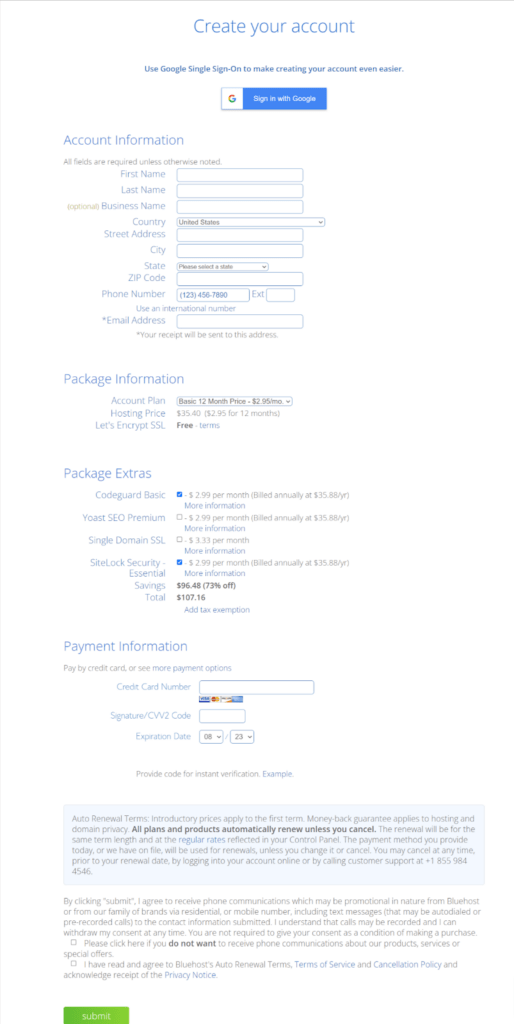
Let’s see how one can register an account by following the stepwise procedure as under:


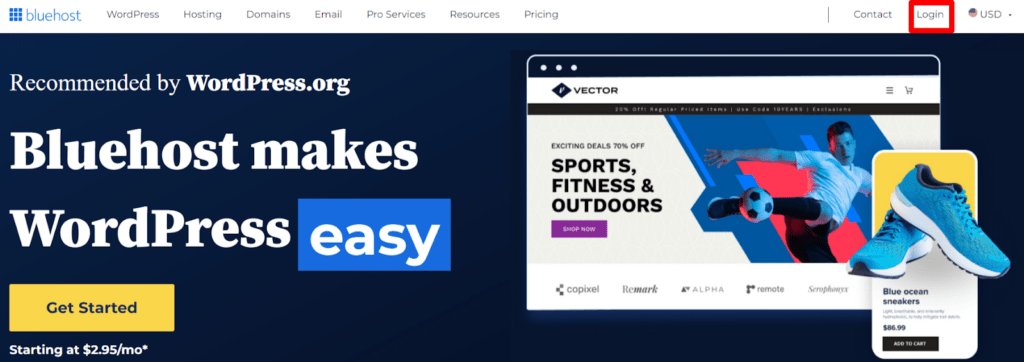
Now since you know how to register an account with BlueHost, logging becomes a piece of cake. To login to your BlueHost account you require your login credentials and you need to follow the given steps as well:

With that being said, let’s see how one can access an email account through Webmail.
How to Bluehost Webmail Login?
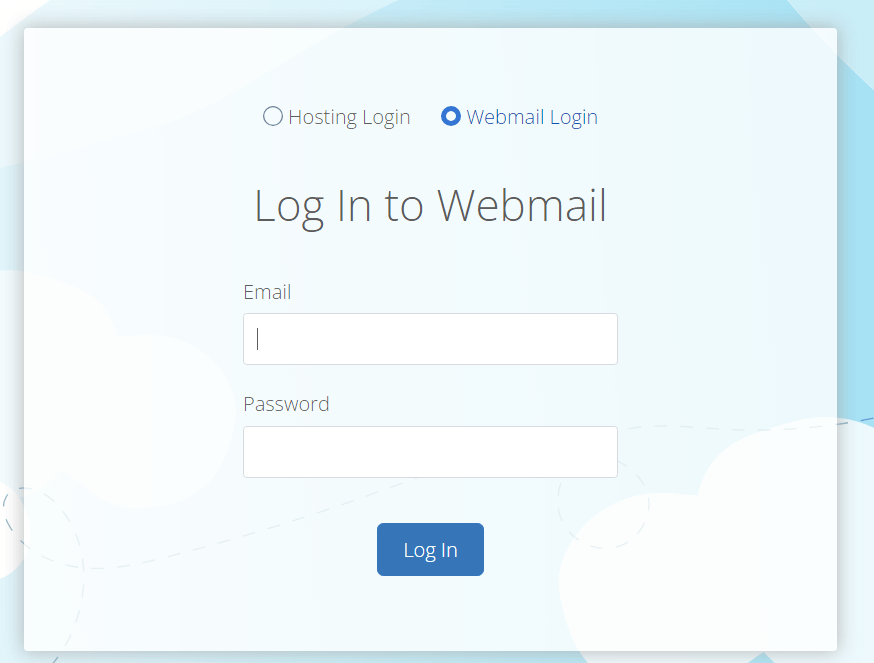
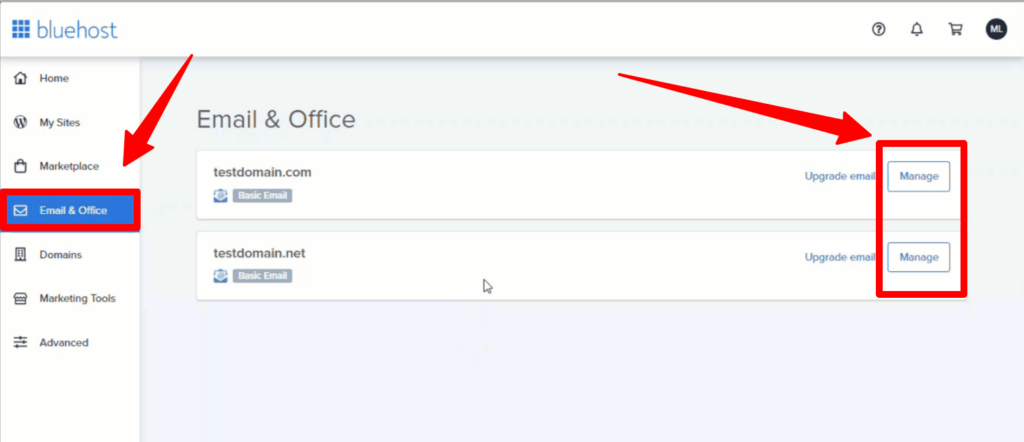
If you have an email account, you can easily access it via Webmail, by simply logging in. There are two ways to initiate the login procedure in Webmail:
Using Webmail Login Page
Via cPanel
How To Login To WordPress Site – WP Admin Access
Now let’s give a quick read on how one can effortlessly access the website created with WordPress. Here is the list of steps that you require to undertake:

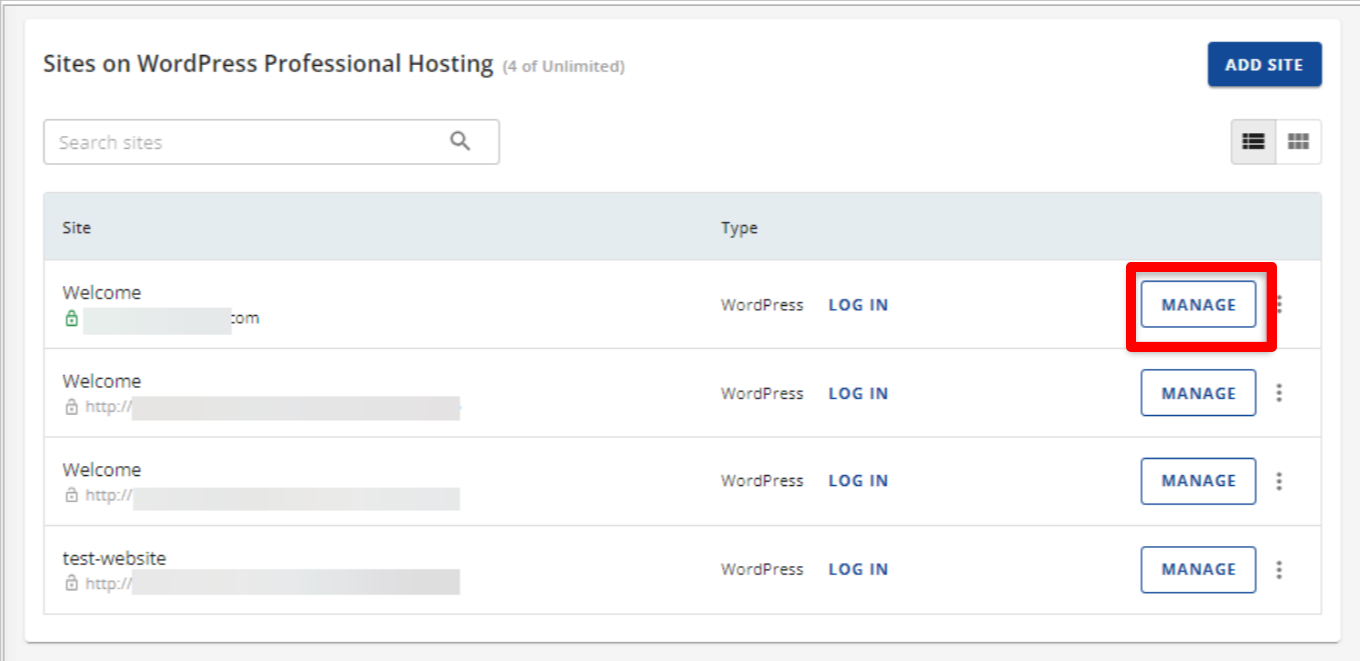
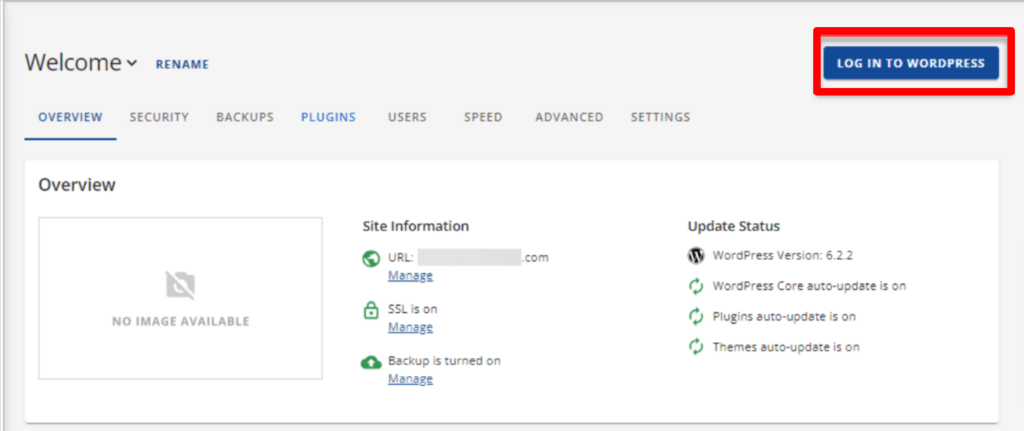
Want to know about how to access the cPanel of BlueHost? Keep reading further to get some creamy details about it too.
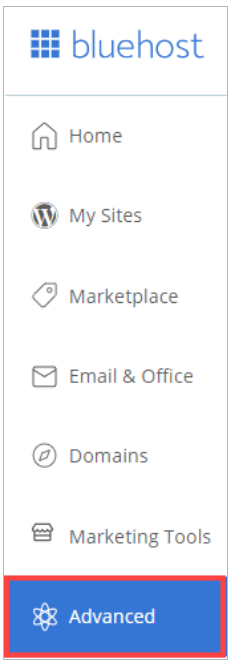
How to login to the Control Panel of Bluehost?
To login to the cPanel of BluHost, one should know his cPanel username or the domain of your account and password. To start off:
How to Reset the Password of Bluehost Accounts?
Due to security reasons, users should reset their passwords from time to time. At times users even tend to forget the passwords. So resetting the password becomes essential. Let’s discuss how we can effortlessly reset the password of BlueHost accounts:

How to open a Bluehost Support ticket for Login issues?
When logging in is too difficult, the only option left is to contact the support staff to resolve the BlueHost Login issues.
Thus, in that situation, getting in touch with the BlueHost Support Staff for assistance is the best option available, since it is user-friendly as per the reviews of its potential customers.
So, the BlueHost support staff can be contacted successfully via:
You may address the Login issues much more quickly and with the help of knowledgeable advice, thanks to the customer care service team. You can use the articles offered in the chat box to resolve the login issue if the support staff is running behind schedule.
Conclusion – Bluehost Login
Perhaps, you may have clearly understood well about the login process be it in the client area or in cPanel. Additionally, knowing how to Log in to the Webmail & WordPress site has also become effortless for you after going through this post. Contacting the customer care service might have also become an easy task for you now.
We believe that the information shared with you may prove beneficial. Your insightful comments and the act of forwarding this post to your friends and family would not only mean a great deal to us but also would inspire us to produce more tech related articles.