
In inexpensive Webhosting, JustHost offers some of the best services. Let’s learn how to use JustHost Login to access their wonderful service.
JustHost Web Hosting Help
Webhosting on the Justhost platform is very easy and simple. Follow this guide to make your own website/blog.
1. First, visit this link (https://www.justhost.com/cgi-bin/signup) and select one of your proposed Justhost hosting plans.
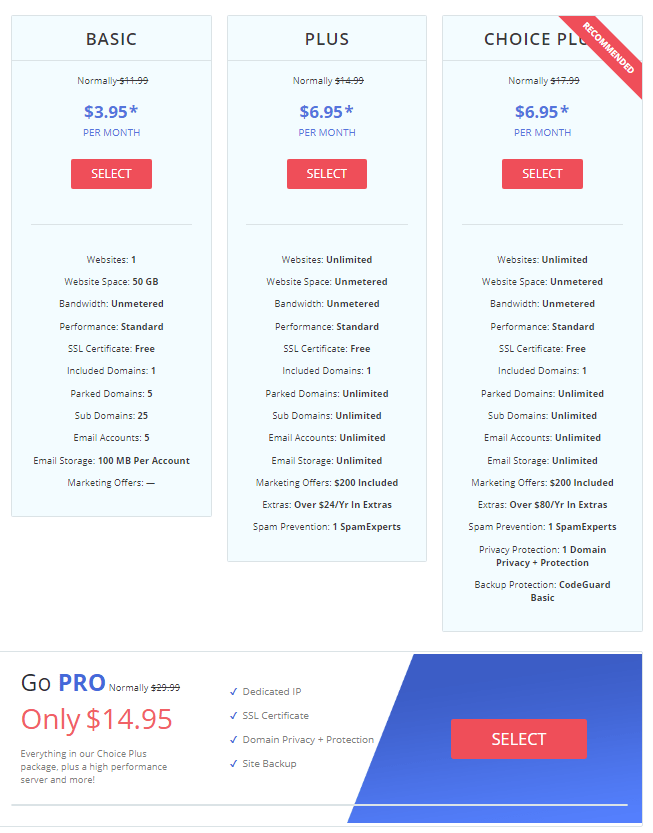
2. In the next step, enter your website’s domain name in the text box and click the “Next” button.

3. Now, you must create an account on the Justhost platform.
If you like, you can use your Google account credentials for this signup process, or you need to fill in all your details.
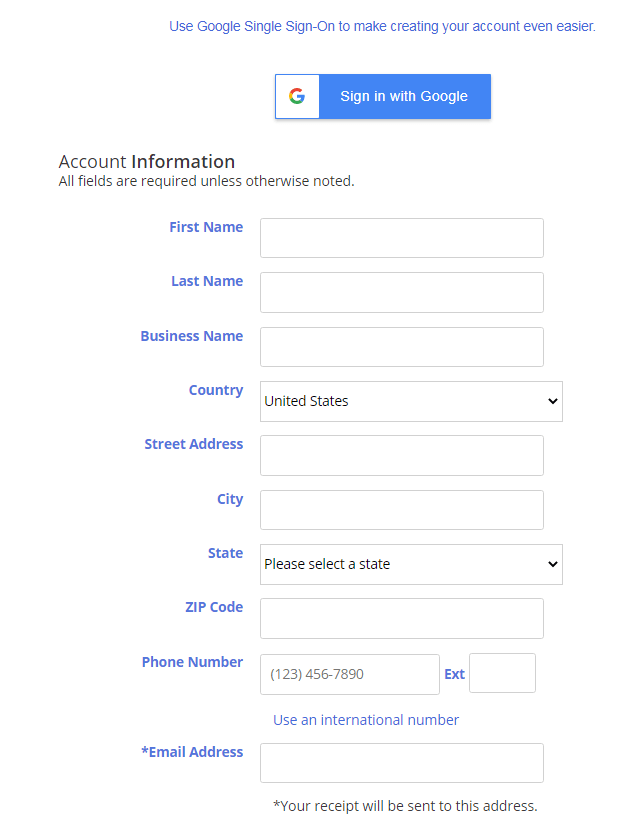
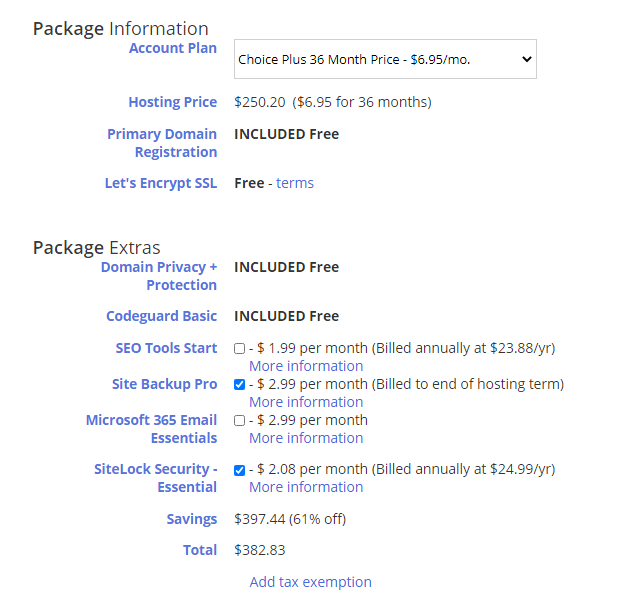
4. After entering account details, you can select Package Information and Package Extras.
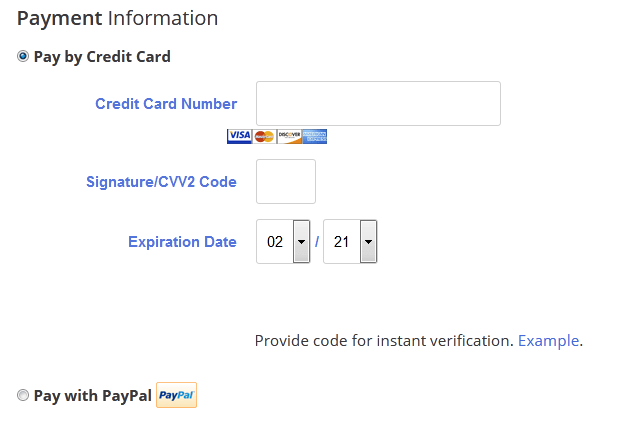
5. Now, Enter Payment Information
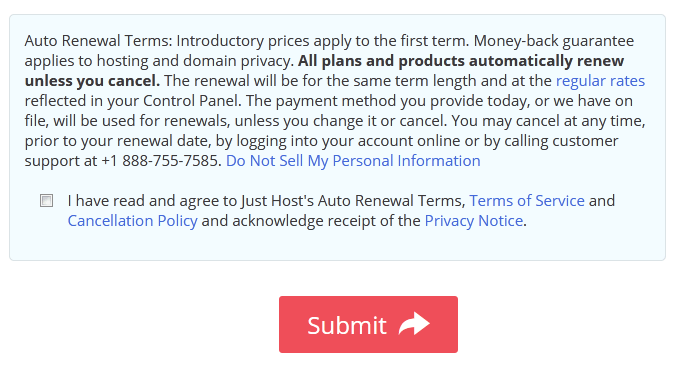
6. In the final step, Tick the “Terms of Service and Cancellation Policy” check box and click the “Submit” button to complete the procedure.
How to Registration Free Domain Name
The domain registration process of Justhost is very easy and simple. You can do this right after opening an account at Justhost.
Follow these steps for easy domain registration.
- First, use your account credentials to Justhost login into the Justhost Control Panel.
- Then select the “Domains” Tab.
- In the sub-navigation section, you will see the “Register” option for new domains.
- To know whether your preferred domain is available, enter the domain name in the text box and click the “Check” button.
- Besides every available domain name, you will see a cart icon.
- Click the “cart” icon and click the “Next” button.
- After reviewing the registration setting, click the cart button again.
- In the final stage, give the payment details and click the “Checkout” button to complete the registration process.
How To Host Unlimited Domains?
Follow these steps to host unlimited domains on Justhost Webhosting.
- Enter your username and password to Justhost login to access the Control Panel.
- Then access the “Domain” Tab.
- From the submenu, select the “Assign” button.
- Now enter the Nameservers and EPP Code of the domain for hosting.
How Do I Renew My Domains?
- The JustHost support team will inform you by email or text before the domain expires. You need to follow these steps to complete the renewal process.
- First, use JustHost login to access your account.
- You must now click the “Domains” tab in the control panel.

4. You will see the domains associated with your account in the domain list section.
5. Now tick the check box beside the domain name you want to renew.
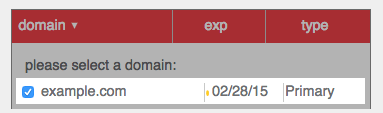
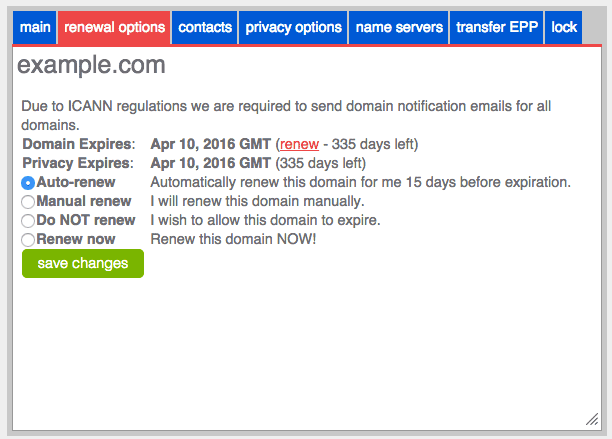
6. It will give you various renewal options. Choose your preferred one and click the “save change” button.
7. Now, you will be directed to the payment page.
8. Your domain will be renewed after the completion of the payment process.
How To Contact Customer Support on Justhost?
The Justhost support team is very prompt in solving customers’ queries. You can call them on this number (888-755-7585) for any enquire. If you dislike talking, use the Justhost chat system for direct assistance.
How to Install Click Site Builder in Justhost?
You can install the site builder from the Control Panel.
- First, use Justhost Cpanel login to access the account.
- Then click the “Marketplace” tab.
- Select “Add-ons” from the sub-menu.
- Here you will find the “site builder” for installation.
How to set up an Email Account in Gmail?
- You need to make some changes in Gmail settings to access JustHost webmail from your Gmail account. Follow these steps to connect JustHost webmail and Gmail.
- In the beginning, login to your Gmail account.
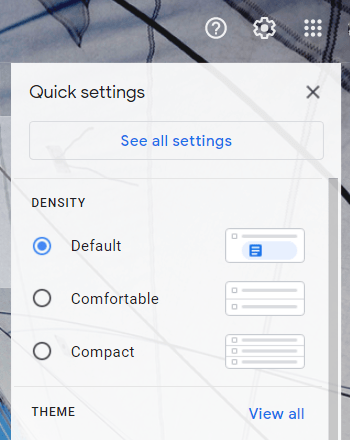
- Then, Click the setting cog and click the “See all settings” button.
4. Now Click the “Accounts and Import” Tab and Select the “Add a mail Account” option.
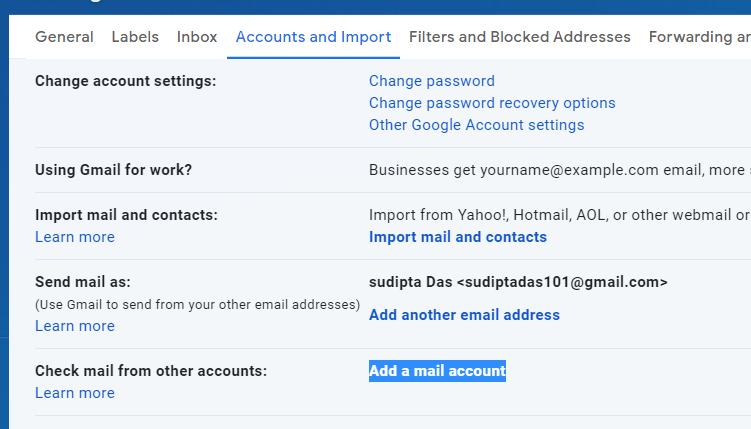
5. Now insert your JustHost webmail address and click the next button.
6. Now, give the password to this email account.
7. Now enter POP Server to complete the JustHost webmail login process.
Also read: How To Kinsta Login To The Client Area, CDN
Why do I need to make my domain registration information private?
Making domain registration information private will prevent others from accessing your information. Many fraudulent agencies use domain registration information to scam website owners.
Making this information saves you from this type of danger. Justhost Webhosting offers this protection at an inexpensive price.
Conclusion:-
Justhost Webhosting offers 99.999% uptime on their server, and their security system includes various hacking protection systems. For your website, you can trust their service.